Travel connectivity guide
Frigate Bay eSIM: Mobile Internet in Saint Kitts
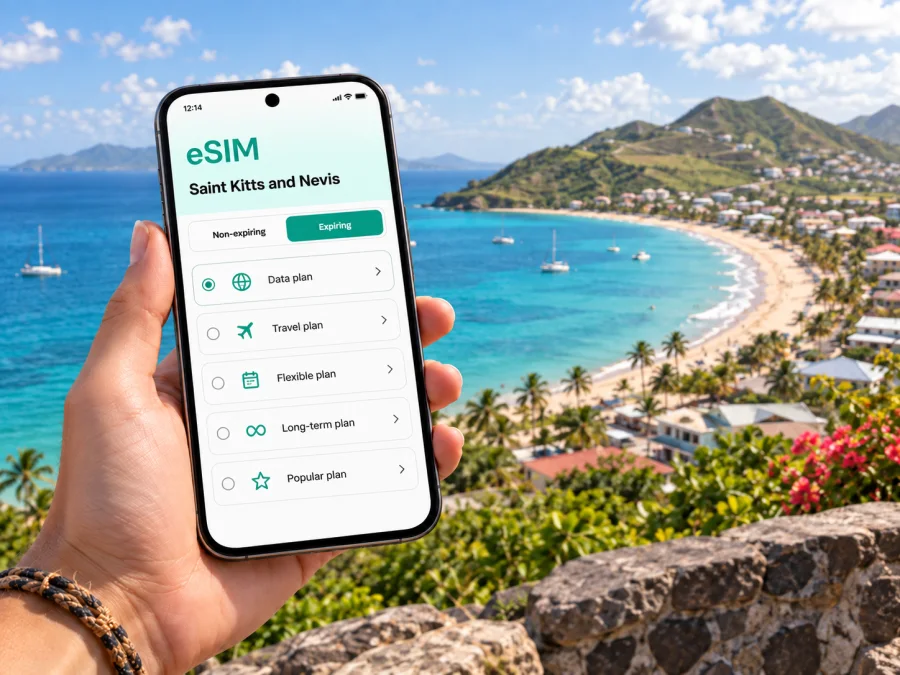
Frigate Bay eSIM for a reliable mobile connection and internet in Saint Kitts and Nevis
Frigate Bay is a useful base for a stay on the southeastern side of Basseterre: the coast, accommodation, dining and island excursions all shape the rhythm of a trip here. A working mobile data connection can help you coordinate an airport pickup, confirm where a driver will meet you, check a map before leaving your hotel and keep plans accessible while you move between the beach and town.
An eSIM is a digital SIM profile installed on a compatible phone. It can provide a separate mobile data option for travel while your usual SIM remains available for calls or messages, depending on device and plan. Prepare it before departure when convenient, and follow the plan’s activation and coverage conditions. This guide focuses on practical ways to use mobile internet around Frigate Bay and on trips that begin there.
Getting from the airport to Frigate Bay
Most international visitors arriving by air use Robert L. Bradshaw International Airport, near Basseterre. Frigate Bay is a separate coastal destination south of the capital area, so the first task is usually not finding a city-centre address but arranging the onward ride to a hotel, guesthouse or rental. Confirm the pickup point and accommodation name before boarding your flight. If your driver or property manager sends directions, save them where you can open them offline as well.
At arrival, a connection helps you notify a host, check a delayed pickup message or share your location. Wi-Fi availability can change, so save the property address, contact number and essential arrival instructions before leaving home.
For a taxi or prearranged transfer, confirm the destination with the driver and keep the accommodation name and a nearby landmark ready. A map pin helps, but clear pickup details matter more than a broad label such as “the beach”.
Understand the Frigate Bay area before choosing a route
Frigate Bay is commonly discussed as a coastal area with North Frigate Bay and South Frigate Bay, rather than as a compact downtown grid. The South Frigate Bay side is associated with the beach and a concentration of restaurants and visitor services; the north-facing shore has a different setting and can have different sea conditions. Timothy Hill is a familiar viewpoint on the route toward the southeast peninsula. Check your exact destination on a map because a hotel described as being in Frigate Bay may not be beside the same beach or on the same side of the road as another.
Use mobile maps for orientation, then confirm the final approach with your accommodation. Places that look close on screen can have different entrances. For a walk, review the route and ask locally about the practical way to reach your destination. Search for the named beach, restaurant or viewpoint rather than relying only on a dropped pin.
A good navigation routine is simple:
- Save the accommodation name, address and map pin before setting out.
- Check the route and expected travel time shortly before leaving.
- Keep the destination visible for the driver, especially if the place has a shared access road.
- Download or screenshot key map areas when you have Wi-Fi, as a backup.
- Recheck the route after a change of plan instead of assuming the previous pin is still right.
When mobile internet helps around the bay
Mobile internet is useful for messaging your host, checking a venue’s hours, sharing a meeting point and following the route to Basseterre. It also keeps booking and transport details accessible. Store documents securely and handle sensitive information carefully on public connections.
For a beach day, data can help with navigation, messages, weather checks and coordinating a return ride. Carry a power bank for extended map use and protect the phone from sand, salt water and heat. Follow the phone maker’s care guidance; a pouch does not make every device suitable for submersion.
Signal quality varies with location, buildings, local network conditions and the plan’s partner network. A hotel room, shoreline and nearby road may perform differently. If a page does not load, move to a more open spot, check mobile data settings and confirm the plan is active. Keep essential details offline as a backup.
Moving between Frigate Bay, Basseterre and the southeast peninsula
Basseterre is the practical reference point for many visitors staying around Frigate Bay. You may go into town for errands, a meal, a ferry departure or an appointment, then return to the coast. Agree on the return transport before you leave, especially if you have a timed connection or an evening plan. A map and messaging service help you share a pickup point, but local transport availability and schedules should be confirmed directly rather than inferred from a map listing.
The road continues from Frigate Bay toward the southeast peninsula, and Timothy Hill is a notable lookout along this general outing. If you plan a stop there or at another point on the peninsula, make the driver aware of every stop before starting the trip. This helps keep the route and waiting arrangements clear. For a self-guided outing, check road access, daylight and the return plan; avoid relying on a single mobile map when the route matters.
A short comparison can help when setting up a day:
| Plan | What to arrange before leaving | How data can help |
|---|---|---|
| Beach and nearby meal | Which shore or venue, plus a return plan | Check messages, venue details and the route back |
| Basseterre visit | Exact destination and transport timing | Follow the route, coordinate changes and keep confirmations handy |
| Southeast peninsula outing | Stops, waiting time and return pickup | Share the itinerary and look up each named stop |
| Work call from a hotel | Quiet location, power and backup connection | Join a call or send updates if the connection supports it |
Kaspersky eSIM Store is an app and website where you can choose, arrange and activate an eSIM with a suitable mobile data plan for an international trip. Before choosing, compare the destination covered, data allowance, validity period, price and any usage conditions. For travel centered on Frigate Bay, check that the plan is for Saint Kitts and Nevis and consider whether your itinerary extends to other destinations. You can review eSIM plan options for Saint Kitts and Nevis and match the plan details to your dates and expected use.
Choosing a plan for the way you travel
Estimate from your likely daily use, not a headline data number. Maps and occasional messages use less than frequent photo sharing, video or remote work. Consider navigation, ride coordination, internet calls and hotspot use; review any top-up terms rather than assuming they are available.
| Your travel pattern | What to consider |
|---|---|
| Weekend or short stop | Validity should cover the full stay, including arrival and departure days |
| Longer beach holiday | Estimate daily use and compare the total data allowance with the number of days |
| Remote work | Check whether the allowance and plan terms suit calls, file access and possible tethering |
| Several destinations | Confirm the countries covered; a country plan may not include every island on your route |
| Keeping your normal number | Check how your phone handles two SIMs and which line is selected for data |
Review the plan’s full conditions before checkout: supported destination, validity start, data amount, activation steps and any limits on tethering or network use. Prices and plan availability can change, so use the information shown when you select a plan. An eSIM intended for mobile data should not be treated as a replacement for ordinary voice service or SMS unless the plan explicitly says otherwise. You can keep your regular number enabled for those services if your device and carrier settings allow, while setting the travel eSIM as the mobile-data line.
Install before departure or after arrival
When possible, install the eSIM while you have a stable internet connection and time to follow the on-screen steps. Read the plan instructions first and keep the QR code or activation details accessible on another screen or in a safe place. Some phones allow manual entry; others use a QR code. Follow the sequence shown for your device and the plan you selected. Avoid deleting an installed profile unless the instructions tell you to do so, because reinstalling may not be possible with every plan.
A practical setup sequence:
- Confirm that your phone supports eSIM and is not restricted by a carrier lock. Check whether your device supports eSIM.
- Connect to reliable Wi-Fi and open the eSIM installation details.
- Add the profile using the device’s cellular or mobile network settings.
- Label the profile clearly, such as “Travel” or “Saint Kitts and Nevis”.
- Review which SIM handles mobile data, calls and messages; settings vary by device.
- Follow the plan’s activation timing. Some profiles can be installed in advance, while plan validity or service activation may depend on when they first connect.
For device-specific steps, use the Android eSIM installation instructions or the iOS eSIM installation instructions. The labels and menu order can differ across phone models and operating system versions. Once in Frigate Bay, verify that the intended eSIM is selected for data and that mobile data is enabled. If it does not connect, check the plan status and its instructions before changing several settings at once.
Work trips and short stopovers
For a work visit, save your accommodation, meeting location, calendar details and transport contact before travel. Agree on a precise entrance or landmark with colleagues. Test your connection where you expect to work, and keep hotel Wi-Fi as an alternative when appropriate. For a short stopover, choose one or two destinations, allow time for transfers and confirm the return pickup. If a later leg leaves from Basseterre or another terminal, verify the departure location and timing with the transport provider rather than relying on a map estimate.
Mobile data can support messages, route checks and online meetings, but performance depends on local network conditions. For calls or large files, review the plan allowance and consider background uploads that may use data. Keep booking details and directions available offline in case you temporarily lose a connection.
A compact preparation checklist
Use this before leaving for Frigate Bay:
- Check the phone’s eSIM support and carrier-unlock status; review device compatibility.
- Compare Saint Kitts and Nevis plans by destination, data, validity, price and conditions.
- Install the eSIM on Wi-Fi and follow its activation instructions.
- Confirm which SIM is selected for mobile data and whether data roaming must be enabled for that profile.
- Save the accommodation details, airport pickup information and important bookings offline.
- Keep a map backup and a charged power bank for outings.
- Agree on transport and pickup points for journeys between Frigate Bay, Basseterre and the peninsula.
- Keep your regular SIM settings clear so calls and messages go to the intended line.
Match the plan to your dates, destinations and likely use. If you travel from Saint Kitts to Nevis or another island, verify coverage for each destination rather than assuming nearby places are included.
Frequently asked questions
Is Frigate Bay a good base for exploring Saint Kitts?
It suits some visitors who want a coastal base with trips to Basseterre or the southeast peninsula. Compare your lodging’s location with planned stops and confirm transfers directly.
How reliable is mobile coverage around Frigate Bay?
No plan guarantees identical coverage in every location. Performance depends on the network, terrain, plan and surroundings; save key information offline.
Can I use one eSIM for Saint Kitts and Nevis?
Only if both destinations are listed in the selected plan’s coverage. Check its coverage and validity before purchase.
Does an eSIM include a local phone number?
It may be data-only. Check plan terms for voice and SMS; internet calling apps depend on data and app availability.
Should I install the eSIM before I fly?
Advance installation can simplify arrival if you have Wi-Fi. Check when validity begins, keep your regular SIM available if needed, and confirm the data line after installation.
What should I do if the eSIM does not connect?
Confirm the plan is active, the travel line is on and selected for data, and follow plan-specific network or roaming settings. If needed, connect to Wi-Fi and contact support through the supplied route.
Get ready to stay connected in Frigate Bay
Before you leave, compare the plan destination, data allowance, validity and activation details with your itinerary. Install the eSIM when you have a dependable connection, save essential directions and confirm your airport transfer and first-day plans. That preparation can make it easier to focus on the coast, meals and excursions once you arrive.
Choose a suitable option for your dates and expected use, then follow the device instructions to install and activate it. You can prepare an eSIM plan for your Saint Kitts and Nevis trip through Kaspersky eSIM Store, an app and website for selecting and setting up an eSIM for international travel.


