Travel connectivity guide
Fukuoka eSIM: Mobile Internet for Your City Trip
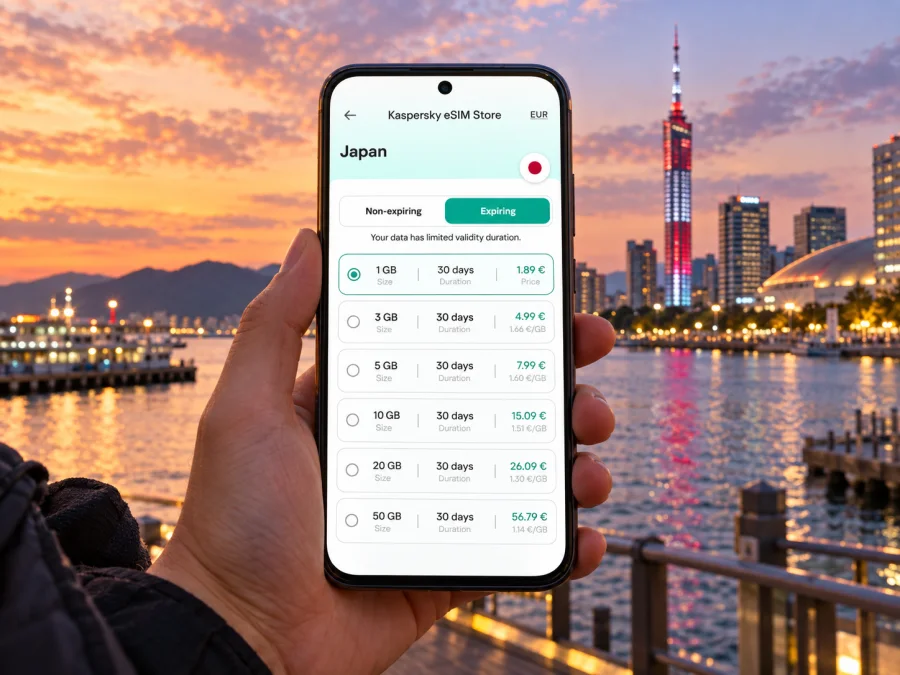
Fukuoka eSIM: Mobile Connection and Internet for Your City Trip
Fukuoka is a practical first stop in Japan: the airport is close to the central districts, Hakata is a major rail hub, and the city’s everyday destinations are spread between lively shopping streets, food areas, parks and the waterfront. A reliable mobile data plan can make those transitions easier. You can check a station exit, translate a sign, confirm a restaurant’s opening hours or message your hotel while moving around.
An eSIM is a digital SIM profile installed on a compatible device. For a visit to Fukuoka, it can be a convenient way to prepare mobile internet before departure or after arrival without swapping out your usual physical SIM. The exact service, data allowance, validity period and network access depend on the specific plan and its provider. Check those terms before you choose, and keep a second way to access essential travel details.
Why mobile internet is useful in Fukuoka
Fukuoka is easy to explore in manageable sections, but a trip often combines several kinds of travel. You may arrive at Fukuoka Airport, continue to a hotel near Hakata Station or Tenjin, walk through a shopping district, then take the subway to Ohori Park or the seaside. If you leave the city for a day trip, you may return to Hakata to catch a train. Maps, timetables and booking messages are useful at each step.
Mobile data is especially helpful for:
- checking which station entrance or exit is closest to your destination;
- comparing walking, subway and bus routes when weather or luggage changes your plans;
- looking up a Japanese address and showing it to a taxi driver or hotel receptionist;
- translating menus, signs and short notices;
- checking restaurant queues, opening hours and reservation details;
- coordinating with travel companions when you split up in a large station or shopping complex;
- finding updated information before an onward train or flight.
Arriving at Fukuoka Airport
Fukuoka Airport is unusually close to central Fukuoka. Its domestic terminal connects directly with the city subway, and the official airport guidance estimates about five minutes by subway from Hakata Station and about ten minutes from Tenjin Station. The international terminal is not directly connected to the subway: passengers use the airport’s free shuttle bus to reach the domestic terminal and its subway access. Allow time for this transfer, especially if you have checked baggage, are travelling with children or have a tight connection.
Before leaving the terminal, check where your hotel is relative to the subway, bus stops and major stations. “Fukuoka” can refer to a broad city area in booking descriptions; an address in Hakata, Tenjin, Nakasu or Momochi leads to a different last leg. Save the full address and the nearest station or landmark. If you arrive late, confirm in advance that your chosen transport is operating and that your accommodation can receive you.
A simple arrival sequence helps keep the first hour calm:
- Connect to Wi-Fi if available and confirm your onward route.
- If arriving internationally, follow signs for the free shuttle to the domestic terminal before looking for the subway.
- Check the current subway service and the last train time for your date rather than relying on a saved timetable.
- At Hakata or Tenjin, follow station signs for the correct exit and check the walking route to your accommodation.
- If your plan includes an eSIM, switch to it for mobile data only when you are ready to use it, following that plan’s activation instructions.
The subway’s Airport Line links Fukuoka Airport with Hakata, Gion, Nakasu-Kawabata, Tenjin and stations farther west, including Ohori Park. At Nakasu-Kawabata you can change to the Hakozaki Line. The Nanakuma Line connects Hakata with Tenjin-minami and areas to the southwest. These three lines cover many visitor routes, though buses and walking may suit destinations between stations.
Getting around: choose the right digital tool for the route
Hakata and Tenjin are useful reference points. Hakata Station combines subway access with JR services and the Shinkansen; Tenjin is a major shopping and business area and connects with Nishitetsu services. The Airport Line is often the simplest route between the airport, Hakata and Tenjin. From there, use a route planner to compare the subway with a bus or a walk for the specific address.
| Area or journey | What to check on your phone | Why it helps |
|---|---|---|
| Airport to Hakata | Terminal, Airport Line station and exit near your hotel | The subway station serves the domestic terminal; international arrivals need the shuttle transfer. |
| Hakata to Tenjin | Airport Line route and the destination-side exit | The districts are connected by subway, but a large station can have several exits and long underground passages. |
| Tenjin to Ohori Park | Airport Line to Ohorikoen or Tojinmachi, then walking directions | Both stations are within walking distance of the park; confirm the entrance nearest your planned stop. |
| Hakata to a southwest destination | Nanakuma Line station and walking distance | The Nanakuma Line now serves Hakata and Tenjin-minami as well as southwestern neighbourhoods. |
| City to a day trip | Departure station, train operator and ticket conditions | Different rail services use different stations, platforms and ticket rules. |
Fukuoka City Subway currently lists service hours from about 5:30 a.m. to 12:25 a.m. and trains every four to eight minutes, but schedules can change. Confirm operating times and service notices for your travel date. Outside subway hours, check whether a bus or taxi is a realistic option rather than assuming the same route remains available.
For walking, take account of heat, rain and the distance between underground exits and the actual entrance you need. A station may be close on the map while a route on the surface crosses a wide intersection or follows a busy road. Download a map area or save key addresses before leaving Wi-Fi, and keep your phone battery available for navigation and tickets.
Where to stay and how connectivity fits
Hakata is convenient if you are arriving by train, taking the Shinkansen, or making day trips around Kyushu. The station complex is extensive, so plan an indoor meeting point and note the exit name as well as the station. If you are carrying luggage, check whether your hotel is on the same side of the station as your intended exit.
Tenjin works well for shopping, dining and access to central subway and private railway services. It is a busy district with underground passages and connected buildings. Navigation can be useful even for a short walk: identify a street-level landmark and an exit before going underground, where GPS may become less precise.
Nakasu and Nakasu-Kawabata put visitors close to restaurants, entertainment and the riverside, with subway links nearby. Late-evening plans call for checking how you will get back, since subway service is not all night. A mobile connection can help you confirm a meeting point, but arrange a fallback with your group in case someone’s phone runs out of power.
Momochi and the waterfront suit visitors going to the seaside attractions and Fukuoka Tower area. The last part of the trip may be by bus or on foot, depending on where you start. Check the return route before you settle in for the evening, and save your accommodation address for a taxi or route search.
The best base depends on your itinerary, not on a promise of universal coverage. A city trip based around Hakata Station may need different route planning from a stay near the coast. Before choosing an eSIM plan, check that its destination and terms match your whole journey, including any days outside Fukuoka.
Choose an eSIM plan for the trip, not just the first day
Estimate your data use from the way you travel. Route searches, messaging and occasional translation usually differ from frequent video calls, photo uploads or streaming. Hotel Wi-Fi may reduce mobile use, but it is not a substitute for access while travelling between places. If you will use your phone for work, navigation and hotspot sharing, allow more headroom than for a light-use sightseeing trip.
Use this checklist when comparing plan details:
- Destination: confirm that the plan applies in Japan and covers every other country on your itinerary if you are crossing borders.
- Data allowance: estimate maps, messaging, browsing, work and media use; do not assume every app uses the same amount.
- Validity: check when the validity period starts and how long it lasts. Activation rules can differ between plans.
- Network conditions: review the provider’s stated network and any speed, tethering or fair-use conditions. Coverage can vary by location, building and device.
- Top-ups: find out whether the plan can be topped up and how that affects the expiry date.
- Device: confirm eSIM support and that the phone is not carrier-locked. Some device variants differ by sales region.
- Voice and SMS: travel data plans may not include a Japanese phone number, regular calls or SMS. Read the plan terms and keep your home number available if needed.
If your route includes Fukuoka plus another part of Kyushu, check the plan at the country level rather than assuming a city-specific plan is needed. Kaspersky eSIM Store is an app and website where you can choose, purchase and activate an eSIM with a suitable plan for mobile internet on an overseas trip. You can review eSIM plan options for Japan after estimating your expected data use and validity needs.
Check your device before you travel
Not every phone supports eSIM, and support can differ between regional versions of a device with the same model name. Your phone may also be restricted to a particular carrier. Check the manufacturer’s specifications for your exact model and confirm the device is unlocked before purchase. Check your device’s eSIM compatibility before you commit to a plan.
Keep your regular SIM active if you need calls or SMS on your usual number, and set the travel eSIM as the mobile-data line when appropriate. Be clear about which line handles data so you do not trigger unintended roaming charges on your home SIM. The menu labels vary by operating system and device; follow the instructions for your model and the selected plan.
Install and activate before the busy part of the trip
The easiest time to install an eSIM is when you have a stable internet connection and a few quiet minutes. Read the plan-specific instructions first. Some eSIM profiles are intended to be installed before departure and activated on arrival; others use different timing. Do not delete a profile to troubleshoot unless the provider’s instructions say to do so, because it may not be possible to reinstall it yourself.
- Confirm that the phone is compatible, unlocked and connected to Wi-Fi.
- Open the order or installation details and read when the plan begins its validity period.
- Add the eSIM by following the on-screen steps or scanning the supplied QR code, if provided.
- Label the new line so you can distinguish it from your usual SIM.
- Set the eSIM as the line for mobile data when you are ready to use the travel plan.
- Follow the plan’s guidance on data roaming and activation; settings vary by plan and device.
- Confirm that mobile data works before relying on it for a time-sensitive journey.
Follow the relevant setup guide for your device: eSIM instructions for Android and eSIM instructions for iOS. The Kaspersky eSIM Store app and website help you manage the selection and activation process; the mobile service itself depends on the chosen plan and its provider.
Practical scenarios around the city
A short stop between flights
If you have only a few hours, keep the route simple. Check the airport terminal you will use, your luggage arrangements and the time needed to return for check-in. A visit to Hakata or Tenjin may be more realistic than trying to cross the city and fit in several stops. Save the return route before leaving the airport, and keep enough time for the shuttle if returning from the international terminal.
A relaxed afternoon at Ohori Park
The park is accessible from Ohorikoen or Tojinmachi stations on the Airport Line. Its pond-side path is about two kilometres, and the wider area includes cultural venues such as the Fukuoka Art Museum and a Japanese garden. Download or save the route beforehand if you want to spend time away from the main streets. For a visit around sunset, check current access and lighting information before you go.
A day trip from Hakata
Hakata is a useful departure point for rail journeys around Kyushu and for the Sanyo Shinkansen toward Kokura and points beyond. The exact service and ticket rules depend on destination and operator. Check the station, platform, reservation and pass conditions from official rail information before travel. Save the return train details and a copy of your booking confirmation in case you lose connectivity inside a station or train.
If mobile data does not connect
Start with simple checks, and avoid deleting the eSIM profile as a first step:
- Check that the eSIM line is enabled and selected for mobile data.
- Confirm that the plan is active, valid and has data remaining.
- Check the provider’s instructions for data roaming and network selection.
- Turn airplane mode on briefly, then turn it off, or restart the phone if appropriate.
- Move to an open area and retry; indoor conditions can affect reception.
- If the issue continues, use Wi-Fi to contact the plan’s support channel and provide the device model and the steps already tried.
A connection can vary with location, building construction, congestion, device settings and the plan’s network arrangements. No travel eSIM should be treated as a guarantee of uninterrupted service in every place. Keep offline copies of your hotel details, tickets and key addresses, and use station signage when a map or mobile signal is unavailable.
A compact preparation checklist
Before departure
- Check the exact phone model for eSIM support and confirm it is unlocked.
- Compare Japan plan data, validity, activation timing and top-up terms.
- Install the profile using a stable connection if the plan instructions recommend it.
- Save your accommodation address, airport transfer steps and important tickets offline.
- Decide which SIM handles mobile data and review roaming settings for your regular line.
On arrival
- Confirm whether you are at the domestic or international terminal.
- From the international terminal, use the free shuttle to reach the domestic terminal’s subway connection.
- Check current subway hours and service notices before travelling.
- Test the travel eSIM before starting a time-sensitive route.
During the visit
- Save station exits and meeting points, not only destination names.
- Monitor remaining data if you rely on maps, calls or hotspot use.
- Keep a charging option and offline itinerary available for long days.
- Recheck transport information before an evening return or a day trip.
Frequently asked questions
Is an eSIM useful for a city break in Fukuoka?
It can be useful if you want mobile data for maps, transport checks, translation and messages without changing your physical SIM. Whether it suits you depends on device compatibility, plan terms, data needs and the network conditions for your route.
Can I use the subway from Fukuoka Airport to central Fukuoka?
Yes. The domestic terminal connects directly with the subway. The international terminal does not; take the free airport shuttle to the domestic terminal before using the subway. Check current airport guidance and service times on the day you travel.
Does an eSIM plan give me a Japanese phone number?
Not necessarily. Many travel data plans are intended for internet access and do not include a local phone number, ordinary voice calls or SMS. Read the specific plan description, and retain another option for calls or messages if you need one.
Will the same phone support eSIM in every country?
No. Support depends on the exact device and its regional version, and the phone must be unlocked for use with another plan. Verify the manufacturer’s specifications and the device compatibility check before purchase.
Can I use one plan for Fukuoka and other Japanese cities?
Check the plan’s stated destination and conditions. If it is valid for Japan, it may fit a route that includes Fukuoka and other cities, subject to its network terms, data allowance and validity. Do not infer service conditions from the city name alone.
Prepare your Fukuoka connection
A little preparation makes it easier to move between Fukuoka Airport, Hakata, Tenjin, the waterfront and the city’s parks. Check your device, read the plan conditions and save essential travel details offline. When you are ready, use Kaspersky eSIM Store to choose and activate an eSIM plan for your Japan trip, then follow the plan’s setup instructions before depending on mobile data. Choose an eSIM plan for your trip to Japan.


