Travel connectivity guide
Fulidhoo eSIM: Mobile Internet in the Maldives
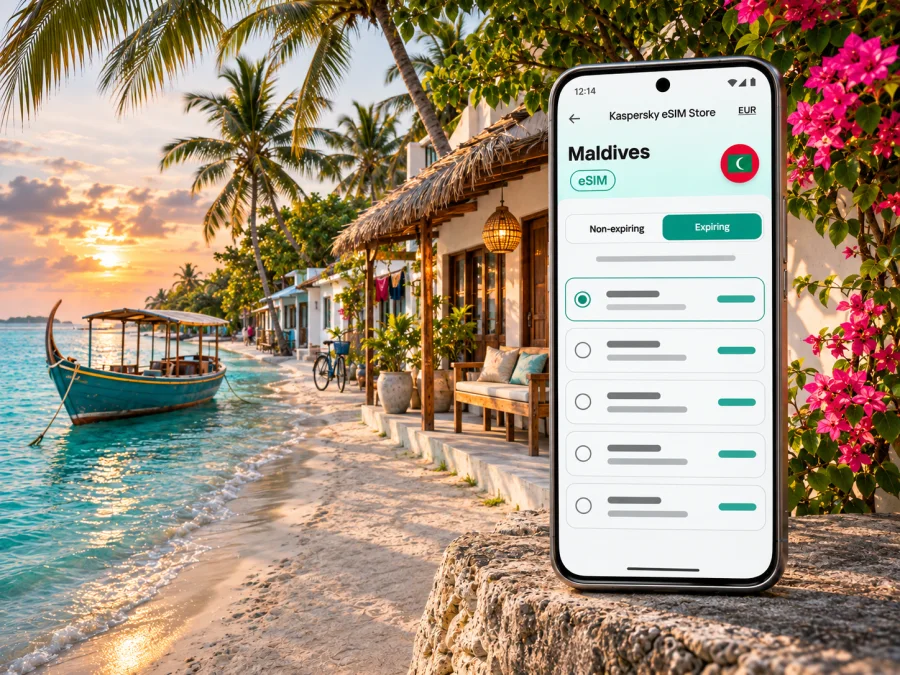
Fulidhoo eSIM for mobile connection and internet in the Maldives
Fulidhoo is a small inhabited island in Vaavu Atoll, south of Malé. A trip here is shaped by the sea: you arrive through Velana International Airport, continue to a boat transfer, then spend your days moving between your guesthouse, the beach and excursions on the water. Mobile internet is useful at each stage, but the details are different from a city break. You need to plan for the transfer, confirm what works on your exact island and avoid assuming that a signal on land will follow you offshore.
An eSIM can give a compatible phone a separate mobile-data connection for travel, while your usual SIM remains available for calls or messages if your plan allows. It can help with directions, confirming a pickup, contacting your accommodation and checking weather or boat updates. It is not a guarantee of service on every island or boat. Before you travel, check the destination, validity period, data allowance, supported network and activation conditions shown for the specific plan.
What to plan for in Fulidhoo
Fulidhoo is not a large urban centre with several transport options at every corner. Accommodation, meals, island activities and transfers are arranged around a compact local community and the surrounding lagoon. The Maldives Ministry of Tourism lists guesthouses on Fulidhoo under Vaavu Atoll; that distinction matters when you search for coverage or travel information. A country-level plan can be relevant, but island-level reception still depends on the network and local conditions.
Where a connection is useful
- At the airport: check messages and coordinate with your transfer provider after landing. Keep the confirmation available offline as well.
- On the way through Malé: use a map to locate the agreed meeting point or jetty. Confirm the departure location with the boat operator or guesthouse rather than relying on a map pin alone.
- On Fulidhoo: contact your host, check a reservation, look up information or share a short update when the phone has a usable signal.
- On an excursion: use mobile data only when reception is available. Save directions and essential numbers before leaving shore; never rely on a live map as your only navigation plan at sea.
- For remote work: verify the connection at your accommodation and ask about backup Wi-Fi before scheduling a call. Mobile reception and indoor signal can vary by building and moment.
Getting from the airport to the island
Velana International Airport is on Hulhulé, next to Malé. Fulidhoo is in another atoll, so arrival at the airport is only the first part of the journey. The next leg is usually a pre-arranged boat transfer; the exact service, meeting point and timetable depend on your booking and the day. Visit Maldives advises travellers heading to local islands to arrange transport with their guesthouse, and notes that public ferries do not serve every island. Confirm the route directly with your accommodation before departure.
A practical arrival sequence is:
- Before flying, message the guesthouse to confirm the boat operator, departure time, meeting point, luggage guidance and what to do if your flight is delayed.
- Save the confirmation, accommodation address and host's phone number offline. Share your flight details with the person arranging the transfer.
- After landing, connect to Wi-Fi or mobile data to report that you have arrived. If you cannot get online, use the agreed backup contact method and meeting instructions.
- Allow time for immigration, baggage collection and the transfer between the airport area and the departure point. Do not assume a boat will wait for a late arrival unless the operator has confirmed it.
- On the boat, keep your phone protected from spray and save battery. Coverage may change over water, so use the journey to rest rather than expecting uninterrupted navigation or calls.
Speedboat or public ferry?
Private or shared speedboats are commonly arranged through accommodation and can suit a fixed arrival plan. Public ferry schedules may offer another option, but routes, operating days and connections vary; a published timetable can change. Verify the current schedule and island stop with the transport provider before building a flight connection around it. If your arrival is late, your flight is delayed or your stay is short, ask the guesthouse which transfer is realistic for your date.
| Journey detail | What to verify before you leave |
|---|---|
| Airport pickup | Exact meeting point, contact person and waiting time |
| Boat transfer | Departure time, destination island and operator's update channel |
| Public ferry | Current operating day, route, ticket arrangements and return option |
| Flight connection | Whether the boat schedule leaves a safe margin after landing |
| Data access | Whether your eSIM is installed and which line is selected for mobile data |
Keep transfer planning separate from mobile-data planning. A phone with a working eSIM can help you communicate, but it cannot replace a confirmed seat, a boat ticket or instructions from the accommodation. If the connection drops between Malé and Vaavu, you should still know where to go and who to meet.
Choosing an eSIM for a trip to Fulidhoo
Start with the trip pattern, not a headline allowance. A visitor staying mainly at one guesthouse and using maps, messages and occasional browsing may have different needs from someone uploading video, making frequent video calls or travelling between islands. There is no universal data amount that fits every traveller. Estimate from your own phone use, then compare the allowance, validity and restrictions listed for each available plan.
Because Fulidhoo is a remote island, the most important plan check is geographic scope. The plan page may name Maldives as its destination, while the mobile network that carries data and the islands it reaches are determined by its specific service arrangements. Check the current coverage information and included network for the plan you are considering. If the page does not clearly answer whether it is usable on Fulidhoo or in Vaavu Atoll, ask the provider before purchase and keep a local operator option in mind.
Match the plan to the way you travel
| Your likely use | What to look for |
|---|---|
| Messages, maps and confirmations | A modest allowance may be sufficient; check how long it remains valid and whether background apps use data. |
| Frequent browsing and photo sharing | Estimate typical daily use and leave room for uploads, updates and unexpected delays. |
| Video calls or remote work | Check network coverage at the guesthouse and ask about Wi-Fi; a larger data allowance alone does not ensure a stable call. |
| Several islands or boat excursions | Confirm the plan's geographic coverage and expect reception to vary offshore. |
| Keeping a home number active | Check whether the phone can keep the usual SIM available while the eSIM is selected for data, and understand any roaming charges from your home carrier. |
Estimate data without guessing
Look at your recent mobile-data use in the phone settings. Travel can increase map use, image uploads, translation and app syncing. Multiply your typical daily use by the number of days you want covered, then add a reasonable buffer for arrival and boat delays. Treat the result as a planning estimate, not a promise about what any plan includes.
You can reduce avoidable consumption by downloading offline maps, disabling automatic photo backup on mobile data, limiting app updates and using Wi-Fi for large files. Keep data-saving options on if you are unsure how much remains. Check the plan's usage counter and validity periodically, especially if the validity period begins at installation or first network connection rather than at purchase.
Kaspersky eSIM Store is an app and website where you can select, arrange and activate an eSIM with a suitable data plan for an international trip. The available plans and terms can change. Review the destination, validity start, data allowance, tethering rules, supported networks and refund conditions shown at checkout; do not infer them from an image or from a plan for another country. To browse current options for the destination, check the Maldives eSIM plans.
Check the phone before you buy
An eSIM works only when the exact phone variant supports eSIM and is not restricted by a carrier lock or other device limitation. Support can differ between regional variants of what looks like the same model, so do not rely on a product-family name or another traveller's experience. Check the phone's settings or manufacturer information for your exact model and market, and make sure you can add a mobile plan. Check whether your device is compatible before ordering.
Also review your existing SIM setup. Many travellers keep their home number active for incoming calls and messages, then select the travel eSIM for mobile data. Menu names differ by phone. Make a note of which line is assigned to data, whether data switching is enabled and whether the travel profile needs data roaming enabled according to its installation instructions. Data roaming may be required for some travel eSIMs; follow the plan's instructions and confirm that the selected line is the eSIM before enabling it.
Install and activate before the boat transfer
When possible, install the eSIM while you have stable Wi-Fi and enough time to resolve a setup issue. Read the plan instructions first: some profiles can be installed before departure and activated later, while validity or use may begin at a specific installation or connection event. Follow the plan's stated timing rather than assuming all eSIMs start the same way. Keep the QR code or manual installation details accessible on another device or in a secure offline note if needed.
A simple preparation sequence:
- Confirm phone compatibility, carrier-unlock status and the plan's destination and terms.
- Install the profile using the on-screen steps while connected to Wi-Fi. Do not delete it if activation is delayed; first check the provider's instructions.
- Label the new line “Maldives” or “Travel” so it is easy to identify beside your regular SIM.
- Set the travel eSIM as the mobile-data line when the plan is meant to be used. Keep your home line's voice and messaging settings as you prefer, while checking roaming charges with your home carrier.
- Follow the specific plan guidance for data roaming, network selection and activation. Avoid changing settings at random if the first connection takes time.
- Test data before you leave the airport area, then save transfer details and offline maps in case the connection changes on the way to Fulidhoo.
For step-by-step help, use the Android eSIM installation instructions or the iOS eSIM installation instructions. The menus and activation sequence can vary by operating-system version and plan, so use the instructions for your phone and the terms provided with your eSIM.
Mobile coverage on Fulidhoo and around Vaavu
Dhiraagu and Ooredoo are local Maldives operators, and both currently advertise tourist eSIM options on their official sites. Those operator-issued options are distinct from travel eSIM plans selected through another service. This does not mean that every travel eSIM uses the same network or has identical coverage. A plan may connect through a partner network, and availability can depend on the operator, the local cell site, the phone and conditions at the time. Check the exact network or coverage details for your plan, particularly if reliable data is important during your stay.
On Fulidhoo, try data outdoors if an indoor connection is weak, then wait briefly or follow the plan's network-selection guidance. Building materials, the side of the island, congestion, weather and maintenance can affect reception. At sea, the phone can lose terrestrial signal or move between cells. A chart showing national coverage is not a guarantee of signal inside every room, on every boat or at every excursion site.
Use this three-part rule:
- On the island: use mobile data when it is available; retain guesthouse Wi-Fi details as a backup.
- On the boat: assume service may be intermittent and keep your route, pickup contact and essential confirmations offline.
- At a dive or snorkelling site: do not rely on a phone signal for safety, navigation or emergency coordination. Follow your guide and boat crew's instructions.
For critical communications, agree on a meeting point and a fallback contact plan with your accommodation. Save emergency and booking details before setting out. An eSIM is a convenient data option, but it is not a substitute for local safety procedures or a confirmed transfer.
Save battery and data in an island setting
Sun, salt water and time away from a charger make basic phone care useful. Keep the phone shaded and dry, download maps and bookings over Wi-Fi, disable automatic photo backup on mobile data, and check usage once a day. A battery pack can help, but protect electronics from heat and moisture. Ask your host for local directions; use downloaded maps as a reference on land, not as marine navigation.
Plan for different travel days
For a short stop before a resort stay, confirm that the plan covers every destination and remains valid through your last travel day. For a longer stay or remote work, ask your guesthouse about Wi-Fi and room reception before relying on a video call. Before a diving or snorkelling trip, agree on the meeting point and save the operator's number; assume mobile data may be unavailable once the boat leaves shore. On a late arrival, keep the transfer plan offline even if you have installed and tested an eSIM.
If the eSIM does not connect
Start with the simple checks: confirm that the eSIM profile is enabled, that the travel line is selected for mobile data, and that the plan is valid for the current date and destination. If the instructions require data roaming, enable it for the eSIM only. Restart the phone once, then allow time for network registration. Avoid deleting the profile unless support specifically tells you to; some eSIM profiles cannot be reinstalled after removal.
If you are in an area with uncertain signal, move outdoors or to a different spot and try again. Use Wi-Fi for support contact if available. Keep a screenshot or offline copy of the plan details, order reference and installation steps. If the issue continues, contact the plan provider with the phone model and variant, location, time, and any error message. Do not send passwords or one-time verification codes in a public chat.
Frequently asked questions
What is Fulidhoo's geographic status?
Fulidhoo is an inhabited island in Vaavu Atoll, Maldives. Its island setting means transfers and local reception need more planning than a stay in a large city.
Will an eSIM work everywhere on Fulidhoo?
No plan should be assumed to work everywhere. Reception depends on its network arrangements, location, phone and local conditions. Check current coverage and ask specifically about Fulidhoo or Vaavu if the plan listing is unclear.
Can I use data on the boat from Malé?
You may have service where the plan's network has signal, but coverage over water can be intermittent. Save directions and transfer details offline, and do not rely on data for safety communication.
Does a data eSIM include a local phone number?
Not necessarily. Check whether the plan includes voice calls or SMS. Internet calling and messaging apps require data; keep your regular number available if needed and check your home carrier's roaming charges.
When should I install the eSIM?
Installing in advance can leave time to check compatibility and setup over Wi-Fi. Activation timing varies by plan, so confirm when validity begins and follow its instructions.
Is guesthouse Wi-Fi enough?
Availability and quality vary. Ask whether it reaches your room. Mobile data can be a backup where the network has coverage, but it is not guaranteed.
A practical pre-departure checklist
- Confirm your guesthouse booking and save its contact details offline.
- Confirm boat arrangements, meeting point, departure time and delay procedure.
- Check that your exact phone variant supports eSIM and is carrier-unlocked.
- Compare current destination, network, validity, data and activation terms.
- Install the profile in good time if the instructions permit it; keep the QR code secure.
- Download maps, reservations, tickets and essential messages for offline access.
- Set the correct line for mobile data and understand your home SIM's roaming settings.
- Ask the accommodation about Wi-Fi and any local guidance for guests.
- Keep a backup way to contact the transfer provider if mobile data is unavailable.
Prepare your connection for Fulidhoo
Before you travel, check that your phone is compatible, review the plan's network and validity details, and install the eSIM according to its instructions. A little preparation makes it easier to message your host, check a map and manage travel arrangements while you explore the island, while offline details remain available if reception changes.
Use the Kaspersky eSIM Store app or website to review the available options and choose a plan that fits your route and data needs. Explore eSIM options for the Maldives and confirm the current terms before you complete your purchase.


