Travel connectivity guide
G-Mobile eSIM in Mongolia: what to check
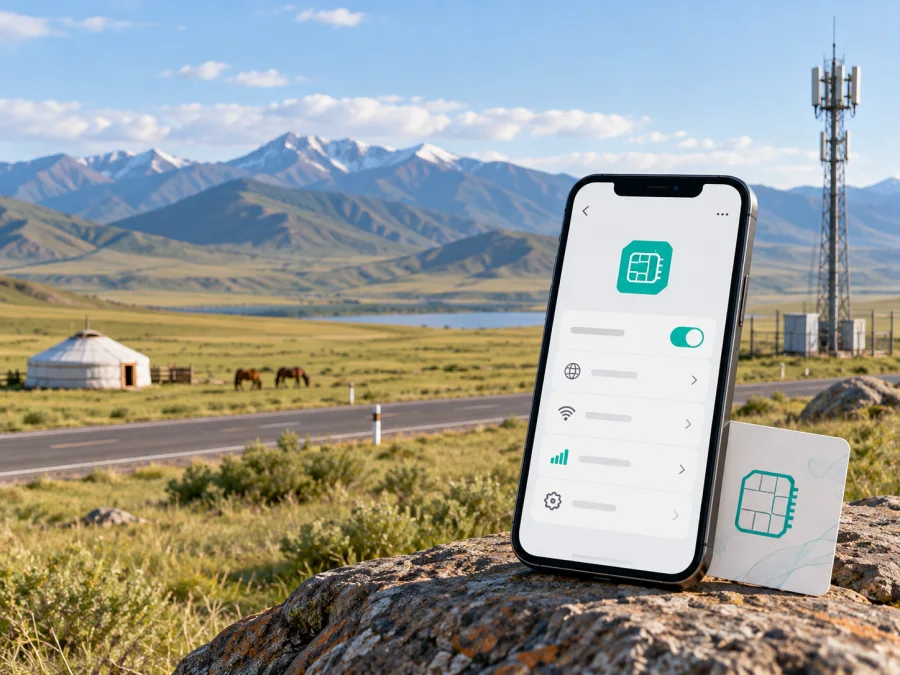
G-Mobile eSIM in Mongolia: what travelers should check
If you are planning a trip to Mongolia and are looking for a G-Mobile eSIM, check the current activation route before you travel. G-Mobile is a Mongolian mobile operator with its own customer channels, coverage information, and support contacts. However, during a review of its public pages on September 20, 2026, I did not find a current official G-Mobile page that clearly confirms eSIM availability or publishes an eSIM activation guide. That is not proof that the service is unavailable: it means the option should be confirmed directly with G-Mobile before purchase or travel.
This guide explains what a traveler can verify, how a local mobile connection differs from a travel eSIM, and how to prepare a compatible phone for mobile data in Mongolia. It does not represent G-Mobile, and Kaspersky eSIM Store is not affiliated with G-Mobile.
Quick answer for a trip to Mongolia
G-Mobile is an established operator in Mongolia. Its current public website presents company information, branch locations, a network-coverage section, and customer-contact details. A current G-Mobile publication also refers to prepaid service and gives customers digital and in-person ways to manage service. These facts make G-Mobile relevant to travelers who want a local connection, but they do not by themselves confirm that a visitor can obtain a G-Mobile eSIM.
The eSIM question should therefore be treated as a verification step. Ask G-Mobile whether it can issue a new eSIM to a visitor, whether the request must be made at a branch, which identity documents are required, whether a local number is necessary, and whether the phone must support a particular radio technology. Ask also whether an existing physical SIM can be converted to eSIM and whether the profile can be installed while you are outside Mongolia. Request the answer in writing if you are arranging the connection before departure.
For a travel eSIM, the situation is different. Kaspersky eSIM Store currently has a Mongolia destination page and describes a way to choose and activate a travel eSIM for mobile data. Its public information says that the profile is installed through the app or website, with QR-code activation, and is data-only rather than a regular local telephone line. It is not G-Mobile or a Mongolian network operator.
Where G-Mobile fits in Mongolia
G-Mobile’s own website labels the company as a national operator and provides an online structure for company information, branches, network coverage, and customer contact. That is useful context for a traveler: G-Mobile is a local service provider, so questions about identity checks, number assignment, SIM replacement, roaming, and eSIM issuance should be directed to G-Mobile rather than to a travel eSIM store.
The operator’s current customer-facing information shows that prepaid service is part of its offer. This can suit a short stay, but it does not settle tourist eligibility or eSIM availability. The public material reviewed did not establish a current tourist eSIM route for foreign visitors, so do not treat a prepaid service, a tourist SIM, and an eSIM as interchangeable.
G-Mobile’s public contact page lists its support channels in Ulaanbaatar and provides the customer numbers 3636 and +976 98103636. Contact details can change, so verify them on the current G-Mobile website before relying on them. If you are already in Mongolia, a branch or support agent may be able to explain the latest process more precisely than a general web page.
Is G-Mobile eSIM available in Mongolia?
As of September 20, 2026, confirmation was not found on the current official public G-Mobile pages reviewed for this article. Those pages exposed company information, branches, coverage, contacts, and service announcements, but no clearly labeled eSIM product page, compatibility list, or public QR-code procedure.
Check current support with G-Mobile and ask whether a visitor can receive a new eSIM, whether prepaid eSIM is limited to existing subscribers, where the request must be completed, which passport or registration requirements apply, and whether the phone must be unlocked or use a specific network mode. Ask how a lost QR code or failed installation is handled. A phone can support eSIM while an operator still restricts who may receive a profile or where it can be issued. Until G-Mobile confirms the route, do not describe G-Mobile eSIM as a guaranteed travel product.
Prepaid, tourist, and visitor requirements
Prepaid service means that a customer uses a service arrangement that is funded before or during use rather than receiving a conventional postpaid bill. G-Mobile’s current public information confirms that prepaid service exists, but it does not automatically confirm that every prepaid option is available to a foreign visitor, works on eSIM, or can be activated without a local registration step.
Tourist products are often subject to extra conditions. A traveler may need a passport, a registration detail, a designated sales channel, or a specific service type. Ask whether the connection is issued online or at a branch, especially if you will leave Ulaanbaatar soon after arrival.
Before choosing a local G-Mobile connection, confirm three practical points:
- Eligibility. Ask whether visitors can obtain the service and which identity document is needed.
- Issuance and device. Confirm where the profile is issued, then check eSIM support, unlock status, and the regional phone version.
- Service and support. Establish whether there is a local number and how to get help if activation fails.
Do not rely on a travel blog, reseller listing, or a search result that only mentions G-Mobile. The safest answer about current eSIM availability comes from G-Mobile support or an official G-Mobile page that describes the exact service and activation process.
Coverage and supported network technologies
Coverage in Mongolia is geographic: a route can include Ulaanbaatar, provincial centers, steppe, mountain areas, and remote settlements. Treat a map as a planning aid, not a promise of service at every stop.
G-Mobile’s current website includes a network-coverage section. The Communications Regulatory Commission of Mongolia provides a public map with 2G, 3G, 4G LTE, and 5G layers. Read it at the location level and close to travel. It does not confirm G-Mobile eSIM availability, that every layer belongs to G-Mobile, or that a particular handset will connect to every technology.
The official G-Mobile pages reviewed did not give a simple current list of all radio technologies supported by each service or device. Ask G-Mobile about the phone’s bands and the actual provinces, towns, camps, or border areas on your route. A device may support eSIM yet lack the network modes used at a particular location; this is a device-and-location question, not a quality ranking.
Device compatibility before you buy or activate
An eSIM is a digital SIM profile stored in a compatible device. Compatibility depends on the phone model, regional version, operating system, and network-lock status. Some models sold in one market can differ from models with the same commercial name sold elsewhere. Check the manufacturer’s device settings and the operator’s own compatibility guidance when available.
Before travel, confirm that the mobile-network settings include an option to add an eSIM, that the phone accepts another operator’s profile, and that the software is current. Decide which line will handle voice, messages, and data, and make sure you have stable internet while downloading the profile. Installation is not the same as connecting to the local mobile network.
Do not delete an existing eSIM or reset the phone simply because a new profile is being prepared. If G-Mobile gives you a replacement or conversion instruction, follow that instruction exactly. A profile may be difficult or impossible to restore after deletion unless the operator issues a new activation code.
How local G-Mobile activation may work
Because a current public G-Mobile eSIM guide was not found, this is a preparation framework rather than a promise about the exact process.
- Confirm eligibility. Ask whether your visitor status, passport, and intended service are accepted, whether a branch visit is required, and whether the line receives a Mongolian number.
- Confirm the phone. Check eSIM support, unlock status, and the exact model identifier or regional version.
- Register through G-Mobile. If identity verification is required, use the official channel and do not send documents to an unverified QR-code seller.
- Install and test. Use stable internet to add the profile, label it clearly, select it for data, enable roaming only when instructed, and test the connection before leaving support.
A travel eSIM alternative for Mongolia
If you need mobile data without waiting for local eSIM confirmation, a travel eSIM can be considered separately. Kaspersky eSIM Store’s current Mongolia page describes checking device compatibility, choosing Mongolia, and activating a digital profile through the app or website. Its public instructions also describe QR-code activation and selecting the travel eSIM as the data line.
This is a different route from G-Mobile. It may suit a traveler who wants to prepare data before a flight, keep the home SIM installed, or avoid a local sales visit. Kaspersky eSIM Store describes the travel eSIM as data-only, so it should not be assumed to provide a Mongolian number or ordinary local voice service.
Kaspersky eSIM Store is an app and website for choosing, ordering, and activating a travel eSIM. It is not a mobile operator, does not own G-Mobile’s network, and does not provide G-Mobile support. Check the current destination conditions and device requirements before purchase.
When you are ready to review the current travel-data option for the country, explore eSIM options for Mongolia. Check the displayed conditions at the time of purchase because travel products, networks, and support procedures can change.
Activation and troubleshooting checklist
Before departure, confirm eSIM support and unlock status, update the phone, keep the home SIM active until testing is complete, save support details, ask G-Mobile whether its current route accepts visitors, and save key travel information offline.
During installation:
- use stable internet to download the profile;
- scan the QR code from a trusted display or use the official in-app flow;
- label the profile clearly;
- select the intended line for mobile data;
- enable data roaming only for the line that requires it;
- wait for registration and follow the operator’s or provider’s on-screen instructions.
If there is no connection, check the selected data line, roaming setting, APN instructions, and network-selection mode. Move to an open location and restart the mobile connection only after recording the current settings. Do not repeatedly delete and reinstall a profile unless support tells you to do so. If a G-Mobile profile was issued by a branch, contact G-Mobile first; if a travel profile was purchased through Kaspersky eSIM Store, use its help center or in-app support.
Frequently asked questions
Does G-Mobile offer eSIM in Mongolia?
Current confirmation was not found on the official public G-Mobile pages reviewed on September 20, 2026. Check the latest support guidance directly with G-Mobile before describing the service as available or traveling to obtain it.
Can a visitor use G-Mobile prepaid service?
G-Mobile’s current public materials confirm that prepaid service exists, but they do not establish that every prepaid service is open to visitors or available as an eSIM. Ask about passport requirements, issuance location, registration, and the intended service type.
Does a phone with eSIM support work automatically on G-Mobile?
No. Device eSIM support is only one condition. The phone may also need to be unlocked, compatible with the operator’s network, accepted for the chosen account type, and configured with the correct data line and network settings.
Is a travel eSIM the same as a G-Mobile connection?
No. A travel eSIM is a separate mobile-data arrangement prepared through a travel eSIM service. It does not turn Kaspersky eSIM Store into a Mongolian operator and does not provide G-Mobile customer support or a G-Mobile account.
Does a travel eSIM include a local Mongolian number?
Do not assume that it does. Kaspersky eSIM Store describes the Mongolia travel eSIM as data-only, without a regular phone number for ordinary calls and texts. Confirm the current destination conditions if you need voice service.
Final checks before you travel
The most important unresolved point for a traveler is G-Mobile’s current eSIM eligibility and issuance process. Public G-Mobile pages reviewed on September 20, 2026, confirmed the operator’s presence in Mongolia, prepaid service references, coverage information, and customer contacts, but did not provide a verifiable public eSIM guide. Contact G-Mobile for the latest answer instead of relying on an old listing or an unverified seller.
Then check the route, device, account needs, and installation plan. If you need a Mongolian number or local account, continue the conversation with G-Mobile. If you mainly need data and prefer to prepare the connection online, review the current Mongolia travel eSIM conditions, confirm device compatibility, and keep the roles clear: G-Mobile is the local operator, while Kaspersky eSIM Store is an app and website that helps you choose, order, and activate a travel eSIM. Neither the market conditions nor coverage should be treated as permanent; verify them again close to departure.


