
Travel connectivity guide
Gabala eSIM for Mobile Internet in Azerbaijan
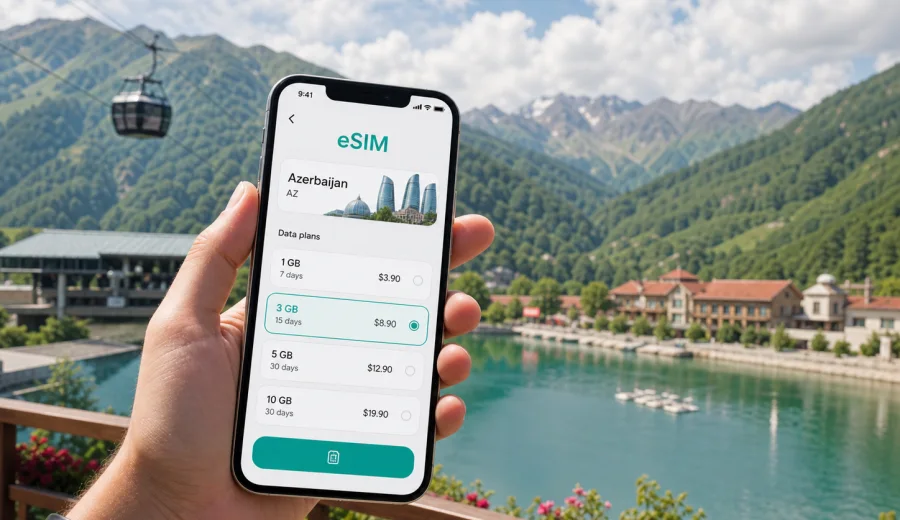
Gabala eSIM: mobile connection and internet for a mountain trip in Azerbaijan
Gabala is the kind of destination where mobile internet becomes useful before the trip really begins. You may arrive through Qabala International Airport, transfer from Baku by road, or add Gabala to a wider Azerbaijan itinerary with Shamakhi, Sheki, Lahij, Ganja, or the Caspian coast. In each case, the practical tasks are similar: open maps, message your hotel, check the weather in the mountains, order a ride, confirm a tour pickup, and stay in touch while moving between the city, resorts, lakes, waterfalls, and villages.
An eSIM can make this simpler because it gives you a way to prepare mobile data without searching for a physical SIM card after arrival. For Gabala, that matters for two reasons. First, many trips are active and spread out: Tufandag Mountain Resort, Nohur Lake, Yeddi Gozel Waterfall, the ancient Gabala archaeological area, hotels outside the compact center, and scenic roads through the foothills. Second, visitors often combine Gabala with other places in Azerbaijan, so the right tariff should match the whole country route, not only one town.
This guide explains how to think about eSIM use in Gabala: arrival, transport, hotels, navigation, day trips, business travel, short stopovers, installation, device checks, and data planning. The focus is mobile connection and internet in the city and around it, not a general country guide.
Why mobile internet is useful in Gabala
Gabala is a mountain and resort destination in northwestern Azerbaijan, at the foot of the Greater Caucasus. It is not a city where every useful place sits within a few blocks. Hotels, leisure complexes, restaurants, outdoor attractions, and viewpoints can be separated by short drives, rural roads, and changing weather conditions. Even if you plan a relaxed trip, you will probably use your phone more than expected.
Mobile data is especially useful for:
- navigating from the airport, bus stop, or intercity road to your hotel;
- sharing a live location with a driver, guide, colleague, or family member;
- checking opening hours and weather before going to Tufandag or waterfalls;
- translating menus, signs, and short messages;
- using maps when visiting Nohur Lake or villages near Gabala;
- confirming bookings for resorts, spas, restaurants, or tours;
- using messengers for calls when your tariff does not include a regular phone number;
- working from a hotel, cafe, or conference venue when backup data is useful.
Gabala also attracts travelers who make quick decisions during the day. Clear weather can make a cable car ride worth moving earlier. Rain can turn a waterfall walk into a shorter stop. A family trip may shift from Qabaland to a lakeside cafe. Without mobile internet, these changes depend on hotel Wi-Fi or asking someone else to call. With an eSIM prepared in advance, you can manage the day from your own device.
Arrival scenarios: airport, Baku transfer, and regional routes
There are several common ways to reach Gabala, and each one creates a different mobile data need.
| Arrival route | What you may need internet for | Practical eSIM use |
|---|---|---|
| Qabala International Airport | messaging the hotel, checking transfers, opening maps | activate data after landing if your tariff conditions allow it |
| Road transfer from Baku | navigation, rest-stop coordination, sharing ETA | keep maps and messengers available during the long drive |
| Intercity bus or minibus | finding the station area, confirming pickup, checking onward timing | use mobile data when public Wi-Fi is unavailable or unstable |
| Private tour route | driver contact, itinerary changes, weather checks | keep one data profile ready for the whole Azerbaijan route |
| Regional trip from Sheki or Shamakhi | navigation between towns, hotel check-in messages | choose a tariff that covers Azerbaijan rather than only a city scenario |
If you arrive through Baku, the road distance to Gabala is significant enough that offline planning alone can feel limiting. You may want to check traffic, message the driver, translate directions, or send an arrival time to your hotel. If you arrive through Qabala International Airport, mobile data helps with the first minutes after landing: transfer details, address confirmation, and finding the right contact without relying on an airport Wi-Fi network.
Before you travel, save essential information offline as well: hotel address, booking number, driver name, passport details if needed for check-in, and emergency contacts. An eSIM is convenient, but good preparation should not depend on a single connection method.
Local movement: why Gabala is not only a city-center trip
In Gabala, movement is part of the experience. A visitor may stay in a resort near Tufandag, go to Nohur Lake for lunch, return to the city center, then join friends at a hotel restaurant in the evening. Another traveler may be in town for a conference and only have a few hours for the cable car or a short walk. Families may move between amusement areas, cafes, and quiet nature stops.
These are normal Gabala situations where mobile internet helps:
- Hotel outside the center: you can confirm the exact entrance, gate, or pickup point.
- Tufandag cable car or ski day: you can check weather, coordinate with companions, and use maps around resort areas.
- Nohur Lake visit: you can share a location, look up a return route, and message a driver when leaving.
- Waterfall or village route: you can keep navigation available where signs may not match your language.
- Evening restaurant plan: you can check location, contact details, and ride options without returning to the hotel first.
Gabala is calm compared with Baku, but it is still easier when your phone can stay online. Public Wi-Fi may be useful in hotels and cafes, yet it is not something to build the whole trip around. Mobile data is most valuable in the gaps: on the road, at viewpoints, during transfers, and when plans change.
How much data to plan for a Gabala trip
Your ideal data amount depends on trip length and habits. A traveler who uses maps, messaging, and email will need much less than someone who uploads video, joins long calls, or uses cloud backups on mobile data.
Use this planning table as a practical starting point:
| Travel style in Gabala | Typical phone use | Data planning approach |
|---|---|---|
| Short stopover, 1-2 days | maps, messaging, hotel coordination | small package can be enough if you avoid video |
| Weekend resort trip | maps, photos, social media, restaurant search | choose a moderate package with a buffer |
| Family vacation | navigation, ride coordination, video messages, backup hotspot | consider more data and monitor usage daily |
| Business trip | email, messengers, documents, video meetings | choose a tariff with enough data for work tasks |
| Azerbaijan route including Gabala | maps between cities, bookings, translation, daily planning | choose by total country itinerary, not only Gabala |
Some activities consume data quickly. Video calls, streaming, automatic cloud photo backup, app updates, and hotspot use can use far more traffic than maps and messengers. Before leaving your hotel Wi-Fi, pause automatic updates and cloud sync on mobile data if you want to preserve your package.
For a mountain trip, also think about timing. If you plan to use maps all day, download offline maps before leaving the hotel. If you plan to post photos, upload the largest batches on Wi-Fi and keep mobile data for messages, bookings, and route changes. This gives you a better chance of finishing the trip without rushing to top up.
Choosing an eSIM tariff for Gabala
For a city article, the right eSIM is usually selected by country coverage. Gabala is in Azerbaijan, and most visitors need mobile data that works for their full Azerbaijan itinerary: arrival, transfer, the city itself, and any trips onward. If you are also visiting another country, check whether a regional or global option is more suitable, but do not assume it is better without comparing the conditions.
When choosing, pay attention to:
1. Destination coverage: the tariff should match Azerbaijan or the full route you will actually take.
2. Data volume: estimate maps, messaging, work, photos, and possible hotspot use.
3. Validity period: match the number of travel days, including arrival and departure.
4. Activation rules: check when the validity period starts and whether you should activate before departure or after arrival.
5. Device compatibility: make sure your smartphone or tablet supports eSIM and is not locked by a mobile operator.
6. Calls and SMS: many travel eSIM tariffs are for mobile data; use messengers for calls unless the tariff terms state otherwise.
If Gabala is part of your Azerbaijan trip, you can review available options and prepare an eSIM tariff for Azerbaijan before you travel. Kaspersky eSIM Store is an app and website where you can quickly choose, arrange, and activate an eSIM with a suitable mobile data tariff for an overseas trip. It helps you compare the conditions you need to check, such as traffic volume, validity period, destination, and price, while keeping the final choice tied to your itinerary.
Install the eSIM before the trip or after arrival
The most comfortable approach is to complete the setup while you still have stable Wi-Fi. For many travelers, that means installing the eSIM before leaving home and activating mobile data according to the tariff instructions. Others prefer to install it at the hotel or after landing, especially if the validity period starts only after a specific activation step. The correct choice depends on the conditions of the selected tariff, so read them before you rely on the connection.
A simple setup flow looks like this:
1. Check that your phone supports eSIM and is not carrier-locked.
2. Choose the destination and tariff for Azerbaijan or your wider route.
3. Complete the order and open the eSIM details in your profile or app.
4. Install the eSIM by following the on-screen steps or using the QR code if provided.
5. Keep your primary SIM for calls if you need your usual number.
6. When appropriate, select the eSIM profile for mobile data.
7. Turn on data roaming for the eSIM if the instructions require it.
8. Test the connection after arrival before leaving the airport, hotel, or pickup point.
For installation details, use the official setup guides: Android eSIM installation instructions and iOS eSIM installation instructions. Follow your device screen carefully, because menu names can differ by manufacturer, operating system version, and region.
Check compatibility before you buy
Device compatibility is the step to confirm early, not when you are already at the hotel desk in Gabala. eSIM support depends on the exact device model, regional version, operating system, and carrier lock status. Some phones with the same marketing name can differ by market, and some devices may be locked to a previous operator.
Before choosing a tariff, check your device. Also confirm that you can access the email, account, or app where the eSIM details will appear. If you travel with family or colleagues, check each device separately. Do not assume that one compatible phone means every phone in the group is ready.
For a group trip, it can be useful to decide who needs their own data package and who can rely on Wi-Fi or occasional hotspot sharing. Hotspot use depends on the device and tariff conditions, and it can consume traffic quickly. For business travelers, a separate eSIM profile on the work phone is often cleaner than relying on someone else’s connection.
Quick answers about eSIM in Gabala
Is an eSIM useful for Gabala if my hotel has Wi-Fi?
Yes, because the most important moments often happen away from the hotel: arrival, transfers, routes to Tufandag, lake visits, restaurant plans, and messaging while moving.
Should I choose a Gabala-specific or Azerbaijan tariff?
For a city trip, choose coverage that matches the country and route. Gabala is in Azerbaijan, so the relevant choice is usually an Azerbaijan tariff or a regional option if your itinerary crosses borders.
Can I install the eSIM before arriving in Azerbaijan?
Often yes, but follow the conditions of the selected tariff. Some steps can be completed before travel, while the moment when validity starts may depend on activation rules.
Will an eSIM give me a local phone number?
Not necessarily. Many travel eSIM tariffs focus on mobile data. Check the selected tariff if you need calls or SMS, and use messengers over data when suitable.
Do I need data roaming on?
Some eSIM profiles require data roaming to be enabled for the eSIM line. Follow the setup instructions and make sure your primary SIM is not accidentally used for roaming data.
Can I use eSIM for trips from Gabala to other parts of Azerbaijan?
Yes, if the selected tariff covers Azerbaijan and remains valid for your travel dates. Choose by the full route: Gabala, Baku, Sheki, Shamakhi, Ganja, or any other planned stop.
What should I do if the eSIM does not connect immediately?
Check that the eSIM profile is installed, selected for mobile data, and configured according to the instructions. Make sure airplane mode is off, data roaming is set as required for the eSIM, and the device is in an area with local network service. If questions remain, contact support through the available channel.
Prepare mobile internet for Gabala before you go
Gabala is easier when your phone is ready for the practical parts of travel: airport arrival, hotel messages, mountain routes, maps, translation, business tasks, and day trips. You can still use hotel Wi-Fi where it is available, but an eSIM gives you a prepared mobile data option for the moments between fixed networks.
Before your trip, check device compatibility, choose a data amount that fits your plans, read the activation rules, and install the eSIM while you have stable Wi-Fi. If Gabala is on your Azerbaijan itinerary, you can choose an eSIM tariff for your trip to Azerbaijan through Kaspersky eSIM Store and keep your mobile internet plan ready before arrival.