Travel connectivity guide
Galle eSIM: mobile internet and connection guide
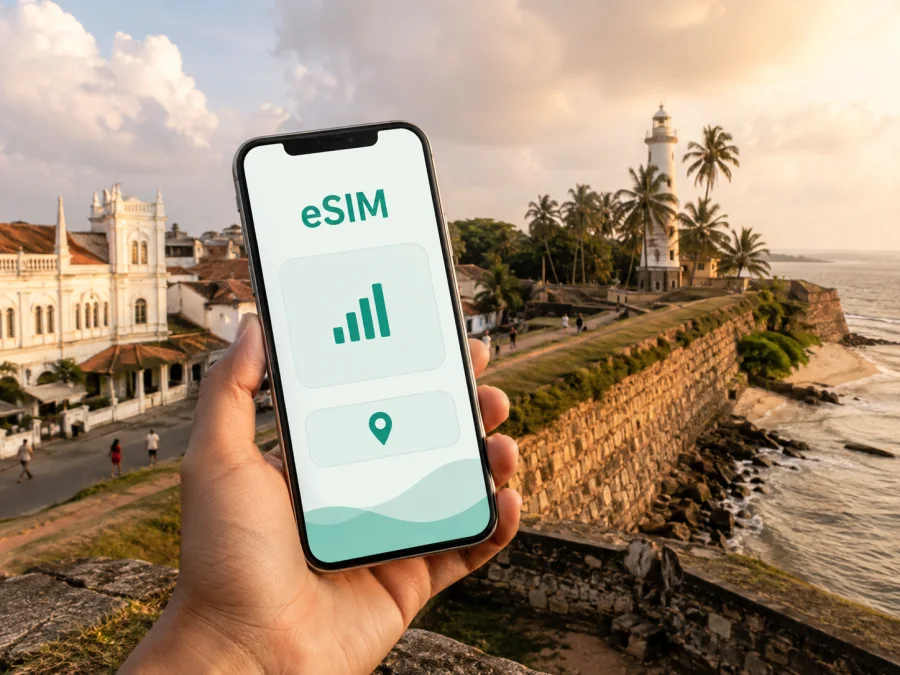
Galle eSIM: mobile connection and internet for your Sri Lanka trip
Galle is a useful base on Sri Lanka’s southern coast, and your phone may be needed from the first minutes of the visit. You might need directions to a guesthouse, a message to a driver, a hotel confirmation or a map for the streets inside the historic fort. An eSIM, or virtual SIM card, can help you use mobile internet in Galle without removing your usual physical SIM card.
With a suitable eSIM plan, your phone can handle maps, messaging, translation, bookings and work tasks while your primary number remains available for the settings you choose. Kaspersky eSIM Store is an app and website where you can choose, arrange and activate an eSIM with a suitable plan for mobile internet during an overseas trip. Your key decisions are to check compatibility, select the right destination and plan, and choose when to activate mobile data.
When an eSIM can help in Galle
Galle brings together the compact streets of Galle Fort, the modern city centre, transport connections and coastal roads. A walk around the Fort may be spontaneous, but a map is useful when you are looking for a particular gate, meeting point, café or accommodation. Outside the walls, you may move between the railway station, bus station, shops, restaurants and a hotel in one afternoon. Mobile data means that each step does not have to begin with a search for a new Wi‑Fi password.
An eSIM may be useful for:
- Arrival: checking the accommodation address, sending your arrival time and opening directions.
- Fort walks: saving a route, translating a sign, locating a meeting point or finding your way back.
- Local movement: confirming a tuk-tuk destination, checking a message or comparing routes when plans change.
- Hotels and guesthouses: opening a reservation, contacting reception and completing an online form.
- Coastal trips: keeping navigation and messages available when your route includes Unawatuna, Koggala, Weligama, Mirissa or Matara.
- Business visits: using email, a short call or a document link when hotel Wi‑Fi is not convenient.
Signal and speed depend on the local network, location, phone and selected plan. The practical value of an eSIM is a simpler routine: choose a destination plan, install the profile with a stable connection, and have mobile data ready for Galle.
Arriving in Galle and finding your way
Many international visitors reach Galle after arriving in the Colombo area and continuing south by road or rail. Before leaving the arrival point, save the name and address of your accommodation, the expected meeting point and a backup contact. Keep those details in an accessible app or screenshot. If a transfer changes, mobile data makes it easier to update the plan while you are moving.
Galle’s railway station and bus station are useful reference points, but the next step depends on where you are staying: inside the Fort, in the modern centre or on the coast. A map helps distinguish the historic peninsula from streets outside the walls. When arranging a tuk-tuk or taxi, send the property name, street and a nearby landmark rather than just “Galle”.
Arrival sequence
- Install the eSIM before departure or while connected to stable Wi‑Fi.
- Keep the line disabled if you do not want the plan to start before arrival.
- Select the eSIM as the mobile-data line when you are ready to use it.
- Keep your primary SIM for calls or messages if your device and operator support that setup.
- Open the saved accommodation address and send one short arrival message.
This separates installation from use. Check the selected plan’s conditions because validity and activation rules can differ.
Mobile data around Galle
Galle Fort
Galle Fort is a historic, walkable area of walls, lanes, old buildings and small businesses. Mobile data can help you meet someone at a particular gate, check a booking, translate a sign or navigate back after taking an unfamiliar turn. Save essential addresses before setting out, but keep live maps available for spontaneous changes. Bright screens, navigation and hot weather can drain a battery, so a power bank is sensible for a long walk.
The modern centre
The area outside the walls is where practical errands often happen: collecting supplies, finding a pharmacy, meeting a colleague, changing transport or checking into a property. Addresses can be easy to misread when written from memory. Ask for a clear landmark or shareable location, compare it with the map and keep the final details in your notes. An eSIM cannot correct a vague address, but it lets you resolve the detail while you are on the move.
The coast and trips beyond the city
Galle may be one part of a coastal itinerary rather than the only stop. Before choosing a plan, list the places you will visit and confirm that the stated country or regional scope covers the whole route. Do not assume that a city name automatically includes every town on a multi-stop itinerary. For a beach day, mobile data is useful for transport messages, reservations and meeting points; offline copies are a helpful backup.
If you want to use your phone as a hotspot for a laptop or another device, check whether tethering is allowed and estimate the extra traffic. A laptop can use considerably more data than a phone limited to maps and messages.
How to choose an eSIM plan for Galle
The suitable plan depends on the complete itinerary and your habits, not only on the city name. Ask yourself:
- How many days will you spend in Galle and elsewhere in Sri Lanka?
- Will you use only maps and messages, or also video calls, cloud files and hotspot mode?
- Does the plan’s destination include Galle and every other planned stop?
- When should validity begin if you install the eSIM before travelling?
Compare the displayed data volume, validity, destination and price. A smaller package may suit a short Fort stop with offline maps prepared in advance. A larger allowance may suit a longer route or regular video calls. The largest option is not automatically the best fit; choose an allowance that reflects actual use and leaves reasonable room for arrival changes.
| Galle travel pattern | Likely data activity | What to check |
|---|---|---|
| Short Fort stopover | Maps, messages and reservations | Validity, destination and navigation allowance |
| Several days in the city | Daily maps, photos and transport updates | Validity covering the stay and data volume |
| Galle plus coastal route | Navigation between towns and frequent messaging | Country or regional scope and expiry |
| Business visit | Email, documents, calls and possible tethering | Data volume, hotspot terms and validity |
Maps and text messages usually require less data than video. Photo backups, automatic updates and video calls can consume an allowance faster. Review which apps may refresh over mobile data, and estimate laptop use separately if you need a hotspot.
Kaspersky eSIM Store helps you review the destination, traffic volume, validity and price shown for an available option. When you are ready, you can choose an eSIM plan for a trip to Sri Lanka. For a Galle itinerary, the country landing page is the relevant choice; this is not a separate city network or city-specific operator.
Check your device before buying
Your phone must support eSIM and must not be operator-locked in a way that prevents another mobile profile from being used. Model names may vary by region, so check the actual device rather than relying only on a familiar product name. Before purchase, check whether your device is compatible.
Also confirm that:
- the phone has an option to add a mobile plan;
- you can access the email, account or profile containing the QR code;
- you have a stable internet connection for the initial installation;
- you understand your primary SIM’s data-roaming setting;
- the selected plan permits the use you need, such as hotspot mode;
- the operating system is ready for the installation flow.
If the phone is borrowed, second-hand or managed by an employer, ask about restrictions. A compatible model may still fail to add a profile when it is carrier-locked, managed or unable to reach the activation service. Resolve this before travelling to Galle.
How to install and activate an eSIM
Install the profile before departure or at your accommodation while you have stable Wi‑Fi. Keep the QR code on another screen when possible. Menu names vary, but the basic flow is to add the plan, label it, select the data line and activate it when the trip begins.
For detailed steps, use the Android installation instructions or the iOS installation instructions.
Before scanning the QR code
- Confirm compatibility and the absence of an operator lock.
- Connect to stable Wi‑Fi or another trusted internet connection.
- Keep the QR code or activation details ready.
- Check the plan’s destination, validity and start conditions.
- Decide whether the line should be enabled now or after arrival.
Installation steps
- Open mobile-network or cellular settings.
- Choose the option to add an eSIM or mobile plan.
- Scan the supplied QR code or enter the details as instructed.
- Label the line clearly, for example “Sri Lanka travel data”.
- Select the eSIM for mobile data when you want to use the plan.
- Leave your usual line selected for calls and messages if that is your intention.
- Enable data roaming for the eSIM only when the plan instructions require it.
- Disable automatic switching between data lines if your phone offers that option.
- Test a map or message and check which line is using data.
The QR code is intended for the device on which you add the profile. Do not delete the eSIM simply because you are finished for the day: depending on the plan conditions, removal may affect future use. Disable the line when appropriate and keep the activation information stored securely.
Practical scenarios and daily settings
For a short Fort stop, use the eSIM for the route to your accommodation, a Fort walk and transport messages. Save the next address before going to sleep and keep some allowance for departure. For a business visit, install and label the eSIM before travelling, test it with a small action, and keep important work files offline. If Galle begins a coastal route, confirm that every planned stop is within the selected scope before setting out.
When your regular SIM and travel eSIM are active together, set the travel profile as the mobile-data line. Check that the primary SIM does not silently take over data, and review its data-roaming setting with your home operator if you need calls or SMS. If the phone offers mobile-data switching, consider disabling it. Save addresses and bookings offline, reduce automatic photo backup and check your balance when available. Public Wi‑Fi can still be useful, but mobile data is another option between check-out, transport and the next stop.
If the eSIM does not connect
First confirm that the eSIM line is visible and enabled, selected for mobile data, and that airplane mode is off. Check whether data roaming is required, then restart the phone if the instructions allow it. Activation can take a few minutes, so wait briefly before repeating the process.
If there is still no data, review the plan’s destination and validity, the signal at your exact location and any device restrictions. Do not delete the profile as a first response. Keep the QR code and activation details, note the message shown by the phone and contact service support through the available channel. A carrier lock or unsupported regional model will not be fixed by repeated installation.
Troubleshooting checklist
- Is the eSIM visible in network settings?
- Is the line switched on and selected for mobile data?
- Is data roaming enabled when required?
- Is automatic data switching disabled?
- Does the plan cover Sri Lanka and remain valid today?
- Has the phone been restarted after settings changed?
- Have you kept the QR code and profile?
Frequently asked questions
Is an eSIM useful for a short stay in Galle?
Yes. It can help with arrival directions, hotel messages, maps, transport and reservations even on a brief visit. Choose validity and data volume for the actual itinerary.
Does the eSIM replace my regular phone number?
Usually not. The plan is intended for mobile internet and does not include a separate number, ordinary calls or SMS unless its conditions say otherwise. You can keep your regular line for calls and messages if your device and operator support the setup.
Can I install it before flying to Sri Lanka?
You can generally prepare installation before departure with a compatible, unlocked phone and a stable internet connection. Whether validity starts at installation, activation or first network use depends on the plan, so check its conditions. You may be able to install first and enable the line later.
Galle is easier to navigate when those small details are ready before the first walk. A compatible eSIM, a plan that matches the route and deliberate data settings can keep maps, messages and bookings available without changing the physical SIM in your phone.
Choose a plan for your trip to Galle
When your device and itinerary are ready, select an eSIM plan for Sri Lanka and review its traffic volume, validity, destination and activation terms. Kaspersky eSIM Store helps you choose, arrange and activate an eSIM for mobile internet during an overseas trip. Install it on a compatible, unlocked device, select the travel line for data when you arrive, and keep your Galle plans accessible from the start.


