Travel connectivity guide
Galway eSIM Guide: Mobile Internet in Ireland
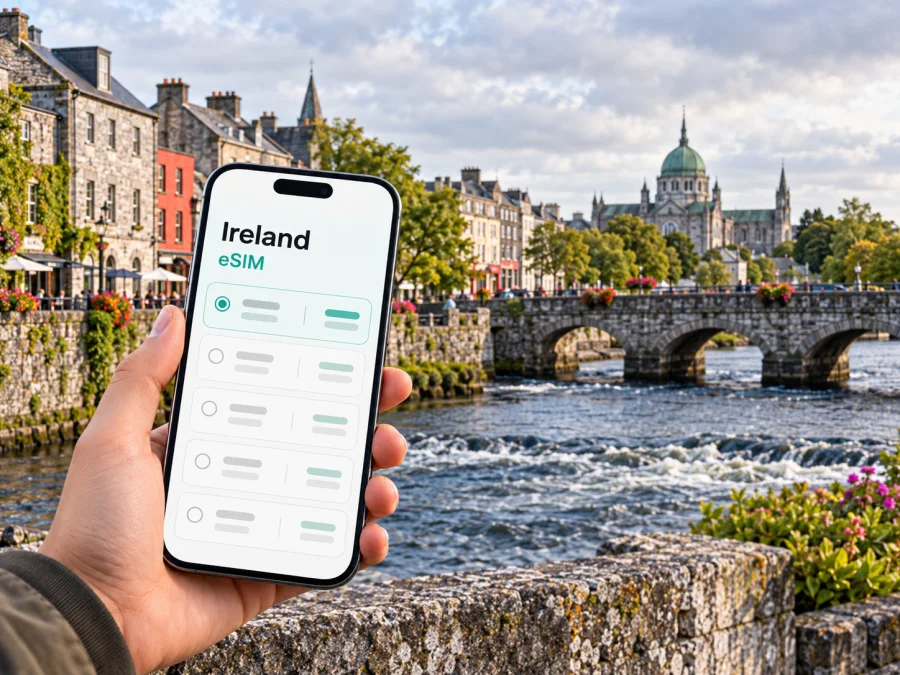
Galway eSIM: Mobile Connection and Internet for Your Visit
In Galway, mobile data can help with a route from the coach station, a bus stop, a booking or a message to your accommodation. An eSIM lets you prepare a data connection before travel, if your phone supports it and the selected plan covers Ireland.
This guide covers arrival, getting around the centre and Salthill, choosing data for your itinerary and onward travel. It also explains eSIM limits so you can check whether it suits your device and plans.
First, know which Galway you are visiting
Galway is a city on Ireland’s Atlantic coast and the principal urban centre of County Galway. It is often used as a base for trips into Connemara, the Burren and other parts of the west, but those places are outside the city and can involve different journey times and signal conditions. A city-focused plan should therefore be considered alongside the full route you expect to take, rather than as a promise of identical service everywhere in the county.
The city is walkable in its central areas, though the exact distance depends on where you stay and what you plan to do. Eyre Square is a useful orientation point: the main coach and rail facilities are close by, and many city bus services use the square as a hub. The Latin Quarter, the Spanish Arch and the River Corrib are also within the central area. Salthill lies to the west along the bay, while places such as Parkmore and Ballybrit are farther from the central streets and may make a bus, taxi or car more useful.
A map downloaded for offline use is a sensible backup. Mobile data is helpful for live updates and route changes, but the phone should not be your only copy of an address, ticket or accommodation check-in details. Save the hotel name and address, booking confirmation, and any onward transport details where you can open them without a connection.
Arriving in Galway: plan the last leg as well as the flight
One detail can prevent a confusing arrival: Galway Airport is currently closed to commercial passenger traffic. Travellers generally fly into another Irish airport and continue to Galway by coach, bus, train or car. Common gateways include Shannon, Ireland West Airport Knock and Dublin. The best one depends on your flight, the arrival time and the onward service available that day.
| Arrival point | What to plan | Why mobile data can help |
|---|---|---|
| Shannon Airport | Check the current coach or bus timetable to Galway before departure. Route 51 and X51 services have connected Shannon Airport with Galway, but schedules can change. | Find the correct stop, check service updates and contact your accommodation if your arrival shifts. |
| Ireland West Airport Knock | Check the current onward bus options and whether the departure fits your flight arrival. Route 64 has served the airport and Galway. | Follow the journey details and keep the Galway stop or transfer information available. |
| Dublin Airport | Compare direct coach options with travelling into Dublin for a train. Direct coaches can avoid an extra city transfer; services and timings vary. | Check the departure point, ticket details and any delay while you are still at the airport. |
| Galway Ceannt Station | This is Galway’s rail station at Eyre Square. Confirm the platform and departure information on the day. | Recheck onward plans and find the walk or bus connection to your accommodation. |
The airport-to-city leg can be longer than the flight segment suggests. Leave room for immigration, baggage, a late arrival and the wait for a connecting service. If you are travelling on a tight schedule, save the timetable and operator booking details before leaving home. For a late arrival, confirm in advance whether your accommodation has a staffed check-in or a self-service arrangement.
At Ceannt Station, the central location is useful: Eyre Square and the coach station are nearby, and the city centre can often be reached on foot. A suitcase, rain or a hotel outside the centre may make a taxi or bus more convenient. Keep the full street address ready; “near Eyre Square” is not specific enough when you are asking a driver or checking a walking route.
Getting around the city
Walking is practical for many central visits, but Galway is not just a cluster of attractions around one square. The river, the university area, Salthill and business districts sit in different directions. Before setting off, check whether the route is a short walk, a bus journey or a combination. A map can show a direct line that is less convenient in real life because of a river crossing, road layout, construction or weather.
Transport for Ireland’s Galway city map lists services operated by Bus Éireann and City Direct, with Eyre Square as a key point for many routes. Routes include 401 between Parkmore, Eyre Square and Salthill; 402 between Seacrest, Eyre Square and Merlin Park; 404 between Newcastle, Eyre Square and Oranmore; and routes serving Rahoon, Ballybane, Knocknacarra and Barna. Treat route numbers as a starting point, not a substitute for checking the stop and destination on the day. Timetables, diversions and frequencies may differ by weekday, weekend and season.
The TFI network map is especially useful when you need to understand how a route crosses the city. For a live trip, confirm the direction of travel and the stop name. The same route number can pass through several areas, so “take the 401” is incomplete without the destination or direction. If your phone battery is low, ask for the stop name before boarding and keep the route in a screenshot.
City details that benefit from a live map
- Eyre Square and the station area: useful for connecting between rail, coach, local buses and the centre. Check the exact station or stop, since coach and rail entrances are distinct.
- The Latin Quarter and Spanish Arch: a compact central visit, with narrow streets and busy pedestrian areas. A pin can help locate a restaurant entrance or meeting point without following a vehicle route into a pedestrian street.
- University of Galway: west of the centre, with several possible walking and bus approaches depending on your destination within the campus. Use the building name as well as the university name.
- Salthill: a seafront area with a promenade and beaches. If you plan to walk from the centre, check the route and conditions, and allow time for the return journey.
- Ballybrit and Parkmore: business and employment areas beyond the central walking zone. Confirm the specific campus, office or venue and the service that reaches it.
When walking along the Corrib or the seafront, keep the route accessible offline in case the screen loses signal or the weather makes you want to change direction quickly. Use crossings and signed paths rather than cutting across unfamiliar roads to follow a map’s shortest line. For evening plans, agree a clear meeting point that has a proper place name, not just a dropped pin that another person may open in a different map app.
Choose a data plan for the way you will use Galway
A suitable eSIM plan depends less on the city label than on your itinerary and habits. A short city break built around saved maps and messaging has different data needs from a work trip with video calls, tethering and cloud documents. Check the destination, data allowance, validity period, activation rules and any fair-use or hotspot conditions shown for the specific plan. Do not assume that two plans with a similar name have the same terms.
Kaspersky eSIM Store is a website and app where you can choose, arrange and activate an eSIM with a plan for mobile internet on an international trip. For a Galway visit, select Ireland as the destination and review the current plan details. You can browse mobile data options for Ireland before travelling. This is an Ireland destination page, not a separate Galway city tariff; confirm the plan’s own coverage and conditions before choosing it.
A practical way to estimate your data
Think through a typical day rather than choosing by guesswork:
- Maps and directions: Will you search for routes repeatedly, or download the Galway area in advance and use live data only for updates?
- Messaging and email: Are you mostly sending text, or do you expect to send photos, attachments and voice notes?
- Browsing and bookings: Will you look up restaurant menus, opening information, event tickets or transport changes while out?
- Calls over the internet: Video calls and voice calls through apps can use more data than text messages. If you expect meetings, check the app’s data settings and use trusted Wi-Fi when appropriate.
- Hotspot use: If you intend to connect a laptop or tablet through your phone, verify that tethering is allowed and include those devices in your estimate.
| Trip pattern | Typical data behaviour | What to check before selecting a plan |
|---|---|---|
| Weekend city visit | Navigation, messaging, web searches and occasional uploads | The plan validity window should cover the full stay, including arrival and departure days. |
| Work visit | Email, document access, navigation and possibly video meetings | Estimate meeting use and confirm hotspot support if a laptop will connect through your phone. |
| Galway plus a west-coast road trip | Maps, travel updates and accommodation messages across several locations | Confirm the plan is for Ireland and review its stated coverage; do not infer rural performance from the city. |
| Short stopover | A small number of essential lookups, messages and transfers | Prioritise validity and activation timing, and keep tickets and addresses saved offline. |
This table is a planning aid, not a data-consumption guarantee. App settings, photo quality, automatic backups, streaming and operating-system updates can change usage substantially. Turn off automatic downloads or cloud backup over mobile data if you want to keep consumption predictable. Download music, maps and work files before the trip when practical.
Install the eSIM before you need directions
First check that your device supports eSIM and is not locked in a way that prevents another mobile profile from being used. Support differs by device model and regional variant; a model family name alone may not settle the question. Check your device’s eSIM compatibility and confirm the result for the exact phone you carry.
Once you have chosen a plan, follow the plan-specific installation and activation instructions. The general sequence is:
- Connect to a reliable Wi-Fi network and keep the order or activation details available.
- Add the eSIM through the phone’s cellular or mobile-network settings, using the method provided for that plan.
- Label the new line clearly, for example “Ireland data,” so that you can distinguish it from your home SIM.
- Decide which line should handle mobile data. Keep your usual number available for calls or messages if your phone and plan settings allow it, and check roaming terms with your home provider.
- Follow the plan’s activation instructions. Some plans activate on installation, while others start under different conditions; read the specific terms rather than guessing.
- When you reach Ireland, select the intended data line and enable data roaming only if the eSIM instructions require it. The setting is specific to the eSIM and plan.
For detailed steps, use the Android eSIM installation guide or the iPhone and iOS eSIM installation guide. Menus vary across device versions, and the plan instructions take precedence if they specify a different sequence. Avoid deleting an installed eSIM as a troubleshooting shortcut; some profiles cannot be reinstalled without assistance.
Before you leave home
- Check eSIM support for your exact device variant and confirm that the phone is unlocked.
- Review the plan’s Ireland coverage, allowance, validity and activation conditions.
- Install the profile where you have stable Wi-Fi and enough time to read each prompt.
- Save your accommodation address, tickets, key booking references and the first route offline.
- Keep your home SIM settings and roaming charges in mind if you intend to use both lines.
- Bring a charging cable or power bank; navigation and camera use can drain a battery quickly.
If data does not connect after arrival, pause before changing several settings at once. Confirm that the eSIM line is enabled, that it is selected for mobile data, and that the plan’s activation conditions have been met. Then follow the plan instructions for network selection and roaming. Restarting the phone may help after a setting change, but it cannot fix an expired plan, unsupported device or location outside the plan’s coverage. If the issue continues, use the support channel provided with the plan.
eSIM, roaming and Wi-Fi: compare the actual terms
An eSIM can add a separate data line without replacing your physical SIM, but it does not automatically include a regular phone number, voice calls or SMS. Check your home plan’s Ireland roaming allowance and charges too. Dual-SIM settings vary, so confirm which line is assigned to mobile data. Public Wi-Fi can help with larger downloads, but availability and sign-in steps vary; keep tickets, addresses and directions saved offline. For a multi-country route, verify that the selected plan includes each destination rather than assuming an Ireland plan applies across a border.
Galway scenarios: set up around your day
Arriving late by coach. Keep the accommodation address, check-in instructions and the final walking route saved before the coach departs. When you reach Eyre Square, use live directions if available, but switch to the saved address if you need to conserve battery. If check-in depends on a message, send it before boarding when your expected arrival time is known.
A walking day in the centre. Download a map of the central area and mark the station, accommodation and one agreed meeting place. Live search is handy for a café or shop, but pre-saving a few places reduces repeated searches. A river crossing can change the route, so follow the street-level path rather than walking directly toward a map pin.
An afternoon in Salthill. Check the route from your starting point, then confirm the bus destination or walking path before setting out. Weather along the bay can change how long you want to stay outdoors. Save the return option as well as the outward route, particularly if you are relying on a service with a timetable.
A day trip beyond the city. Keep Galway as your base, but check the specific destination’s transport, timetable and coverage separately. A coach route to a coastal village or a drive through Connemara is not the same as moving around the city centre. Download the route and accommodation details before leaving Galway, and do not rely on uninterrupted signal in rural or coastal areas.
Common questions
Is there an airport in Galway?
Galway Airport is closed to commercial traffic. Plan to arrive through another airport, such as Shannon, Ireland West Airport Knock or Dublin, and check the onward coach, bus, train or car arrangements for your travel date.
Will my eSIM have signal throughout Galway?
No plan should be treated as a universal coverage guarantee. The experience depends on the selected plan, its underlying network arrangements, your device, the building or location and local conditions. Check the plan’s Ireland coverage information and remember that indoor, rural and coastal signal can differ from the city centre.
Does the eSIM include calls and texts?
Do not assume so. A travel eSIM may be designed for mobile data only. Read the specific plan details for voice, SMS, hotspot and any other included features. Internet-based messaging apps can work over data, but they are not the same as a regular mobile number.
What if I am only in Galway for one night?
A short visit can still benefit from data for the arrival transfer, accommodation messages and navigation. Choose based on the full plan validity and start conditions, not just the number of nights. Keep the route, ticket and address offline in case your connection is not ready when you arrive.
Should I install the eSIM before or after landing?
If the plan allows pre-installation, setting it up over Wi-Fi before travel gives you time to read the prompts. Activation may start at a particular point, so check the plan terms before installing. If you wait until arrival, make sure you have a reliable Wi-Fi connection and your activation details accessible.
A simple Galway connectivity checklist
Before the trip, confirm your phone is compatible and unlocked, select a plan whose Ireland terms fit your route, and save your station, coach and accommodation details offline. On arrival, verify which line is handling data and use current transport information for the trip into the city. Around Galway, use maps to bridge the gaps between walking, buses and onward travel, while keeping a saved route for places where coverage or battery may be limited.
When the plan, phone and itinerary are checked together, mobile data becomes a practical travel tool rather than another unknown in the schedule. Kaspersky eSIM Store helps you choose, arrange and activate an eSIM for international travel. Review the current Ireland options, check the terms that apply to your device and journey, and set up the eSIM before you need directions in Galway.


