Travel connectivity guide
Gangneung eSIM: Mobile Internet for Your Trip
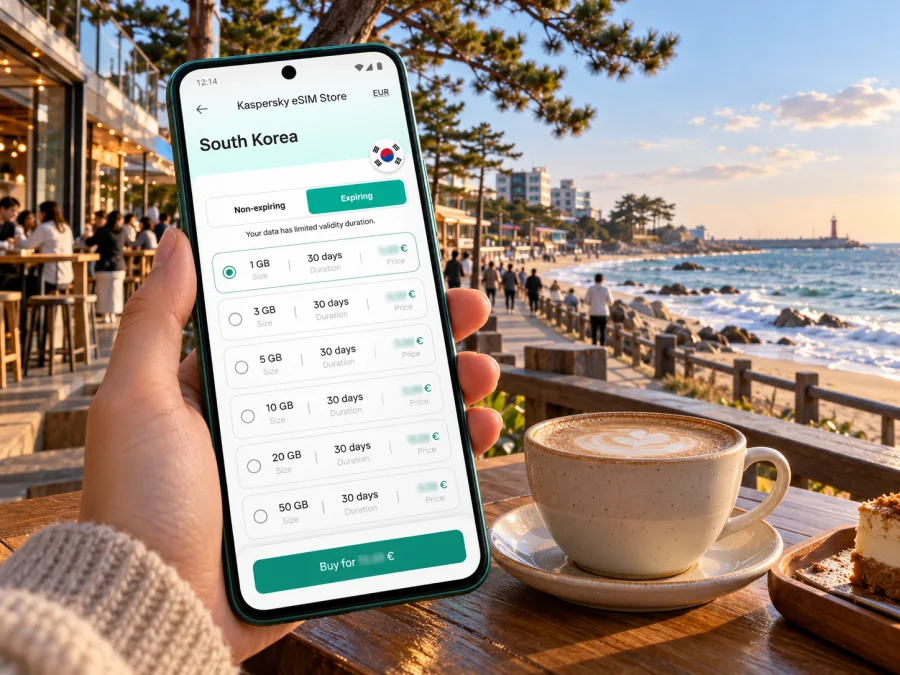
Gangneung eSIM for mobile connection and internet by the coast
Gangneung combines a working city, a rail gateway and a long stretch of South Korea’s east coast. You might arrive by train, head straight for a beach café, then cross town for a market, a meeting or an evening by Gyeongpo Lake. A travel eSIM can make those transitions easier: it gives your compatible phone a way to use mobile data without replacing your physical SIM. The right setup depends on your device, the terms of the selected plan and where your trip continues.
This guide focuses on getting online in Gangneung: what to prepare before departure, how the city’s districts fit together, and what to check when choosing data for a short visit or a longer coastal itinerary. An eSIM data plan is generally for internet access; do not assume it includes a Korean phone number, voice calls or SMS unless its terms explicitly say so.
Why mobile data helps in Gangneung
Gangneung is not one compact sightseeing zone. The station and central streets sit inland; Anmok, Gangmun and Gyeongpo spread along the coast, while Jumunjin lies farther north. Mobile data helps check a bus route, find a café entrance, read a booking message or share your location when plans change.
It can also help with the less scenic parts of travel: checking a train departure, confirming a hotel address in Korean, finding a taxi pickup point, translating a menu or messaging a host about a late arrival. These tasks tend to happen just when you have left Wi-Fi behind. If you use a travel eSIM, you can keep your regular SIM installed for calls or verification messages while selecting the eSIM for mobile data, provided your phone supports the required dual-SIM setup.
A data connection complements planning. Save your accommodation address, rail details and essential bookings offline, and keep battery for navigation. A saved address and meeting point help if signal or power runs low.
Getting to Gangneung and making the first transfer
Many visitors reach Gangneung by rail from Seoul. The Gangneung Line KTX connects the capital with Gangneung Station, and journey times are commonly around two hours; check the current timetable and ticket conditions for your travel date. Gangneung Station is a useful arrival point, but it is not on the beach. Allow time for the onward bus or taxi ride, and check the final stop against your hotel rather than assuming the station is walkable from the coast.
For many international itineraries, the arrival point is Incheon International Airport, followed by onward travel through Seoul. Yangyang International Airport is in Gangwon State and may be closer, but routes vary. The Korea Tourism Organization gives roughly 30–40 minutes by intercity bus from Yangyang to Gangneung; verify service before relying on the estimate.
A practical arrival sequence is:
- Before leaving the airport or station, confirm your hotel’s Korean address and the correct entrance or drop-off point.
- Check the latest rail or bus departure information and note whether a transfer is required.
- If you are using mobile data, confirm that the intended SIM profile is selected for data and that the phone has connected.
- Keep your ticket or booking reference available offline in case the station or vehicle has weak reception.
- Once in Gangneung, check the bus destination and direction before boarding; stop names and romanized spellings can look similar.
Check current departures and seasonal service: route suggestions and frequencies can change. If you arrive late, have luggage or stay outside the centre, compare the full bus journey with a taxi before setting off.
Choose a plan for your actual route
Gangneung is in South Korea, so a city visit normally calls for a plan whose stated destination includes South Korea. There is no need to look for a separate Gangneung-only plan simply because the itinerary begins in the city. If you will continue to Seoul, Busan or another part of the country, check whether the same plan covers the whole route and for how long. For a multi-country trip, confirm that each country on the route is included before purchase.
Kaspersky eSIM Store is an app and website where you can choose, purchase and activate an eSIM with a suitable plan for mobile internet on an overseas trip. Review the actual plan details shown for your dates: destination, data allowance, validity, price, activation rules and any fair-use or tethering conditions. These details are specific to the plan and can change, so use the current offer rather than relying on an old screenshot or a general statement about South Korea.
Think through a typical day before estimating data. A traveler who mainly checks maps, messages and transit updates has a different pattern from someone who uploads video, joins calls or tethers a laptop. Hotel Wi-Fi may reduce daytime use, but do not count on it for the first transfer or every stop. Also check the plan’s start condition: installing a profile before departure may not start validity, while some plans begin when they first connect. Use the terms for the selected plan to understand timing.
For an itinerary that starts in Gangneung and continues along the east coast, confirm both the destination list and the plan’s validity window. A short stay in the city followed by travel to another country may call for a different setup from a week within South Korea. If you are unsure how much data you need, estimate from your usual daily use and keep high-data activities for Wi-Fi where practical. You can also keep your home operator’s roaming as a fallback after checking its charges.
See available options for a trip to South Korea and compare the listed conditions with your itinerary. A plan that fits a weekend of maps and messages may not fit a longer stay with video calls, cloud backups or hotspot use. Consider the amount of data you normally consume, whether your hotel has Wi-Fi, and whether you will share the connection with another device. Do not choose only by the largest allowance or lowest displayed unit price; validity and the way you use data matter too.
| Travel pattern | What to check before choosing |
|---|---|
| One or two days in Gangneung | Validity must cover the visit; allow for activation timing and arrival-day use. |
| A week on the east coast | Confirm that South Korea is included and that validity covers every stop, not just Gangneung. |
| Remote work or frequent video calls | Estimate data use realistically and check whether hotspot use is permitted. |
| Several countries on one itinerary | Confirm every destination is included in the same regional plan or plan for separate coverage. |
| You need a local number | Check the plan terms carefully; a data-only travel eSIM may not provide calls, SMS or a Korean number. |
For a short city break, maps, messaging and ticket checks usually matter more than constant high-resolution video. Download offline maps where your mapping app supports them, switch off automatic photo and app backups over mobile data if you want to conserve allowance, and wait for Wi-Fi for large downloads. If work depends on a stable connection, keep a second option in mind, such as hotel Wi-Fi or your home operator’s roaming service, and check its cost and conditions in advance.
Where you are going matters: station, market and coast
Gangneung Station and the city centre. The station is inland from the beach. Save your hotel’s exact entrance pin, then plan onward travel to the market or coast.
Gangneung Jungang Market and Wolhwa Street. Pause between transport legs for local food. Choose a named entrance or landmark as a meeting point; messaging can be easier than a call in a busy market.
Anmok Beach and Coffee Street. This café-lined waterfront is a popular stop. The Korea Tourism Organization lists about 15 minutes from Gangneung Station by bus or taxi, with routes 300-1, 223-1, 225-1 and 314-1. Verify current stops and times before setting out.
Gangmun and Gyeongpo. These are separate destinations, not interchangeable stops. Pin Gangmun Beach, Gyeongpo Beach or Gyeongpo Lake precisely, and check transit if weather changes.
Jumunjin and the northern coast. This is a separate outing from central Gangneung. Check return transport before sunset or dinner and save a taxi pickup point.
For countryside or mountain excursions, coverage and transport vary by location. A South Korea plan listing does not promise identical reception everywhere; download directions before you go.
Install and activate before you need directions
Prepare the eSIM over dependable Wi-Fi. Installation and activation may be separate: adding a profile does not always start validity. Check the plan terms for when data use begins, and do not delete a profile unless its support guidance recommends it; reinstalling may not be possible.
Before buying, check whether your device supports eSIM and whether it is carrier-unlocked. Support can vary by exact model, country or region of sale, and carrier configuration. A model name alone may not be enough, especially for Android phones with market-specific variants. South Korea has local operators that support eSIM on compatible devices, but that does not establish that every imported phone or every non-local travel profile will work. Check the manufacturer’s specifications for your exact model and ask your home carrier about any SIM lock or profile restrictions.
A simple setup checklist:
- Confirm the exact model and sales region, eSIM support and unlocked status.
- Keep access to the account where eSIM details are delivered.
- Install via the app or QR code over Wi-Fi; label the profile “South Korea” or “Travel.”
- Review home-line roaming charges and turn off automatic data switching if needed.
- Select the travel eSIM for data; enable its data roaming only if instructed.
- After arrival, allow time for network registration and follow plan troubleshooting steps.
For help, use the Android eSIM installation guide or the iPhone eSIM installation guide. Menu names and dual-SIM behavior vary by model, software and carrier.
Keep maps useful without spending data unnecessarily
A coastal address may still be several stops from your destination. Before leaving Wi-Fi, save your lodging pin, station or terminal, and main destination. Offline maps help with orientation; live transit updates and searches usually require data. “Gyeongpo” can refer to the beach, lake or broader area, so confirm the exact place and use the Korean address from your booking if romanized names differ. For a taxi, check that the pin is on a road accessible to vehicles. Pause cloud photo backups and large downloads on mobile data, but keep maps and messaging available.
A few realistic Gangneung scenarios
Weekend by KTX: save the lodging address and onward route before arriving at Gangneung Station; check a bus or taxi and message your host if delayed.
Café and beach day: start at Anmok Coffee Street, decide whether to continue to Gangmun or Gyeongpo, and check the return bus before settling in. Share a precise meeting pin.
Work trip: check hotel Wi-Fi before scheduling calls. Keep mobile data for navigation and messages, and verify tethering terms before connecting a laptop.
Troubleshooting when the eSIM does not connect
Check that the eSIM is on and selected for mobile data. Enable data roaming for that profile only if the plan instructions require it. Turn airplane mode off, restart once and allow time for network registration. Check validity and make sure your home SIM was not selected automatically for data.
If service is still unavailable, use Wi-Fi to review the installation details or contact support with your device model, software version, location and steps tried. Do not delete the profile unless support says to; reinstalling may not be possible. For urgent data needs, use hotel or station Wi-Fi or check your home carrier’s roaming option.
Frequently asked questions
Do I need a Gangneung-specific eSIM?
Usually, look for a plan that explicitly covers South Korea. Check the destination and validity against your full route; do not assume a city-only plan exists.
Can I keep my usual number active?
Some phones support both profiles, but settings vary. Check home-line roaming charges and automatic data switching.
Does a travel eSIM include a Korean number?
Not necessarily. Check plan terms for voice or SMS; messaging apps do not meet every phone-number requirement.
Can I rely on reception at every attraction?
Reception varies by network and location. Save essentials offline; a signal is not guaranteed at every venue or remote road.
Before you set out
Save your arrival and lodging details, plan the transfer from Gangneung Station or the airport, and choose a South Korea plan whose allowance and validity fit the full itinerary. Confirm device support and unlocked status, install carefully, and know which SIM handles data. Keep transport plans flexible and save essentials offline.
When ready, review current conditions in Kaspersky eSIM Store and choose an eSIM plan for your trip to South Korea. Install it on a compatible, unlocked device and follow the plan instructions before exploring Gangneung’s markets, cafés and East Sea coast.


