Travel connectivity guide
Ganta eSIM: Mobile Internet in Liberia
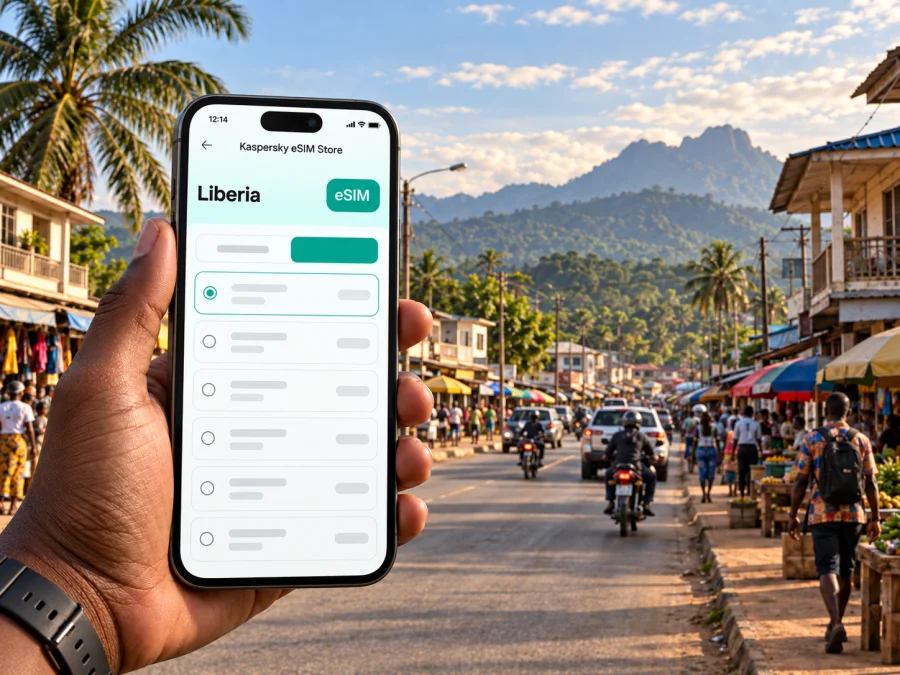
Ganta eSIM: Mobile Connection and Internet for Your Visit
Ganta is a practical stop in Nimba County, northeastern Liberia: a busy town where regional road journeys, market errands, work visits, and onward travel often meet. For a visitor, mobile data is useful less as a backdrop to sightseeing and more as a tool for coordinating a driver, confirming a guesthouse, finding a meeting point, and staying oriented as plans change. An eSIM can make that preparation simpler when your phone supports it and the selected plan covers Liberia.
Ganta is not a large capital with a metro map or dense grid of visitor attractions. A stay is shaped by the main roads, where you are staying, and the reason you came. Save essential details before leaving reliable Wi-Fi, keep addresses available offline, and check the route with a local contact before setting off.
Why mobile data helps in Ganta
A short visit may involve several small coordination tasks rather than a single fixed route. You might arrive after a long overland journey, message your accommodation, find a place to eat, check a work appointment, and arrange onward transport on the same day. A data connection can support maps, messaging, email, translation, and online bookings, while the actual coverage and speed depend on the local network, your location, device, and chosen plan.
Think of connectivity as a practical layer for the trip, not a substitute for local advice. Road conditions, departure points, and pickup arrangements may change. Keep the name and phone number of your host, driver, or meeting contact somewhere accessible, and confirm details directly when timing matters.
| Travel moment | Useful preparation | What mobile data can help with |
|---|---|---|
| Before leaving your previous stop | Save your accommodation name and contact details | Send an arrival update and check messages |
| Reaching central Ganta | Agree on a recognizable pickup point | Share your location or confirm the meeting place |
| Moving between appointments | Keep addresses and route notes together | Check a map and message if plans shift |
| Preparing to leave town | Confirm the departure arrangement with the provider | Coordinate timing and notify your next contact |
Arriving in Ganta and planning the first leg
For many international visitors, the trip begins at Roberts International Airport near Monrovia, followed by a substantial road journey inland. Ganta is connected to Monrovia through the overland corridor via Gbarnga. The drive is a longer intercity leg, not a quick airport transfer, and the time can vary with road conditions, weather, traffic, stops, and the vehicle used. Confirm current arrangements with your transport provider rather than relying on a fixed journey estimate found in an old itinerary.
If you reach Monrovia late, consider whether it is sensible to continue the same day or spend the night before travelling onward. This is a planning decision based on your arrival time, fatigue, road conditions, and the transport available; there is no one schedule that fits every traveller. Share your plan with your Ganta host and agree on how you will check in during the journey.
Before departure, keep the essentials together:
- The accommodation name, address or directions, and a contact number.
- Your driver or transport provider's agreed pickup details.
- A map area or route notes saved for offline reference.
- A power bank and charging cable for a long road day.
- Drinking water and any personal essentials for the journey.
- Flexibility in case the trip takes longer than expected.
When you get closer to Ganta, message your host with an updated arrival estimate. A map pin may be helpful, but a clear written description of the agreed meeting place is also useful if the pin is imprecise or the road name is unfamiliar. If you are being collected, confirm who will meet you and how to identify them before you arrive.
Getting around: use the road network as your frame
Ganta's role as a regional commercial and transport centre means that everyday movement is closely tied to roads and local arrangements. Do not expect a visitor transit system with published lines and frequent fixed timetables. For short distances, ask your accommodation or local contact which option is appropriate for the exact trip. Depending on the route and time, travellers may use a taxi, a shared vehicle, a hired car, or walk in a suitable area during daylight.
Agree on the destination and fare before starting a ride. If you are using a shared vehicle, ask where it departs, whether it waits until full, and where it will leave you. For a private car or driver, confirm whether the arrangement is a single transfer or includes waiting time and return travel.
A simple movement routine
- Name the destination. Use the place name and, if possible, a nearby landmark or the contact who will receive you.
- Ask locally about the route. Check with your host or another trusted person whether the route and transport choice make sense at that time.
- Agree on the ride. Confirm the vehicle, fare or price arrangement, and drop-off point before you set off.
- Share your plan. Message your meeting contact with an expected arrival window when plans involve another person.
- Keep the return in mind. Before leaving a meeting or attraction, ask how you will arrange the trip back and whether transport is readily available.
Navigation apps are useful for orientation, but a mapped road does not confirm that a route is currently convenient, passable, or served by transport. Let local guidance take priority where conditions differ from what the map shows. Use the map to follow your progress and communicate, rather than treating it as a real-time transport timetable.
Finding your bearings around town
Rather than thinking in terms of formal tourist districts, plan Ganta by destination clusters: your place to stay, the market or shops you need, your work or meeting location, and the transport point for your next leg. Ask your host to explain which roads or landmarks people commonly use to describe each destination. Keep a note with those names so you can repeat them consistently to a driver or ask for help without reopening several apps.
Busy commercial areas are places to pay attention to traffic and surroundings. If you stop to check a route, step away from moving vehicles and avoid focusing on the screen while crossing or walking along a busy road. In a market, keep your phone secure and use it briefly when you need directions or to contact someone. A connection can make coordination easier, but it does not remove the need to stay aware of the setting.
Where to stay and how to coordinate check-in
Accommodation choice in Ganta is usually about practical access and a confirmed booking rather than choosing between a long list of visitor neighbourhoods. Before travelling, ask the property how guests should find it, whether it can arrange a pickup, and what time check-in is possible. If your booking platform provides a location pin, send it to your driver or host and ask them to confirm it points to the right entrance.
For a work visit, choose accommodation based on the office, project site, or meeting venue. Ask whether it requires a separate transfer, and request a local landmark or contact number; a business name alone may not be enough for a driver to identify it.
Work trips, meetings, and short stopovers
Ganta can be part of a work itinerary across Nimba County, a stop between cities, or a base for visits to nearby communities. Put each meeting location, contact name, time window, and transport arrangement in one note. Leave room between appointments because road movement may take longer than the distance on a map suggests.
If your schedule includes a visit to Yekepa or another place beyond town, confirm the road and vehicle arrangements with the person hosting you. Ganta is an important road junction for onward travel in the region, but the existence of a road connection does not guarantee a particular service or departure time. Ask about the current pickup point, whether the vehicle is shared, what to bring, and how the return journey will work.
For a brief stopover, keep the plan deliberately small:
- Confirm the time and place where you need to be next.
- Choose one nearby errand or meal rather than stacking distant stops.
- Store the onward transport contact offline.
- Keep enough battery for directions and messages later.
- Ask locally before committing to an unfamiliar route.
Before you set out, review the mobile data options for travel in Liberia and match the plan conditions to the places and length of your itinerary.
A mobile connection is particularly useful when a meeting time or pickup changes. It can also help you send a quick update to colleagues, retrieve a document, or contact accommodation. Avoid relying on a video call or large upload when the connection quality is uncertain; send the essential text first and complete heavier tasks when you have a stable connection.
Choose an eSIM plan around your actual itinerary
An eSIM is a digital SIM profile installed on a compatible device. Kaspersky eSIM Store is an app and website where you can choose, arrange, and activate an eSIM with a suitable plan for mobile internet on an international trip. The plan is intended for data unless its conditions say otherwise; it does not automatically provide a separate local phone number for ordinary calls or SMS.
For a visit centred on Ganta, estimate usage from the tasks you expect to do. Messaging, maps, email, and occasional browsing need a different allowance from frequent video, hotspot use, or large file transfers. Check the listed data amount, validity period, destination, and usage conditions; options can change, so rely on the details shown when you select a plan.
If your journey includes Monrovia, Gbarnga, Ganta, and a further stop, check that the plan covers each destination. Coverage and performance depend on the network used by the plan, local conditions, device, terrain, and indoor location.
Consider the length of your stay, likely usage, and whether you will use other Wi-Fi connections before deciding. If your itinerary crosses a national border, check the plan's stated coverage for each country separately; a Liberia plan should not be assumed to cover a neighbouring country.
A quick planning checklist
Before selecting a plan, consider:
- Trip length and tasks: How long will you use data, and will you mostly message and navigate or also stream and tether?
- Route and validity: Does coverage match each country, and when does the plan start and expire?
- Device and settings: Does your phone support eSIM, and which line should handle data, calls, and messages?
Compare the plan description with your schedule. A short visit with Wi-Fi at the accommodation may need less data than a work trip with frequent map checks and email. Allow some flexibility for a changed pickup or longer stay without choosing far more data than you expect to use.
Prepare and activate the eSIM
Check the device requirements before purchase: your phone needs eSIM support, must not be restricted from using another provider's profile, and should have an internet connection available during setup. Keep access to the QR code or installation details from your order. If you need to check support, review your device's eSIM compatibility before proceeding. Device specifications can vary by model and sales region, so check the exact model rather than relying only on a product family name.
A practical setup sequence is:
- Connect to Wi-Fi. Use a dependable internet connection while preparing the profile.
- Open the eSIM instructions. Follow the Android installation guide or iOS installation guide for your device.
- Add the profile. Scan the provided QR code or use the manual details shown for your order.
- Label the line. Give it a clear name, such as “Liberia data,” so you can identify it in settings.
- Choose data settings. Select the intended eSIM for mobile data and review the options for your regular line.
- Wait for setup to finish. Activation or network registration may take a few minutes. Follow the plan's instructions if data roaming needs to be enabled for that eSIM.
- Keep the profile available. If you plan to use it later, leave it installed and switch the mobile-data line when you are ready, following the plan's terms.
Installing a profile and using its data are not always the same step. Check when validity begins and how to connect at the destination. If you prefer not to use data before reaching Liberia, keep your usual line selected until you are ready to switch.
Common questions about mobile internet in Ganta
Will an eSIM help me find my way around Ganta?
It can help load maps, message a host, and check saved locations. Local directions remain useful because map listings may not reflect current conditions.
What should I do if mobile data is unavailable?
Check that the correct eSIM is selected for data, its settings follow the plan instructions, and airplane mode is off. Move location or restart the connection. If needed, use your saved accommodation contact and consult the support information with your order.
A practical Ganta connectivity plan
Save your accommodation and transport details before travelling, use mobile data for maps and coordination in Ganta, and reconfirm onward transport before leaving. Kaspersky eSIM Store helps you prepare an eSIM for mobile internet; select an eSIM plan for your Liberia trip after checking its conditions against your itinerary.


