
Travel connectivity guide
Garoua eSIM: Mobile Internet for Your Trip
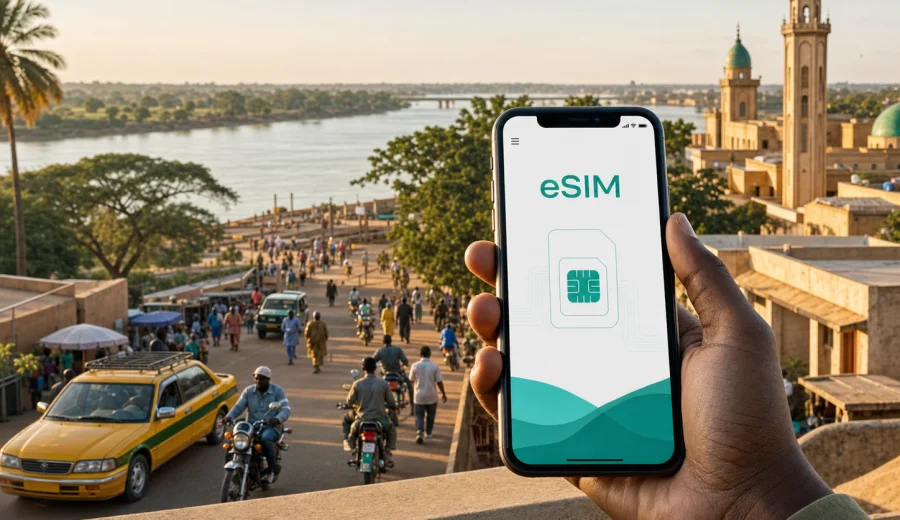
Garoua eSIM: mobile connection and internet for your city trip
Garoua is a practical city for travelers who need their phone to work from the first hours of the trip. You may arrive for a business visit, a connection through the airport, a field project in northern Cameroon, a stay near the Benoue River, or a route onward to Lagdo, Benoue National Park, Maroua, Ngaoundere, or Yaounde. In each case, mobile internet affects the basics: finding your hotel, calling a driver through a messenger, checking meeting locations, translating signs, sending documents, and keeping family or colleagues updated.
An eSIM helps you prepare that connection before you start dealing with transport, heat, luggage, and local logistics. Instead of looking for a physical SIM card after arrival, you install a digital SIM profile on a compatible phone and use a prepaid data tariff for the trip. Kaspersky eSIM Store is an app and website where you can choose, order, and activate an eSIM with a suitable mobile internet tariff for travel abroad.
This guide is focused on Garoua, not on Cameroon in general. It explains where mobile data is useful in the city, how to think about data volume, what to check before departure, and how to use an eSIM responsibly during local movement, hotel stays, work days, short stopovers, and trips from Garoua.
Why mobile internet matters in Garoua
Garoua is spread around the Benoue River and several busy road corridors. Distances can feel short on a map but longer in practice when you add traffic, heat, waiting time, and unfamiliar pickup points. A working data connection helps you manage small decisions that happen throughout the day.
Common Garoua travel moments where mobile internet is useful:
- checking the route between the airport area, the city center, your hotel, and meeting points;
- sending your live location to a driver, colleague, host, or guide;
- using maps when a street name is unclear or a landmark is easier than an address;
- translating short messages, menus, hotel instructions, or transport details;
- confirming business appointments while moving between offices or project sites;
- comparing walking time, taxi time, and road conditions before leaving;
- keeping messaging apps active when hotel Wi-Fi is weak or overloaded;
- managing onward travel from Garoua to nearby towns, reserves, or regional routes.
The main advantage of preparing an eSIM is control. You can review the data amount, validity period, destination, and price before the trip, then install the profile on your phone when you have stable Wi-Fi. When you arrive in Garoua, your first task is not to search for a mobile shop. Your task is to get oriented.
Arrival in Garoua: the first hour online
The first hour after arrival is often the most data-sensitive part of a city trip. You may need maps, messages, hotel details, and transport coordination at the same time. If your phone has an eSIM profile installed, you can activate mobile data for the eSIM when the conditions of the selected tariff allow it and when you are ready to start using it.
Before leaving the airport or your arrival point, check:
- whether mobile data is assigned to the eSIM line;
- whether data roaming is enabled for the eSIM if the installation instructions require it;
- whether your primary SIM is still available for calls or banking messages, if you need it;
- whether maps for Garoua are loaded, especially the area around your hotel;
- whether your messaging apps can send and receive messages on mobile data.
If you are meeting someone in Garoua, do not rely only on a spoken address. Ask for a pin, a nearby landmark, the hotel name, or a photo of the entrance. City movement is easier when you can combine a map, a landmark, and a live chat.
Garoua travel scenarios and data needs
Not every traveler needs the same amount of mobile internet. A short stopover and a week of field work create different usage patterns. The table below gives a practical way to estimate your needs without assuming that every trip is the same.
| Garoua scenario | Typical phone use | Data planning tip |
|---|---|---|
| One-day stopover | maps, hotel messages, ride coordination, light browsing | Choose a modest data amount, but leave a reserve for delays. |
| Business visit | email, document previews, chat, maps, hotspot in emergencies | Prioritize a validity period that covers the full stay and arrival/departure days. |
| Family or leisure trip | maps, photos, social apps, restaurant searches, calls in messengers | Watch background photo backup and video autoplay. |
| Field project | navigation, team messaging, file uploads, hotspot for laptop tasks | Consider a larger package and keep offline copies of key files. |
| Regional route from Garoua | maps between towns, accommodation messages, weather checks | Download offline maps and keep mobile data for live updates. |
For most city tasks, navigation and messaging are not heavy. Video calls, cloud backups, large attachments, and laptop tethering are what change the calculation. If you plan to use the phone as a hotspot during a work trip, choose the data amount with that in mind and check whether tethering is allowed under the tariff conditions.
Before you choose an eSIM tariff
An eSIM is convenient only if your device is ready for it. Before you order a tariff, confirm that your smartphone supports eSIM and is not locked in a way that prevents adding a travel eSIM. You can use the internal compatibility check here: check your device.
Also check the basics on your phone:
- the operating system is updated enough to manage eSIM profiles reliably;
- you have access to a stable Wi-Fi network for installation;
- you can receive important verification messages on your primary SIM if your bank or work tools require them;
- you understand which SIM line will be used for mobile data and which one remains for calls or SMS;
- you have enough battery for arrival, navigation, and setup.
Many eSIM tariffs for travel focus on mobile data. They may not include a local phone number, standard voice calls, or SMS unless those features are stated in the tariff conditions. For calls in Garoua, travelers usually rely on internet-based messengers. Keep this distinction clear if you need to receive bank codes, office calls, or messages from transport contacts.
How to install and activate eSIM before Garoua
The simplest workflow is to install the eSIM profile before departure while you still have calm, reliable Wi-Fi. Activation timing can depend on the selected tariff, so read the conditions before you start using mobile data.
Basic preparation steps:
1. Choose Cameroon as the destination for your trip.
2. Review data amount, validity period, and price.
3. Confirm that your phone supports eSIM.
4. Install the eSIM profile using the instructions for your device.
5. Keep your primary SIM active if you need calls, SMS, or banking messages.
6. On arrival, switch mobile data to the eSIM line when you are ready to use the tariff.
For device-specific setup, use the Android installation guide or the iOS installation guide. Follow the phone prompts carefully and avoid deleting the eSIM profile after installation unless you are sure you no longer need it. Some profiles cannot simply be moved to another phone after activation.
Using eSIM around Garoua neighborhoods and hotels
Garoua travel usually combines a few fixed points: an arrival point, a hotel, a meeting place, a market or restaurant area, and a route along or near the river. Hotel Wi-Fi can be useful, but it is not something to build the whole trip around. Speeds may vary by room, time of day, and the number of guests online. A travel eSIM gives you a separate mobile data option for moments when you are outside, waiting, or moving.
Use mobile data for tasks that need continuity:
- live maps while walking or riding through unfamiliar areas;
- messenger calls when a driver cannot find the entrance;
- payment confirmations and email checks outside the hotel;
- translation and search when you need a quick answer;
- document access during meetings away from your room;
- safety check-ins with family or colleagues.
Use Wi-Fi for heavier tasks when it is stable:
- large photo uploads;
- system updates;
- long video calls;
- file synchronization;
- downloading offline maps or work documents.
This split helps your eSIM data last longer while still keeping your phone useful in the places where Wi-Fi is not available.
Choosing a Cameroon eSIM tariff for a Garoua trip
When your route is centered on Garoua, choose the country tariff for Cameroon rather than looking for a separate city product. The city determines how you will use the data, while the country determines the destination for the eSIM tariff. In Kaspersky eSIM Store, you can review the available data amounts and validity periods, then choose an eSIM tariff for your trip to Garoua based on the length and style of your stay.
Use these questions before choosing:
- How many full days will you be in Garoua, including arrival and departure?
- Will you use maps every day or mostly around arrival?
- Do you expect hotel Wi-Fi to handle video calls and large files?
- Will you share mobile data with a laptop or another device?
- Are you traveling onward from Garoua and still need data on the road?
- Do you need a larger reserve for work messages, documents, and delays?
If you are unsure, do not choose only for the minimum possible usage. A small reserve is useful in Garoua because a changed meeting point, a longer taxi wait, or a delayed departure can turn a light-data day into a navigation-heavy day.
Practical data-saving settings
Good settings matter as much as the tariff size. Before you start using mobile data in Garoua, review the apps that can quietly consume data in the background.
Recommended settings:
- turn off automatic cloud photo and video backup on mobile data;
- disable app updates over mobile data;
- download offline maps for central Garoua and planned routes;
- set streaming apps to low or Wi-Fi-only quality;
- limit automatic media downloads in messaging apps;
- close hotspot sharing when you are not actively using it;
- monitor data usage in your phone settings during the first day.
For business travelers, also save key files before you leave the hotel. Download the meeting agenda, PDFs, maps, and contact details on Wi-Fi. Then use mobile data for updates, messages, and navigation rather than repeatedly downloading the same attachments.
Navigation, transport, and local movement
Garoua movement is easiest when you combine digital tools with local context. A map can show the route, but a driver may still prefer a landmark: a hotel, market, mosque, stadium, bridge, office, or fuel station. Keep both types of information ready.
A reliable phone setup for daily movement:
- keep your hotel name and address saved offline;
- save a screenshot of your destination before leaving;
- send your live location only to people you trust;
- carry a power bank if you will be outside for several hours;
- keep mobile data on the eSIM line and calls on your primary SIM if that setup suits your needs;
- confirm pickup points in writing through a messenger.
If you are visiting the riverfront, markets, offices, or project locations, expect some routes to be easier to describe by landmarks than by street names. Mobile internet helps bridge that gap because you can send a map pin and still talk through the final few minutes.
Business trips to Garoua
For work visits, mobile internet is not only about convenience. It is part of your schedule control. You may need to review a document before a meeting, answer a time-sensitive email, confirm a driver, or join a short call when you are away from hotel Wi-Fi.
Plan your eSIM usage around the workday:
- arrive with the eSIM already installed;
- test mobile data before the first appointment;
- keep meeting documents available offline;
- use Wi-Fi for large uploads when possible;
- reserve mobile data for maps, chat, urgent email, and quick document access;
- check whether your company tools require SMS or app-based verification before travel.
If you expect to use a laptop hotspot, be conservative. A laptop can use data quickly through cloud sync, browser tabs, software updates, and background services. Switch off nonessential sync tools before tethering.
Short stopovers and overnight stays
A Garoua stopover can still need mobile data. You may only be in the city overnight, but that short window often includes airport transfer, hotel check-in, dinner plans, messages, and next-day departure coordination.
For a short stay, focus on:
- installing the eSIM before arrival;
- confirming the hotel location in advance;
- saving your onward travel details offline;
- keeping enough data for maps and messaging the next morning;
- avoiding video streaming unless you are on Wi-Fi.
The main risk in a short stay is not high data use. It is losing time. If your phone is ready, you can move directly from arrival to transport and check-in without first searching for a local connectivity option.
Trips from Garoua
Garoua can be a starting point for regional travel. Some visitors continue toward natural areas, project sites, Lagdo, Benoue National Park, or longer routes across northern Cameroon. Outside the city, it becomes even more important to plan with both online and offline tools.
Before leaving Garoua for a day trip or longer route:
- download the map area while on Wi-Fi;
- save accommodation, guide, and driver contacts;
- keep screenshots of booking details and meeting points;
- charge your phone and power bank;
- check the remaining eSIM data balance;
- tell someone your planned route and expected return time.
Mobile data can help with route changes and messages, but it should not be the only place where critical information lives. Offline copies are a practical backup for long drives, rural stretches, and busy travel days.
Common mistakes to avoid
Several small mistakes can make mobile internet less convenient than it should be.
Avoid these issues:
- ordering an eSIM before checking whether your phone supports eSIM;
- installing the profile on the wrong device;
- deleting the eSIM profile after activation;
- leaving mobile data assigned to the wrong SIM line;
- using video apps on mobile data by default;
- assuming that a data-only eSIM includes a local phone number;
- forgetting that some banking or work verification messages may still depend on your primary SIM;
- waiting until arrival to read the installation instructions.
The safest approach is to prepare at home, test the settings calmly, and keep a simple fallback: offline maps, saved hotel details, key contacts, and enough battery.
Quick checklist for Garoua
Use this checklist before your trip:
- Confirm that your phone supports eSIM and is unlocked for travel eSIM use.
- Choose a Cameroon eSIM tariff that covers your full Garoua stay.
- Install the eSIM profile on Wi-Fi before departure.
- Read the activation and validity conditions before switching it on.
- Download offline maps for Garoua and planned routes.
- Save your hotel, driver, meeting, and emergency contacts.
- Turn off mobile data backup for photos, videos, and app updates.
- Keep your primary SIM active if you need calls or SMS.
- Pack a charger or power bank for long days outside.
FAQ: eSIM for Garoua
Is there a separate Garoua eSIM?
For a city article, the correct destination is the country that the city belongs to. For Garoua, choose Cameroon. Your actual data use will depend on your city plans, route, and selected tariff conditions.
Can I install the eSIM before I fly?
In many cases, yes. Installing before departure is usually more comfortable because you can use stable Wi-Fi and avoid setup pressure after arrival. Read the tariff conditions so you understand when validity starts and when mobile data should be activated.
Does an eSIM replace my regular phone number?
Usually no. Travel eSIM tariffs often focus on mobile data. Voice calls, SMS, and a local number are not included unless the selected tariff says so. You can keep your primary SIM available for calls or verification messages if your phone supports that setup.
How much data do I need for Garoua?
For maps, messaging, light browsing, and transport coordination, data usage can be moderate. Video calls, streaming, hotspot use, cloud backup, and large file transfers require much more. Choose based on your real activities, not only the number of travel days.
Should I rely on hotel Wi-Fi?
Hotel Wi-Fi is useful for heavy tasks, but mobile data is better for movement. Use Wi-Fi for uploads, updates, and long calls when it is stable. Use eSIM data for maps, messages, translation, and urgent checks outside the hotel.
Prepare mobile internet for Garoua
Garoua is easier to navigate when your phone is ready before the first taxi ride, hotel check-in, or meeting. An eSIM gives you a practical way to prepare mobile internet for a Cameroon trip without changing your travel routine around a physical SIM card.
Before you go, check device compatibility, choose a data amount that matches your Garoua itinerary, install the eSIM on Wi-Fi, and keep offline copies of essential trip details. When you are ready to set up your mobile internet for the city, you can choose an eSIM tariff for Cameroon in Kaspersky eSIM Store and prepare your phone for Garoua before arrival.