Travel connectivity guide
Gaza City eSIM: Mobile Internet for Travel
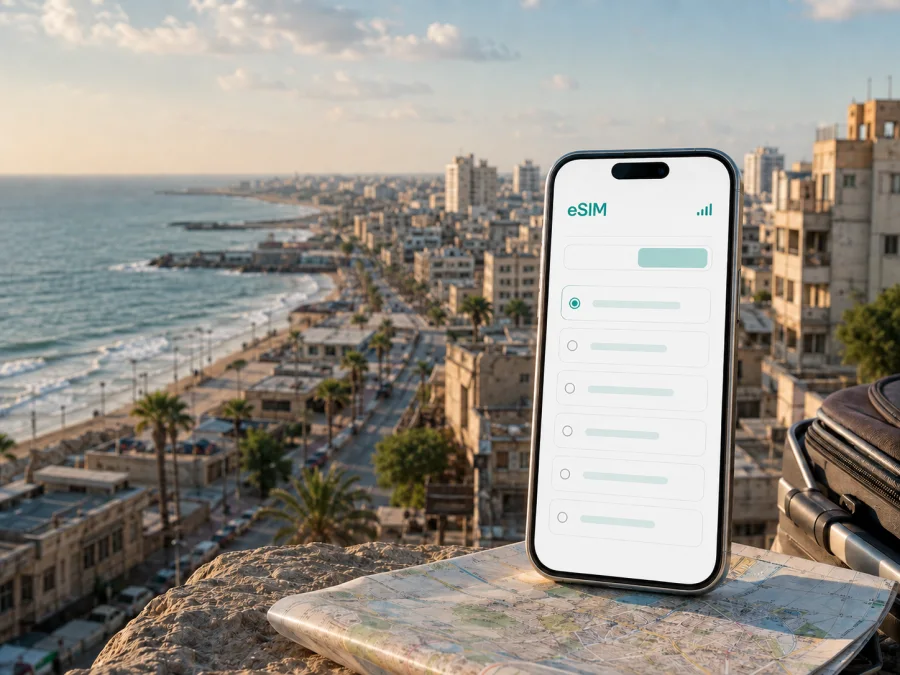
Gaza City eSIM: mobile connection and internet for travel
Gaza City is a coastal city where a dependable mobile internet plan can make the practical side of a journey easier: checking a meeting time, sharing your location, translating a message, opening a map, or keeping in touch with family. An eSIM is a digital SIM profile that can be installed on a compatible phone without removing the physical SIM already in the device. For a trip to Gaza City, that can be useful when you want to prepare your data connection before moving around the city or when you need a clear way to separate travel data from your everyday number.
At the same time, Gaza is a place where access, movement, services and communications can change quickly. A mobile data plan cannot replace required permissions, local guidance, a safe route or a confirmed place to stay. Check the conditions that apply to your journey before departure and keep essential information available offline. The role of an eSIM is narrower and practical: it can help you organise mobile data for a compatible device when the selected plan and the local network conditions allow it.
Why an eSIM can be useful in Gaza City
The first hours after arrival are often the most demanding. You may need to contact a host, confirm a transfer, open a saved address, check a change to your schedule or send a message before you have settled in. If the phone is already prepared, you do not have to look for a shop, handle a physical card or interrupt the setup of your main number. You can keep the ordinary SIM available for calls and messages while assigning mobile data to the travel eSIM, subject to your device settings and the terms of the selected plan.
Gaza City is arranged around a compact but varied urban area: the Mediterranean coast lies to the west, the Old City and historic core sit inland from the waterfront, and districts such as Rimal, Al-Daraj, Al-Zaytoun, Al-Tuffah, Al-Sabra, Sheikh Radwan and Tel al-Hawa each create different navigation contexts. A route that looks simple on a map may involve a closed road, a changed crossing point, a local restriction or a need to confirm the route with someone on the ground. Mobile data is therefore most useful as one part of a broader plan, alongside downloaded maps, a written address and a charged power bank.
Here are common city scenarios in which an eSIM may help:
- Arrival and transfer: message the person meeting you, check a saved address and keep the phone available while travelling onward.
- Navigation: compare a planned route with local instructions, pin a meeting point and avoid relying on memory for unfamiliar streets.
- District-to-district movement: move between the coast, Rimal, the central area and southern or eastern neighbourhoods while keeping key addresses accessible.
- Work and study: join a scheduled call when the setting and local conditions make it appropriate, send a small document or confirm a change to a meeting.
- Family communication: use messaging services over data if the chosen eSIM plan does not include a regular number, voice calls or SMS.
- Short stays: keep the setup simple when the trip is brief and you do not want to change your main SIM arrangement.
Gaza City districts and practical navigation
City names help you orient yourself, but they should not be treated as a promise that every road, service or facility is operating normally. Use district information to organise your route and to explain where you need to go; confirm the actual route shortly before travelling.
| Area or setting | What it means for a mobile-data plan |
|---|---|
| Mediterranean waterfront and coastal roads | You may use maps, messages and location sharing while moving between a meeting point and accommodation. Keep an offline copy of the route in case the signal or battery is limited. |
| Rimal | A useful reference for addresses in the western and central part of Gaza City. Clarify the exact street, landmark or building rather than relying on the district name alone. |
| Old City and Al-Daraj | Dense historic streets can make a precise pin, a written description and a charged phone more useful than a broad destination label. |
| Al-Zaytoun and Al-Tuffah | For movement toward the southern or eastern parts of the city, confirm the route and timing locally before setting out. |
| Sheikh Radwan and Tel al-Hawa | Keep a second way to identify the destination, such as a contact name or nearby landmark, because map labels may not be enough. |
| A trip outside Gaza City | Check the full route, permissions and current conditions separately. A city eSIM plan is not a substitute for travel authorisation or local advice. |
When asking for directions, share the smallest useful amount of information: your current landmark, the destination, the expected arrival time and a phone number or messaging contact. If you are travelling for work, send the same details to a colleague before leaving. This makes it easier to adjust the plan if a road or meeting point changes.
Choosing a plan for a Gaza City trip
The right eSIM plan depends less on the name of the city than on the way you expect to use data. A short stopover, a field visit, a business stay and a longer family trip create different patterns of consumption. Choose by destination, validity and data volume, and then check the full conditions before payment.
1. Confirm the destination and route
For a stay in Gaza City, select the Palestine destination in the store. If the journey includes another country or a wider regional route, check whether a separate destination or regional option is needed. Do not assume that a city name automatically means that every part of a multi-country itinerary is included. The relevant plan is the one whose destination and coverage terms match the route you will actually take.
2. Estimate how you will use data
Write down your main activities rather than choosing by habit. Messaging and occasional map checks use less data than video calls, photo uploads, cloud backups or streaming. A useful planning table looks like this:
| Travel pattern | Typical tasks | Planning approach |
|---|---|---|
| Short stopover | Messages, a few map checks, one or two address lookups | Prioritise a short validity period and a modest data allowance. Download maps and documents before leaving. |
| Business visit | Email, messaging, document exchange, scheduled calls | Allow extra capacity for attachments and video if those activities are expected; disable automatic photo and app backups. |
| Family or extended stay | Frequent messages, location sharing, browsing and photo exchange | Choose validity that covers the complete stay and review which apps use background data. |
| Movement beyond the city | Navigation plus communication across several legs | Verify that the plan matches the entire destination list instead of relying on a Gaza City label alone. |
These are planning categories, not promises about how much data a particular activity will consume. Video quality, automatic updates, social media feeds and cloud synchronisation can change usage quickly. Before activating the eSIM, turn off background updates for apps you do not need and set a warning or limit in the phone’s data settings.
When you are ready, choose an eSIM plan for a trip to Palestine after checking the destination, validity, data allowance and activation conditions. Kaspersky eSIM Store is an app and website that helps you select, arrange and activate an eSIM with a suitable plan for mobile internet during an international trip. The eSIM profile itself is not a replacement for a local mobile operator, and the plan does not automatically include a regular phone number, voice calls or SMS unless its conditions say otherwise.
How to prepare and install an eSIM
Installation is easiest before departure, while you have reliable Wi-Fi, enough battery and time to read each confirmation screen. If you install after arrival, do it somewhere safe and stationary rather than while walking between locations.
Before installation
Use this checklist:
- Confirm that the phone supports eSIM and is not locked to an operator. Some models differ by region of sale, so check the exact device variant. Check your device compatibility before selecting a plan.
- Update the operating system if a routine update is available and back up important information.
- Make sure you can access the email address or account that contains the installation details.
- Keep the primary SIM enabled until the travel profile has been added and tested.
- Know which line will be used for mobile data and whether the phone asks for data roaming to be enabled for that eSIM.
Installation sequence
- Open the mobile-network or cellular settings on the phone.
- Choose the option to add an eSIM or a mobile plan.
- Scan the QR code supplied in your account or confirmation message, or follow the device’s supported installation flow.
- Label the new line clearly, for example “Gaza City trip”, so you do not confuse it with your main SIM.
- Select the travel eSIM for mobile data and keep the primary line for calls or messages if that suits your plan.
- Check the data-roaming setting required by the selected eSIM and device.
- Test a simple webpage or message when conditions allow, then note the profile name and data line for later troubleshooting.
For platform-specific steps, use the Android installation instructions or the iOS installation instructions. The wording of menus can vary by phone model and operating-system version. If the profile is installed but data does not work, recheck the selected data line, the roaming setting and the plan’s activation conditions before deleting anything. An eSIM profile may not be transferable after activation, depending on its terms.
What an eSIM does and does not provide
An eSIM profile is a way to use a compatible device with a selected mobile-data plan without inserting a physical SIM. It does not by itself guarantee signal, access, transport, safety or the availability of a particular service. Network performance depends on the local network, the plan, the device and conditions at the time of use.
For clarity, keep these limits in mind:
- Mobile data is the core use case. A regular phone number, voice calls and SMS are not included unless the specific plan says so.
- Messaging and internet calling apps may work over data, but their performance depends on the connection and the service being used.
- The phone must support eSIM and may need to be unlocked by its original operator.
- A plan’s destination, validity, data allowance and activation rules control what you can use and when.
- Some devices require data roaming to be enabled for the travel eSIM.
- Removing an eSIM profile can make it difficult or impossible to restore, depending on the profile terms. Troubleshoot first and follow the relevant instructions.
- Conditions in Gaza City can affect connectivity and movement independently of the eSIM. Keep offline alternatives and follow current local directions.
This distinction is useful when comparing an eSIM with roaming or a physical SIM. The main benefit is a simpler digital setup for a compatible phone; it is not a promise that every application, road or network will be available at every moment.
Frequently asked questions
Is an eSIM useful for a trip to Gaza City?
It can be useful for mobile data on a compatible, unlocked phone when the selected plan and local network conditions support use in the destination. It can help with messaging, maps and route coordination, but it cannot replace travel permissions, local advice or offline preparation.
Can I use the eSIM for ordinary calls and SMS?
Not unless voice and SMS are expressly included in the selected plan. The eSIM use case described here is mobile internet. For calls and messages, you can use internet-based services over data when they are available and appropriate.
What if my phone shows no data after installation?
First check that the eSIM is turned on and selected as the mobile-data line. Then review the required data-roaming setting, restart the phone if appropriate and check the plan’s destination and activation conditions. If the issue continues, keep the profile installed and use the relevant support or device instructions before attempting a reinstall.
Can I rely only on online maps in Gaza City?
No. Save important addresses and directions offline, carry a written backup and confirm routes locally before moving. Maps are helpful for orientation, but road access, meeting points and local conditions may change.
Prepare your Gaza City connection
A well-prepared eSIM plan can remove one small source of uncertainty from a journey to Gaza City. Check the phone first, choose the destination and validity carefully, install the profile when you have a stable connection, and keep offline copies of everything needed for the first day. Then use the eSIM for the practical tasks it is designed to support: mobile data, navigation, messages and coordination while travelling.
When your device and itinerary are ready, choose an eSIM plan for Palestine and review its conditions before activation. Kaspersky eSIM Store helps you select, arrange and activate an eSIM for mobile internet during an international trip; the chosen plan, compatible device and local conditions determine how it works in Gaza City.


