Travel connectivity guide
Gaziantep eSIM Guide: Mobile Internet in Turkey
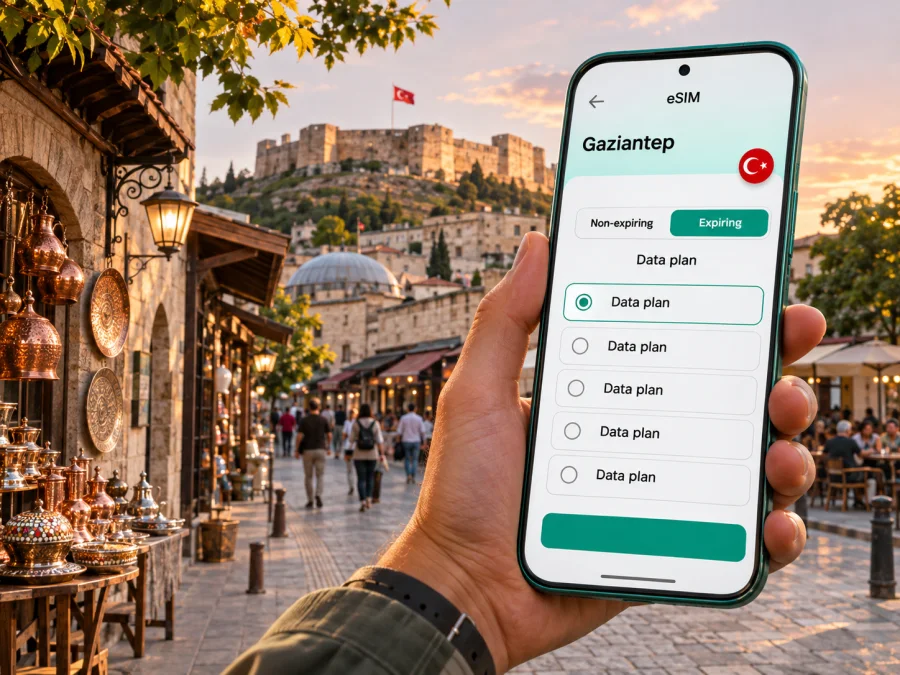
Gaziantep eSIM: mobile connection and internet for your trip
Gaziantep is a working city as well as a destination: visitors come for its old streets, markets and museums, while many trips also include meetings, family visits or onward travel across southeastern Turkey. A reliable mobile data plan can make the practical parts easier: checking the airport transfer, finding a hotel entrance, translating a menu, confirming museum opening information and sharing a meeting location.
An eSIM is a digital SIM profile installed on a compatible, unlocked device. A travel eSIM plan is generally intended for mobile data; it does not automatically give you a regular Turkish phone number, voice calls or SMS. Keep your usual SIM active if you need calls or verification messages, and check the terms of both lines to avoid unexpected roaming charges.
This guide focuses on using mobile internet around Gaziantep: from arrival at the airport to the old town, museums, business districts and day trips. Network availability, speed and indoor reception can vary by location, building, congestion and the plan’s underlying operator, so treat any coverage map or offer as a guide rather than a guarantee.
Before you travel: prepare for the first hour
A little preparation before departure reduces the number of decisions you have to make at the airport. Save your hotel address in Turkish, download an offline map of central Gaziantep, and keep your arrival details available without a connection. If you use a ride service or need to message your host, make sure you can access the account and payment method before leaving home.
Gaziantep Airport (GZT) is around 20 kilometres from the city centre. The airport authority lists HAVAŞ passenger shuttles, commercial taxis, car rental and private vehicles among the transport options. The exact shuttle route and departure time can change, so check the current schedule for your flight rather than relying on an old screenshot. If you land late, have a simple backup: the airport taxi stand, a pre-arranged pickup or your accommodation’s directions.
| Arrival need | What to prepare | Why mobile data helps |
|---|---|---|
| Find the airport shuttle | Confirm the current route and stop for your destination | Recheck timing after landing and follow the route on a map |
| Reach a hotel | Save the full address, including district and street | Share your location if the driver needs clarification |
| Meet a colleague | Agree on a clear landmark or entrance | Send a live update if your arrival changes |
| Continue by car | Save the destination and parking details | Navigate without stopping to find public Wi-Fi |
The airport is outside the central neighbourhoods, so do not assume that walking directions are practical after arrival. A data connection is useful for coordinating the transfer, but you can make the trip more resilient by saving your hotel address and map area offline as well.
Choose a plan around how you will use Gaziantep
The right data allowance depends more on your habits and itinerary than on the city name. Messaging, checking maps and looking up opening hours usually use less data than video calls, cloud photo backups or streaming. If you plan to upload large files, use hotel Wi-Fi where appropriate and leave automatic media downloads off until you can check your data balance.
Before choosing, compare the plan’s destination, validity period, data allowance, activation conditions and top-up rules. Confirm whether the validity begins at installation, activation or first network connection; providers can define these moments differently. Check whether tethering is permitted if you expect to connect a laptop. Do not choose solely by the headline allowance: a short-validity plan can be inconvenient for a longer stay, while a larger allowance may be unnecessary for a brief visit.
A practical estimate starts with your own routine:
- Light use: maps, text messages, email and occasional searches. Download maps and museum information in advance, and avoid video unless you have Wi-Fi.
- Regular travel use: frequent navigation, translation, social posts and browsing through the day. Leave room for location sharing and app updates, but turn off automatic backups on mobile data.
- High use: video meetings, hotspot use or frequent uploads. Check tethering rules and plan limits carefully; use a trusted Wi-Fi connection for large transfers when available.
These are usage patterns, not promised data amounts. Apps vary, and a map session with live traffic or a video call can use substantially more data than a quick text search. Review your phone’s mobile-data statistics after the first day and adjust background access if needed.
Keep the old town and the newer city in one itinerary
Gaziantep’s historic core rewards slow navigation. The castle area, narrow lanes and covered market streets are easier to explore as a cluster than as a series of distant pin-to-pin journeys. A saved map helps you return to your accommodation, but place names can have alternate spellings and a map pin may point to a nearby entrance rather than the exact door. Check the address and landmark before setting off.
The old bazaar area is also where a phone can be useful for small practical tasks: reading a translated description, saving a shop location or sending a photo to someone at home. Keep your device secure in crowded lanes and use a crossbody bag or zipped pocket. For a longer conversation or a payment, step away from a busy doorway so you are not blocking the flow of people.
The Zeugma Mosaic Museum is in Şehitkamil, on Hacı Sani Konukoğlu Bulvarı. Its official visitor information describes the collection and the museum’s displays, including the Gypsy Girl mosaic. Check opening days, entry arrangements and any temporary changes before you go; cultural venues can change their visitor information. A map and a saved museum address are useful because the museum visit may be one stop among several rather than a walk from the castle district.
If your day includes the castle area, the market and the museum, group nearby stops and allow time for road traffic. A route that looks short on a map can involve a busy crossing, a steep stretch or a wait for a vehicle. Use live directions as a guide, then follow local signs and staff instructions at venues.
Plan mobile internet around neighbourhoods and transport
Gaziantep is spread across multiple districts, and a visitor may move between the historic centre, Şehitkamil, hotel areas and business or university locations. Decide each morning which stops belong together. This keeps navigation simple and reduces unnecessary screen use while you are moving through unfamiliar streets.
The municipality publishes bus and tram stop information and upcoming arrivals through its official timetable service. Check the current stop and direction before boarding; a route name or stop label may be easier to identify in Turkish than in translation. Save the stop name and destination in a note, and keep enough battery for the return journey. Timetable data and operating patterns can change, so verify on the day.
For a taxi, show the destination address in writing rather than relying only on pronunciation. A map pin is helpful, but a nearby hotel entrance or landmark can make the handoff clearer. For public transport, keep the map open before boarding and look at the next stop rather than using a continuous route search. These habits reduce both confusion and data use.
If your trip extends beyond the centre to a site elsewhere in Gaziantep Province, plan transport separately. Distances, frequency and return options differ from urban journeys. Confirm the departure point and the last practical return before setting out; a mobile signal cannot replace a realistic transport plan.
Selecting a Turkey plan for a Gaziantep visit
Kaspersky eSIM Store is an app and website where you can choose, arrange and activate an eSIM with a plan for mobile internet during an overseas trip. To compare options for this itinerary, review the available data plans for Turkey. This is a country-level destination page: check the selected plan’s current terms, supported network, coverage notes, validity and price before purchase. It is not a city-specific coverage promise, and no plan should be assumed to work identically in every building or rural area.
Match the plan to your route. If your travel is limited to Gaziantep, check that the destination is Turkey and that its terms suit your dates. If you will cross a border or continue through another country, verify that the plan explicitly includes that destination; a Turkey plan does not automatically cover neighbouring countries. Regional packages may list several destinations, but read the included-country list rather than inferring it from the package name.
A quick comparison checklist:
- Destination: Does the plan include Turkey, and any other country on your actual route?
- Allowance: Is the data volume appropriate for navigation, messaging and work calls?
- Validity: How long does it last, and what event starts the clock?
- Network details: Which partner network or networks are named in the plan terms, if specified?
- Device and installation: Is your exact device variant eligible, unlocked and able to add a travel eSIM?
- After purchase: Are top-ups available, and how do you reach support if installation fails?
You do not need to buy a plan based on a general promise of citywide performance. Select from the actual details shown for the plan, and keep a backup for important information: hotel address, meeting contact and offline map.
Check your exact device variant before purchase
eSIM support can depend on the precise model, market version and carrier lock status. Two phones sold under the same family name may differ by regional variant. A model listed as compatible in one market is not enough to establish that every version of that device supports eSIM. Check the manufacturer’s specifications for the exact model number and the settings on your phone; if in doubt, confirm with the device maker or your home carrier before buying. Check whether your device supports eSIM.
Also confirm that the phone is not locked to a carrier that prevents adding another profile. On many phones, the relevant controls appear in the mobile or cellular settings under options such as “Add eSIM” or “Add mobile plan,” but menu names vary by operating system and region. Seeing a menu is a useful clue, not a substitute for checking that your model and plan are supported.
A compact pre-purchase check:
- Find the full model or model number in the device settings, not just the product family name.
- Confirm eSIM capability for that regional version with the manufacturer.
- Ask your current carrier whether the device is unlocked for another service profile.
- Check that your operating system is up to date and that you can connect to Wi-Fi during installation.
- Make sure you can access the email or account used to receive the installation details.
If your phone does not support eSIM, you can ask your regular carrier about roaming or obtain a physical SIM through a legitimate local channel. A companion with a compatible device may also be able to share a connection if their plan permits tethering. Do not delete an existing eSIM to troubleshoot unless you know how it can be restored.
Install before you leave, activate with care
If the plan’s terms allow advance installation, setting up the profile while you have stable Wi-Fi gives you time to resolve an error before travel. Read the activation instructions shown with the plan: some profiles should be installed before departure, while the plan’s validity may begin only after connection in the destination. Do not assume that installing and activating mean the same thing.
During setup, label the new line clearly, for example “Travel data,” and keep your usual number assigned for calls or messages if you need it. Choose the travel line for mobile data only when you are ready to use it. Depending on the plan and device, data roaming may need to be enabled for that eSIM; follow the plan’s instructions and avoid changing roaming settings on your home line unless you understand its charges.
Use the matching walkthrough if you need step-by-step help: eSIM installation instructions for Android and eSIM installation instructions for iOS. Menu wording may differ slightly across versions and device manufacturers.
After landing, wait until the device can register with a supported network, then check that mobile data is assigned to the travel eSIM. If it does not connect, use Wi-Fi to review the plan’s setup steps, confirm the selected data line and restart the phone. Avoid repeatedly deleting and reinstalling a profile: some eSIMs cannot be installed again after removal. Contact support through the service you used if the instructions do not resolve the issue.
Make data last during a city day
Gaziantep days often combine walking, indoor visits, meals and vehicle transfers. The phone can stay useful without being active every minute. Download the map tiles for the areas you expect to visit, keep addresses in a note, and open directions before leaving a café or hotel. This is especially helpful if reception weakens inside a thick-walled historic building or a basement venue.
Consider these settings before your first full day:
- Disable automatic app updates and cloud photo uploads over mobile data.
- Set a data warning or low-data mode if your phone offers one.
- Save tickets, reservations and contact details for offline access.
- Keep battery saver available, and carry a power bank for long days.
- Use mobile data for essentials while reserving large uploads for a trusted Wi-Fi network.
Public Wi-Fi can be convenient in accommodation or cafés, but availability and quality are controlled by the venue. Ask staff for the correct network name and do not assume that every open network is official. For sensitive account access, use your own mobile connection when possible and keep the operating system and apps current.
Practical scenarios
A short stop
Before leaving the airport, compare the time needed for the transfer with your onward departure. If you go into the city, save the return route and leave a generous buffer. Mobile data helps with directions and messages, but it cannot remove traffic or transfer delays.
A workday across districts
Ask hosts for the exact building entrance and Turkish address. Leave time between appointments, and check tethering rules before using the phone as a laptop hotspot. Video meetings can use much more data than maps or messages.
If the connection is weak or unavailable
A dropped connection can result from local signal conditions, building materials, congestion, plan restrictions, device settings or a temporary network issue. Try a short diagnostic sequence rather than changing everything at once:
- Move to an open area and wait briefly for the phone to register.
- Confirm that the travel eSIM is enabled and selected for mobile data.
- Check that airplane mode is off and restart the device if needed.
- Review the plan’s network and roaming instructions; only change network selection if the provider advises it.
- Use Wi-Fi to check the account status or contact the service’s support team.
Keep offline maps and essential addresses available for this reason. If you rely on a local contact, save their phone number as well as their messaging app details. A data-only eSIM may not make ordinary calls or send SMS, and the availability of internet-based calling depends on the app and your connection.
Frequently asked questions
Will an eSIM give me a Turkish phone number?
Not necessarily. Travel eSIM plans are commonly intended for data; calls and SMS are included only when the plan says so. Keep your regular number available if you need it, and check roaming charges.
Does an eSIM guarantee coverage across Gaziantep?
No. Reception and speed vary by location, building, congestion, device and the plan’s underlying network. Review current plan details and keep essential addresses offline.
Can I install it after arrival or use it outside Turkey?
Follow the selected plan’s installation and activation rules. A Turkey plan covers another country only when that country is explicitly included. Avoid deleting an installed profile unless the provider confirms it can be restored.
Is Wi-Fi enough for the visit?
It may be if you stay mostly in one place and plan ahead. Mobile data helps between attractions with directions, transport updates and messages. Offline maps and venue Wi-Fi can complement it.
A simple day-before checklist
- Check your airport transfer and save your hotel address.
- Download an offline map and save the places you plan to visit.
- Verify your exact device variant, eSIM support and unlock status.
- Compare Turkey plan allowance, validity, activation rules and network details.
- Keep installation instructions and your usual SIM’s roaming terms available.
Gaziantep is easier to navigate when your route, transport plan and mobile data are prepared together. Save the essentials offline, choose a plan by its terms and your actual usage, and leave room for changes during the day. When you are ready, use Kaspersky eSIM Store to review and arrange a suitable option for Turkey, then follow the plan’s setup instructions: choose a data plan for your trip to Turkey.


