Travel connectivity guide
GCI eSIM in the United States: what to check
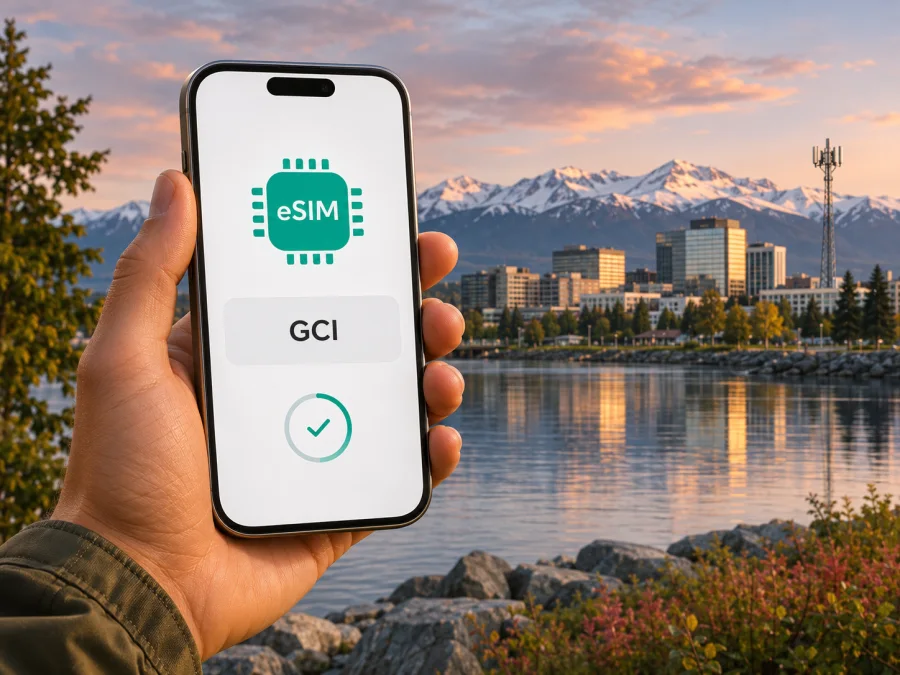
GCI eSIM in the United States: activation, coverage, and travel options
GCI is an Alaska-based telecommunications provider in the United States, with mobile service and eSIM support documented for eligible customers. The important distinction for a traveler is that “United States” covers a large and varied service area, while GCI’s own identity and mobile footprint are strongly tied to Alaska. An eSIM profile from GCI should not be treated as a guarantee of service in every U.S. state, community, device, or account type.
GCI’s support pages explain how customers can request and install an eSIM, and Apple’s current carrier directory also lists GCI Alaska for eSIM Carrier Activation on iPhone. Those sources confirm that GCI eSIM is a real option, but they do not establish that every GCI plan, prepaid line, phone model, or short-term visitor qualifies. Before relying on it for a trip, confirm eligibility directly with GCI for your specific line and device. This guide separates those confirmed facts from questions that still need a provider check.
What GCI eSIM means for a trip to the United States
An eSIM is a digital SIM profile installed on a compatible device. When a carrier provisions a line for eSIM, you can add that profile without inserting a plastic SIM card. The phone still needs to support eSIM, be able to use another carrier’s profile, and connect to the carrier’s supported network in the places you visit.
GCI’s published activation instructions describe eSIM as a way to activate a GCI mobile line on Android, and its mobile help directory includes a separate iPhone activation guide. Apple’s page “Find wireless network providers that offer eSIM service on iPhone” lists GCI Alaska under U.S. providers supporting eSIM Carrier Activation. These are meaningful confirmations of eSIM support; they are not an assurance that a GCI eSIM can be purchased and activated by a visitor without an eligible account or that it will work with every device variant.
GCI serves customers in Alaska and describes its mobile network and services in relation to Alaska and the Lower 48. Its coverage map is the right place to assess a specific address or route, but GCI cautions that the map is approximate and service may not be available at all times in every mapped area. A map should therefore be read as a planning aid, not a guarantee of signal in a hotel room, on a highway, on a ferry, or in a remote community.
Alaska is a U.S. state, not a separate country or an international destination. That distinction matters when comparing a local GCI line with a travel eSIM for “United States”: a country-level travel product may describe its destination as the United States without naming GCI as the network, or without specifying the same local reach as GCI’s own service. Do not infer that two products use the same network simply because both mention the United States.
GCI’s position in the U.S. market
GCI is a telecommunications company founded in Alaska that provides mobile and other communications services. Its “About GCI” page describes its origins in Anchorage and its work supporting Alaska communities. GCI is best understood as an Alaska-based provider, not as a nationwide brand with identical native service in every state.
GCI describes nationwide mobile coverage outside Alaska through a partner arrangement. This differs from its Alaska network, so check its current map and service terms for every part of a multi-state trip. Ask which coverage information applies to your line and whether it can be provisioned as eSIM.
GCI’s map distinguishes 5G, LTE and other data areas. A July 16, 2026 newsroom update reported 5G availability in more than 125 Alaska communities and ongoing upgrades. This dated company report is not a guarantee at every address; GCI says its map is approximate and service may not always be available in mapped areas.
| Question | Public information | What to verify |
|---|---|---|
| eSIM | GCI publishes Android activation instructions and lists iPhone activation; Apple lists GCI Alaska for iPhone eSIM Carrier Activation. | Account and device eligibility. |
| Prepaid | GCI publishes information about prepaid mobile service. | Whether your chosen prepaid service is available as eSIM. |
| Coverage | GCI provides a U.S. map distinguishing 5G, LTE and other data areas. | Route-specific availability; the map is approximate. |
Checked November 3, 2026: GCI’s “About GCI,” “Mobile Coverage Map,” its prepaid mobile service page, “Activating Android with eSIM,” and “Mobile Help & Support,” plus Apple Support’s eSIM carrier directory.
Is GCI eSIM suitable for visitors?
Possibly, but the public activation instructions are written for GCI customers and do not promise a short-term tourist eSIM. For residential customers, GCI says an eligible customer can choose a mobile plan online and that a representative will contact them to complete the order and email the eSIM. Its Android guide also says customers can call or visit a GCI store. Business customers are directed to contact support. That description points to a provider-led order and activation process, rather than an anonymous instant tourist profile.
The available information does not settle every visitor’s eligibility. It does not establish, for example, whether a traveler without a U.S. billing relationship can open a line, which identity or payment checks may apply, whether a temporary stay is acceptable, or whether a particular prepaid offer can be activated as eSIM. Do not assume that an eSIM-ready phone alone is enough. Ask GCI what account details and documentation it requires, how the line is issued, and whether your device’s exact model number is supported.
Prepaid and eSIM are separate questions. GCI publicly offers prepaid mobile service, but the pages reviewed do not clearly say that every prepaid customer can receive that service as an eSIM. A traveler who prefers to pay before using service should ask specifically whether an eSIM version is available for their chosen account type. If the answer is unclear or the line cannot be arranged in time, consider an alternative that clearly states its U.S. destination, compatibility conditions, activation steps and data-only or calling features.
If you need a conventional U.S. phone number for calls and texts, verify that the selected service includes one. Travel eSIMs are often data-only, while a local carrier line may be built around a phone number and voice service. Those are different use cases. A data-only eSIM can still support internet calling and messaging apps, but those apps need an internet connection and may rely on accounts or numbers you already use.
Check your device before requesting an eSIM
A compatible phone must have eSIM hardware and software enabled for its exact regional version. Models sold under the same product family can differ by country or carrier, and some devices are locked to the provider that sold them. A GCI activation guide for Android is not a complete compatibility list for every Android manufacturer or regional variant.
Before you place an order, check the phone’s settings for an option to add an eSIM or mobile plan. On iPhone, you can look under Settings for Cellular or Mobile Service and check whether “Add eSIM” is available. On Android, the wording varies by manufacturer; look in SIM, Network, or Connections settings for an option such as “Add eSIM.” These menu options are a useful first check, but they do not prove that the carrier will accept the device or that it is unlocked.
Then confirm the precise model number with GCI. Ask whether the device is supported for eSIM activation, whether a carrier lock must be removed, and whether the phone can use the network technologies available where you will travel. If you use a dual-SIM setup, check how the phone handles two active lines, mobile data selection, calls and messages. Keep the primary number enabled if you need it for account verification, while making sure you understand which line is selected for mobile data.
A quick checklist:
- Confirm that the exact phone variant supports eSIM, not just another version with the same retail name.
- Ask the seller or current carrier whether the phone is unlocked for another provider’s eSIM.
- Check with GCI that it accepts the exact model and account type.
- Update the phone’s operating system and carrier settings before leaving reliable Wi-Fi.
- Keep access to the email address or account where GCI sends activation information.
- Save any activation instructions somewhere accessible if you may be offline during setup.
For general trip connectivity, you can also check current eSIM options for the United States. Kaspersky eSIM Store is an app and website that helps travelers choose, arrange and activate an eSIM data plan for an international trip. Its U.S. destination page is a place to review current travel options; it does not establish that any listed plan uses GCI’s network or offers the same coverage, number, voice service or terms as a GCI line. Check the plan conditions and your device compatibility before choosing.
How GCI eSIM activation is described
GCI’s support article “Activating Android with eSIM,” published August 27, 2025, describes the following process. The specific screens and labels may vary by device and software version, so follow the instructions GCI provides for your phone and account.
- Arrange an eligible GCI line. GCI says residential customers can start an order online or contact the company, while business customers should contact support. Confirm that the line will be provisioned as eSIM before relying on it.
- Get the activation details. For the online residential process, GCI says it will email an eSIM after a representative completes the order. Ask whether you will use a device-based activation or a QR code.
- Connect to Wi-Fi. GCI’s Android guide instructs customers to connect the phone to Wi-Fi or another device’s hotspot before adding the profile.
- Open the phone’s SIM settings. Choose the option to add an eSIM and follow the prompts. For QR activation, GCI says to scan the supplied QR code with the phone’s camera and follow the on-screen steps.
- Wait for installation to finish. GCI notes that installation can take several minutes. Keep the phone connected until the profile appears in the SIM manager or cellular settings.
- Check the selected line. Confirm the GCI profile is enabled and that the intended line is selected for data, calls and texts. If service does not appear, check the activation instructions and contact GCI before deleting the profile.
GCI’s mobile help directory lists separate activation topics for iPhone and Android. Apple’s carrier directory identifies GCI Alaska as supporting eSIM Carrier Activation for iPhone. The precise iPhone workflow can depend on whether GCI provisions the profile during setup or asks you to request it afterward. Use the steps sent with your line rather than assuming that every iPhone will display the same prompt.
Do not remove an eSIM profile to troubleshoot unless GCI tells you to. Some activation codes can only be used once, and deleting a profile may require the provider to issue a replacement. If installation fails, note the message shown on screen, confirm the phone is online and ask GCI whether the profile is still available for download.
Coverage, 5G and route planning
GCI’s public coverage map is the starting point for checking service. Search each destination and note whether it shows 5G, LTE or other data. GCI says some “other data” areas support calls and texts with slower data, and cautions that map depictions are approximate and may not always be available.
Read the map as an estimate for the applicable service, not as a guarantee for every GCI line. The coverage page notes that prepaid coverage shown for U.S. locations is limited to the United States. Ask GCI which map layer applies to your line, especially if your trip combines Alaska and the Lower 48.
Coverage can change over short distances. A town, airport, road, coastal passage and remote trail are different locations; buildings, terrain and device bands also affect reception. For remote travel, download offline maps and keep important directions and reservations available without data.
GCI’s July 2026 announcement described 5G expansion and upgrades in Alaska. It does not mean 5G is present wherever GCI service is available or guarantee a particular speed. Check the live map for overnight stops and transit points. Outside Alaska, GCI describes nationwide coverage through a partner arrangement; ask whether roaming terms or features differ for your line.
Local operator eSIM or travel eSIM?
A GCI line and an international travel eSIM serve related but different purposes. A local carrier line may suit someone who needs a local account, regular calls and texts, or an ongoing relationship with a provider in Alaska. Getting that line can involve account eligibility, customer support and a supported device. The provider’s coverage map and line-specific terms determine where and how it works.
A travel eSIM is designed around a selected destination or region and can be arranged before a trip, depending on the product’s availability and conditions. It may be useful when a visitor needs mobile data without opening a local voice line. Some travel eSIMs are data-only; check whether voice calls, SMS, hotspot use, activation timing, top-ups and support are included or excluded. Do not assume those features from the word “eSIM” alone.
Kaspersky eSIM Store is an app and website for choosing, arranging and activating eSIM data plans for international travel. It can help a traveler review options for the United States, but it is not a mobile operator, does not own a cellular network and does not itself provide mobile internet coverage. The service or underlying network depends on the particular plan and its terms. No affiliation with GCI is implied, and Kaspersky eSIM Store should not be presented as GCI’s official partner or substitute for GCI support.
A practical comparison is to ask what problem you need to solve. If you need a GCI customer line and its local account features, confirm the eSIM process with GCI. If you mainly need internet during a visit, check whether a travel data eSIM suits your route, phone and expected usage. If your trip includes areas where connectivity is essential, compare the actual destination information and support conditions rather than relying on a brand name or a broad country label.
Setup plan before departure
Before you leave, confirm your exact phone model, eSIM support and unlock status. If you want a GCI line, ask GCI whether your account type qualifies, what information is needed and whether activation can be completed before arrival. Check the map for your route and save the activation and support instructions where you can access them offline.
For a travel eSIM, verify that the destination covers your itinerary and review the setup, activation and data-use conditions. Install any required app and update your phone while connected to reliable Wi-Fi. Decide which line should handle calls and texts and which should handle mobile data.
After arrival, enable the intended profile, select it for data and follow the provider’s instructions about data roaming. Allow network registration to finish before changing settings repeatedly. If it does not connect, verify the destination, profile status, data selection and coverage, then contact the provider over Wi-Fi.
Common questions
Can a tourist get a GCI eSIM?
The pages reviewed do not confirm a general tourist eSIM offer. Ask GCI whether a visitor can open a line and what information is required.
Does GCI prepaid support eSIM?
The public pages do not establish that every prepaid option is available as eSIM. Confirm the specific service with GCI.
Will it work on any unlocked phone?
No such guarantee is published. Confirm the exact regional model supports eSIM and is accepted by GCI for your line.
Can I rely on GCI 5G throughout Alaska?
No. GCI’s map distinguishes 5G, LTE and other data and calls coverage approximate. Check each destination and keep essential travel information offline.
The key points
GCI eSIM is supported for eligible service: GCI provides an Android activation guide, its mobile support directory lists an iPhone eSIM guide, and Apple’s carrier directory includes GCI Alaska. The public evidence does not establish that every prepaid offer, tourist account or phone model can use eSIM, so confirm the exact line and device with GCI.
For coverage, remember that GCI is an Alaska-based provider operating within the United States, and that service outside Alaska may rely on a partner arrangement. Consult the current coverage map for each stop, keeping in mind that GCI calls it approximate. A country-level travel eSIM may offer another way to prepare mobile data, but check its own destination, supported device, activation process and included services. Kaspersky eSIM Store can help you review current U.S. travel options, without implying a relationship with GCI.
GCI and related names are the property of their respective owners. Kaspersky eSIM Store is not affiliated with GCI and is not its official partner. Information in this guide was checked on November 3, 2026; support steps, coverage, eligibility and service conditions can change. Confirm current details with GCI and review the terms of any travel eSIM before purchase.


