Travel connectivity guide
General Luna eSIM for Mobile Internet in Siargao
General Luna eSIM: mobile connection and internet for Siargao
General Luna is a visitor base on Siargao, an island in Surigao del Norte known for surf and island-hopping. Mobile internet can help confirm an airport transfer, message a host, check a boat departure, navigate unfamiliar roads or share your return time.
Plan a data option for your route, install it on reliable Wi-Fi and keep essential details offline. This guide covers arrival, local use and eSIM checks for General Luna.
What to know before planning internet in General Luna
General Luna is a municipality on the southern side of Siargao Island in Surigao del Norte. It is a coastal destination rather than a large connected city, so your daily routine may include a town stay, scooter or van journeys, beaches and boat trips. This matters when planning connectivity: the signal you experience at your accommodation can differ from the signal along a road, at a beach or offshore.
An eSIM is a digital SIM profile installed on a compatible phone. A travel data eSIM can help you get online without changing the physical SIM you normally use. The exact plan determines its destination coverage, data allowance, validity period, supported network arrangements and activation rules. A country-level plan is not a guarantee of identical reception in every part of Siargao.
For a typical stay, mobile data can help with:
- opening maps and checking directions between your accommodation, General Luna’s central area and nearby coastal stops;
- contacting a driver, host, guide or boat operator when plans change;
- checking weather forecasts and transport messages before leaving;
- translating short messages and looking up practical information;
- using messaging, email or work tools when a stable connection is available.
It is less dependable as the only way to navigate an entire day outdoors. Save your accommodation address, transfer instructions, booking details and a map of the route for offline use. Share your itinerary with a travel companion, and agree on a meeting place before heading out if your group may separate.
Arrival via Sayak Airport: plan the first connection
The airport serving Siargao is Sayak Airport (IAO), in Del Carmen, on the north-western part of the island. Visitors heading to General Luna continue overland. The Philippine Department of Tourism’s destination guide lists a shared van journey of about 45 minutes from the airport to General Luna; road conditions, traffic, stops and your final drop-off can affect the actual time. If you arrive late, have luggage, or need to meet a host, confirm the pickup and meeting point in advance rather than relying on a last-minute message.
Before leaving home, save the following on your phone or in a second accessible place:
- The full name and address of your accommodation, including its barangay or a nearby landmark if provided.
- The transfer provider’s name and contact details, plus the agreed pickup location.
- Your arrival and onward travel details, including any connecting flight or ferry booking.
- A screenshot of your booking confirmation and any instructions for check-in.
- A map area covering Sayak Airport, your route south and the General Luna area.
If you plan to travel by sea through Surigao City and Dapa Port instead, check the current departure and connection details directly with the relevant transport provider. Ferry and fast-craft timetables can change, and a data plan does not replace a confirmed ticket or a schedule check. Download the messages and tickets you will need before boarding, since connectivity can vary during transfers.
At the airport and on the way south
If your eSIM is installed before travel, check its activation instructions before boarding. Some plans activate when installed; others start when they first connect to a supported network or when you take another stated action. Do not assume that switching the line on and off pauses a validity period. Follow the instructions shown for the specific plan.
When you land, give your phone a moment to register. If data does not work, check that the intended eSIM line is enabled and selected for mobile data, and that data roaming is set as the plan requires. Confirm that airplane mode is off. Avoid deleting an installed profile while troubleshooting: some eSIMs cannot simply be downloaded again. Keep your usual SIM available for calls or texts if you need it, and check which line is selected before using mobile data to prevent unwanted roaming charges from your home provider.
The ride to General Luna is a useful time to confirm the accommodation pin and tell your host you are on the way. Downloading a large map or video is better done on reliable Wi-Fi before you set off. Keep the screen brightness and battery use under control; a power bank can help on a travel day when you may use maps and messaging frequently.
Choosing a plan for a General Luna stay
A useful plan is the one whose conditions fit your itinerary, not simply the one with the largest data allowance. First decide whether you need data only or a local phone number and local calls as well. Many international travel eSIMs are data-focused and do not include a regular mobile number, voice service or SMS unless the listing explicitly says otherwise. Messaging and internet calls can work over data, but they are not a substitute for a local number when a hotel, driver or service specifically needs one.
Compare these points before checkout:
| Check | Why it matters in General Luna |
|---|---|
| Destination and network terms | Verify that the plan explicitly includes the Philippines and review any stated network or regional limitations. |
| Data amount | Maps, messages and browsing use less than frequent video calls, uploads or streaming. Estimate your habits rather than choosing by guesswork. |
| Validity | Make sure the validity covers your arrival, island stay and onward travel, and find out when the clock starts. |
| Hotspot or tethering | Check the plan terms if you intend to share data with a laptop or another traveller’s phone. |
| Calls and SMS | Confirm whether these are included. Data-only service may not support ordinary calls or text messages. |
| Activation and support | Read installation steps, network selection guidance and help options before you travel. |
For a short trip focused on maps, messages and occasional searches, estimate a modest daily allowance and add a margin for unexpected changes. If you upload photos, stream video or work through a remote desktop, usage can rise quickly. Download entertainment, playlists and large files over Wi-Fi, and turn off automatic cloud backups on mobile data if you want to preserve the allowance.
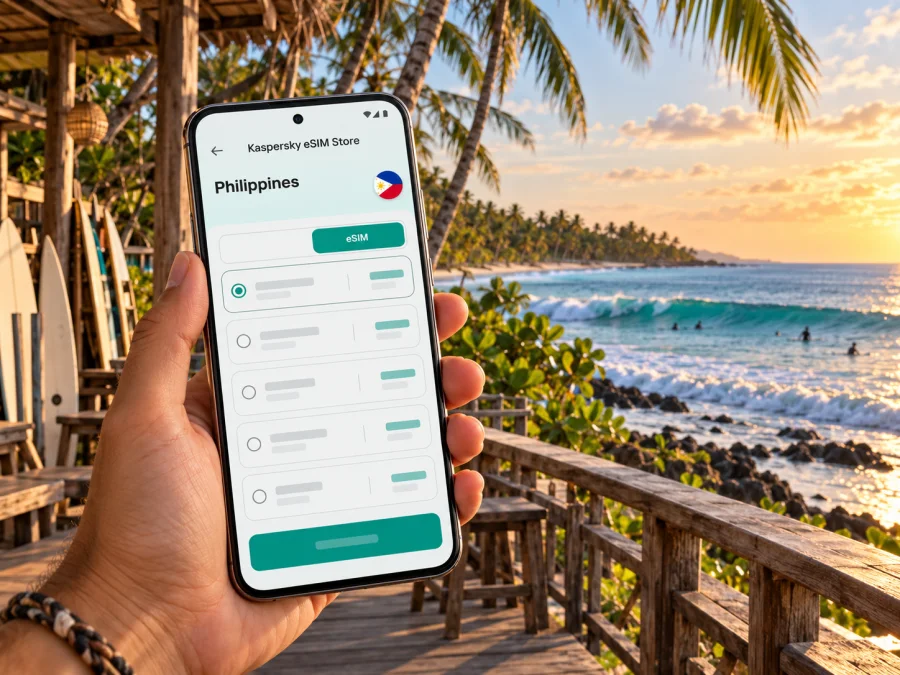
Kaspersky eSIM Store is an app and website where you can choose, arrange and activate an eSIM with a suitable plan for mobile internet during an international trip. To compare current options for your destination, browse eSIM plans for the Philippines. Check each listing for its own data, duration, supported networks, activation point and service conditions; these details can change, and a Philippines plan does not promise uninterrupted reception in every location on Siargao.
Travel eSIM or local Philippine SIM?
A travel eSIM can be convenient if you want to prepare data before departure and keep your regular SIM in the phone. A local Philippine option may suit you if you need a local number, calls or SMS. Terms differ by provider. Globe currently describes a visitor Traveler eSIM that can be installed before arrival and must be registered upon arrival to complete activation; its calling and texting inclusions apply to that specific product. Check the provider’s latest instructions, device requirements and registration steps before purchase.
Choose based on your needs: data for maps and messaging; a plan that explicitly includes calls if local voice service matters; and destination coverage that fits every stop on your itinerary. No option guarantees reception on every beach or boat trip.
Device and SIM checks before you buy
eSIM support can vary by exact model and regional version, and a phone may be carrier-locked. Check the manufacturer’s specifications for the precise phone you will take, and confirm it is unlocked. Check whether your device supports eSIM before paying. In your cellular settings, look for an option such as “Add eSIM,” but confirm model support rather than relying on the menu alone. Review which line will handle data so your home SIM does not incur unwanted roaming charges.
Before checkout, confirm:
- [ ] Exact phone model and regional variant support eSIM; the phone is unlocked.
- [ ] The plan includes the Philippines and fits your dates, data needs and route.
- [ ] You know when validity begins and whether roaming must be enabled.
- [ ] Installation instructions and provider support details are available offline.
Install and activate an eSIM
Install over reliable Wi-Fi, with enough battery and time to follow the plan’s instructions. If a QR code is used, keep it accessible on another device or use the provider’s supported manual option. Installation and activation may be separate steps; check when validity starts. Do not delete a profile while troubleshooting unless the provider directs you to, since it may not be downloadable again.
- Confirm compatibility and carrier-unlock status.
- Add the eSIM in cellular settings or the provider’s app, and label it clearly.
- Enable it at the point specified by the plan; after landing, select it for mobile data if required.
- Set data roaming only as instructed for that eSIM. Keep the home SIM’s data roaming off if you do not intend to use it.
- Test a webpage or message and note which line is selected for data.
See the Android eSIM installation guide or the iPhone eSIM installation guide. Menu names vary by software version, so follow both the device instructions and the selected plan’s activation guidance.
Around General Luna: where data helps and where to plan a backup
Maps can help you find a café, surf school, meeting point or accommodation entrance, but pins and road labels may not describe every landmark clearly. Save the place name and ask your host for locally useful directions. Review scooter routes before riding and do not handle your phone while moving.
Mobile data is useful for checking lesson times, messaging a driver or confirming a pickup. Reception can vary outside populated areas, indoors, along less-travelled roads and offshore. Local infrastructure, terrain, congestion and the network used by a plan all affect service. A coverage map is not a promise of a usable signal at every beach.
Before a boat or island-hopping trip, save maps, booking details, contact numbers, departure points and return arrangements. Agree on a meeting place if your group separates. Offshore data may be intermittent or unavailable, so do not depend on live location sharing for safety. Accommodation Wi-Fi can help with large downloads and work calls, but quality varies by property; test it before scheduling an important meeting and keep essential files offline.
Save maps, music and travel documents over Wi-Fi, set photo backups to Wi-Fi only, and check usage in the provider’s app or phone settings. Carry a power bank.
Match the plan to your itinerary
- Weekend in town: check that validity covers both travel days; use data for arrival messages, directions and bookings.
- Surf and boat days: save meeting points and return details, keep data for schedule changes, and agree how to regroup if contact drops.
- Remote work: ask about accommodation Wi-Fi and test it early; keep files offline and treat mobile data as a possible backup, not a promise of video-call quality.
If the eSIM does not connect
Check that the profile is installed and enabled, airplane mode is off, and the eSIM is selected for data. Review the plan’s roaming, network selection and activation instructions, then restart the phone. If it still does not connect, use Wi-Fi to contact the provider with purchase details. Do not delete the profile as a first step; if needed, contact your host over trusted Wi-Fi or check current local SIM requirements.
Quick departure checklist
- [ ] eSIM support and unlock status checked for the exact phone variant.
- [ ] Destination, data, validity and activation terms reviewed.
- [ ] Airport transfer, accommodation address and contacts saved offline.
- [ ] Offline map downloaded for Sayak Airport, General Luna and planned stops.
- [ ] Home SIM roaming settings reviewed; charger and power bank packed.
Frequently asked questions
Is an eSIM enough for internet in General Luna?
It can suit everyday tasks if the plan includes the Philippines and the local network has service where you are. Reception varies outside populated areas and offshore, so keep essentials offline.
Does a travel eSIM include a Philippine phone number?
Not necessarily. Many are data-only. Check the specific plan for calls, SMS and a local number.
Can I install an eSIM before flying to Siargao?
Often, if the provider allows it and the phone is compatible. Check when validity starts and when to enable the line.
Prepare for your General Luna trip
Check your exact phone variant, compare plan conditions for your dates, note the activation point and save key travel details offline. Kaspersky eSIM Store is an app and website where you can choose, arrange and activate an eSIM with a suitable plan for mobile internet on an international trip. Explore current eSIM plan options for the Philippines and review the terms of the individual plan before departure.


