Travel connectivity guide
Genting Highlands eSIM: Mobile Internet Guide
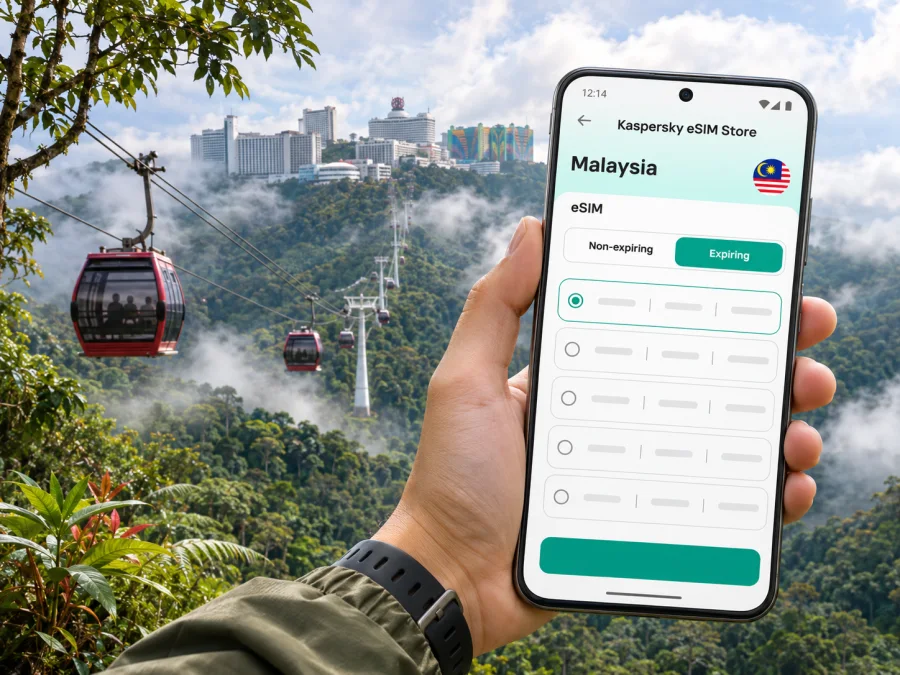
Genting Highlands eSIM: Mobile Connection and Internet Guide
Genting Highlands is a mountain resort destination in Pahang, Malaysia, rather than a conventional city centre. Most visitors approach it from Kuala Lumpur and then continue uphill to the resort, hotels, shopping and attractions. That geography shapes how to plan your mobile connection: you may use maps and ride information on the journey, at a mid-hill transport hub, and around large indoor resort complexes, where conditions can differ from an open road.
An eSIM can give a compatible, unlocked phone a separate mobile-data profile for travel. It is useful for checking directions, confirming a bus or car pickup, messaging your hotel, and getting online without first finding a shop for a physical SIM. The precise network, coverage, speed, included data and validity depend on the selected Malaysia tariff and the local network it uses. No mobile service should be assumed to work identically in every building, valley or point along the mountain road.
Understand the destination before you set off
The name Genting Highlands is used for the broader highland resort area. Resorts World Genting, SkyAvenue, the Awana SkyWay, Chin Swee and Genting Highlands Premium Outlets sit at different points on the route between the lower and upper slopes. You are not navigating a single compact downtown grid. A saved pin, the correct terminal name and a clear meeting point are often more useful than a broad search for “Genting”.
At the upper end, the Genting Highlands Station connects directly with the resort complex at SkyAvenue. Mid-hill, Sky Sentral combines a bus terminal and the Awana SkyWay station beside Genting Highlands Premium Outlets. Awana, Gohtong Jaya and the summit are distinct places; allow time for the connecting leg instead of assuming a bus drops you at your hotel door.
| Place | Why it matters for your route |
|---|---|
| Kuala Lumpur | Common starting point for express buses, private cars and airport transfers |
| KL Sentral | A major rail and bus interchange; express buses to the highlands depart from here |
| Terminal Bersepadu Gombak (TBG) | Another published express-bus departure point; check the current departure details |
| Sky Sentral / Awana | Mid-hill bus and cable-car hub, next to the premium outlets |
| Chin Swee Station | Optional Awana SkyWay stop for the temple and surrounding grounds |
| SkyAvenue / Genting Highlands Station | Upper cable-car station within the resort complex |
This layout is also why a mobile data plan is best considered as a practical travel tool, not as a promise of uninterrupted reception. Before leaving Kuala Lumpur, save your accommodation details, booking references, and a map area for offline use. Keep the terminal name and your driver’s meeting point in a note you can open without a connection.
Getting from Kuala Lumpur and the airport
For many international trips, the route begins at Kuala Lumpur International Airport (KLIA) or KLIA2, continues into Kuala Lumpur, and then heads north-east towards Genting Highlands. The airport rail link connects the terminals with KL Sentral; from there, Resorts World Genting lists express-bus services to the Genting Highlands Premium Outlets terminal at Sky Sentral. The bus-and-cable-car combination can simplify the climb, while a prearranged car or taxi avoids an interchange and may suit bulky luggage or a late arrival.
Resorts World Genting also describes a direct limousine journey from KLIA or KLIA2, with advance arrangements required. Journey times by road vary with traffic, weather and pickup logistics. Check the current operator information and your arrival time before choosing a connection. If your flight lands late, do not build a tight plan around a final bus or gondola departure without confirming that day’s schedule.
Compare the main arrival options
| Option | Useful when | What to plan for |
|---|---|---|
| Airport rail to KL Sentral, then express bus | You want a public-transport connection and can manage a transfer | Airport-to-city rail, bus departure time, luggage and the final uphill segment |
| Direct prearranged car or limousine | You have several bags, travel as a group or arrive outside convenient bus times | Advance booking, pickup instructions, road traffic and the exact hotel entrance |
| Taxi or ride-hailing from Kuala Lumpur | You prefer a direct road journey from your hotel or another city location | Confirm the pickup point, fare conditions, destination pin and availability for the return trip |
| Bus to Sky Sentral, then Awana SkyWay | Your destination is near the upper resort and the cable car is operating | Bus and gondola timetables, ticket arrangements, baggage limits and any maintenance notice |
The Awana SkyWay route is about 2.8 kilometres and the operator gives a journey time of roughly 10 minutes between Sky Sentral and the upper Genting Highlands Station. Chin Swee is the intermediate stop; the operator says passengers can get off there and continue on the same ticket. The published operating hours and maintenance arrangements can change, so check them on the day rather than treating an old timetable as guaranteed. A separate Genting SkyWay service may operate under different conditions during maintenance; follow the current notice and station signage.
A travel eSIM can help with the moving parts: open your hotel’s location, message a driver, check a live route, or confirm whether you are at Sky Sentral or the upper station. For the ride itself, however, download key information in advance. Mountain terrain, tunnels, weather, construction and indoor structures may affect reception or GPS accuracy. Your map may show your last known position for a while even when data temporarily drops.
Plan your connection around the trip
For a short visit, think about when you will need data rather than selecting a package by habit. Your use may be light if you only check messages, maps and bookings. It can rise quickly if you stream video, upload many photos, use a hotspot for a laptop, or make frequent video calls. Review the plan’s data allowance, validity period, destination coverage and any tethering conditions before completing a purchase.
Kaspersky eSIM Store is an app and website that helps you choose, arrange and activate an eSIM with a suitable tariff for mobile internet while travelling abroad. To compare the available Malaysia options for your dates and route, browse eSIM tariffs for Malaysia. Check the details displayed for the particular tariff: this is the country destination page, not a promise of a specific Genting Highlands package or network condition at every point on the mountain.
A data-only eSIM does not automatically provide a conventional local phone number, voice calls or SMS. Those features are included only if the selected tariff explicitly says so. You can keep your home SIM available for calls or verification texts, but check your home carrier’s roaming charges and set the preferred line for mobile data carefully.
Before buying: check the phone and the tariff
An eSIM profile is installed digitally, but it still depends on the phone’s hardware, software, carrier-lock status and regional variant. A device family name alone is not enough to confirm support. Some models sold in one market may differ from variants with a similar retail name elsewhere. Check your exact model and regional version in the manufacturer’s settings or documentation, and confirm that the phone is not locked to a carrier.
Check whether your device supports eSIM before choosing a tariff. Also confirm that you can access the email address or account where installation details will be delivered, and that you have a stable internet connection for setup. If the eSIM is intended for a particular route or region, verify that the plan’s stated coverage includes Malaysia and that its validity matches your stay.
Before checkout, review these points:
- Destination: Malaysia is included in the tariff’s coverage terms.
- Data: The allowance fits your navigation, messaging, browsing and hotspot needs.
- Validity: The start condition and number of valid days fit your itinerary.
- Activation: Check whether validity begins at installation, activation or first connection, according to that tariff’s terms.
- Device: Your exact phone variant supports eSIM and is not carrier-locked.
- Other lines: Decide whether your home SIM should remain active for calls or SMS, and understand any roaming charges.
- Hotspot: Confirm tethering is allowed if you plan to connect a laptop or another phone.
Do not delete an eSIM profile simply because it is not connecting yet. Some profiles have limits on installation or transfer, and deleting one can make recovery difficult. Follow the selected tariff’s instructions and contact support if you are unsure.
Install and activate before the uphill journey
Whenever practical, install the profile while you have reliable Wi-Fi, time to read the prompts, and access to the account or QR code. Installation and activation are different steps: a profile may be installed before travel while the data package becomes usable only under the conditions stated for that tariff. Do not assume that scanning the code starts—or does not start—the validity clock; check the plan details.
- Connect to Wi-Fi. Keep the confirmation or installation information available on another screen if you need to scan a QR code.
- Add the eSIM. Use your phone’s mobile-network settings and follow the on-screen steps for the profile.
- Label the line. Choose a clear name such as “Malaysia data” so you can distinguish it from your home SIM.
- Choose the data line. Set the travel eSIM as the mobile-data line when you are ready to use it. Keep the home number selected for calls or texts only if that suits your needs and your carrier’s charges.
- Check roaming instructions. Some travel eSIMs require data roaming to be enabled for the eSIM. Follow the selected tariff’s directions; do not change settings for your home line unless you understand the cost implications.
- Test the setup. When appropriate, turn off Wi-Fi briefly and confirm that mobile data works. If the plan is not active until arrival, wait until its stated activation condition is met.
For device-specific steps, follow the Android eSIM installation guide or the iPhone eSIM installation guide. Menu labels differ by manufacturer and operating-system version, so the instructions on your phone may not use exactly the same wording.
Once you are in Malaysia, give the profile a little time to register if the tariff’s instructions say it should connect automatically. If data does not start, confirm that the correct line is selected, airplane mode is off, mobile data is enabled, and any required roaming setting is enabled for the travel eSIM. Restarting the phone can help it register again, but avoid deleting the profile as a first troubleshooting step.
Using mobile internet around Genting Highlands
The resort combines outdoor roads and walkways with large buildings, indoor attractions, retail areas and transport terminals. Coverage can vary between these settings and between mobile networks. If you have a weak signal in a basement, lift, crowded hall or sheltered area, move to a more open spot if practical and retry. For important bookings or pickup messages, save a screenshot or note before entering a place where reception may be uncertain.
Use mobile data for tasks that benefit from current information:
- checking the live road route and estimated arrival time;
- messaging a driver or hotel about a meeting point;
- checking bus or cable-car service notices before you travel;
- opening booking confirmations, digital tickets or attraction details;
- sharing your location with your travel group when needed.
Keep static information available offline. Save your hotel name, address, reservation number, return transport details and a map of the route. A phone’s GPS can often show a position without mobile data, but loading new map tiles, searching for a business or refreshing traffic information may require a connection.
A simple arrival checklist
Before leaving Kuala Lumpur:
- Confirm the exact terminal and the departure time on the current bus booking.
- Save your accommodation pin and the name of the closest station or entrance.
- Check whether your bus goes to Sky Sentral and whether you need the Awana SkyWay for the final climb.
- Keep your ticket, booking reference and driver’s number available offline.
- Make sure your phone has enough battery for navigation and messages; bring a power bank if needed.
At Sky Sentral:
- Check station signs before heading to the bus level, cable-car level or shopping connections.
- If using Awana SkyWay, check operating status and the last convenient return trip.
- Keep luggage within the current operator rules; ask staff about storage for oversized bags.
- If stopping at Chin Swee, confirm the onward gondola arrangements before leaving the station area.
At the upper resort:
- Use the exact hotel or attraction entrance as your map destination.
- For a pickup, agree on a named entrance or meeting point, not just “Genting Highlands”.
- Keep the travel eSIM selected for data and the home SIM settings as intended.
Choose a base and movement pattern
Where you stay affects how often you need mobile data for navigation. A room in or beside the upper resort may make indoor connections and attraction visits simpler, while accommodation around Awana or Gohtong Jaya can put you closer to the mid-hill transport and outlet area. Compare the actual address, access route, check-in time and luggage arrangements rather than relying on a hotel name alone.
If your plan is centred on SkyAvenue, the upper station is a useful reference point. If you are visiting the outlet mall or transferring between bus and gondola, Sky Sentral is the more relevant pin. If your booking is in Gohtong Jaya, confirm whether the property offers a shuttle or requires a separate taxi or ride-hail leg. These are different locations, and a route app may need the full destination name to avoid selecting the wrong one.
For a day trip, leave flexibility between the city and the mountain. Weekend and holiday traffic can affect the road journey, and bus or gondola service may be subject to schedule changes or maintenance. Keep the return leg in mind before adding a late activity. If your onward flight is the same day, build a generous buffer and verify the complete route back to the airport rather than using the best-case journey time.
Short-visit scenarios
Airport to resort: Open your transport booking on airport Wi-Fi, save the destination and note where you change at KL Sentral or meet your driver. For a bus connection, confirm the Sky Sentral terminal and whether you will continue by gondola.
Day trip from Kuala Lumpur: Check outbound and return bus times together. Save the return departure offline and leave time to get from the upper resort to the terminal.
Work or family visit: Test data where you plan to work, confirm hotspot conditions if needed, and agree on a named meeting point that everyone can access offline.
FAQ
Is Genting Highlands a city?
It is best understood as a highland resort destination in Pahang, Malaysia. The name covers separate transport and resort locations, so navigate to a specific hotel, terminal or attraction.
Can I use an eSIM in Genting Highlands?
A Malaysia eSIM may be suitable if its tariff covers Malaysia and your device supports eSIM. Service depends on the plan’s local network and conditions at your location. Keep key maps and bookings available offline.
Will data work throughout the Awana SkyWay ride?
Do not rely on continuous data during the gondola ride. Signal can vary over mountainous terrain, so save tickets, route details and meeting information before boarding.
Does a travel eSIM include a local phone number?
Not necessarily. Calls, SMS and a conventional number are included only if the selected tariff explicitly lists them. Data-based messaging apps can work over an internet connection.
Should I install the eSIM before arrival?
You can install it in advance if the tariff instructions allow. Check when validity begins and when to select it for mobile data.
What if I have no connection after arrival?
Check that the travel line is enabled for data and that the tariff’s activation conditions are met. Review whether roaming is required for that eSIM. Toggle airplane mode or restart the phone if needed; do not remove the profile as a first step.
Is an eSIM a replacement for my home SIM?
It may handle mobile data, but may not provide your usual number, voice service or SMS. If you keep your home SIM installed, check roaming charges and select the intended data line.
Get ready for your Genting Highlands trip
Before you leave, confirm that your phone supports eSIM, compare the Malaysia tariffs against your dates and expected data use, and save your transport and accommodation details for offline access. Install and activate the profile according to its instructions, then select it for mobile data when appropriate. Choose an eSIM tariff for your Malaysia trip in Kaspersky eSIM Store, the app and website that help you arrange an eSIM for mobile internet abroad. Review the selected tariff’s coverage, validity and activation conditions before you travel.


