
Travel connectivity guide
Ghazni eSIM: Mobile Internet for Travel
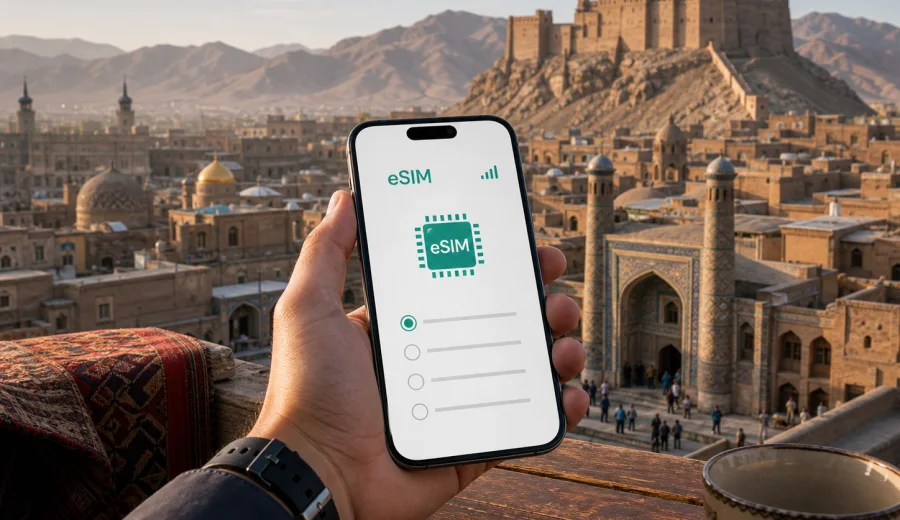
Ghazni eSIM: mobile connection and internet for a practical city trip
Ghazni is not a city where you want to solve mobile internet at the last minute. A trip can involve a long road arrival, a hotel check-in with limited time, local meetings, navigation around historic districts, and onward travel across Afghanistan. An eSIM helps you prepare a mobile data plan before you need maps, messages, ride coordination, booking details, or work tools.
This guide focuses on Ghazni city, not Afghanistan in general. It explains where mobile data is useful during arrival, how to think about traffic needs, what to check before you choose an eSIM plan, and how Kaspersky eSIM Store can help you select, arrange, and activate an eSIM with a suitable plan for mobile internet during a trip abroad.
Why eSIM matters specifically in Ghazni
Ghazni sits on an important route between Kabul and southern Afghanistan, and many visitors arrive by road rather than by a simple city-airport transfer. That changes the connectivity scenario. You may need data before you reach your accommodation, while confirming a driver, checking a meeting address, or sharing live updates with someone waiting in the city.
Local movement can be practical but less predictable than in larger tourism hubs. Street names, district references, hotel directions, and pickup points may be easier to manage when you can keep maps, messaging apps, translation tools, and saved documents available on your own device. An eSIM is useful because it avoids the need to search for a physical SIM card immediately after arrival.
In Ghazni, mobile internet is especially helpful for:
- confirming your arrival time during a road transfer;
- opening hotel addresses, pins, and contact numbers;
- sending documents or meeting updates during a business visit;
- using offline maps together with live location checks;
- coordinating local drivers or hosts;
- keeping travel confirmations available without depending only on hotel Wi-Fi;
- planning onward trips to Kabul, Kandahar, Bamyan, or other Afghan destinations.
An eSIM is not a replacement for planning, local advice, or common-sense travel preparation. It is a practical way to prepare mobile data for the parts of the trip where public Wi-Fi, reception desks, and offline shops are not convenient.
Arrival scenarios: when mobile data helps first
Most Ghazni trips start before you enter the city itself. If you travel from Kabul, Kandahar, or another Afghan city, mobile data can support the handoff between long-distance transport and local movement. You may need to confirm that your driver understands the hotel area, send a message when the road schedule changes, or check whether your meeting location is closer to the old city, administrative areas, or a main road corridor.
For a short visit, the first two hours often decide whether the trip feels organized. A prepared eSIM lets you avoid waiting until you find a reliable Wi-Fi connection. You can keep your original physical SIM in the phone for your usual number, then use the eSIM profile for mobile data if your device supports dual SIM settings.
| Trip moment in Ghazni | Why data is useful | Practical preparation |
|---|---|---|
| Road arrival | Share updates, confirm pickup, open maps | Install the eSIM before departure if possible |
| Hotel check-in | Find booking details and contact reception | Save the hotel address offline as a backup |
| First local movement | Navigate between districts and landmarks | Keep a small data reserve for maps and messages |
| Business meeting | Send documents, verify locations, join calls if needed | Choose a plan with enough data for work tasks |
| Stopover | Make quick decisions without searching for Wi-Fi | Activate only when you are ready to use the plan |
The main point is control. You know where the eSIM profile is, what plan you selected, and how long the plan is valid. Conditions depend on the chosen plan and local network availability, so it is still worth saving key information offline before you travel.
City movement: maps, drivers, districts, and hotels
Ghazni has several travel patterns that make mobile internet useful. You might move between a hotel, local offices, a bazaar area, historic monuments, and road departure points. Some locations are described by landmarks rather than precise addresses, so being able to share a live location or check a pin can prevent confusion.
If you are visiting the old city area, the Ghazni Citadel surroundings, the historic minarets, or local markets, mobile data helps you keep a simple route plan without carrying printed notes for every stop. If you are in Ghazni for work, it helps with calendar changes, document access, and quick messaging between meetings.
For hotels and guesthouses, the value is often more ordinary but very real. You may need to message reception, show a booking confirmation, check a route back after a meeting, or use mobile data when the Wi-Fi signal is weak in your room. In smaller cities, having a backup internet option is often more useful than having a large list of apps.
Use this simple city checklist before you head out:
- save your hotel name, address, and phone number offline;
- keep a local-language version of the address if you have one;
- download offline map areas before long road sections;
- keep your eSIM profile labeled clearly in phone settings;
- decide which SIM line handles mobile data and which line handles calls;
- keep battery power available, especially during day trips;
- avoid large downloads unless your plan has enough data.
Choosing an eSIM data plan for Ghazni
For a city article, the correct plan destination is the country where the city is located. For Ghazni, that means Afghanistan. The plan should match your actual route, not just the name of the city. If Ghazni is one stop in a wider itinerary, check whether you need only an Afghanistan plan or a regional option for a broader trip.
Think about three variables: how many days you will need data, how much you will rely on maps and messaging, and whether your trip includes work tasks such as file sharing or video calls. A short stopover may need only light data. A business visit with remote work, cloud documents, and regular calls through messaging apps may need a larger package.
Common data needs in Ghazni:
- light use: maps, messages, hotel confirmations, email checks;
- moderate use: navigation, translation, photo sharing, ride coordination, regular messaging;
- heavy use: hotspot use, cloud files, video calls, frequent uploads, long work sessions.
Before you commit, check the plan details: country or region, data volume, validity period, price, activation conditions, and whether top-up is available. Kaspersky eSIM Store helps you compare the visible conditions of available eSIM plans for your destination and prepare the one that fits your trip.
If you are already planning the route, you can choose an eSIM plan for your trip to Ghazni and review the available options for Afghanistan before you arrive.
How much data should you prepare?
There is no single correct amount of mobile data for every Ghazni trip. The right choice depends on your behavior. Navigation and messaging are usually light. Video calls, cloud backups, social media uploads, and hotspot sharing can use data quickly.
Use the table below as a planning guide, not a promise of exact usage:
| Traveler profile | Typical use in Ghazni | What to consider |
|---|---|---|
| Stopover traveler | Messages, maps, hotel contact, onward transport | A smaller plan may be enough if the visit is brief |
| Cultural visitor | Maps, photos, translation, route checks | Keep data for walking routes and return transport |
| Business traveler | Email, documents, calls through apps, calendar changes | Choose enough data for work, not only navigation |
| Road traveler | Updates during transfers and between cities | Check validity for the whole route, not one day only |
| Remote worker | Laptop hotspot, calls, file sync | A larger plan is safer; limit background updates |
To reduce unnecessary data use, download maps, documents, and booking files before the trip. Turn off automatic cloud photo backup while using mobile data. If your phone supports it, set data warnings for the eSIM line so you can track usage during the visit.
Installing eSIM before the trip or after arrival
Installing eSIM before you travel is usually the calmer option. You can complete the setup on a stable connection, label the eSIM profile, and keep the plan ready for the moment you need it. Some plans begin validity when installed, while others begin when connected or activated; always read the conditions of the selected plan before deciding when to install it.
General setup flow:
1. Check that your phone supports eSIM and is not locked to one carrier.
2. Choose the destination and plan that match your trip.
3. Complete the order flow and open the eSIM details in your profile or email.
4. Install the eSIM using the QR code or on-screen instructions.
5. Set the eSIM line for mobile data when you are ready to use it.
6. Turn on data roaming for the eSIM line if the plan instructions require it.
7. Wait a few minutes for the device and local network to complete connection.
If you need device-specific guidance, use the Android installation guide or the iOS installation guide. The exact menu names can differ by device model and operating system version.
Before buying, also check your device for eSIM compatibility. Some phones and tablets vary by region of sale, and a carrier-locked device may not allow a new eSIM profile even if the model usually supports eSIM.
Practical Ghazni use cases
Business trip
Business visits to Ghazni often involve exact timing and local coordination. Mobile data helps with calendar changes, document access, meeting addresses, and messaging with a host or driver. If you expect to send files or join internet calls, choose a plan based on work needs, not only on tourist navigation.
Keep key files available offline as well. A prepared eSIM reduces dependence on public Wi-Fi, but it should not be the only place where your itinerary exists.
Short stopover
If Ghazni is a short stop between longer road segments, you may need data for simple decisions: where to meet, when to leave, whether the next driver is ready, and how to reach a hotel or office. A smaller data package may be enough, but the validity period still matters. A plan that expires before your onward journey is less useful than one that covers the full stopover window.
Historical city visit
For visits around Ghazni Citadel, the old city, minarets, bazaars, and nearby historic areas, mobile data helps with routes, photo backups when you choose to use them, translations, and messaging. It is still smart to download map areas in advance because building density, terrain, and local network conditions can affect any mobile service.
Hotel-based work
Hotel Wi-Fi can be useful, but it may not always be consistent enough for a call or file transfer. An eSIM data plan gives you a separate option for mobile internet on your phone. If you plan to use hotspot mode for a laptop, choose data volume carefully and check whether hotspot use is allowed by the selected plan.
What to check before you rely on eSIM in Ghazni
Preparation matters more than speed claims. Before the trip, confirm these points:
- your device supports eSIM;
- your device is not locked to a single carrier;
- the chosen plan covers Afghanistan;
- the validity period fits your arrival, stay, and onward travel;
- the data volume is enough for your expected use;
- you understand when the plan starts consuming validity;
- you have a stable internet connection for installation;
- you know which SIM line is set for mobile data;
- you saved essential addresses and contacts offline.
eSIM plans in Kaspersky eSIM Store are intended for mobile data. They usually do not include a local phone number, ordinary voice calls, or SMS unless the conditions of a specific plan say otherwise. For calls and messages, you can use internet-based apps when mobile data is available.
Ghazni travel preparation checklist
Use this checklist one or two days before your trip:
- Install or prepare the eSIM while you still have reliable internet.
- Save the QR code or installation instructions where you can reach them.
- Label the eSIM profile as Afghanistan or Ghazni trip in phone settings.
- Download offline maps for Ghazni and road routes you expect to use.
- Save hotel, office, and driver contacts offline.
- Turn off automatic app updates on mobile data.
- Keep a power bank ready for long road transfers.
- Check whether your messaging apps are already logged in and working.
- Keep your primary SIM available if you need your usual number for verification.
The goal is not to make the phone complicated. The goal is to avoid making connectivity decisions when you are tired, arriving late, or moving between unfamiliar addresses.
Common mistakes to avoid
Do not wait until the first busy moment in Ghazni to learn where eSIM settings are on your phone. Install or review the setup path before the trip.
Do not choose a plan only by data size. Validity period and destination coverage can matter just as much, especially if Ghazni is part of a longer Afghanistan route.
Do not assume that hotel Wi-Fi will be enough for every task. It may be fine for browsing and messaging, but a separate mobile data option can be useful for navigation, driver coordination, and time-sensitive work.
Do not use mobile data for automatic backups unless you planned for it. Photos and cloud sync can consume data faster than maps and messages.
Do not remove an eSIM profile too quickly. In many cases, an eSIM cannot simply be transferred to another device after activation. Keep the profile installed until you are sure the trip and plan use are finished.
FAQ: eSIM and mobile internet in Ghazni
Is eSIM useful for Ghazni if I arrive by road?
Yes. Road arrivals often require messages, location sharing, hotel contact, and route checks before you are settled. An eSIM can help you prepare mobile data before the first local movement in Ghazni.
Should I choose a Ghazni plan or an Afghanistan plan?
For a city trip to Ghazni, choose a plan that covers Afghanistan. City articles use the country plan because mobile data plans are usually organized by country or region, not by individual city.
Can I keep my regular SIM active?
On many dual-SIM phones, yes. You can keep your regular SIM for your usual number and use the eSIM profile for mobile data. Settings differ by device, so check your phone before travel.
Does an eSIM include calls and SMS?
Usually no, unless the selected plan conditions say otherwise. eSIM plans for travel are typically focused on mobile data. You can use messaging and calling apps over the internet when data is available.
Can I install eSIM after I arrive in Ghazni?
You can install after arrival if you have a stable internet connection, but installing before travel is often easier. You can complete setup calmly, check the profile, and avoid relying on public Wi-Fi during arrival.
What if my phone does not support eSIM?
You will need another connectivity option, such as a physical SIM or available Wi-Fi. Check compatibility before choosing a plan so you do not prepare an eSIM that your device cannot use.
Final preparation before you go
For Ghazni, mobile internet is most useful when it supports real trip tasks: arrival updates, navigation, hotel coordination, business messages, and onward travel. Prepare the eSIM profile early, keep key information offline, and choose a plan that matches both your time in Ghazni and the wider route in Afghanistan.
Kaspersky eSIM Store helps you choose, arrange, and activate an eSIM with a suitable data plan for mobile internet during your trip abroad. Before departure, review the available options and choose an eSIM plan for Afghanistan that fits your Ghazni itinerary.