Travel connectivity guide
Gibraltar eSIM: Mobile Internet for Your City Trip
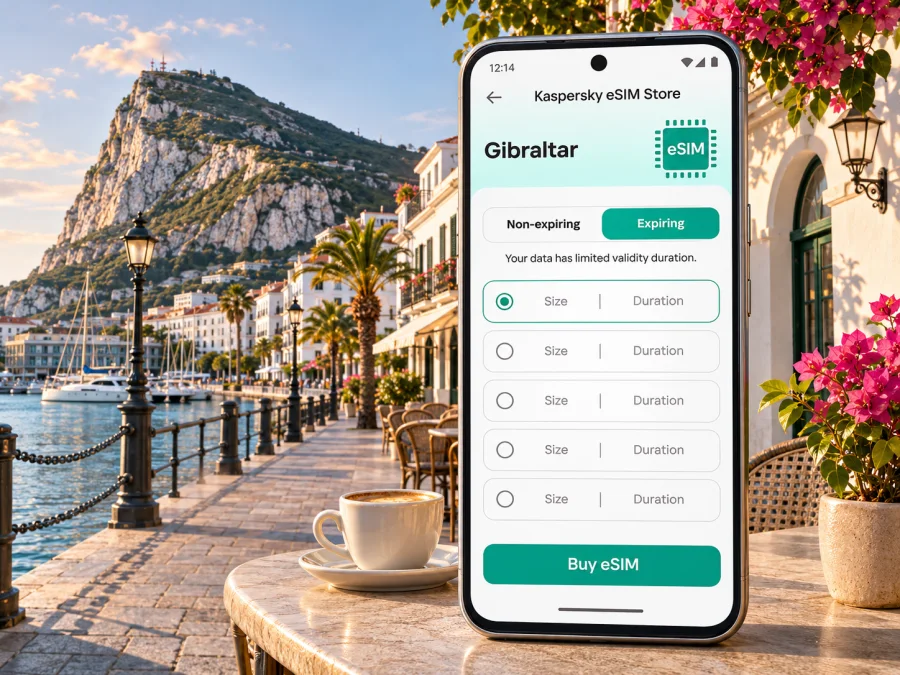
Gibraltar eSIM for mobile connection and internet around the Rock
Gibraltar is compact, but a visit can involve several distinct legs: arriving at Gibraltar International Airport, crossing the runway access route, finding accommodation near the town centre or marina, walking uphill, and possibly continuing into Spain. A working mobile data connection helps with maps, messages, bookings and transport along the way. An eSIM can prepare that connection without taking your regular SIM card out of the phone.
Gibraltar is a British Overseas Territory at the southern end of the Iberian Peninsula. It is a separate destination for mobile-plan selection; do not assume that a Spain or United Kingdom plan automatically includes it. Check the destination and coverage wording for the exact plan you intend to use, especially if your itinerary crosses the land frontier or continues elsewhere in Spain.
Where mobile data helps during a Gibraltar visit
Preparing data before arrival lets you check directions and messages without first finding a shop or public Wi-Fi. Gibraltar’s steep streets, compact centre and changes in elevation make live maps useful, while a short visit can include the airport, town centre, marina and Upper Rock.
| Moment | Useful online task | Backup |
|---|---|---|
| Before landing | Check hotel messages and reservations | Save addresses offline |
| Leaving the airport | Open a walking route or check a bus | Confirm pickup point first |
| Exploring the centre | Find Main Street, Casemates Square or a meeting point | Download an offline map |
| Going up the Rock | Check trail notices and meeting arrangements | Carry a charged phone and follow signs |
| Crossing into Spain | Recheck directions and plan coverage | Confirm Spain is explicitly included |
A travel eSIM is generally intended for mobile data. Do not assume it includes a local number, ordinary calls or SMS unless the selected plan says so. Keep your primary number available if needed and use messaging or calling apps over data where appropriate.
Arrival: airport, runway crossing and first directions
Gibraltar International Airport is beside the Spanish frontier and close to the urban area. The airport lists Citibus routes X5, 5 and 10 to locations around Gibraltar, along with a taxi stand outside the terminal. Check the current route and timetable for your dates; the best option depends on your accommodation, luggage and arrival time.
The route between the terminal and town can involve the airport runway crossing. Follow signs, staff directions and the designated crossing arrangements. Save your hotel name and address, booking reference, and a screenshot of the transfer route before landing. If someone is meeting you, agree on a clear pickup point in advance. A map is helpful, but keep essential details offline in case the phone loses signal or power.
Before travelling, check when the eSIM validity begins. Some plans may be installed in advance but start on first connection; others follow different rules. If installation requires Wi-Fi, complete it before departure or use a trusted connection after arrival.
Getting around the centre and marina
Gibraltar’s centre is walkable for many visitors, but gradients, stairs, heat and luggage can change what looks like a short route. Use a map to compare an uphill walk with a bus or taxi. Main Street and Casemates Square are useful central reference points; Ocean Village and the marinas are a different area with hotels, restaurants and waterfront paths. Save a pin for your accommodation so you can find it again after an evening out.
Public transport routes and stopping points can change. Check current operator information for your travel dates, including late-evening service and diversions. A live map helps locate a stop, but does not replace a current timetable.
Going up the Rock: plan for a different kind of route
The Upper Rock and Gibraltar Nature Reserve are a major part of a city visit. Visitor information describes access by walking, cable car, or guided taxi and bus tours; private vehicles are generally not permitted in the reserve. Trails and viewpoints take you away from the busiest streets, so check current opening times, access arrangements and trail notices before setting off.
Mobile data can help with meeting points and updates, but do not make a live signal your only navigation plan. Carry water, charge your phone, save an offline map and follow marked paths and local notices. If you are on a guided tour, use the agreed meeting point. GPS and screen brightness can drain a battery, so consider a power bank and save the return details while you have a reliable connection.
Choose a plan for Gibraltar, not just a nearby country
The destination selected in the plan should match where you expect to use data. Gibraltar is connected to Spain by land but has its own mobile market, so do not assume a Spain or United Kingdom plan includes it. The current Gibraltar destination page in Kaspersky eSIM Store identifies GIBTELE among the local telecommunications providers for listed plans. That identifies the provider for those plans; it does not promise identical coverage or service across the frontier.
You can review eSIM options for a trip to Gibraltar and check each plan’s destination list, data amount, validity, price, activation rule, network details and hotspot conditions. These terms may change, so use the details shown for the plan you select.
Estimate data from your habits rather than trip length alone:
| Trip pattern | Planning approach |
|---|---|
| Day visit with maps and messages | Save an offline map; allow for route searches and messages |
| Weekend sightseeing | Include regular navigation, bookings and photo sharing; limit backups |
| Business visit | Use Wi-Fi for larger files and confirm hotspot rules |
| Gibraltar plus Spain | Confirm that both destinations are explicitly covered |
| Longer stay | Compare daily use with the plan’s allowance and validity |
Video and repeated photo uploads use much more data than map searches. Review your recent mobile data history and leave a margin for delays or route changes.
Three questions before purchase
- Where will I use data? Confirm that Gibraltar and any other stops appear in the plan’s coverage.
- How long will I need it? Match validity and activation rules to your dates.
- What will I do online? Streaming and video calls use more data than navigation or messaging.
Also check that your device is unlocked, tethering is permitted if needed, and the eSIM supports the type of calls or messages you require.
Device compatibility and regional variants
Before selecting any plan, check that your exact phone supports eSIM and is not locked to a carrier. Support can vary between models that look nearly identical, particularly across regional versions sold under the same product family. Do not infer compatibility from the brand name, a friend’s device, or a general list that does not include your exact model and market.
Open your phone’s mobile network settings and look for an option to add or download an eSIM. Then confirm the model number and eSIM capability with the device manufacturer or your carrier. If you use a dual-SIM phone, check how it handles two active lines, mobile data selection and data roaming. Check your device’s eSIM compatibility before you complete the purchase.
A device that supports eSIM may still be carrier-locked or restricted by its regional configuration. If the eSIM menu is missing, contact the seller or carrier that supplied the device and confirm the precise model variant. Avoid deleting an installed eSIM profile to troubleshoot unless the plan’s instructions say it can be reinstalled; some profiles cannot be transferred or downloaded again after removal.
Install before the trip and activate deliberately
Installation and activation are separate steps. You may be able to add the eSIM profile before departure and choose when to use it for data, but follow the instructions for your exact plan and device. Keep the confirmation email available until the connection has been tested.
- Connect to Wi-Fi and open the eSIM details from your account or confirmation.
- Add the eSIM in phone settings or scan its QR code. Use the code for your own order.
- Label the line “Travel data” or another clear name.
- Choose which line handles mobile data; review roaming settings on your primary line.
- Enable the travel eSIM when you are ready and follow plan guidance about data roaming or network selection.
- Allow time to register. If it does not connect, check plan status and data-line selection before troubleshooting further.
See the Android eSIM installation instructions or the iPhone and iPad eSIM installation instructions. Menu names vary by operating-system version. Some plans require data roaming on the travel eSIM; follow the plan instructions while taking care not to use your primary line unintentionally.
If installation happens after landing, you will need Wi-Fi or another connection for setup. Keep the QR code somewhere accessible beyond the phone being configured. Check when validity begins: a profile can be installed in advance without necessarily starting the plan, but rules differ.
When you cross the frontier or continue your journey
A Gibraltar visit may also include Spain, whether for a day trip or onward travel. Treat that as a separate coverage question: a local plan may cover Gibraltar only, while a regional plan may include multiple destinations. Check the country list and roaming conditions for the exact eSIM before leaving.
Border procedures and travel arrangements can change. Check current official entry requirements for your nationality and route, allow time for any required checks, and save tickets and bookings offline. Mobile coverage does not determine immigration permission. After crossing, verify which line and network your phone is using, especially if your primary SIM has different roaming charges. A regional tariff is useful only when its listed destinations include every stop you need.
If mobile data does not connect
If the eSIM is installed but data is unavailable, confirm that the eSIM is switched on and selected for mobile data, and that its validity has begun under the plan terms. Check whether its instructions require data roaming; keep your primary line’s roaming settings in mind. Move to an open area and allow time for network registration. Briefly toggling airplane mode or restarting may help if the plan instructions recommend it.
Do not delete an eSIM profile or reset network settings before checking the provider’s instructions; some profiles cannot be downloaded again. If one app fails, check its mobile-data permission and whether it is waiting for Wi-Fi. Pause backups or large downloads if the connection is slow. Reception and speed vary indoors, underground, on trails and with network conditions.
Practical scenarios
Day visit or weekend
Save airport and return directions, accommodation details and any meeting point. For a day on the Rock, download visitor information beforehand and carry a power bank. Use Wi-Fi for large photo uploads.
Work trip with a Spain crossing
Check that the selected plan covers both Gibraltar and Spain. Download meeting files on Wi-Fi, confirm hotspot rules before relying on a laptop, and keep access to work authentication that may use your primary number.
Short onward connection
Confirm where you will physically use data, whether border checks apply to your route and whether each destination is included. Save onward tickets and airport or station details offline.
Quick checklist before departure
- [ ] Your exact phone variant supports eSIM and is not carrier-locked.
- [ ] The plan explicitly covers Gibraltar and each other country on your route.
- [ ] Data amount, validity, activation rules and price fit your trip.
- [ ] You know whether the eSIM is data-only and have a separate option for calls or SMS if needed.
- [ ] Setup instructions and the QR code are accessible; essential addresses are saved offline.
- [ ] Your phone is charged and your regular line’s roaming settings are intentional.
Frequently asked questions
Is Gibraltar covered by a Spain eSIM plan?
Not automatically. Gibraltar is a distinct destination for plan selection even though it shares a land frontier with Spain. Check the country or territory list on the specific plan. If your trip includes both places, make sure both are covered before purchase.
Can I use an eSIM at Gibraltar Airport?
A compatible eSIM may connect when it reaches a supported local network and the plan is active, but setup and registration depend on the device and tariff. Install in advance when possible, check validity rules, and keep transfer details available offline.
Does a travel eSIM replace my phone number?
Usually a travel data eSIM provides mobile data rather than a new local number. Calls and SMS are not included unless stated in the terms for that particular plan. Your primary SIM can remain available for your number, subject to its roaming charges and phone settings.
Will the connection work everywhere in Gibraltar?
No provider can promise identical reception in every location. Coverage and speed depend on the supported local network, device, buildings, terrain and network conditions. Check the plan details and keep offline copies of essential maps and bookings.
Should I install the eSIM before travelling?
Often this is convenient because installation may require Wi-Fi, but check when the plan’s validity starts. Some tariffs begin when installed or activated; others begin on first connection. Follow the terms shown for the chosen plan.
What if I need data in Spain too?
Check whether the plan lists Spain as a covered destination. If not, choose a plan that explicitly covers both places or arrange separate coverage. Do not rely on proximity or a phone’s ability to detect a network as proof that the tariff includes service there.
Get ready to explore Gibraltar
Choose a plan based on where you will travel, how long you will stay and what you expect to do online. Check your phone variant and the activation conditions, then install the eSIM with the instructions for your device. You can choose an eSIM plan for your Gibraltar trip through Kaspersky eSIM Store, an app and website that help you select, purchase and activate an eSIM plan for mobile data abroad. Save your key directions offline as a dependable backup, and enjoy exploring Gibraltar at your own pace.


