Travel connectivity guide
Gibraltar eSIM: Mobile Internet for Your Trip
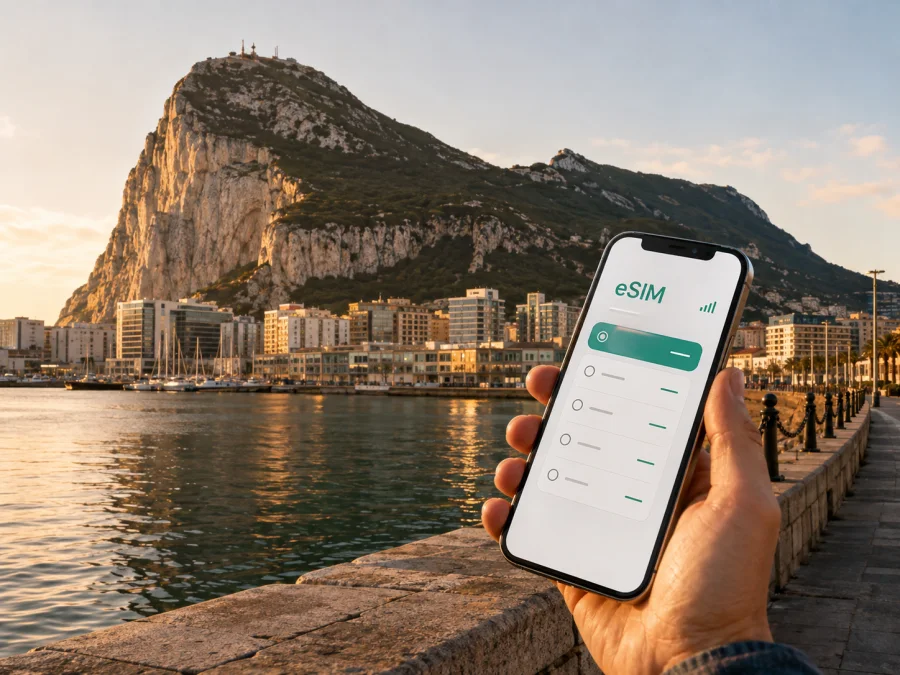
Gibraltar eSIM: Mobile Connection and Internet for Your Trip
Arriving in Gibraltar is easier when practical tasks are planned in advance. You may need a map, a message for a driver, a booking confirmation or opening times while moving between the airport, frontier and town centre. An eSIM, or digital SIM card, can help you prepare mobile internet without waiting to find a physical SIM card.
Gibraltar is compact, but the Rock, airport runway and narrow streets shape how you move around. Kaspersky eSIM Store is an app and website that helps you choose, arrange and activate an eSIM with a suitable plan for mobile internet during an overseas trip. The plan follows its displayed conditions.
When an eSIM can help in Gibraltar
The most useful moment for mobile internet is often the transition between places. At Gibraltar International Airport, you may want to confirm the route to your hotel, contact the person meeting you or check a transfer. If you arrive by land, you may be moving between the frontier and the town on foot, by taxi, bus or private vehicle. A prepared data connection reduces decisions at the first unfamiliar junction.
An eSIM can help you:
- check a map around the town centre and city walls;
- confirm a hotel address or send an arrival message;
- compare a walking route with a taxi or bus option;
- stay in touch through internet messaging;
- check a reservation before a cable-car visit, tour or boat trip;
- keep a route available while moving between the west side, south district and east side of the Rock.
This matters on a first visit because Gibraltar combines urban streets, Upper Rock routes, coastal stops and a distinct southern viewpoint in a small area. A connected phone helps you switch between these plans without depending on one terminal, hotel or café network.
Your first hour
Before leaving home, save your accommodation address and prepare the eSIM details. After landing or crossing the frontier:
- Check that the eSIM profile is available and selected for mobile data.
- Open your map and confirm the route to the hotel, meeting point or first stop.
- Send an arrival message and keep the home SIM available for calls or messages you still need.
- Save essential booking details so they remain accessible during a transfer.
From arrival points to the town centre
Gibraltar International Airport is close to the built-up area. Its runway is part of the local route network, so movement around it is managed. Visitor guidance explains that pedestrians and cyclists may cross the runway when permitted, while vehicles use the tunnel route. Do not assume that a direct crossing will be available at every moment; follow signs and local instructions.
That detail is why live navigation can be more useful than a printed overview. A route that looks direct may need a different entrance or tunnel. Keep the exact address and a contact message easy to reach.
| Check after arrival | Why it matters | Preparation |
|---|---|---|
| Route from airport or frontier | The Rock and airport influence how roads connect | Save the hotel address and a second meeting point |
| Transport option | Walking, taxi, bus and car routes differ | Compare the route after confirming your position |
| Booking or appointment | A short visit can be tightly timed | Keep confirmations in the app or offline notes |
For a cruise or day visit, work backwards from the return deadline. Choose one central route and one priority attraction rather than filling the day with distant pins. Keep a realistic time buffer.
Walking, buses, taxis and short transfers
Walking is attractive around Main Street, Casemates Square, Irish Town and nearby historic walls. It is not equally convenient everywhere: the Rock creates steep sections, coastal districts are separated from central streets, and heat makes a short distance feel longer. Use a map to distinguish a genuinely walkable route from one that only looks short in a straight line.
For buses, use current local information and check the direction before boarding. A central route may not be right for Sandy Bay, Catalan Bay or Europa Point. Taxis are useful for luggage, early departures and indirect journeys; share the exact hotel or venue rather than a landmark alone. If you drive, follow signs and pay attention to airport, tunnel and parking arrangements.
Choosing a plan for your Gibraltar itinerary
The right data allowance depends on your routine. Someone who walks between central attractions and uses hotel Wi-Fi may need less data than someone who streams video, works from a laptop or navigates continuously. Choose by expected behaviour, not by the largest number on the screen.
| Trip pattern | Likely tasks | Planning approach |
|---|---|---|
| One-day stopover | Maps, messages, bookings and searches | A small allowance may suit light use |
| Weekend in the centre | Navigation, photos and messaging | Allow for active daytime use |
| Business visit | Email, documents and work calls | Check conditions for hotspot use |
| Rock and coastal excursions | Maps, tickets and uploads | Leave room for navigation between districts |
| Longer stay | Maps, social apps, updates and some streaming | Estimate daily use and check expiry |
In Kaspersky eSIM Store, review the destination, data volume, validity period and displayed price for the available option. Costs and conditions depend on the selected plan. A suitable prepaid plan can make spending easier to follow, while public Wi-Fi remains an optional convenience.
Once your route and data needs are clear, choose an eSIM plan for your Gibraltar trip and review its conditions before departure.
Areas to include in a connected Gibraltar plan
Casemates Square and Main Street
Casemates Square is at the northern end of Main Street and is a useful orientation point for a first walk. It is surrounded by cafés, bars and restaurants, while Main Street continues the central shopping and pedestrian experience. From here, plan through the historic core, then decide whether to continue towards the waterfront or uphill.
Use your phone for a meeting point, reservation time, group message and route back to the hotel. Agree on one named rendezvous point.
Ocean Village, Marina Bay and Queensway Quay
The marina areas offer a different perspective from the historic streets and suit a meal, evening stroll or break. Navigation helps when moving to a restaurant, boat departure point or accommodation entrance. Keep the full venue name in the booking message because waterfront entrances can look similar.
For a work trip, confirm room, meeting and Wi-Fi arrangements with the property. An eSIM can support routine mobile data between meetings.
Upper Rock and Nature Reserve routes
The Upper Rock is not simply another central neighbourhood. Access can involve a cable car, official tour, walking or cycling, and attractions can require more time and effort than their map pins suggest. Check routes, opening arrangements, access and weather for the day. A walking plan needs comfortable footwear, water and realistic pacing.
Mobile internet helps with a meeting time, ticket or message before entering a route. Do not depend on a phone alone: keep your group together, follow signs and save key information in advance.
Europa Point and the south district
Europa Point is at the southern end of Gibraltar and is known for views across the Strait. Treat it as a distinct stop, not an extension of a quick centre walk. Plan the journey, time at the viewpoint and the return route. Near sunset, leave margin for the journey back and changes in transport availability.
Sandy Bay, Catalan Bay and the east side
Sandy Bay and Catalan Bay are coastal destinations on the eastern side of the Rock, away from the main city streets. Catalan Bay is a small bay and former fishing village; Sandy Bay is another distinct coastal stop. They fit naturally into a longer itinerary when you want a change from central streets.
Check the route and return plan before leaving the centre. Coastal walks and beach time can extend the outing, so carry water and keep a battery reserve.
Practical scenarios
Weekend, business visit or stopover
After arrival, confirm the route to Casemates Square and plan the centre as one walking block. Reserve a separate half-day for the Upper Rock or a coastal district rather than fitting everything into the first afternoon. For work, check whether hotspot use is permitted and save meeting addresses with building names. For a cruise stop, start with the return deadline and choose one realistic circuit.
If Gibraltar is one stop in a broader itinerary, read the plan’s destination and validity conditions carefully: a Gibraltar-specific plan may not cover a later stop, and a regional option has its own terms.
How to install and activate an eSIM
Prepare before the trip while you have a reliable internet connection. After purchase, installation details should be available in the relevant profile or message according to the service flow. Exact menu names vary by phone model and operating-system version.
- Check that your device supports eSIM and is not locked to an operator. Regional versions of one phone can differ.
- Open mobile-network or cellular settings and choose to add an eSIM or mobile plan.
- Scan the QR code from the email or profile, or follow the on-screen flow.
- Label the line “Gibraltar trip” so you do not select the wrong SIM later.
- Set the travel eSIM for mobile data and decide whether calls and messages stay on your home line.
- Check data roaming for the travel eSIM if the plan instructions require it; leave it disabled on the home line if appropriate.
- After arrival, allow a few minutes for connection and confirm the selected line is being used for data.
For platform-specific details, follow the Android installation instructions or the iOS installation instructions. If the menu looks different, use the instructions for your operating-system version and contact support if the profile does not install as expected.
An eSIM plan for mobile internet normally does not add a regular telephone number, voice calling or SMS unless the plan says otherwise. Internet messaging and calls through apps use data.
What to check before buying and leaving
- [ ] Your phone or tablet supports eSIM and is not operator-locked. You can check your device compatibility before choosing a plan.
- [ ] The plan destination includes Gibraltar and matches your route.
- [ ] The validity period covers the days when you expect to use data.
- [ ] The allowance fits navigation, messaging and work tasks.
- [ ] Hotspot use, top-ups and other features match the displayed conditions.
- [ ] The phone has enough battery and the QR code or activation details are accessible.
- [ ] You know which SIM is selected for data and which line handles ordinary calls and SMS.
- [ ] Hotel, transport and booking details are saved in an offline-readable form.
Review expiry and activation rules because plans can differ in when validity begins and how an unused profile is treated. Rely on the conditions shown for the selected plan rather than a general assumption.
A compact Gibraltar itinerary
For one day, combine arrival and central orientation with one priority experience, then leave time for the return journey. For two or three days, separate central streets, Upper Rock routes and coastal stops such as Sandy Bay, Catalan Bay or Europa Point. For a stopover, select one area with a clear return route and confirm the final departure time first.
Frequently asked questions
What is an eSIM for a trip to Gibraltar?
It is a digital SIM profile used with a compatible, unlocked device to access mobile internet under the conditions of a selected travel plan. Kaspersky eSIM Store helps you choose, arrange and activate a suitable eSIM for an overseas trip; it is not a mobile network operator.
Is an eSIM useful for Gibraltar airport and the frontier?
Yes. It can help you check routes, confirm a transfer, send an arrival message and access booking details. Airport and frontier movements can be subject to local instructions, so use current signs and directions.
Can I use the eSIM for regular calls?
Usually not, unless the selected plan states otherwise. Travel eSIMs in this context are intended for mobile internet and generally do not include a separate number, ordinary calls or SMS. Internet messaging and calling apps can use the data connection.
What if I travel beyond Gibraltar?
Use the plan only where the selected destination or region includes the places on your route. Check the exact conditions before purchase; a Gibraltar visit does not automatically extend the same plan to another country or region.
What should I do if the eSIM does not connect?
Check that it is enabled, selected for mobile data and configured according to the plan instructions. Confirm the device is unlocked, check the required data-roaming setting and restart the phone if appropriate. If the issue continues, contact support with the device model and the steps already completed.
Prepare your mobile internet for Gibraltar
Gibraltar rewards a flexible plan: the centre is walkable, the Rock changes the shape of routes, and coastal stops require more preparation. Check your device, choose a plan whose destination, data volume and validity fit your itinerary, and keep the installation details available. Then you can spend less time searching for a connection and more time moving between the town centre, the Rock, the marinas and the coast.
Choose an eSIM plan for your trip to Gibraltar and prepare your mobile internet before you leave.


