Travel connectivity guide
Gibtelecom eSIM in Gibraltar: what to check
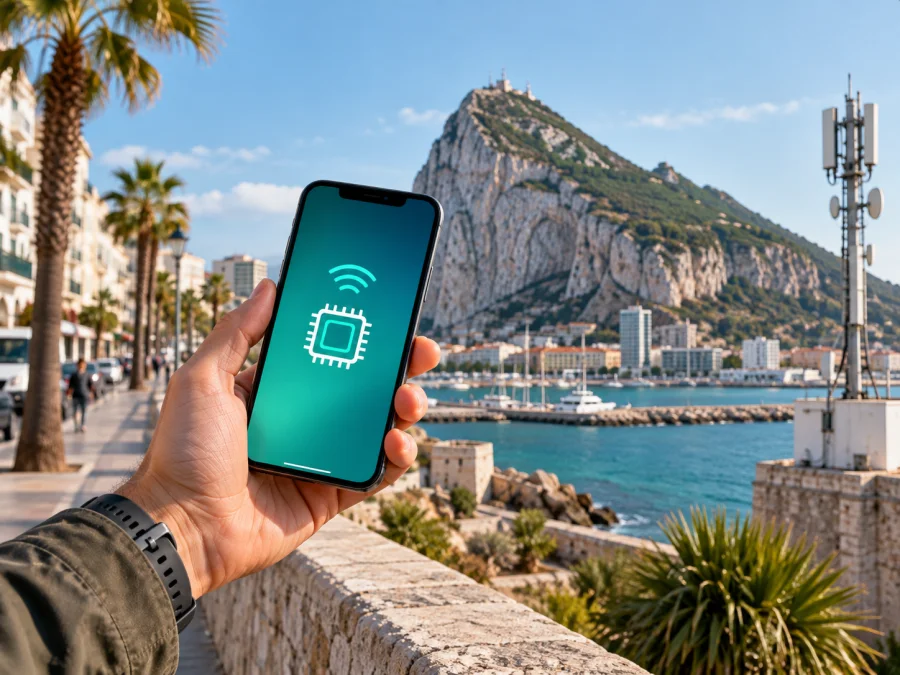
Gibtelecom eSIM in Gibraltar: activation and mobile internet for travellers
If you are travelling to Gibraltar, a Gibtelecom eSIM can be a practical way to stay connected without handling a physical SIM card. Gibtelecom is a communications operator in Gibraltar with local fixed and mobile services, and its public mobile pages also address visitors. A traveller can therefore consider either the operator's tourist eSIM or a separate travel eSIM, depending on the route, device and stay.
This guide covers the points to check before arrival: public eSIM confirmation, activation, device compatibility, roaming boundaries, network selection and the difference between a local operator service and a travel eSIM. Conditions can change, so the operator's current pages and terms remain the final reference.
Important: Gibtelecom and Kaspersky eSIM Store are separate services. This article is informational and does not indicate sponsorship, partnership, distribution status or any other affiliation between them. Product names and trademarks belong to their respective owners.
Is Gibtelecom eSIM available in Gibraltar?
Yes. On the official Gibtelecom Tourist Data page checked on 21 September 2026, the operator describes a tourist service available as either a physical SIM or an eSIM. The page includes an eSIM activation sequence using Wi-Fi, a QR code and the phone's option for adding a mobile plan. This is current public confirmation that Gibtelecom supports an eSIM route for visitors in Gibraltar.
The operator's mobile support page also discusses changing a physical SIM to an eSIM for an existing mobile service. That is a different customer journey from the tourist route. Do not assume that every Gibtelecom mobile offer is issued or changed to eSIM in exactly the same way; check the current eligibility and ordering steps for the service you intend to use.
The official terms describe the tourist service as prepaid and data-focused. They also place responsibility on the customer to check eSIM compatibility and device restrictions. The availability confirmation therefore does not remove the need to check the exact phone model, sales region and carrier-lock status before the trip.
Gibtelecom in the Gibraltar market
Gibtelecom presents local mobile services alongside visitor connectivity, roaming information and technical support. The correct choice depends on the traveller's situation:
| Situation | What to clarify |
|---|---|
| Short visit to Gibraltar | Whether the current tourist eSIM fits the phone and route |
| Existing Gibtelecom customer | Whether the current service can use or change to eSIM |
| Gibraltar and Spain itinerary | How the selected service handles the stated route |
| Wider trip | Whether the service is limited to Gibraltar and expressly supported destinations |
| Need for more than data | Whether the service meets voice, SMS and number requirements |
This reference table is for planning, not an offer list. Verify the current public wording before purchase.
What the official pages confirm
The clearest current information comes from the official Tourist Data page and the Tourist Data Terms & Conditions, both checked on 21 September 2026. They support the following general summary:
- the tourist service is offered as an eSIM as well as a physical SIM;
- activation requires an internet connection, such as Wi-Fi;
- the phone must support eSIM and must not be restricted in a way that blocks installation;
- the visitor service is intended for mobile data, so check separately whether ordinary calls or SMS are essential;
- the terms identify Spain as the supported roaming destination for this tourist service and exclude other countries;
- use depends on available technology, the device, the location and network conditions.
These are service boundaries, not a guarantee about every handset or location. Gibtelecom's official 5G page says that 5G is available across Gibraltar and requires a compatible device and suitable SIM. The tourist terms refer to 5G, 4G and 3G and note that coverage and speeds depend on the device, location and network conditions. The careful conclusion is that 4G and 5G are publicly referenced for Gibraltar, while the experience in a particular building, tunnel, border area or indoor location can vary.
Gibtelecom's current mobile-support page also warns about accidental roaming. A handset may detect a Spanish or Moroccan network because signals from neighbouring countries can reach Gibraltar. The operator recommends checking the selected network and, where appropriate, manually selecting its own network instead of relying entirely on automatic selection. This matters if the home SIM remains active alongside a local eSIM: the wrong line or network can create unintended roaming activity.
What to check before buying
Confirm the phone and its region
Look in the settings for an option to add an eSIM or mobile plan, then check the manufacturer's specifications for the exact model and sales region. Some similar-looking phones differ by market. A carrier lock can block eSIM use even when the hardware supports it. If the handset is second-hand or shared, confirm its unlocked status before travelling.
Prepare an internet connection
Gibtelecom's activation instructions begin with Wi-Fi. Keep the QR code or activation details accessible on another screen if the phone cannot display and scan the code at the same time. Do not delete the profile or reset network settings until you know how the operator handles reinstallation.
Installation, selecting the data line and choosing a network are separate steps. A traveller who installs the profile at home should still review the data-line and roaming settings after arrival.
Clarify the route
For a Gibraltar-only visit, the local tourist eSIM is described for use in Gibraltar. If Spain is on the itinerary, the official terms identify Spain as the supported roaming destination. Do not infer wider regional support from that fact; ask Gibtelecom or check the current terms for every additional destination.
The border area deserves attention because neighbouring signals can be received in Gibraltar. Check the network name shown on the phone and review network selection after arrival.
Check the service scope
The visitor eSIM is described as a data service. Before relying on it for a work call, two-factor authentication, a local number or ordinary text messages, confirm what the selected service supports. Messaging and calling apps can work over data, but that is not the same as a conventional mobile number. If voice or SMS is essential, ask the operator about the appropriate local service.
Keep support information available
Save the official support route before leaving home. If data does not start automatically, the Tourist Data page says that the APN may need manual configuration. Menu labels vary between iOS, Android and manufacturers, so use the operator's current instructions rather than an unrelated phone guide.
How to activate a Gibtelecom tourist eSIM
The sequence below follows the public Gibtelecom activation instructions and adds the checks needed in a travel setting.
1. Check compatibility
Confirm eSIM support and remove any carrier restriction. Decide in advance which profile will provide mobile data if the regular SIM stays installed.
2. Connect to Wi-Fi
Use a reliable internet connection before starting. This avoids depending on an unconfigured mobile line at the airport or border.
3. Scan the QR code
Use the phone camera to scan the QR code supplied with the eSIM. If it is in an email on the same phone, open it on another screen or use the operator's current alternative method.
4. Add the mobile plan
On iOS, follow the prompt to add a mobile plan. On Android, choose the option for adding a plan to the phone. Review the profile before confirming if another travel or work eSIM is installed.
5. Select mobile data
In mobile-network settings, choose the intended eSIM for data. Disable automatic data switching if you do not want the phone to move data to the home line without a deliberate choice.
6. Check the network after arrival
If the phone shows an unexpected network, review network selection and follow Gibtelecom's guidance. Neighbouring signals can be received in Gibraltar, so automatic selection may not match your intention.
7. Troubleshoot carefully
Check that the eSIM is enabled, selected for data and using the required roaming setting. Review the operator's APN instructions and restart the phone if needed. Avoid repeated profile deletion; contact Gibtelecom if registration still fails.
Local Gibtelecom eSIM or travel eSIM?
A local operator eSIM and a travel eSIM serve related but different needs. Gibtelecom's local option is tied to the Gibraltar market and the operator's activation, support and roaming rules. It may suit a traveller whose route is centred on Gibraltar and who wants the local visitor process.
A travel eSIM is normally arranged through an app or website before departure and is organised around a destination. It can suit someone who wants to prepare mobile data before boarding or keep the home SIM installed. Its rules for activation, support, network selection, voice, SMS and route coverage can differ.
Neither category is automatically right for every trip. Compare service scope, activation, compatibility, route restrictions and support. Do not compare only a headline number: conditions change, and a service is not useful if it cannot be activated or does not fit the route.
Kaspersky eSIM Store as an alternative
Kaspersky eSIM Store is an app and website that helps a traveller choose, order and activate an eSIM with a travel data plan. It is not a mobile operator, does not own Gibtelecom's network and does not provide the underlying mobile coverage. On the current Gibraltar destination page checked on 21 September 2026, the store presents a Gibraltar eSIM option and says that services are supplied through local telecommunications providers.
The travel workflow is separate from opening a local Gibtelecom account: check compatibility, choose Gibraltar, complete the order, install the profile and select it for mobile data. Current Kaspersky eSIM Store instructions describe installation through the user account or QR code, and a stable internet connection remains important during setup.
The practical distinction is the service relationship. With Gibtelecom, the traveller follows the local operator's visitor process and terms. With Kaspersky eSIM Store, the traveller uses the store's app or website to prepare a travel eSIM, while underlying connectivity depends on local providers and destination conditions. In both cases, the phone must be compatible and the route should be confirmed in advance.
For Gibraltar, a travel eSIM can suit a traveller who wants to arrange data before arrival or keep a primary SIM installed. A local Gibtelecom eSIM can suit someone who wants the operator's own tourist route and its stated Gibraltar–Spain scope. The two products should not be presented as the same service or as official substitutes for one another.
Choose an eSIM plan for Gibraltar
Frequently asked questions
Does Gibtelecom support eSIM in Gibraltar?
Yes. The official Tourist Data page describes a tourist eSIM, and the current terms explain compatibility and activation. Existing-customer eSIM changes are described separately, so confirm which process applies.
Can I activate it without internet access?
No. Gibtelecom's terms say that an internet connection is needed to activate the eSIM. Use Wi-Fi or another working data connection for installation.
Will any eSIM phone work?
Not necessarily. The phone must support eSIM, and a carrier restriction or regional variation can prevent installation. Check the exact model and unlocked status.
Does the tourist service cover every country on a wider trip?
Do not assume that it does. The current terms specify Gibraltar as the intended base and Spain as the supported roaming destination for the tourist service, while other countries are not supported by it. Verify additional destinations directly with the operator.
Why might a Spanish or Moroccan network appear in Gibraltar?
Gibtelecom explains that neighbouring signals can be received in Gibraltar. Automatic selection may attach to one of them, so check the selected network and follow the operator's guidance.
Is Kaspersky eSIM Store the Gibtelecom network?
No. Kaspersky eSIM Store is an app and website for choosing, ordering and activating a travel eSIM. It is not Gibtelecom, a mobile-network owner or the provider of the local radio network. Underlying connectivity comes from local providers and destination conditions.
What if mobile data does not start?
Check that the intended eSIM is enabled and selected for data, confirm the relevant roaming setting, and review the current APN instructions on the official Gibtelecom page. If the issue remains, contact the operator rather than deleting the profile.
Final notes
Gibtelecom's current public information confirms an eSIM route for visitors in Gibraltar and a QR-based activation flow. The key checks are compatible and unlocked hardware, internet access during activation, careful network selection near neighbouring signals, and the stated roaming boundary. Confirm current conditions because service scope, activation instructions and coverage can change.
Kaspersky eSIM Store is a separate route for choosing and activating a destination eSIM; it does not replace Gibtelecom's support, terms or network. The information was checked on 21 September 2026 against current public pages from Gibtelecom and Kaspersky; the services are not affiliated in this article.


