Travel connectivity guide
Gilgit eSIM: Mobile Internet for Your Pakistan Trip
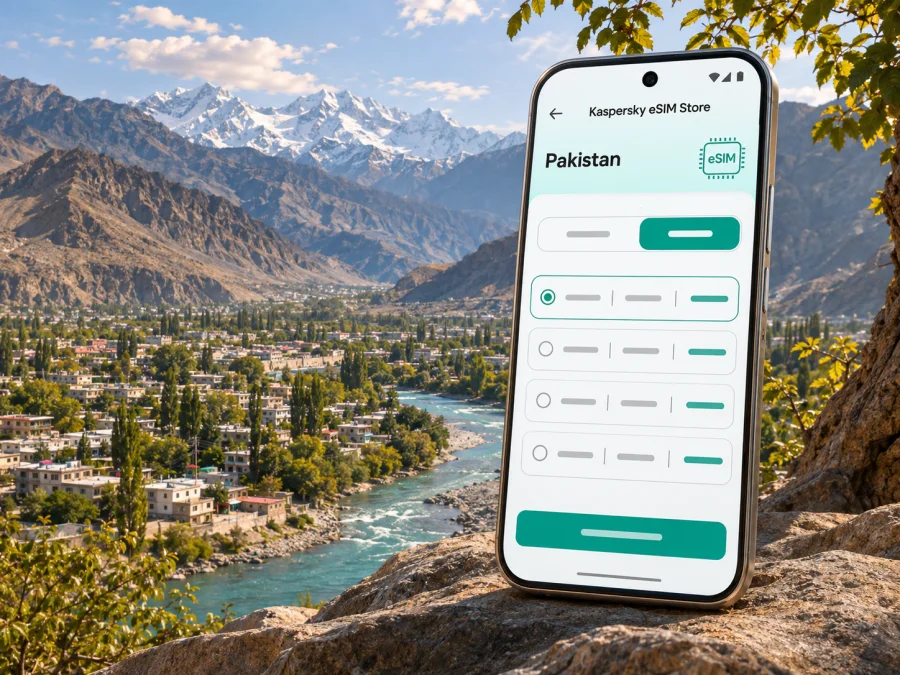
Gilgit eSIM for a Reliable Mobile Connection and Internet
Gilgit is the regional hub of Gilgit-Baltistan in northern Pakistan, where a city stay often sits between a flight, a long mountain-road journey, and a visit to valleys beyond town. A working mobile data connection can help with maps, messages, hotel details, and coordination with a driver. It is useful to plan for the limits too: mountain terrain, road conditions, weather, and the network used by a particular eSIM can all affect service. No single connection should be treated as guaranteed throughout the region.
This guide focuses on practical internet planning for time in Gilgit itself: arriving at the airport, finding your accommodation, moving around town, arranging an onward trip, and staying prepared when coverage or plans change. It also explains what to check before choosing an eSIM for Pakistan.
Why mobile data matters in Gilgit
Gilgit is not just a stop on the way to Hunza, Naltar, or other parts of the region. It is a place where travelers may need to confirm a pickup, find a guesthouse on unfamiliar streets, check a route, or message someone when arrival times shift. A map downloaded before leaving home can help, but mobile data remains useful for live updates, searching for a business, and sharing a change of plan.
The city and the wider Gilgit-Baltistan area are very different travel settings. In town, you may move between accommodation, shops, food stops, and local sights. Outside it, settlements can be farther apart and road journeys can pass through steep, remote terrain. A signal shown on your phone in central Gilgit does not establish what you will receive on a highway or in a valley. Coverage depends on the local network and the exact route, and can vary from place to place.
A travel eSIM is one way to prepare data access without swapping out your home SIM. It can be useful for maps and internet-based messaging, while your regular number may remain available if your home plan and device allow it. Check the selected package carefully: Kaspersky eSIM Store travel eSIMs are data-only unless a specific offer says otherwise, so they do not automatically provide a Pakistani phone number, ordinary voice calls, or SMS.
Before you travel: decide what your connection needs to do
Choose a package around your expected use. Maps and short messages use data differently from photo uploads, video calls, or laptop tethering. Turn off automatic cloud backups and app updates over mobile data if you want to conserve your allowance.
| Likely use | Useful preparation |
|---|---|
| Maps and addresses | Save an offline map and your accommodation pin |
| Messaging a host or driver | Confirm the app and contact number in advance |
| Photo sharing | Pause automatic uploads over mobile data |
| Work calls | Ask the hotel about Wi-Fi and test your meeting app |
| Road travel | Save route details and agree on check-in points |
Save booking confirmations, your host’s number, and a short itinerary offline. Before buying, review the package destination, data, validity, activation terms, and network notes. Conditions can change, and a Pakistan listing does not guarantee reception in every Gilgit neighborhood or on every road.
Arriving in Gilgit
Gilgit Airport is a domestic airport serving the city. A flight itinerary may make arrival feel straightforward, but schedules and operations can change, and mountain weather can affect travel. Confirm your flight status with the airline close to departure and arrange your pickup with the accommodation or driver. If you are coming by road, allow flexibility: a mountain journey can take longer than a simple map estimate suggests.
When you land, the most useful first actions are simple:
- Check that your phone has battery and that mobile data is assigned to the eSIM you intend to use.
- Open the map or saved directions for your accommodation.
- Contact the person meeting you and confirm the pickup point in plain language.
- Keep a screenshot or offline copy of your booking details.
- If mobile data does not connect, use available Wi-Fi to check the eSIM installation and account settings before changing profiles.
Airport arrival areas can be busy and unfamiliar. A pre-arranged pickup is often easier than trying to compare transport options while tired or without a connection. If you plan to arrange a ride on arrival, ask your hotel in advance what is practical locally and whether it can help coordinate a driver. Do not assume that an app-based ride service, a specific pickup zone, or continuous airport Wi-Fi will be available.
If you arrive by road, send your expected arrival time before leaving the previous stop and update it if the journey changes. The road into Gilgit is part of a larger mountain network; weather, traffic, road work, or local conditions may affect timing. Download an offline map while you still have a dependable connection and keep your driver’s contact details somewhere other than a messaging app.
Getting around town and organizing nearby visits
Within Gilgit, use a saved map together with a clearly written destination. Names may be spelled differently across maps and messages; when a place is hard to locate, share a pin or ask your host to confirm the name with a driver. The airport is close to the city compared with onward mountain journeys, but transfer time depends on the starting point and traffic. Ask your accommodation about a practical pickup point.
Plan for each outing on its own terms:
- Around town: Save the hotel pin, planned stops, and a return route.
- Toward Kargah: Confirm transport and directions before leaving; do not assume city signal will continue on the route.
- Toward Naltar or another valley: Ask a local host or driver about the vehicle and current road conditions.
- Toward Hunza: The Karakoram Highway is a major regional route, but journey time and conditions vary. Save the next accommodation’s contact details before departure.
- For a longer drive: Share your route and expected check-in time with someone you trust. Keep offline maps and battery available.
The Gilgit-Baltistan Tourism Department describes Gilgit as a gateway to regional destinations and lists both air and road access. Treat journey times as estimates. For an outing beyond town, ask a locally informed driver or accommodation about current conditions before setting out.
Choose a Pakistan eSIM for the way you travel
If you expect to use mobile data in Gilgit, you can check current eSIM options for Pakistan before the trip. Compare the package details with the route you actually plan to take. A country-level option may be useful for travel through Pakistan, but it does not on its own confirm reception in Gilgit, Naltar, Hunza, or any particular stretch of road. The network partner and local coverage for the selected offer matter.
Consider these questions while comparing options:
- How long will you need data? Match the validity period to your arrival and departure dates, allowing for a possible delay or extra night.
- What uses are essential? Estimate navigation and messaging first; account separately for media uploads, video, and hotspot use.
- When does validity begin? Read the plan’s activation terms. Installing a profile and beginning to use its data may be separate events, and package rules differ.
- Can you use the eSIM with your home SIM? Many phones support more than one SIM profile, but the exact combinations depend on the model and variant. Check your device settings and manufacturer information.
- Does the offer include calls or SMS? Do not infer this from the word eSIM. A data-only package supports internet services but not ordinary calls or text messages through a local number.
- What if you travel outside Gilgit? Check the package’s stated destination coverage and understand that listed country coverage is not a signal guarantee for every remote place.
Kaspersky eSIM Store is an app and website where you can select, arrange, and activate an eSIM with a suitable data package for an international trip. It is not the local mobile network. Actual service depends on the relevant partner network, the device, local conditions, and package terms. Review those details before relying on data for a route or work commitment.
Device, SIM, and local registration checks
First confirm that the exact phone you will carry supports eSIM and is not restricted by a carrier lock. A family may own phones with the same commercial name but different regional versions, and support can vary by model number or market. Check the device settings, manufacturer documentation for your exact variant, and the eSIM compatibility checker before purchase. Do not rely on a generic compatibility list for a different regional version.
Also consider how the eSIM will coexist with your usual SIM. Keep your primary line selected for calls and texts if you need it, and choose the travel eSIM for mobile data. Your home operator may charge roaming fees for its line, so review its terms and disable data roaming on that line if you do not intend to use it. Some eSIM profiles require data roaming to be enabled for that eSIM; follow the selected package’s instructions and confirm the data line before browsing.
Pakistan has a device registration system for phones used on local mobile networks. The Federal Board of Revenue states that a temporary registration facility is available for eligible short-term foreign visitors and overseas Pakistanis for one handset, with identity, travel, SIM, and device IMEI details required; the stated temporary period is 120 days. Rules and eligibility can change, and the requirement may depend on whether you use a local SIM and how the device connects. A travel data eSIM is not a guarantee that a device will be exempt from any applicable rule. If you intend to use a Pakistani local SIM or remain in the country for an extended period, check current official PTA/FBR instructions for your circumstances before relying on the phone.
For device-specific uncertainty, make two checks before departure: confirm the eSIM function in the settings of your exact handset and confirm that the device is unlocked. If either answer is unclear, ask the manufacturer or the seller using the full model number. A successful installation on a different phone does not prove that your handset variant will work.
Set up before departure
Install the profile while you have stable internet access and enough time to follow the on-screen steps. Keep the QR code or activation details private, and do not delete a profile to troubleshoot unless support or the package instructions tell you to do so. Some activation codes are one-time use, and a profile may not be transferable to another handset after activation.
A practical setup sequence:
- Check compatibility and confirm the handset is unlocked.
- Choose a package for Pakistan and read its included data, validity, activation, and network details.
- Install the eSIM using the steps for Android or iOS.
- Label the profile something recognizable, such as “Travel data,” and leave your home SIM label intact.
- Select the intended line for mobile data. Keep automatic switching between data lines off if you want to avoid accidental use of your home plan.
- Check whether the package requires data roaming on the eSIM line; enable it only as directed for that profile.
- Save your hotel address, arrival contact, and offline map before travel.
Do not test by repeatedly deleting and reinstalling the eSIM. If it fails to connect after arrival, confirm that the profile is enabled, the correct line is selected for data, airplane mode is off, and the phone has restarted or reselected a network as the instructions allow. Then check the package’s network guidance and contact support over Wi-Fi if needed. A connection problem may involve settings, the handset, the profile, or local coverage; changing several settings at once can make it harder to identify the cause.
Common Gilgit travel scenarios
You land and the pickup is delayed. Use the airport Wi-Fi if available or mobile data if connected; message the driver with your exact location and keep your booking details open. If neither connection is available, use the offline contact number or ask airport staff where to wait. Agree on a clear meeting point before you exit the terminal.
You need to find a guesthouse in town. Search the property name while online, save its pin, and ask the host to confirm the spelling or nearby landmark. A screenshot of the route can help if the app cannot refresh. Do not assume a street address will be familiar to every driver.
You are heading to Hunza or another destination. Confirm the departure time, vehicle, and stopping plan with the driver. Save the destination and accommodation contact in advance. Send an update from a stop where the phone has service rather than waiting until you reach an area where coverage may be unavailable.
Your work call is approaching. Test audio and data at the accommodation, reduce background uploads, and have a Wi-Fi backup if available. Tell the other participants you are travelling through a mountain region if a short interruption would affect the meeting.
Your phone shows no data. Check the eSIM is switched on, verify the data line, confirm any required roaming setting for that eSIM, and make sure the package is active under its conditions. Try the package’s recommended network-selection steps. If you still cannot connect, use Wi-Fi to contact support. Avoid assuming that a visible signal icon means the data package is active or that a map’s coverage indication guarantees service at your exact location.
Quick checklist for a Gilgit trip
Before leaving home:
- [ ] Confirm your flight or road itinerary with the carrier or driver.
- [ ] Check eSIM support for your exact phone variant and confirm that it is unlocked.
- [ ] Review current Pakistan package coverage, data, validity, and activation terms.
- [ ] Install the eSIM over a reliable connection and keep the activation information safe.
- [ ] Save maps, booking details, and local contact information offline.
- [ ] Decide which SIM handles mobile data and check roaming settings.
- [ ] Ask your accommodation about airport pickup and local transport.
- [ ] Keep a backup plan for a late arrival, a route change, or weak coverage.
On arrival:
- [ ] Confirm the pickup point before leaving the airport.
- [ ] Test data with a simple message or map request.
- [ ] Tell your host or driver when the plan changes.
- [ ] Save battery for directions and essential communication.
- [ ] Recheck road and weather conditions before leaving Gilgit for a longer journey.
Frequently asked questions
Is an eSIM useful for a stay in Gilgit?
It can help with maps, internet messaging, and transport coordination where the selected network is available. Coverage depends on the package, partner network, handset, and location. Save key details offline for journeys beyond town.
Will one Pakistan eSIM work everywhere in Gilgit-Baltistan?
No package should be treated as a guarantee of continuous service in every valley, settlement, or road corridor. Check the offer’s network notes and prepare offline directions.
Can I keep my regular number active?
That depends on your handset and home plan. Some phones can keep a home SIM active while a separate eSIM handles data. Check your operator’s roaming charges and select the correct line for mobile data.
Does a travel eSIM include a local number?
Only if the specific offer says so. Data-only packages support internet-based messaging and calls, but not ordinary calls or SMS through a Pakistani number.
Should I install the eSIM before flying?
Installing before departure gives you time to check the setup. Read the package’s activation and validity terms; these differ by offer. Keep activation details safe and follow the instructions for enabling data after arrival.
What if my phone has eSIM in one regional version but not another?
Check the exact model number and market variant. Commercial names may cover different hardware versions. Verify eSIM support and carrier-unlocked status before purchase.
Do I need to register my phone with PTA?
Pakistan’s device rules apply to phones used on local networks, and official guidance describes processes that include temporary registration for eligible short-term visitors. Requirements depend on your device, SIM, stay, and current rules. Check current official PTA/FBR guidance if you plan to use a Pakistani SIM; a travel data package is not a blanket exemption.
What should I do if data does not connect?
Check that the eSIM profile is enabled, the correct line is selected, package activation conditions are met, and any required eSIM roaming setting is on. Follow the package’s network instructions and contact support over Wi-Fi if needed. In remote areas, local coverage may be the limiting factor.
Prepare your connection before setting out
A little preparation makes a Gilgit arrival easier: verify the phone and package, save your essential directions, and confirm transport with a local host or driver. In Kaspersky eSIM Store, you can review current options and choose a Pakistan eSIM package for your trip. Compare the current terms with your itinerary, install the eSIM on a compatible unlocked device, and keep offline directions ready for the stretches where mobile service may be uncertain.


