Travel connectivity guide
Gingerland eSIM: Mobile Internet in Saint Kitts and Nevis
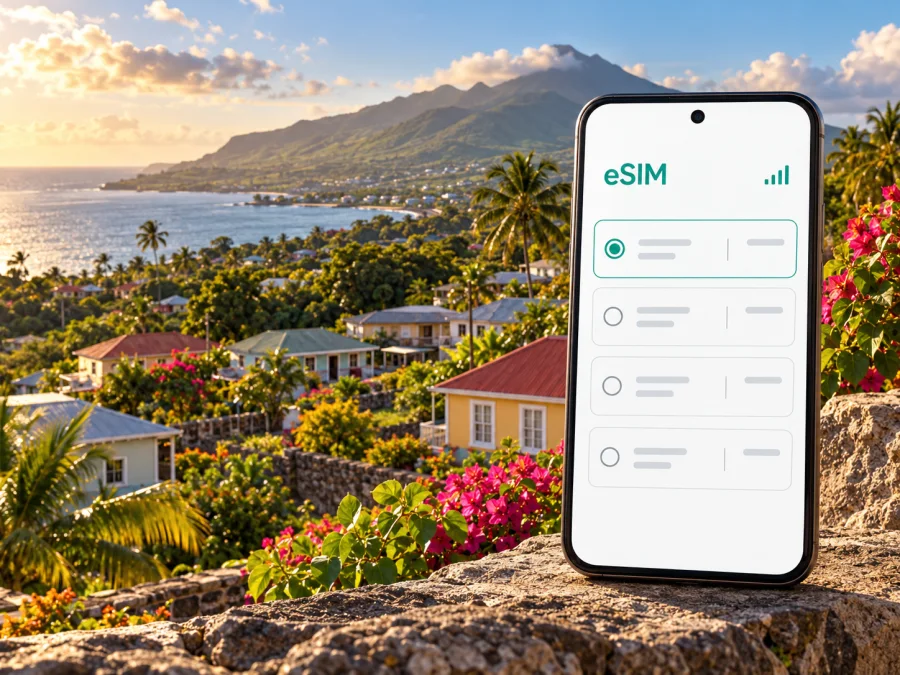
Gingerland eSIM: Mobile Connection and Internet Guide
Gingerland is a quiet inland community on Nevis, the smaller island in the two-island federation of Saint Kitts and Nevis. It is not an airport district or a dense urban centre: the name is also used for the surrounding parish, St George Gingerland. For a stay among Nevis’s green hills, a mobile data connection can help with the practical details—meeting a driver, checking a route, confirming a room, or messaging home—while leaving more of the day for the island itself.
A travel eSIM is a digital SIM profile for mobile data on a compatible, unlocked phone. Preparing it before departure can avoid looking for a physical SIM counter after arrival. A country-level plan does not promise signal in every Gingerland house, hillside or road; service depends on the plan, network, device and local conditions.
First, place Gingerland on your itinerary
Gingerland sits on Nevis, not on Saint Kitts. That matters when you plan the first connection: an international itinerary may bring you to Robert L. Bradshaw International Airport (SKB) on Saint Kitts, while Nevis is reached separately by sea or by a regional flight to Vance W. Amory International Airport (NEV). The Nevis Tourism Authority describes both routes, including a taxi-and-water-taxi transfer from St. Kitts and scheduled ferry services between the islands. Check the current operator timetable and transfer arrangements for your travel date; crossing times and departure points depend on the service you book.
If your flight arrives at SKB, allow time for airport formalities, the transfer and the sea crossing. Data can help you contact your accommodation if plans shift, but keep addresses, confirmations and emergency details saved offline too.
From Nevis’s coast, Gingerland is an inland destination. Arrange the last leg with your host, hotel or a local taxi provider before you set out, especially if you arrive after dark or carry bulky luggage. Ask for a precise pickup point and share the property name, road or nearby landmark in a message. “Gingerland” alone may describe a broader area rather than a single doorway, so a pin or written directions can prevent a wrong turn.
A useful arrival checklist
- Confirm whether your international flight lands on Saint Kitts or Nevis; the airport codes are SKB and NEV.
- If travelling through Saint Kitts, reconfirm the ferry or water-taxi departure location and transfer connection.
- Ask your accommodation how it recommends reaching its exact Gingerland address.
- Save your booking details and the route instructions for offline access.
- Install or prepare your travel eSIM while you have reliable Wi-Fi, then activate it according to the selected plan’s instructions.
- Keep your primary number available for calls or messages if you need it; a data-only travel eSIM may not include a local voice number or SMS.
What mobile internet is useful for in Gingerland
Gingerland’s setting changes what “good connectivity” means. Rather than moving between a string of dense city blocks, you may travel between a hillside stay, a village landmark, a restaurant, a trail or a coastal stop. The phone is most useful when it supports a specific task and you have a fallback for the moments when a route, building or patch of terrain makes data unreliable.
Finding a property. Before travelling, ask the host for the full address, the best map pin and any local directions that are easier to follow than a map. Save the information in a note. On arrival, mobile data may help you compare the pin with the road signs or contact the host, but downloaded maps and a screenshot are useful backups.
Meeting a taxi. Send the driver your accommodation name and pin before pickup. If your phone uses dual SIM, check which line is selected for mobile data and which number is available for calls. A data eSIM can support messaging apps, but it does not automatically replace the voice service on your usual line.
Planning a meal or visit. The Nevis Tourism Authority lists The Rocks at Golden Rock Inn in Gingerland and describes its hillside setting. If you have a reservation or need to confirm opening details, check directly with the venue before setting off. Save the name and location in advance; a signal may be less predictable away from the coast or inside a building.
Keeping plans flexible. Weather, sea conditions, transport schedules and opening hours can change. Use your connection to check a current update when available, then confirm important transport with the provider rather than assuming an old search result still applies. For a ferry or water taxi, a screenshot of the booking is more dependable than expecting a web page to load at the dock.
Working remotely. A data plan can help with email, maps, messaging and light cloud tasks, but it should not be treated as a guaranteed office connection. Before promising a video call, ask your accommodation about its Wi-Fi, test the actual room if possible, and keep a mobile-data backup only if the plan’s coverage and data allowance suit the call. Uploads, video and automatic photo backups can consume data quickly.
Choosing an eSIM plan for Gingerland
A travel plan is generally selected for a country or region, not for a village boundary. Before checkout, confirm that the plan explicitly includes Saint Kitts and Nevis and review its full terms. A listing for a Caribbean region can have a different coverage footprint or conditions from a single-country offer. Do not infer that two plans use the same network just because they include the same destination.
Match the plan to your actual use
Start with the length and shape of your trip. A short visit with map checks, messaging and occasional bookings has a different data pattern from a week of video calls and cloud uploads. Estimate what you will use on mobile data after accounting for Wi-Fi at your accommodation, if available. Then compare the selected plan’s allowance and validity with your dates.
| Your likely use | What to consider before choosing |
|---|---|
| Maps, messages and occasional searches | A modest data allowance may be enough if you use offline maps and Wi-Fi for larger tasks. |
| Frequent navigation and photos | Allow for background uploads and keep automatic backups on Wi-Fi where practical. |
| Remote work or video meetings | Confirm a separate reliable Wi-Fi option; do not assume a mobile plan guarantees a stable call. |
| A route across Saint Kitts and Nevis | Check that the plan covers both islands and that its terms include the destinations you will visit. |
| A longer stay | Compare validity and top-up or renewal conditions, if offered, rather than selecting by data volume alone. |
The English destination page for checking current eSIM options for Saint Kitts and Nevis is the appropriate place to review currently listed choices. The page can change, so rely on the details displayed at the time you select a plan: included destination, data amount, validity, activation conditions, supported network arrangements and any usage restrictions. This is a country-level selection, not a Gingerland-specific coverage guarantee.
More data is not automatically better. Check validity, when it begins, tethering and top-up terms. Validity may start at installation, first network connection or a scheduled time; follow the selected plan’s conditions and avoid installing early if that could start the clock.
Gingerland, Nevis and the operator-market distinction
Nevis’s tourism information names Digicel and FLOW as telephone providers on the island. Digicel St. Kitts & Nevis also publishes information about its own eSIM service. Those facts describe the local operator market; they do not identify the network used by every travel eSIM, confirm roaming access for a particular plan, or guarantee reception at a Gingerland address.
For a travel eSIM, check the plan’s own destination and network details before purchase. The network name shown in the offer and the phone’s network settings are more useful than assuming that a local operator’s consumer eSIM is the same product. Local operator eSIM eligibility, account requirements and plan terms may differ from a travel data eSIM. If you prefer a local mobile account, confirm current purchase, registration and compatibility requirements directly with the operator.
Actual reception can vary with terrain, building materials, weather, network maintenance and the precise location of the handset. Gingerland is inland and hilly; a coverage map for an island or country cannot resolve performance inside a particular room. Ask your accommodation what guests typically use, and treat that as local guidance rather than a service guarantee. Keep Wi-Fi details and essential directions available in case mobile data is temporarily unavailable.
Check device support before buying
An eSIM is not supported by every phone, tablet or regional version of a model. Manufacturers may sell different hardware configurations under similar product names, and cellular features can vary by country of sale, carrier lock and software. A feature list for one market or one model suffix cannot safely be applied to every regional variant.
Before checkout, check the exact model number and region of your device in its settings or original documentation. Look for an option to add an eSIM or mobile plan, and confirm with the manufacturer or seller if the menu is not clear. Also make sure the device is not locked in a way that prevents adding a different eSIM profile. Check whether your device supports eSIM before choosing a plan.
Keep your main SIM active if you still need your usual number for calls, bank messages or account verification. On a dual-SIM device, select the travel profile for mobile data only if that is what you intend, and review whether data roaming must be enabled for that specific profile. Settings names vary between iOS, Android brands and software releases, so follow the on-screen instructions for your model.
Install and activate before you leave
Complete setup while connected to stable Wi-Fi and keep the purchase or activation details accessible. The installation method depends on the plan and your device; it may use an in-app flow, QR code or manual details. Do not delete a profile to troubleshoot unless the instructions say it can be reinstalled. Some eSIM profiles can only be installed once.
- Check the plan terms. Confirm the destination, validity start, data allowance and installation steps.
- Check your device. Verify eSIM support for your exact regional model and confirm that the handset is unlocked.
- Open the mobile-network settings. Choose the option to add a mobile plan or eSIM.
- Install the profile. Use the instructions supplied with your selected plan. If using a QR code, display it on another screen or use the device’s supported scan flow.
- Label the line. Give it a clear name such as “Travel data” so you can distinguish it from your home SIM.
- Choose when to use it. If the plan allows delayed activation, follow its stated timing. Otherwise, make sure you understand whether installation starts the validity period.
- Select mobile data after arrival. Choose the travel eSIM for data when you are ready, and enable data roaming for that line only if the plan instructions require it.
- Test a simple task. Once the profile is active and the device has registered, open a lightweight page or send a message. If it does not connect, check the plan instructions before changing multiple settings.
For device-specific steps, use the Android eSIM installation guide or the iOS eSIM installation guide. Menu names can differ by model and operating-system version.
Keep your home SIM settings in mind: a travel eSIM does not automatically prevent your primary line from roaming. Review the home carrier’s call, message and data terms before departure, and choose the default line for each service deliberately.
Practical data habits for an island stay
- Download an offline map of Nevis and save your Gingerland accommodation pin while on Wi-Fi.
- Turn off automatic media backup over mobile data if you want to reserve your allowance for navigation and messages.
- Save ferry, water-taxi, flight and accommodation confirmations as screenshots or files.
- Keep a charger handy and share your itinerary with someone you trust before travelling inland.
These habits do not improve reception, but they make your trip less dependent on a continuous connection. For a rural stay, preparation matters as much as the plan: carry directions, know whom to contact, and ask your host about the best route to the property.
If something does not work
The phone shows signal but a page will not load. Check that mobile data is assigned to the travel profile and that the plan is active. Toggle airplane mode once, then follow the plan’s network or access-point instructions. Avoid deleting and reinstalling the profile unless the provider confirms that it can be installed again.
The profile installed but the plan is not usable. Installation and activation can be separate events. Review when validity begins and any activation steps in the plan details. If the stated start condition has passed, contact the relevant support channel with your order details.
Maps place you at the wrong point. Ask the host to confirm the pin and written directions. A rural road or property name may be clearer to a local driver than a map search; save the area offline in advance.
You are crossing from St. Kitts to Nevis. Confirm your ferry or water-taxi booking and onward ride to Gingerland. A country plan may include both islands, but it does not remove the need to check its destination terms or the connection available on each leg.
Frequently asked questions
Is Gingerland a city?
Gingerland is commonly used for the community and wider area on Nevis; St George Gingerland is also the name of a parish. It is more useful for trip planning to treat it as an inland destination and confirm the exact accommodation address rather than expecting a single central district or terminal.
Is there an airport in Gingerland?
No airport is identified in Gingerland. Nevis is served by Vance W. Amory International Airport (NEV), while many international itineraries use Robert L. Bradshaw International Airport (SKB) on Saint Kitts and continue by sea. Check the route and transfer schedule for your date.
Will a Saint Kitts and Nevis eSIM work in Gingerland?
A plan listing Saint Kitts and Nevis is intended for the named destination under its terms, but that alone does not promise service at every location. Check its network and usage details, and expect reception to vary by terrain, building and local conditions.
Can I use a travel eSIM and my regular SIM at once?
Often, a dual-SIM phone can keep more than one line available, but exact capabilities depend on the device and its regional version. Check your model’s settings and decide which line handles data, calls and messages. An eSIM plan’s own terms also determine what services it includes.
Does an eSIM include a local phone number?
Not necessarily. Many travel plans provide mobile data only; ordinary calls and SMS are included only if the specific offer says so. Messaging and internet calls may work through apps when you have a data connection, but they are not a substitute for emergency calling arrangements.
Should I install the eSIM at home or in Gingerland?
Installing before departure is often more convenient because you can use stable Wi-Fi and read the setup instructions carefully. Check the validity rule first: if installation starts the plan, wait until the right time. You can then select the eSIM for data after reaching the included destination.
What if my exact phone variant is not listed?
Do not assume that a similarly named model is equivalent. Check the exact model number, country version and carrier lock status with the manufacturer or seller, and use the compatibility checker before purchase. If support remains unclear, choose a backup such as Wi-Fi or ask the seller for confirmation before relying on the device.
Is mobile data enough for working remotely?
It depends on your tasks, plan allowance and local connection. Email and messaging use less data than video calls or large file uploads, while a stable call also depends on signal quality. Ask your accommodation about Wi-Fi and test your setup before scheduling important meetings.
A calmer way to stay connected
For Gingerland, plan the connection as one part of a wider arrival arrangement: know which island you land on, confirm the sea crossing if needed, save the final directions and choose a data allowance that matches your real use. Check device support for the exact regional model, read when validity begins and keep offline copies of important travel details. Local operator service, a travel plan and accommodation Wi-Fi are separate options with their own conditions; none should be assumed to cover every location or task.
When you are ready, use Kaspersky eSIM Store, an app and website that helps you choose, purchase and activate an eSIM plan for mobile data abroad. Review the current terms and choose an eSIM option for Saint Kitts and Nevis that fits your dates and intended use, then follow the installation instructions for your device.


