Travel connectivity guide
Girona eSIM: Mobile Internet for Your Trip
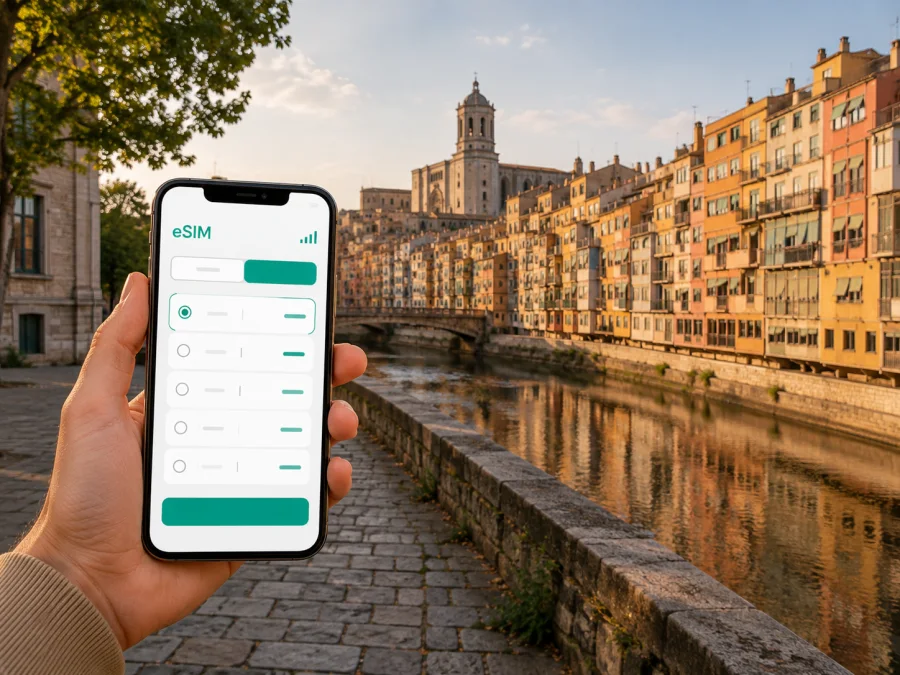
Girona eSIM: mobile connection and internet for your trip
If you are travelling to Girona, an eSIM is a practical way to prepare mobile internet before you leave. You can keep your everyday physical SIM in the phone and use a separate eSIM profile for data, subject to your device and plan conditions. That is useful from the first airport transfer to a day of walking through the old town.
Girona is compact enough to explore on foot, but a visit may also include a train journey, an airport transfer, a meeting near the station, or a day trip elsewhere in Catalonia. Mobile data helps you check directions, open booking details, translate a menu, order a ride, and stay in touch without repeatedly looking for Wi-Fi.
Kaspersky eSIM Store is an app and website where you can choose, arrange, and activate an eSIM with a suitable plan for mobile internet during an international trip. This guide explains how to fit that preparation into a Girona itinerary.
Why an eSIM is useful when visiting Girona
The first hours of a trip are when a connection matters most. You may need to find the right transfer, check a hotel message, open a digital ticket, or tell a host that you have arrived. With an eSIM prepared in advance, these tasks take place in your phone settings rather than at an airport shop.
Girona also rewards flexible navigation. The historic centre has narrow streets, stairways, bridges, and changing viewpoints. A map can help you choose a luggage-friendly route, find a meeting point, or return to accommodation after dinner. In the newer parts of the city, data is useful for checking transport information and locating a business appointment.
Mobile data is especially useful for:
- arriving at Girona-Costa Brava Airport and arranging the next transfer;
- walking between the Barri Vell, the Onyar riverfront, the station, and your accommodation;
- checking hotel or apartment messages while moving between neighbourhoods;
- using maps where a direct-looking old-town street may include steps or a passage;
- communicating with a guide, host, colleague, or travel companion;
- working from a hotel, café, or temporary office;
- checking train information before travelling to Figueres, Barcelona, or another stop.
Quick answer: An eSIM for Girona is a digital SIM profile for mobile data in Spain. It can be prepared before travel and used alongside a physical SIM when the device supports dual SIM. The destination, traffic, validity, and activation rules depend on the chosen plan.
Plan the connection around your Girona itinerary
Choose a plan by considering what you will do in Girona, not only how many nights you will stay. A short break with light map use needs a different allowance from a work trip with video calls, cloud files, and frequent navigation.
Ask yourself:
- How many days will you need mobile data in Spain?
- Will Girona be your only base, or will you continue to other Spanish cities?
- Will you mainly use maps and messages, or also video, hotspot, and work tools?
- Do you want to install the eSIM before departure or after arrival?
The route matters: if your journey crosses borders, check the plan’s scope instead of assuming that a plan selected for the first city covers every later stop.
A practical data estimate
These are planning patterns rather than promises about any particular plan. Actual use depends on phone settings and the apps you open.
| Girona travel pattern | Main online tasks | What to consider |
|---|---|---|
| Weekend city break | Maps, messages, tickets, occasional searches | Validity covering the full visit and a modest reserve |
| Sightseeing trip | Frequent navigation, bookings, photos, translation | Enough traffic for repeated map and web use |
| Multi-city route | Transport searches, accommodation messages, maps | Spanish destination scope and a period covering every stop |
| Business visit | Email, online calls, collaboration, documents | A larger allowance if work traffic is regular |
| Remote-work stay | Video meetings, uploads, hotspot use | Traffic and tethering conditions that fit the routine |
Streaming video, large uploads, and tethering can increase use quickly. Downloading maps or entertainment in advance and using data mainly for directions and messages may reduce it. Leave a reserve for arrival and transport rather than planning to use the last megabyte at the hotel door.
Airport and first transfer
At Girona-Costa Brava Airport, keep the phone charged and make the eSIM information accessible. Depending on your route, you may continue to Girona by transfer, taxi, rental car, or another connection, or travel onward without staying in the city. Mobile data helps you compare the information you already have, contact the person meeting you, and follow the route without depending on a Wi-Fi login.
Save the accommodation address in a note as well as a map app.
Use mobile data across Girona’s areas
Girona’s compact centre still has different navigation patterns. In the Barri Vell, plan the first route with luggage and use data for the next turn through narrow streets and stairways. Along the Onyar riverfront, bridges and façades make useful meeting points for a group. Around Eixample and the railway station, keep appointments, bookings, and onward transport details available. If your accommodation is beyond the centre, check the evening return route before setting off.
Navigation, camera use, and translation compete for battery, so carry a power bank and keep essential addresses in a note as well as a map app.
City-specific takeaway: In Girona, eSIM preparation supports the transitions between airport, station, accommodation, old town, and the next stop on your route.
Choose the right plan for Girona
Kaspersky eSIM Store helps you review the destination and conditions of available eSIM plans before travelling. When you are ready to compare the Spanish options, choose an eSIM plan for your trip to Girona and Spain. Girona is the city context; Spain is the country setting used to select the relevant destination plan.
Keep these details together before choosing:
- Destination: confirm that the plan applies to Spain and any additional stops.
- Validity: cover the days when you need data, including arrival and departure where relevant.
- Traffic: allow for maps, messages, browsing, work, and hotspot use.
- Activation: read when the plan starts counting and whether installation and activation are separate.
- Device setup: decide which line will handle data and whether your everyday SIM stays active.
- Budget: compare the displayed cost with the allowance and duration without assuming one option is always cheaper than roaming or a local SIM.
Prices, allowances, validity periods, and other conditions belong to the option shown at purchase. Review them on the selection screen and keep the confirmation available.
There is no universal best allowance. The useful option is the one whose destination, duration, traffic, and device setup match your itinerary.
Check your phone before buying
Your device must support eSIM and must not be restricted by an operator. Models can vary by market, so do not rely only on the name of a phone family. Before purchasing, check your device compatibility and confirm that the settings allow you to add a mobile plan.
Also check that:
- the phone has enough battery for setup;
- you can connect to the internet while installing the profile;
- you can access the confirmation or QR code;
- you know the passcode required to change mobile settings;
- your phone allows the intended dual-SIM configuration;
- you understand which line will be used for mobile data.
If you are travelling with a work phone or an employer-supplied device, check the relevant policy before changing mobile-plan settings.
How to install an eSIM for Girona
Install it while you have a stable internet connection, ideally before departure or at your accommodation. The exact labels vary by device, so use the Android installation instructions or iOS installation instructions for the matching flow.
1. Check the prerequisites
Confirm eSIM support, remove uncertainty about operator locking, charge the phone, and make sure the profile or QR code is available.
2. Open mobile-network settings
Open the mobile-network or cellular settings and choose the option for adding an eSIM or mobile plan.
3. Scan the QR code or use the profile
Scan the QR code from the Kaspersky eSIM Store profile or confirmation, or follow the on-screen installation method. Keep the original details until setup is complete.
4. Label the lines
Give the new profile a clear label such as “Spain data” and keep your everyday line recognisable.
5. Select the data line
Choose the eSIM profile for mobile data when you want the travel plan to handle internet traffic. If your main SIM remains active, review the settings for calls, messages, and automatic data switching.
6. Activate at the appropriate time
Follow the plan conditions. Some travellers install before flying and enable the profile after landing; others complete the process after arrival. Read when validity and data use begin.
7. Allow time for connection
Connection can take several minutes and depends on the device and local network. If data does not work, check that the profile is enabled, the correct data line is selected, and the required roaming-data setting is enabled if your device needs it.
Do not delete a profile simply because it is not active at that moment. Review the plan instructions or contact support first. A profile may not be transferable after activation, depending on its conditions.
Arrival checklist
Before leaving the airport, station, or accommodation:
- [ ] The eSIM profile is installed and visible in mobile settings.
- [ ] The correct profile is selected for mobile data.
- [ ] The phone shows a data connection after a short wait.
- [ ] Your accommodation and transfer addresses are saved.
- [ ] You know how to return to the main SIM if necessary.
- [ ] Data roaming for the travel profile follows the plan instructions.
- [ ] Automatic updates and large background downloads are limited if traffic matters.
- [ ] A charger or power bank is available for a long day out.
If data does not work, test one item at a time: check the selected line, check mobile data, review roaming-data settings, briefly toggle airplane mode, and restart only if needed. If the issue remains, consult the plan information and contact support.
Practical Girona scenarios
A weekend in the old town
Install the eSIM on a compatible phone and save the accommodation address before departure. On arrival, use data for the transfer and check-in message. During the day, use maps, booking details, and messages. Keep your normal SIM available if you need its number, but select the travel eSIM for data if that matches your plan.
A business meeting near the station
Download the presentation and essential contact details before leaving the hotel. Use the eSIM for the calendar, map, and messages while travelling to the meeting. For online calls, watch data use and use a trusted fixed connection for large uploads when practical.
Girona as one stop in Spain
Check the full route before purchase. If you continue to Barcelona, Figueres, the Costa Brava, or another Spanish destination, choose a validity period that covers the stops. Save the next accommodation and transport details before leaving Girona.
Common questions
Is an eSIM for Girona different from an eSIM for Spain?
Girona is the city context, while the relevant destination plan is normally selected for Spain. Check the scope if your route includes other countries. A city page does not imply that a separate city-only plan exists.
Can I use my normal SIM at the same time?
Often, a compatible dual-SIM phone can keep a physical SIM and an eSIM together. The combinations and settings depend on the device. Decide which line handles data before travelling.
Does the eSIM include a regular phone number?
Not usually. In this travel context, eSIM plans are intended for mobile internet and may not include a normal number, voice calls, or SMS unless the specific conditions say otherwise. Messaging and calling apps can use data.
Should I install it before flying?
That can make arrival easier if you have a stable connection and the plan conditions allow it. Some travellers install before the flight and enable the profile after landing. Read when validity or data use begins.
What if there is no data after landing?
Check that the travel profile is enabled and selected for mobile data, then review any required roaming-data setting. Wait a few minutes and confirm that the phone is not using the main SIM for data. If the issue continues, follow the plan guidance and contact support.
Final preparation for Girona
Before departure, confirm compatibility, review destination and activation terms, keep the QR code accessible, save your first address and transfer details, and pack a charger.
Stay connected as you explore Girona
Kaspersky eSIM Store helps you choose, arrange, and activate an eSIM with a suitable travel plan. You remain responsible for checking compatibility, destination, validity, traffic, and device settings, so the decision stays practical and transparent.
For a Girona visit, prepare the eSIM before the first map search and keep the plan details available. When you are ready, go to the Spain eSIM options for your Girona trip and select the plan whose conditions fit your route.


