
Travel connectivity guide
Giza eSIM: mobile internet for Egypt travel
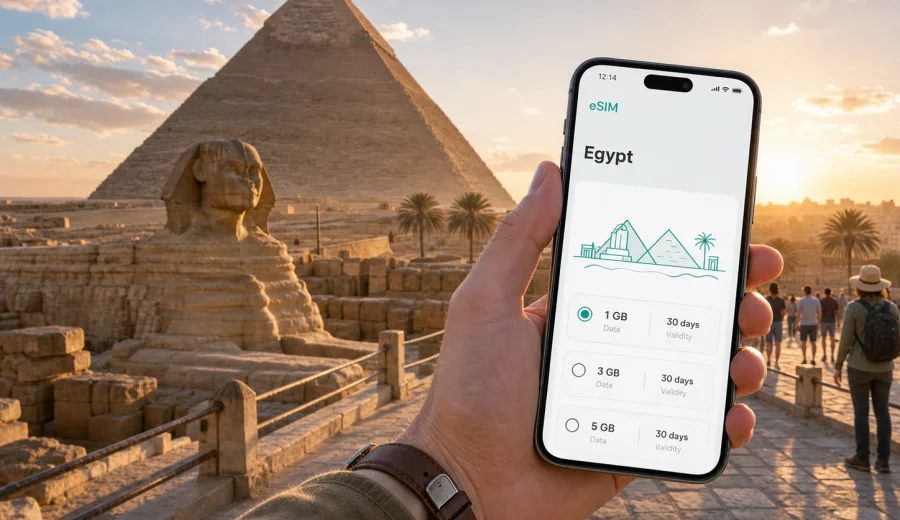
Giza eSIM guide: mobile connection and internet for Egypt trips
Giza is one of the few cities where a routine travel day can move from airport transfers and hotel check-ins to the Great Pyramid, the Sphinx, Nile views, business meetings, and late-evening rides across Greater Cairo. That makes mobile internet more than a convenience. It affects how quickly you find your driver, confirm a booking, translate a menu, open a digital ticket, or check traffic before the heat and crowds change your plan.
An eSIM is useful in Giza because many visitors arrive through Cairo International Airport, sleep in either Giza or Cairo, and move between districts that can feel close on a map but take longer in real traffic. With a compatible phone, you can prepare mobile data before the trip, install the eSIM profile, and switch to a travel data plan when you are ready. You still need to check the selected plan conditions, but you do not need to build your first hour in Egypt around finding a physical SIM counter.
Why mobile internet matters in Giza
Giza is part of a large urban area where sightseeing, meetings, restaurants, hotels, and transport hubs are spread across both sides of the Nile. A day can include a hotel near Pyramids Road, the Grand Egyptian Museum area, the Sphinx, dinner in Zamalek, and a return transfer after dark. In that pattern, mobile data helps you keep the route under control.
Typical travel tasks that depend on mobile internet in Giza include:
- confirming airport pickup details after landing;
- messaging a hotel, host, guide, or business contact;
- opening maps around the pyramid plateau and the Grand Egyptian Museum area;
- checking traffic before crossing between Giza and central Cairo;
- using ride-hailing, delivery, and translation apps;
- checking travel time before a timed entry, meeting, or train departure;
- sharing your live location with a companion;
- managing flight changes during a stopover or delayed arrival.
Hotel Wi-Fi can help inside the property, but not at arrivals, on the road to Giza, during the first walk from the hotel, or on the return journey after a long sightseeing day.
Arrival scenarios: from Cairo airport to Giza
Most international visitors reach Giza through Cairo International Airport. The drive to Giza can vary substantially depending on traffic, time of day, and hotel location. A phone with working mobile data helps because airport exits, pickup lanes, and meeting points may require quick coordination.
If you install an eSIM before departure, you can usually complete setup on stable home Wi-Fi. After landing, you only need to follow the activation steps for the selected plan and make sure the correct line is used for mobile data. Conditions differ by tariff, so check when validity starts and whether data roaming must be enabled for the eSIM line.
Before the flight, prepare:
- hotel name and address saved offline;
- booking confirmations available in email or wallet apps;
- contact details for the hotel, driver, guide, or host;
- a map area downloaded for Cairo and Giza;
- your eSIM installation details or app access ready before airport Wi-Fi becomes unreliable;
- battery level high enough for navigation during the transfer.
Where eSIM is most useful around Giza
Giza travel is not limited to standing in front of the pyramids. Hotels, museum zones, local streets, Nile-side routes, residential areas, and access roads to Cairo each create a different mobile data need.
| Giza situation | Why mobile data helps | Practical tip |
|---|---|---|
| Pyramid plateau visit | Maps, guide messaging, ticket details, meeting points | Save your hotel location before entering busy areas |
| Grand Egyptian Museum area | Timed plans, transport coordination, group messaging | Keep screenshots of tickets as a backup |
| Hotel near Pyramids Road | Ride-hailing, restaurant searches, translation | Check pickup points carefully; entrances can be confusing |
| Nile-side evening trip | Navigation back to Giza after dinner or a cruise | Watch battery use if you take many photos and videos |
| Business meeting in Giza or Cairo | Calendar changes, messaging, file access | Choose a data allowance that supports navigation and work apps |
| Short stopover | Fast decisions, flight monitoring, route checks | Avoid relying only on airport or cafe Wi-Fi |
The main point is reliable access when a driver cannot find you, a meeting moves, traffic worsens, or the hotel asks for an updated arrival time.
How much data you may need
Your best data allowance depends on how you travel. A light visitor who mostly uses maps, messages, and occasional searches will use far less than someone who uploads videos or works from a laptop. Compare eSIM plans by matching data volume and validity period to your itinerary rather than choosing by headline size alone.
Use this planning model:
- 1-3 GB can suit a short Giza stay if you use maps, messaging, tickets, and light browsing.
- 5-10 GB is more comfortable for several days with frequent navigation, photo sharing, restaurant searches, and ride-hailing.
- 10 GB or more may be useful if Giza is part of a longer Egypt route, you work during the trip, or you use your phone as a hotspot where allowed by the plan.
Video is the main variable. Uploading clips, streaming, or joining video calls can consume data quickly. Download offline maps, documents, and entertainment before you leave hotel Wi-Fi.
Choosing an eSIM plan for a Giza trip
For Giza, choose the destination as Egypt, because the city belongs to Egypt and the relevant country plan is the practical starting point. Check the data volume, validity period, price, destination coverage, activation rules, and any notes about tethering or roaming settings.
When you are ready to prepare mobile data for the trip, you can choose an eSIM plan for Egypt through Kaspersky eSIM Store and review the available options before you arrive in Giza. Select the plan around your travel pattern: a short pyramid-focused stay, a city break with Cairo evenings, a business trip, or a longer route that continues to Luxor, Aswan, Alexandria, or the Red Sea.
Before setup, check three practical details:
1. Device compatibility: your phone or tablet must support eSIM and should not be locked in a way that blocks adding another mobile plan. Check your device before buying a plan.
2. Validity rules: some plans start counting validity from activation, while others may have specific start conditions. Read the plan details before you travel.
3. Data use: eSIM plans for travel usually focus on mobile data. Standard voice calls and SMS are not included unless the specific plan says otherwise. For calls and messages, use internet-based apps.
Kaspersky eSIM Store helps you choose, arrange, and activate an eSIM with a suitable mobile data plan for travel. It is not a mobile network operator and does not replace reading the selected plan conditions. Coverage, data speed, validity, and availability depend on the plan and local network conditions.
Installation before departure or after arrival
Many travelers prefer to install the eSIM profile before departure while they still have stable Wi-Fi. This reduces pressure at the airport and makes the arrival routine simpler. If your device supports dual SIM use, you can keep your primary SIM active and set the eSIM line for travel data.
The general setup flow:
1. Confirm that your phone supports eSIM and is ready for an additional mobile plan.
2. Choose the destination and plan conditions that match your Giza trip.
3. Complete the order and install the eSIM profile using the instructions provided.
4. Select the eSIM line for mobile data when you want to use the travel plan.
5. Enable data roaming for the eSIM line if the plan instructions require it.
6. Track remaining data and validity during the trip.
For device-specific setup, use the Android installation guide or the iOS installation guide. Keep the instructions accessible before you leave home, especially if you will land late or move directly from the airport to a tour.
Do not delete the eSIM profile unless you are sure you no longer need it and the plan conditions allow that action. Some profiles cannot simply be moved to another phone after activation.
Giza districts and route planning
Where you stay in Giza changes how you use mobile internet. Pyramid-area visitors use data for gates, guide meeting points, restaurant searches, and rides after sunset. Travelers staying in Cairo and visiting Giza use it for traffic checks, timed sightseeing, and the return trip across Greater Cairo.
Practical data-saving habits in Giza
Good mobile internet planning is not only about buying more data. Giza is a high-photo destination, and phones can quietly spend data on cloud backups, automatic app updates, and video uploads.
Use this checklist before your first sightseeing day:
- download offline maps for Giza and Cairo;
- pause automatic photo and video cloud backup on mobile data;
- download ride-hailing, translation, airline, and hotel apps before the trip;
- keep tickets and reservations available offline;
- check which SIM line is used for mobile data;
- keep a power bank for long outdoor days.
If you travel with family or colleagues, decide whether each person needs a separate data plan. One phone can coordinate basics, but separate plans make it easier if people split up at a museum, take different rides, or attend different meetings.
Business trips, stopovers, and day trips
Giza is not only a sightseeing destination. Some travelers come for conferences, education, production work, supplier visits, or meetings across Greater Cairo. A business traveler should plan for calendar updates, email, document access, ride coordination, address translation, and backup navigation if a meeting runs late. If laptop work is likely, remember that cloud storage, video calls, and tethered browsing can use much more data than maps and messages.
Giza is also common for long layovers in Cairo or short Egypt stops before continuing elsewhere. In a one-day plan, mobile connection matters because there is little margin for confusion: you need airport messages, route checks, timed sightseeing, food or rest stops, and flight updates in one compressed schedule. Traffic, airport procedures, heat, and walking time can all slow the day, so live information helps you adjust before a small delay becomes serious.
For a one-day Giza visit, prepare a narrow set of digital essentials:
| Need | Prepare before landing | Use mobile data for |
|---|---|---|
| Airport exit | Driver details, terminal information | Live pickup coordination |
| Pyramids visit | Ticket screenshots, saved map | Meeting point and route checks |
| Food or rest stop | Shortlist of nearby options | Opening hours and ride requests |
| Return to airport | Flight app, buffer time | Traffic and delay monitoring |
For day trips from Giza to Saqqara, Dahshur, central Cairo, Alexandria connections, or later train travel, treat your phone setup like part of the route plan. Save outbound and return addresses, download key documents, carry a power bank, keep the eSIM line selected for mobile data, and avoid heavy uploads until you are back on reliable Wi-Fi.
Common mistakes to avoid
The most common eSIM problems are usually preparation problems. Avoid these mistakes:
- assuming your phone supports eSIM without checking the exact model;
- installing the profile on the wrong device;
- forgetting to select the eSIM line for mobile data;
- leaving background backups active and consuming data quickly;
- choosing a plan validity period shorter than the full Giza stay;
- depending on hotel Wi-Fi for transport and navigation outside the hotel.
A good setup is simple: check compatibility, choose the plan, install while you have stable Wi-Fi, keep instructions available, and use mobile data for the tasks that need it most.
FAQ: eSIM and mobile internet in Giza
Is an eSIM useful for visiting the pyramids in Giza?
Yes, especially for maps, ride coordination, guide messages, tickets, translation, and location sharing. Keep screenshots too, because outdoor days can drain battery quickly.
Should I choose Giza or Egypt when selecting a plan?
Choose Egypt for a Giza city trip. The city belongs to Egypt, and the country destination is the relevant plan page to review.
Can I install the eSIM before I fly to Cairo?
In many cases, yes. Installing before departure on stable Wi-Fi can make arrival easier. Read the plan instructions so you understand when validity starts.
How much data should I buy for Giza?
For a short visit, light users may be comfortable with a smaller allowance. For several days, frequent navigation, photo sharing, or work tasks, a larger allowance is more practical.
Prepare your eSIM before traveling to Giza
Giza is easier to enjoy when your phone is ready before the first transfer, not after you have landed and need to solve transport, messages, maps, and check-in at the same time. An eSIM can help you prepare mobile internet for a city where sightseeing routes, traffic, hotel locations, and cross-Nile trips often change during the day.
Before you travel, check that your device supports eSIM, compare the data volume and validity period, and install the profile while you still have reliable Wi-Fi. Then use the travel plan for the moments that matter most in Giza: airport arrival, pyramid-area navigation, hotel coordination, business messages, day trips, and the ride back to the airport.
To get ready for the trip, review eSIM plan options for Egypt in Kaspersky eSIM Store and choose the data plan that matches your Giza itinerary.