Travel connectivity guide
Gjakova eSIM: Mobile Internet & Travel Guide
Gjakova eSIM: Mobile Connection and Internet for Your Trip
Gjakova is best explored at walking pace. Mobile internet can help you check directions, coordinate a ride, translate a message or find your accommodation. An eSIM can make data easier to prepare before arrival, provided the selected plan covers Kosovo and your phone supports eSIM.
This guide covers arrival, local movement, the Grand Bazaar, business visits and short stops, with practical checks for choosing and setting up an eSIM.
Why mobile internet is useful in Gjakova
Gjakova lies in western Kosovo. Its best-known historic area is the Grand Bazaar, also called Çarshia e Madhe, with the Hadum Mosque at its core. A first-time visitor may spend much of the day within the central area, then travel farther for a hotel, a meeting, a meal or a connection onward. A working data plan can help you keep each part of that day together.
You may want mobile internet to:
- follow a walking route between your accommodation, the bazaar and nearby landmarks;
- check a meeting address or send your estimated arrival time;
- use maps when you leave the centre or return after dark;
- arrange a taxi or contact a driver, where your chosen service supports online booking;
- translate a menu, sign or short conversation;
- confirm bus details with the carrier or station before travelling onward;
- use messaging and voice calls through apps when connected to data.
An eSIM is a digital SIM profile installed on a compatible device. Travel eSIM plans often provide data only, not an ordinary phone number, calls or SMS; check the selected plan details. Keep your regular SIM available if you need calls or verification messages, and review your home carrier’s roaming settings.
Arriving in Gjakova: plan the connection as well as the route
Your route depends on where you are travelling from. Visitors arriving in Kosovo by air may continue from Pristina International Airport by road; check current transport arrangements and allow time for the onward journey. From elsewhere in Kosovo, you may arrive by bus, car or a pre-arranged ride. Verify departure points and timetables with the carrier or driver for your travel date.
Before setting off, save the hotel address, booking details and destination pin offline. If a driver is meeting you, agree on a clear pickup point and share it in a message. This helps if your arrival or connection is delayed.
A practical arrival checklist
Save the accommodation address and an offline map, verify the onward transport details for your travel date, and keep bookings available without internet. Once in Kosovo, select the travel eSIM for mobile data if that is your plan; retain your usual line for calls or verification messages as needed.
Getting around: central walks and trips beyond the centre
The Grand Bazaar is a useful reference point for a first walk through central Gjakova. Explore its historic streets on foot, and add nearby landmarks according to opening arrangements and your interests. Hadum Mosque stands within the bazaar ensemble; be considerate around places of worship and check local guidance before entering.
Maps can help you find a guesthouse, meeting entrance or ride pickup. Save your starting point and use named places as waypoints. For destinations farther out, ask your accommodation or host about practical transport and confirm current service details directly with the provider.
Hotels, meetings and useful map habits
Where you stay affects how much you rely on navigation. A lodging close to the historic centre may make several visits on foot practical; an address farther away can add a ride or a longer walk to the day. Before booking or leaving, save the exact entrance location rather than only the property name. If you arrive late, ask the host which approach and pickup point are easiest to recognize.
For a day with several stops, save each address as a separate pin and check the order before you leave. Keep the first and last points of the route easy to find, especially when travelling with a group. A phone map can help you reorient yourself, but narrow streets and changing plans make a saved landmark or written address useful too.
Public transport and ride availability can vary by route and time. Check with your accommodation, host or transport provider for current options and fares; do not assume that a service shown in an app will be available at every hour. If you arrange a pickup, share a specific meeting point and confirm whether the driver will contact you by call or message. Keep the address in a note so you can show it even if mobile data drops.
| Trip situation | Useful preparation | How mobile data helps |
|---|---|---|
| Walk through the bazaar | Save your lodging and meeting point | Follow the way back and message companions |
| Business meeting | Confirm the entrance and arrival time | Share updates if the journey changes |
| Bus or day trip | Verify the departure point and return plan | Check messages and coordinate pickup |
Treat this as a planning aid, not a promise about local transport or network coverage. Confirm current service details with the provider.
Exploring the Grand Bazaar without losing your way
The Grand Bazaar is a historic site and an active part of the city, with traditional streets, crafts and cafés. Hadum Mosque, dating to the late sixteenth century, is at the heart of the ensemble. Save a meeting point before exploring, carry a charged phone, and agree on a clear return location if your group separates. Download maps and essential details in advance; use mobile data for messages and updates.
Keep navigation useful without constant screen time
Mobile internet is most valuable when you know what you need from it. Download the map area before leaving Wi-Fi, then use live data for changes such as a new meeting point or a message from your driver. Save the hotel, bus departure point and any appointment address. These details are helpful if a phone battery runs low or reception is interrupted.
Use battery and data thoughtfully during a walking day. Lower screen brightness, close apps you are not using and carry a charger if you expect to navigate for hours. Avoid uploading every photo over mobile data unless your plan allowance supports it. For a group, agree on one meeting point and let each person keep the location saved, rather than depending on continuous location sharing.
Choosing an eSIM for a stay in Gjakova
Choose a plan based on your stay, map use, work needs and any trips beyond Gjakova. Do not assume that a regional label automatically includes Kosovo: confirm it is explicitly listed in the chosen offer and compare the allowance, validity and activation conditions with your itinerary.
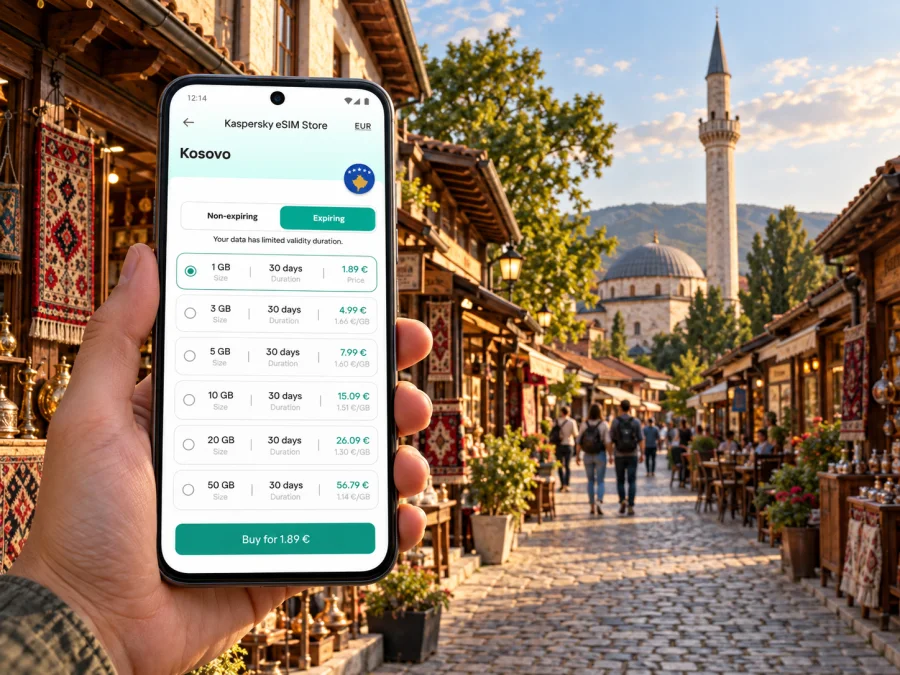
Kaspersky eSIM Store is an app and website where you can choose, arrange and activate an eSIM with a suitable plan for mobile data on an international trip. For a wider route, review the Europe eSIM options and confirm Kosovo appears in the selected plan’s destination details before purchase.
Estimate the data you may use
Data needs vary: maps and messages use data differently from video calls, large uploads or streaming. Consider your actual habits, keep maps offline and monitor usage. App settings and video quality can change consumption.
Questions to ask before selecting a plan
- Is Kosovo named among the destinations covered by this exact plan?
- When does validity begin: at purchase, installation or first network connection?
- How long does the plan remain usable, and what happens to unused data afterward?
- Is the listed allowance sufficient for your expected maps, messages and work tasks?
- Can you use hotspot sharing if you need to connect a laptop or another device?
- Does your phone support eSIM, and is it unlocked for use with another provider?
- What should you do if installation is delayed or the plan does not connect?
Read the plan details rather than relying on a general description of a region. Coverage and service depend on the selected plan and its local network arrangements; no city guide can guarantee a signal in every building, street or rural stretch. Hotels and offices may also have Wi-Fi, but it is sensible to keep essential travel details available offline.
Set up before you leave
Whenever possible, review your eSIM and install it while you have stable internet access and enough time to follow the instructions. Some providers require the device to be online during installation. Before you begin, check that the eSIM is compatible with your phone, confirm it is not carrier-locked, and make sure you can access the account or email where installation details are stored. Check whether your device supports eSIM before selecting a plan.
A straightforward setup sequence is:
- Choose the destination and plan only after checking the destination list and terms.
- Complete the purchase and follow the installation steps shown in your account or app.
- Label the new profile clearly, for example “Travel data”, so it is easy to identify later.
- Keep your usual SIM’s call and message settings as needed, and select the eSIM for mobile data when you want to use it.
- At your destination, follow the plan instructions for activation and any required data-roaming setting for that eSIM.
- Open a webpage or messaging app to confirm that data works before relying on it for directions.
Installation menus differ across phone models and operating-system versions. Use the relevant step-by-step guide for Android or iOS, and follow the on-screen prompts for your device. If anything looks different from the instructions, pause and check the device settings instead of deleting a profile or repeating an activation code without guidance.
Staying connected during a business trip
For a Gjakova meeting, save the venue, contact and time in your calendar. Allow time for the final walk through the centre, or confirm a transfer with your host if the venue is farther away. Keep documents offline and send an update if your arrival changes. For remote work, check Wi-Fi availability and confirm hotspot support and plan terms before connecting a laptop.
Short stopovers and onward journeys
For a short stop, choose one main area—often the Grand Bazaar—and save your arrival point and return location. Watch the onward departure time; browsing, a meal or finding an entrance can make a short walk take longer. For day trips, confirm both legs of transport, save the destination map offline and check that the plan covers every destination, especially when crossing a border.
If mobile data does not work
A connection issue may involve settings, installation, plan validity or local service. Check that the profile is installed and on, select it for mobile data, and confirm the plan’s destination and activation timing. Follow the provider’s instructions for network selection and data roaming. If needed, toggle airplane mode, restart the phone or try another location. Use offline directions while troubleshooting and contact support through the service account if the issue continues.
Avoid removing the profile unless instructions or support advise it; activation credentials may be single-use. Use Wi-Fi or your usual line to contact a driver or accommodation if needed.
Frequently asked questions
Is Gjakova easy to explore on foot?
The historic centre and Grand Bazaar are suited to walking, but distances depend on where you stay. Save your lodging location and use a map beyond the central area.
Will one eSIM plan work throughout Kosovo?
Not necessarily. Check that Kosovo is named in the exact plan details and review coverage terms for other places on your route.
Does a travel eSIM give me a local phone number?
Many travel eSIM plans are data-only. Check the plan description; unless ordinary calls and SMS are explicitly included, use your usual line or internet-based calling apps.
A practical connection plan for Gjakova
For a smooth visit, prepare the route into the city, save your accommodation and meeting points, and keep an offline map for the centre and any day trips. Use the Grand Bazaar as a familiar reference point, but check directions whenever your plans take you farther away. Before buying an eSIM, verify device compatibility, plan validity and—above all—that Kosovo is explicitly included in the offer you select.
When you are ready, compare the available Europe options for your trip, check the destination details and choose a suitable plan through Kaspersky eSIM Store. Install and activate the eSIM according to its instructions, then use it for mobile data around Gjakova and along the parts of your itinerary that the plan covers.


