Travel connectivity guide
Gjilan eSIM: Mobile Internet for Your Trip
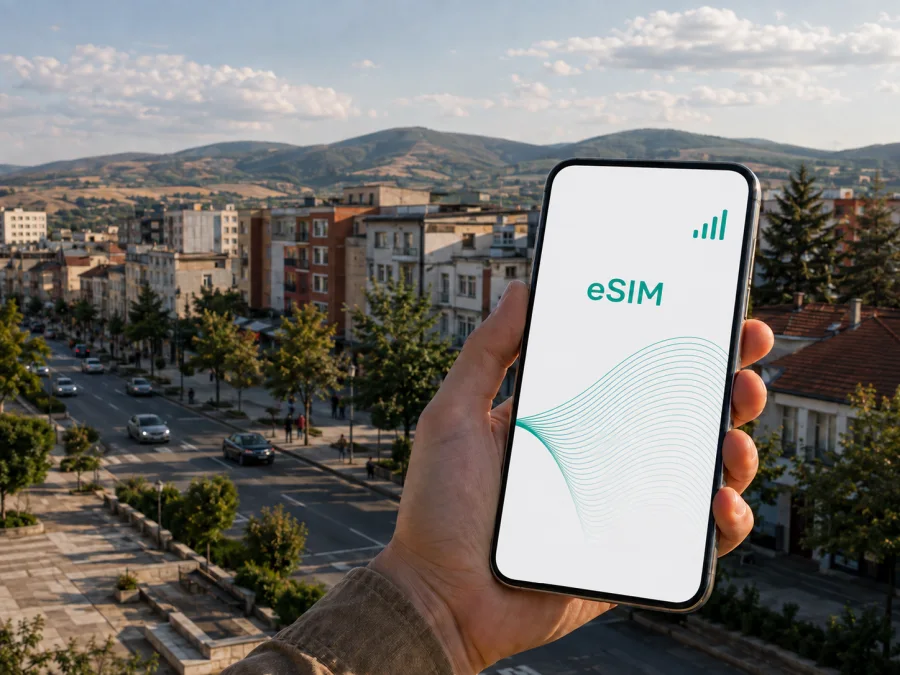
Gjilan eSIM: Mobile Connection and Internet for Your Trip
Gjilan is a practical base for a visit to southeastern Kosovo. You may arrive by road from Pristina, move between a hotel and the city centre, attend meetings, or continue towards nearby towns and regional routes. In each situation, mobile internet helps with the next turn, a reservation, a message to a driver, a translation, or a quick update to someone at home.
An eSIM, or digital SIM, can prepare that connection without replacing your everyday physical SIM. Kaspersky eSIM Store is an app and website where you can choose, arrange, and activate an eSIM with a suitable data plan for an overseas trip. The right option depends on the destination, validity period, expected data use, and the terms shown for the selected plan.
Why mobile internet matters in Gjilan
Gjilan lies in the southeastern part of Kosovo, in the Anamorava area. The city and its surrounding landscape combine a compact urban setting with roads leading through the wider valley and towards neighbouring municipalities. That creates a particular travel pattern: a walk in the centre can become a ride to a hotel on the edge of town, a meeting elsewhere, or a day route beyond Gjilan.
You do not need constant data for every activity, but you do need it at a few important moments:
- after leaving an airport, bus, or car, when you need the accommodation address and route;
- while walking through unfamiliar streets and checking whether you are heading towards the centre;
- when arranging a taxi, ride, restaurant booking, or meeting point in a messenger;
- when checking a translation, opening a digital ticket, or confirming a changed plan;
- when working from a hotel, café, or temporary office without relying on public Wi-Fi;
- when leaving Gjilan for another Kosovo destination or a cross-border leg.
Arrival: from the airport or the road to your hotel
Many international visitors reach Gjilan through Pristina International Airport and continue by road. Others arrive from another Kosovo city or cross a regional border first. Exact travel times and transport availability can change, so check current details with your carrier, driver, accommodation, or transport company. Mobile data is helpful before the journey: save the address, open the map, and keep booking details accessible.
If the eSIM is installed in advance, keep your normal line available for incoming messages and select the travel eSIM as the mobile-data line when you are ready. Keep profile details ready if you plan to install after arrival.
First connection checklist
- Keep the accommodation name, address, and a contact method available offline.
- Confirm which line is selected for mobile data.
- Turn off data roaming on your home line if you want to avoid unintended use.
- Turn on roaming for the travel eSIM only when the plan requires it.
- Open navigation and test a short route before leaving the arrival area.
- Load a simple page or send one message to confirm that data works.
If the signal does not appear immediately, wait briefly, move to an open area, and recheck the selected data line. Connection time can vary. A restart may help after installation, but do not delete the eSIM profile while troubleshooting unless the instructions or support team tell you to do so.
Getting around Gjilan
Divide your plans into small, clear movements. A map helps you compare a walk with a short ride, find a street entrance that is not obvious from the main road, and decide whether you have time to return to the centre before an appointment.
Before leaving, inspect the walking section separately from the driving or public-transport section, save an alternative meeting point, and share your expected arrival time when visiting a new part of town. For a longer drive, save any map areas and booking confirmations that your chosen apps allow you to use offline.
Data planning by travel situation
| Travel situation | Likely online activity | Planning approach |
|---|---|---|
| Short city break | Maps, messages, a few searches and bookings | A small allowance may be enough if video and automatic backups are restricted |
| Several days of walks | Repeated navigation, social posts, photo sharing | Allow room for map refreshes and regular messaging |
| Business visit | Email, selected meetings, files, maps | Estimate work data separately from personal browsing |
| Road itinerary from Gjilan | Route checks, driver messages, several destinations | Confirm that the plan covers the complete route |
| Transit or overnight stop | Hotel, transfer, next departure, essential messages | Install and test early; prioritise essential access |
Video calls, photo uploads, cloud synchronisation, and app updates can use much more data than short map checks. Review the allowance, validity, destination, and activation rules before selecting a plan.
When you are ready to compare current options, you can view European eSIM plans for a trip to Kosovo. Use the destination and plan details shown at the time of selection; the page is a starting point for preparing data for Kosovo and a route that includes Gjilan.
Choosing an eSIM plan for Gjilan
Start with the itinerary rather than a favourite data size. Someone who mostly walks has a different pattern from a consultant joining calls from a hotel or a driver covering several locations.
Match the destination to the route
For a stay centred on Gjilan, look for a Kosovo destination or a regional option whose stated area includes every place on your itinerary. If the journey continues through other countries, confirm that the same plan covers the later leg. Do not assume that a city name means the plan covers every border crossing.
Estimate data by activity
List the actions you expect each day:
- light use: messages, short searches, occasional route checks, and email;
- regular use: repeated navigation, social media, booking updates, and photo sharing;
- intensive use: video meetings, cloud files, tethering, streaming, and frequent uploads.
Add room for arrival day and unexpected changes. If large files will use hotel Wi-Fi, include that in the estimate. Select by the displayed allowance and validity, not by a general claim that one size suits everyone.
Check validity and activation
Read when validity starts. Some offers may begin on installation or activation, while others follow a different rule. The selected plan’s terms control. If you arrive late, you may prefer to install beforehand but activate when ready, provided those terms allow that sequence.
Keep your main number in mind
Travel eSIMs are normally intended for mobile data. They do not automatically give you a separate ordinary phone number, and voice calls or SMS are not included unless the selected terms say otherwise. Keep your home line active only when you understand its roaming conditions. For calls and messages, use your normal number or messengers over the active data connection.
Consider a regional route
If Gjilan is one stop in a route through Kosovo or across a border, review the destination list, validity, and data conditions before travelling. A regional plan can be useful when its stated area fits the complete route.
How to install and activate an eSIM
Complete preparation with stable internet access and enough battery. Before purchase, confirm that the phone supports eSIM and is not locked to an operator. Regional versions of one model can differ, so use the device settings and manufacturer information available to you. You can also check your device compatibility before finalising the plan.
Kaspersky eSIM Store helps you choose and arrange the eSIM plan; network access follows the selected plan’s conditions. Keep the QR code or installation details available in the app, profile, or purchase message.
Before the trip
- Check eSIM support and confirm that the device is not operator-locked.
- Connect to stable Wi-Fi or another trusted internet connection.
- Choose Kosovo or the relevant region and review current plan conditions.
- Check allowance, validity, price, activation rule, and refund conditions.
- Keep the QR code or profile details accessible after purchase.
- Open mobile-network settings and choose the option to add an eSIM.
- Scan the QR code or follow the on-screen installation flow.
- Label the new line, for example “Travel data.”
- Leave your main line selected for calls if that is what you want.
- Set the travel eSIM as the mobile-data line when you are ready to use it.
For device-specific details, follow the Android installation instructions or the iOS installation instructions. Menu names vary by operating-system version. Installation may take several minutes; do not move the eSIM to another device if the plan does not permit transfer.
On arrival
After leaving the airport, bus, or car, confirm four points in SIM or mobile-data settings: the travel line is enabled, mobile data uses that line, roaming is configured according to the plan, and the home line is not silently using roaming data. Load a simple page or open a route. If needed, toggle airplane mode once and give the device time to register. Avoid changing several settings together because that makes the cause of a problem harder to identify.
If data still does not work, check the destination, activation status, and selected data line, then review the device instructions. If the issue remains, contact support through the available Kaspersky eSIM Store channel with the plan details ready.
What to check before you buy
- [ ] The phone supports eSIM and is not operator-locked.
- [ ] The selected destination covers Kosovo and any additional stops.
- [ ] The allowance matches maps, messages, work, and media you expect to use.
- [ ] The validity period includes the complete stay, including arrival and departure days.
- [ ] You understand when the plan starts and when data use begins.
- [ ] You know whether roaming must be enabled for the eSIM.
- [ ] Your home line’s roaming settings are intentional.
- [ ] You have stable internet, sufficient battery, and installation details.
- [ ] You understand support, refund, top-up, or transfer conditions before activation.
Review the current details displayed for the option you select rather than relying on a remembered price or activation rule.
Practical scenarios in and around Gjilan
A first evening after a late arrival
Install and test the eSIM before departure if possible. Save the accommodation address and a backup copy of the reservation. At the arrival point, make the travel line the data line, check the route, and message the host or driver. Use Wi-Fi for large downloads and keep mobile data for directions and coordination.
A business trip
Separate essential work from optional browsing. Before a meeting, verify the address, entrance, and expected arrival time. Use the eSIM for email, messages, route changes, and a call over an internet service when appropriate. If you will join video meetings or share large files, estimate that use explicitly and keep an alternative connection for a critical presentation.
A route beyond Gjilan
Check the plan before crossing into another country or changing to a regional route. Save key details for the next hotel while you still have a connection, and read the destination list rather than assuming that a city plan follows you automatically.
Frequently asked questions
Is an eSIM useful for a trip based in Gjilan?
Yes, when you need data for maps, messages, bookings, work, or route changes and want to avoid replacing a physical SIM. Choose a plan whose stated destination, validity, and allowance fit your full itinerary.
Can I keep my usual SIM in the phone?
Often, a compatible dual-SIM phone can keep a physical SIM and add an eSIM, but combinations depend on the model and region. Check compatibility first, then select intentionally which line handles mobile data and review roaming settings for the home line.
Does the travel eSIM include a phone number?
Not normally. It is intended for mobile internet, and ordinary calls and SMS are not included unless the selected plan explicitly says so. Use your existing number or internet-based messaging according to your needs and the applicable terms.
Do I need to enable roaming?
Some eSIMs require data roaming to be enabled on that profile. Follow the selected plan’s instructions. Enable it for the travel line only when appropriate, and check that the home line is not selected for mobile data.
Is Kaspersky eSIM Store a mobile operator?
No. It is an app and website that helps you choose, arrange, and activate an eSIM with a suitable plan for mobile internet during an overseas trip. Network access and applicable conditions depend on the selected plan and its service arrangements.
A simple plan for staying connected in Gjilan
Specific preparation is the most useful: check your device, map the itinerary, choose data for the way you will use it, read the validity and activation terms, and test the eSIM before leaving the arrival area. In Gjilan, those steps support the moments that matter most—finding the hotel, reaching the centre, coordinating a ride, joining a meeting, and continuing to the next stop.
When the destination and conditions are clear, choose an eSIM plan for your Kosovo trip, install it on a compatible device, and activate it according to the plan instructions. Kaspersky eSIM Store brings those steps together through its app and website, while you remain in control of the line, data settings, and mobile internet use throughout your stay.


