Travel connectivity guide
Glo Mobile eSIM in Nigeria: Activation Guide
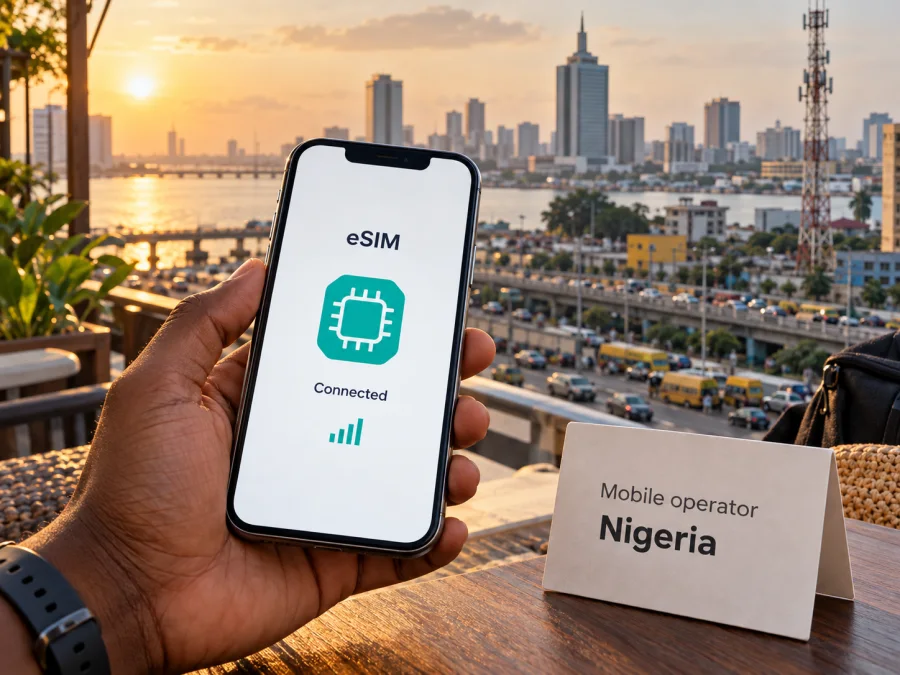
Glo Mobile eSIM in Nigeria: activation, coverage and travel considerations
Glo Mobile is the consumer brand of Globacom, a telecommunications company operating in Nigeria. Its official website lists mobile voice and data services and now has a dedicated Glo eSIM page. That page describes eSIM as an option for both new and existing customers and gives a shop-based process for activating a profile or moving an existing Glo line from a physical SIM. This makes Glo eSIM relevant if you need a Nigerian mobile subscription; it does not, by itself, mean that a visitor can complete every registration step remotely or use the profile as a travel eSIM in any country.
This guide explains Glo eSIM, store activation and traveler considerations. Check current terms directly with Glo before applying.
Verification date: October 17, 2026. Glo’s eSIM, SIM activation, company information and 4G pages, plus Kaspersky’s official product information, were reviewed on this date. Where a fact is based on a provider’s own description, it is attributed to that provider rather than treated as an independent assessment.
What Glo Mobile eSIM means in Nigeria
An eSIM is a digital SIM profile stored on a compatible device. It performs the subscriber-identification role of a conventional SIM without requiring a removable plastic card. Glo’s Nigeria eSIM page presents this as a way to join its network or convert an existing Glo line to eSIM. It also says that a customer can keep the same phone number when migrating an existing line. In other words, the service described is a Glo subscriber profile for use with Glo, not a generic data profile that automatically connects to whichever network is available in a destination country.
Globacom’s “About Us” page describes the company as a telecommunications provider with millions of subscribers in Nigeria and Ghana. The consumer site lists mobile voice and data services alongside customer support and SIM activation information. Check Glo service availability for the locations and device you plan to use.
The distinction between an operator eSIM and a travel eSIM is practical. A Glo eSIM is associated with a Glo line and the operator’s registration and service conditions. A travel eSIM is generally arranged for mobile data while abroad and may connect through local partner networks; it may not provide a Nigerian phone number, ordinary voice calls or SMS. Read the product terms before relying on either option for calls, one-time codes or data access.
Does Glo offer eSIM?
Yes. As checked on October 17, 2026, Glo publishes a dedicated eSIM page on its official Nigeria website. It explains eSIM migration and activation and states that compatible devices can be connected at a Gloworld shop or Glo dealer outlet. The same page describes an in-store QR-code scan after device compatibility and NIN checks. This supports the availability of Glo eSIM in Nigeria, subject to the operator’s current eligibility and service conditions.
The published process is not a simple online self-service download. Glo directs customers to a shop or dealer for the migration or activation process. Its page says staff check device compatibility and verify the customer’s National Identification Number (NIN) before scanning the eSIM QR code. A visitor should therefore confirm with Glo whether their status, identity documents and line type qualify before travelling to an outlet. Do not assume that a passport alone substitutes for the NIN check described by the operator.
Glo says eSIM can be used by new and existing customers. For an existing customer, the page says the phone number remains the same during migration from a physical SIM. The general SIM activation page lists NIN and government-issued documents for new registration; the available information does not establish that every foreign visitor can obtain a line. Confirm eligibility and the exact documents with Glo before relying on that route.
Glo’s eSIM page also includes information about migration to a replacement device. Because that process involves removing a profile from one phone and loading a profile on another, treat a device change as something that may require a fresh operator-issued QR code or dealer assistance. Do not delete an active profile until Glo has explained the recovery or transfer process for your line. A QR code used once may not be reusable, and the published instructions should be followed for the exact device and current operator procedure.
Device compatibility: check before you go
A phone must support eSIM hardware and software, and it must not be restricted in a way that prevents activation on another operator. Support can differ by model, market variant and carrier configuration, even when two phones share the same product name. Some device families sold in different countries have different SIM capabilities. Check the exact model number and region variant rather than relying on a general claim that a brand or model family supports eSIM.
Glo’s page suggests dialling *#06# and checking whether an EID appears on the device screen as a compatibility check. An EID is an identifier used by eSIM-capable devices. This is a useful preliminary check, but it does not guarantee that a particular handset can complete activation: the phone’s operating system, regional variant, network lock status and current Glo requirements may also matter. If the EID is absent, ask the device manufacturer or Glo to confirm compatibility before travelling to a service point.
A short pre-visit checklist can prevent delays:
- Confirm that the exact phone variant supports eSIM and is not carrier-locked.
- Check that the phone can connect to mobile data and has an internet connection during setup, if required.
- Keep access to the existing Glo line and bring the device on which the profile will be installed.
- Ask Glo which identity details and documents are required for your situation, including the NIN verification described on its eSIM page.
- Confirm the nearest authorised Gloworld or Glo dealer location and that it handles eSIM activation or migration.
- Back up important account and device information before changing a SIM profile.
- Do not erase, reset or trade in the old phone until you know how the Glo profile can be restored or moved.
These checks matter especially for travel. If you need service as soon as you land, a process that depends on an outlet visit, identity verification and a compatible handset may require advance planning. Contact Glo through its current customer support channels to confirm opening hours, availability and requirements; the outlet list and procedures can change.
How Glo eSIM activation works
Before visiting a Glo outlet
First, confirm that your handset has an EID and supports eSIM in the specific country variant you own. Make sure the operating system is current enough for the device’s eSIM setup flow and that you can connect to Wi-Fi or another internet source if setup prompts for it. If you are converting a line, ask whether the current physical SIM will stop working during the change and what to do if the eSIM download fails.
Next, contact Glo to clarify the registration path for your situation. The eSIM page mentions NIN verification. The general SIM activation page lists NIN and government-issued documents for new SIM registration. A traveler should confirm which requirements apply to a foreign resident, non-resident or existing customer, and whether any specific outlet can complete the process. These are questions for the operator because eligibility and verification rules are service conditions, not something a device compatibility check can answer.
At activation
At the shop or dealer, the staff member checks the device and identity information, then provides or presents a QR code for the profile. Keep the QR code private and scan it only on the intended handset. Follow the prompts in the phone’s mobile network settings. Before leaving, ask the representative to confirm that the profile is active and that the line can register on Glo’s network. If you are replacing a SIM, verify that the old SIM has been deactivated as expected and that you can still access the number for important services.
Do not assume a QR code can be used repeatedly. eSIM profiles are designed for controlled installation, and a replacement handset may require an operator-supported procedure. If you plan to change phones during a trip, ask Glo about transfer and recovery before you leave the store. Keep any activation paperwork or customer reference in a safe place, but do not share the QR code publicly or send it to an untrusted person.
Network coverage and technology
Glo’s official consumer pages describe 4G LTE service and provide general information about its network. The company’s website lists an LTE advanced service and its recent network updates discuss ongoing infrastructure work across Nigeria. These statements establish that Glo offers LTE-based service, but they are not an independent measure of performance and do not prove that coverage is available in every neighbourhood, building, road corridor or rural area.
Mobile reception changes with location, terrain, indoor construction, network load, handset bands and local outages. A coverage statement at national level cannot predict whether a particular hotel room, airport terminal or route will have a usable signal. Before travel, check Glo’s current coverage information for your itinerary and ask hosts or local contacts about the exact places where you need connectivity. Keep offline maps, booking details and essential addresses available when you expect to pass through areas with uncertain coverage.
Glo’s network material mentions 4G LTE. The pages reviewed for this article do not provide a clear, authoritative coverage map establishing 5G service availability for every place a traveler might visit. Avoid assuming that a phone displaying 5G support will receive 5G service on Glo in Nigeria. Device support, spectrum compatibility, local rollout and account settings all affect the result. If a particular radio technology is important to you, verify it with the operator for the exact city and handset variant.
A travel eSIM can use a partner network in a destination, but its technical availability and network selection depend on the specific offer. A travel profile should not be assumed to use Glo or to provide the same coverage, priority, number or customer support as a direct Glo subscription. Check the product’s country coverage and device requirements before purchase, then test the profile while you still have access to Wi-Fi and support.
Using Glo as a visitor to Nigeria
A visitor may want a Nigerian number for local calls, delivery coordination, accounts or contacts. A Glo line can be a relevant local option, but the eSIM process described by Glo includes in-person service and NIN verification. The official information reviewed here does not confirm a remote tourist eSIM activation route or explain how a visitor without a Nigerian NIN can complete registration. Confirm your eligibility directly with Glo before treating its eSIM as a ready-to-use arrival solution.
If you only need mobile data for a short trip and do not require a Nigerian mobile number, a travel eSIM may be a separate option to consider. Kaspersky eSIM Store is an app and website that lets travelers choose, purchase and activate a travel eSIM for mobile data where offers are available. It is not a mobile operator, does not own a Nigerian network and does not provide mobile access on its own; the travel service is delivered through its telecommunications partners. Kaspersky’s product information describes its travel eSIM as data-focused. Check the selected offer’s current terms for voice, SMS, hotspot support, coverage and activation before relying on it.
You can view eSIM options for Nigeria and check whether your exact device is compatible. The country page is a travel product page, not a Glo registration page. It does not replace Glo’s NIN checks, outlet process or Nigerian phone-number service.
Local operator eSIM or travel eSIM?
The right setup depends on what you need the connection to do. A local operator eSIM is tied to a subscriber relationship with that operator. It may be relevant if you need a local number, ordinary mobile calling or SMS, or continued access to an existing local line. A travel eSIM is usually intended to provide mobile data during a trip and may be easier to arrange before departure, but its feature set and partner network depend on the chosen product.
| Consideration | Glo eSIM in Nigeria | Travel eSIM |
|---|---|---|
| Main purpose | A Glo mobile subscription or migration of an existing Glo line | Mobile data for a trip, subject to the selected offer |
| Setup described publicly | Visit a Gloworld shop or Glo dealer; device and NIN checks are part of the described process | Usually arranged through the travel service’s app or website; check the selected offer |
| Nigerian phone number | Associated with a Glo line; confirm new-line eligibility and registration conditions | Do not assume a local number, ordinary calls or SMS are included |
| Network relationship | Direct customer relationship with Glo in Nigeria | Connectivity depends on the provider’s partner arrangements in the destination |
| What to verify | EID, model variant, NIN requirements, outlet availability and current account conditions | Device compatibility, Nigeria inclusion, activation timing and data-only limitations |
Kaspersky eSIM Store can be considered when you want to prepare a travel data connection through an app or website. Before selecting an offer, confirm that Nigeria is included, your device is compatible, and the terms match your expected use. The product does not make Glo’s local registration requirements disappear, and a data-only travel profile should not be treated as a substitute for a local phone number or SMS-based account verification.
What to check before choosing
Use these questions to match the setup to your trip:
- Do you need a Nigerian phone number? If yes, ask Glo what registration route applies to you and whether you meet the NIN and document requirements.
- Do you need mobile data only? Compare a travel eSIM’s supported destinations and conditions with the local operator route. Do not infer voice or SMS availability from the word “eSIM.”
- Is your exact device variant compatible? Check EID, model number, SIM-lock status and manufacturer specifications.
- Can you visit an authorised outlet? Glo’s published activation process directs users to a Gloworld shop or dealer. Confirm the current location and eSIM service availability.
- Where will you use the connection? Confirm coverage for your actual cities and routes rather than relying on a nationwide description.
- How will you manage your home SIM? Decide which line handles data, calls and SMS, and review roaming settings to avoid using the wrong line.
- What happens if setup fails? Keep access to support, Wi-Fi and the original SIM until the new profile has been tested.
- Will you change phones? Ask about profile transfer and replacement before removing the eSIM or resetting a device.
Frequently asked questions
Can I buy a Glo eSIM online before travelling?
Glo’s official eSIM page describes activation or migration at a Gloworld shop or Glo dealer outlet, including checks for device compatibility and NIN. The public information reviewed here does not confirm a fully remote tourist activation route. Ask Glo whether any current online or overseas process applies to your account before making plans.
Can I keep my Glo number when switching to eSIM?
Glo states that an existing customer can keep the phone number when migrating from a physical SIM to eSIM. Confirm the procedure with the operator before starting, particularly if you rely on that number for authentication or account recovery.
Is a travel eSIM the same as Glo eSIM?
No. Glo eSIM is a Glo subscriber profile connected to the operator’s service and registration process. A travel eSIM is a separate product intended for connectivity while traveling, often focused on data. Confirm whether it includes a local number, voice or SMS before choosing it.
Is Kaspersky eSIM Store affiliated with Glo?
No. Kaspersky eSIM Store and Glo Mobile are separate services. Kaspersky eSIM Store is an app and website for choosing and activating travel eSIMs for mobile data; it is not a mobile operator or owner of the network used to deliver that service. This article is independent and is not affiliated with, endorsed by or sponsored by Glo Mobile or Globacom.
Practical takeaway
Glo’s official Nigeria website confirms eSIM availability and describes activation or migration through a Gloworld shop or Glo dealer. The published process includes device compatibility and NIN checks; Glo says existing customers can keep their number when moving from a physical SIM. Confirm eligibility, documents, outlet service and coverage for your itinerary before relying on it.
For a local number and direct Glo subscription, contact Glo about its current requirements. If you mainly need mobile data and prefer digital preparation, consider a travel eSIM separately after checking compatibility, destination coverage and service limits. A travel data profile does not automatically provide a Glo number or satisfy local registration conditions.
For travel data, check eSIM availability for Nigeria and review the offer details. For Glo activation, use the operator’s current customer support and authorised outlets. Terms and network arrangements can change; verify close to departure.


