Travel connectivity guide
GO eSIM in Malta: what to check
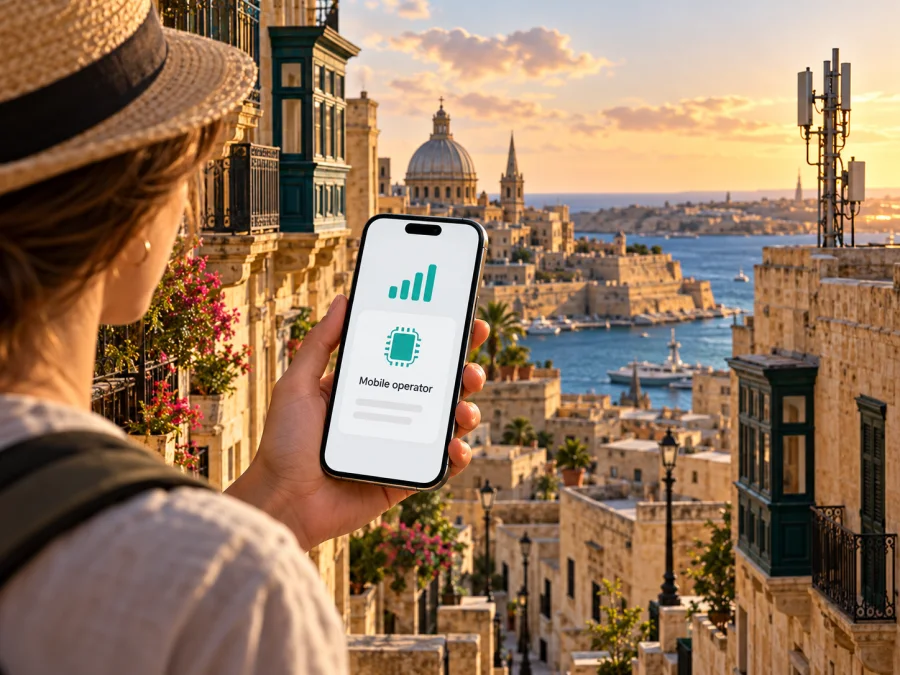
GO eSIM in Malta: what visitors should know
GO is a Malta-based communications operator whose services include mobile connectivity alongside fixed internet, landline and television. Its official site describes mobile services for residents and visitors and presents GO eSIM as an option for compatible devices. For a traveller, the useful distinction is that an eSIM is a digital SIM profile: it can make a local mobile service available without inserting a plastic card, but it does not remove the need to check eligibility, handset support and the terms attached to the service.
This guide covers what GO currently says about eSIM access in Malta, what a visitor should verify before relying on it, and how to prepare for mobile data during a trip. Information was checked on 17 October 2026 against GO’s official eSIM FAQ, GO Easy eSIM page, visitor/prepaid page, prepaid support information, “About GO” page and 5G/mobile information. The Kaspersky eSIM Store Malta destination page was also checked on that date. GO’s pages may change, so confirm current instructions with GO before ordering or travelling.
Is GO eSIM available in Malta?
Yes. GO’s official eSIM information confirms that it offers eSIM services in Malta. Its page addresses new mobile services and visitors, and it describes ways to request an eSIM through the GO app, online with an agent, or at a GO outlet. The website also explains switching an existing GO mobile service from a physical SIM to an eSIM and moving a GO eSIM between compatible phones through GO Easy eSIM. These are different customer journeys, so choose the route that matches whether you need a new local service, want to keep a GO number, or are replacing a SIM you already use.
The phrase “GO eSIM” does not by itself mean that every GO service, plan or device can be activated in the same way. GO’s instructions distinguish between requesting a new number and keeping an existing number, and some operations require customer verification or assistance. The app may provide an immediate digital installation for a new service, while other cases can involve an agent, a QR code or a store visit. Before choosing, tell GO whether you are a new customer, an existing prepaid customer or a current GO customer changing device; ask what identification, account access and local registration steps apply to your situation.
GO’s Malta visitor guidance describes a mobile top-up service and says a visitor can arrange an eSIM through its app. The public information supports the availability of a local prepaid-style route in general, but this article does not list or compare specific plans or their terms. Availability, eligibility and the exact steps can depend on current GO procedures and the customer’s circumstances. A visitor should confirm these directly with GO rather than assume that the same process applies to every nationality, device or account type.
What “local operator eSIM” means for a trip
A GO eSIM is an electronic SIM profile for a GO mobile service. It may let a compatible phone hold a local Maltese line alongside a home SIM, subject to the handset’s dual-SIM capabilities. A local service can be useful if you want a Malta-based number or local operator account, but the number, included services, billing arrangement and usage rules depend on the particular service you choose. Check whether the option presented to you includes the kind of data or calling access you need. Do not infer from the word “eSIM” that voice calls, text messages, roaming, tethering or a local number are automatically included.
For a short holiday, the practical decision is less about whether a SIM is physical or digital and more about what you need from the connection. A local GO service may suit someone who wants a Maltese mobile account or expects to stay longer. A travel eSIM may be more convenient when the main need is mobile data across a destination or a multi-country itinerary, and the traveller does not need a local phone number. A travel eSIM is a separate product and does not convert into a GO subscription. Compare the service description, country coverage, activation timing, validity, data rules, roaming behaviour and support route before purchase; those terms vary by provider and product.
Ways GO says you can get or activate an eSIM
GO’s official eSIM FAQ describes several routes. The GO app has a flow for requesting a new mobile service and selecting eSIM. The site also explains that an online customer can ask an agent for help and receive a QR code by email, while a GO outlet can assist in person. GO Easy eSIM is a separate route for eligible customers transferring an existing GO service to a compatible phone. Choose the process that matches your situation and follow the current instructions in the app or from GO support.
Before starting, decide whether you need a new local service, want to retain or transfer an existing GO number, or only need data while travelling. Ask GO which route applies and what customer verification or registration is required. The public instructions describe distinct flows; they do not establish that every visitor can complete every process online. Confirm if you can order before travelling, when activation is allowed, and whether you need an account or identity document.
A practical sequence is:
- Check eSIM support for the exact handset and regional variant, then confirm it is unlocked.
- Sign in to the current GO app or contact an agent/outlet using GO’s official channels.
- Follow the supplied installation steps on a stable internet connection. If using a QR code, display it on another screen or use the supported manual entry method.
- Keep your home SIM active until the new profile is installed and you know how to receive essential verification messages.
- Select the desired line for mobile data and review roaming settings so the home SIM does not use data unintentionally.
An eSIM profile is not necessarily reusable like a file that can be copied freely between phones. GO says a mobile service can be accessed from one device at a time and describes a replacement process for a lost device. GO Easy eSIM transfer is limited to selected compatible devices and software versions. Check transfer eligibility before erasing or trading in a phone; contact GO if a profile fails or the device is lost. Keep the QR code and verification details private.
Device compatibility: check the exact phone
There are two separate questions: does the phone contain eSIM capability, and can the chosen GO activation or transfer flow work with that phone? A device may support eSIM generally while lacking support for a particular transfer feature, software release or regional model. GO publishes its own compatibility guidance and lists examples, but lists can change and should not be treated as a universal guarantee for every variant bearing a similar model name.
On iPhone, look in Settings → Mobile Data (called Cellular in some regions) for an option to add an eSIM. On Android, the path varies by manufacturer, but a SIM Manager or Mobile Network menu may show an option to add a mobile plan or eSIM. The presence of a menu item is a useful clue, not a promise that a carrier will accept the device. Confirm the exact model code, country or region variant, operating-system version and carrier-lock status. The manufacturer’s official specification page and GO’s current compatibility information are the better final checks. For general device checks, see eSIM device compatibility.
GO’s GO Easy eSIM page currently describes transfer availability as limited to selected compatible devices and software versions, with support expanding over time. It gives current examples and qualifications for Apple and Samsung devices; because those details can be updated, verify the page before relying on a particular phone-to-phone transfer. A successful initial eSIM installation and eligibility for a later one-tap transfer are not the same thing. If you are arriving with a new phone, arrange the service using a method supported for that exact device and keep access to your old phone if GO’s transfer steps require it.
Using the service after arrival
GO’s public pages describe several activation paths, and ordering, downloading a profile and starting service may be separate steps. Read the confirmation carefully and ask GO which steps to complete before departure and which should wait until you reach Malta. Do not assume that installation means the service is active, or that every eSIM must be installed only after landing.
After installation, label the profile clearly, such as “GO Malta,” then select it for mobile data if that is your intention. Check which line handles calls and messages as well. A phone may store more profiles than it can keep active at once, and dual-SIM behaviour varies by model. If you keep your home SIM enabled, review its roaming settings before using data.
If there is no service, check that the profile is enabled, the intended line is selected and the service has been activated as GO instructed. Briefly toggle airplane mode or restart the phone. GO’s support guidance explains that mobile data settings can include an APN, while some devices install settings automatically. Avoid changing APN details unless GO’s official instructions match your device or support recommends it. When contacting support, provide the handset model, operating-system version and the message shown; never post a QR code, password or one-time code publicly.
Coverage and mobile technologies in Malta
GO is a Maltese communications operator whose services include mobile connectivity alongside fixed internet and television. The company’s official “About GO” page describes its integrated communications business; its mobile information discusses 5G, and GO support refers to areas with 4G or 5G coverage. These sources establish that 4G and 5G are part of GO’s mobile offer. They do not guarantee reception at every address, indoors, underground, on a ferry or at a particular moment.
Kaspersky eSIM Store is an app and website that helps travellers choose, arrange and activate an eSIM with a data plan for an international trip. It is not a mobile operator, does not own or operate the mobile network, and does not itself provide mobile internet coverage. Its travel eSIM option is intended for mobile data; do not assume it includes a regular phone number, standard calls or SMS unless the specific offer says so. You can browse eSIM options for Malta to check current travel eSIM availability. This is not a GO tariff page and does not represent a local GO offer.
Malta is an island country, but a country-level coverage statement is not a promise of uninterrupted signal in every building or location. Radio conditions vary with distance from a site, terrain, construction materials, network load, handset bands and configuration. Check GO’s current coverage information for the specific places you plan to visit, and keep offline maps or other backup access for essentials. A 5G-capable handset also needs supported bands, software and service access, as well as local 5G coverage; otherwise it may use another available technology. This guide makes no comparative claim about GO’s speed or reliability.
Local GO service and travel eSIM: practical differences
The table summarizes broad product types rather than comparing specific offers. The details of every service should be checked before purchase.
| Consideration | Local GO eSIM | Travel eSIM |
|---|---|---|
| Main purpose | A GO mobile service intended for use in Malta; the available customer journey depends on whether you are new or already with GO. | A digital option arranged for mobile data during an international trip, subject to its destination and product terms. |
| Phone number | A local number may be part of a new local service; verify the actual service selected and whether number transfer is available to you. | Often data-focused; confirm whether any number, voice or messaging capability is explicitly included. |
| Getting started | GO describes app, online-agent and outlet routes, with different steps for new service, existing numbers and transfers. | Usually arranged through the travel eSIM provider’s site or app; installation and activation timing are product-specific. |
| Best fit to consider | A visitor or resident who wants a local GO account or number and meets GO’s current eligibility requirements. | A visitor whose main requirement is mobile data and who prefers to prepare connectivity before or during travel. |
| What to verify | Registration requirements, device support, service terms, activation and support. | Malta inclusion, countries covered on a multi-country trip, validity, activation, data rules and support. |
Neither category is automatically better for every trip. A long stay, local contact number or need to manage a Malta account may make a local service relevant. A brief trip, an itinerary crossing borders or a data-only need may make a travel eSIM worth considering. Your home carrier’s roaming may also be suitable; review its current conditions before deciding. Treat every option as a separate service with its own eligibility, coverage and customer support.
Common questions
Can a tourist arrange GO eSIM before arriving?
GO says visitors can request an eSIM through its app and describes online assistance. Whether every step can be completed before arrival depends on the current customer flow and the service requested. Ask GO whether your device, identity and payment or verification method qualify, and confirm when activation can begin.
Can I keep my home number?
A compatible dual-SIM phone may let you keep a home SIM active alongside a GO eSIM, but settings determine which line handles data, calls and messages. Check your home operator’s roaming conditions. A request to keep an existing GO number is a different process and does not transfer a home number automatically.
Does GO eSIM work on a watch or tablet?
Support for phones, tablets and wearables is not interchangeable. Ask GO whether the exact device and intended service are supported; do not infer smartwatch availability from a phone eSIM page.
Can I move a GO eSIM to another phone?
GO describes transfers for selected compatible devices and software versions. Check that both phones qualify before starting. If a device is lost or replaced, contact GO support instead of sharing or reusing the activation code.
What should I do if data does not work?
Confirm that the eSIM is enabled and selected for data, and follow GO’s activation timing. Restart or toggle airplane mode. If an APN appears to be missing, consult GO’s official instructions or support before editing it. A travel eSIM has its own setup guide and support route.
A short decision checklist
Before choosing GO eSIM for Malta, confirm that your exact phone variant supports eSIM and is unlocked; decide whether you need a new local service, a GO number transfer or travel data only; ask what verification is required and when activation starts; and check coverage for the places you will visit. Review which SIM handles mobile data, calls and texts, and keep a backup for essential information.
GO eSIM is an officially documented option in Malta, but the right route depends on the traveller, device and service requested. Use GO’s current eSIM and support information to confirm eligibility and activation. If your priority is travel data rather than a local mobile account, Kaspersky eSIM Store can help you review available eSIM options for your destination and prepare a compatible phone. Kaspersky eSIM Store is not affiliated with GO, does not operate GO’s network and does not provide local mobile coverage.


