Travel connectivity guide
Golan Telecom eSIM in Israel: what to check
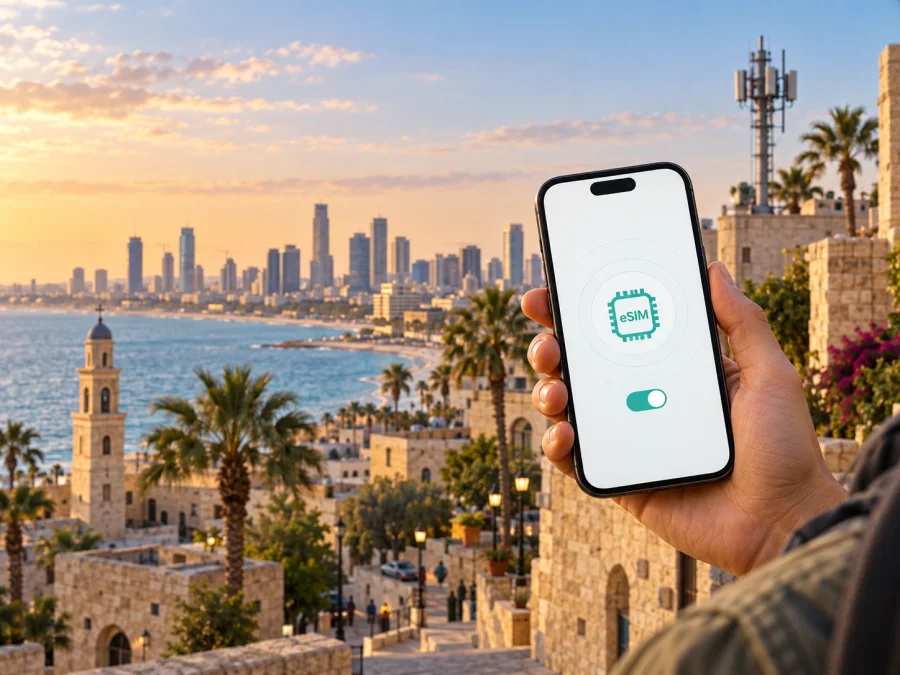
Golan Telecom eSIM in Israel: activation, compatibility and travel internet
If you are comparing mobile internet options for a trip to Israel, Golan Telecom eSIM is a local-operator route worth checking alongside a travel eSIM. The practical question is not only whether a phone has a digital SIM. You also need to know whether the device is compatible, how the profile is issued, what verification is required, where the service is available, and whether the arrangement suits a short visit or a longer stay.
This guide describes public information checked on 20 September 2026. Golan Telecom is the operator being researched; Kaspersky eSIM Store is a separate travel-connectivity product. There is no affiliation between Golan Telecom and Kaspersky eSIM Store. Kaspersky eSIM Store is not the operator, owner of Golan Telecom’s network, or provider of its mobile service. Names and trademarks belong to their respective owners.
Quick answer
Golan Telecom’s current eSIM page confirms a digital SIM option for its cellular service. It says that a new customer selects eSIM during the joining process, while an existing customer can request the service through customer support. The documented activation flow uses an email link, SMS verification and a QR code added from the phone’s cellular settings. This confirms operator eSIM availability, but it does not mean that every phone, account type or visitor profile can use it.
The operator also publishes information about prepaid customers and separate SIM-based and data-focused services. That supports a general statement that prepaid-oriented service exists in the wider offering. It does not establish that every current option is a tourist product, that a visitor can always register from abroad, or that a particular eSIM can be obtained without additional checks. I did not find a current official page clearly presenting a dedicated tourist-only eSIM offer. Travellers should confirm eligibility, identification, payment and activation rules with Golan Telecom before relying on a local eSIM.
The operator’s public material documents 5G service in many areas of Israel and explains that a compatible device and a location with 5G deployment are required. Coverage, indoor reception and available technology can vary by place, device model and local conditions. A broad coverage statement is not a guarantee of service at a particular airport, hotel, border area or nature site.
Is Golan Telecom eSIM available in Israel?
Yes. The operator’s current public eSIM page confirms the option for cellular service in Israel. It says that a new customer chooses eSIM while joining, receives instructions by email, and that an existing customer can contact support. This page was checked on 20 September 2026.
The confirmation does not mean that every model, account type or visitor profile is supported, or that an eSIM can be transferred freely. Ask whether your customer type can join remotely or in Israel and which identity and payment checks apply.
The operator’s English support area mentions prepaid customers and additional SIM and data-service information. This supports a cautious statement about prepaid-oriented service, but not a promise that a tourist-only offer is available. Check current conditions directly with the operator, especially if you do not already have an Israeli account.
Compatibility: check the phone first
The first check is hardware support. On an iPhone or Android phone, open cellular or SIM settings and look for an option such as adding an eSIM or cellular plan. Wording differs by operating system and software version. The menu is useful evidence, but it is not the only check: a phone can support eSIM yet be locked to another operator, restricted by region, or unsuitable for the service’s radio requirements.
Use this pre-purchase checklist:
- Confirm that the exact model, not just the product family, supports eSIM.
- Check that the phone is unlocked for another cellular profile.
- Install updates while reliable internet is available and keep access to the email and verification number.
- Decide which line will handle data, calls and messages.
- If 5G matters to your route, check supported bands and the operator’s current requirements.
Golan Telecom’s eSIM page includes separate Android and iPhone setup paths. Its device information lists supported models, but a list is not a reason to skip checking the exact regional version. For a phone purchased outside Israel, confirm the combination of model, software, unlocked status and local frequency support. A device that works with eSIM elsewhere is not automatically suitable for every Israeli service.
The operator’s support information says that new customers or handsets cannot be added to its 2G network. Its 5G guidance requires a supporting handset and a location with 5G deployment. Plan around current 4G/LTE and 5G capability, without assuming 5G at every destination.
Activation with Golan Telecom
The exact screens may change, but the operator’s public eSIM instructions describe this sequence. Follow the current messages in your account or email if they differ.
1. Connect and verify
Keep the phone on Wi‑Fi or another working internet connection before changing the default line. If an SMS code is required, make sure the receiving number is active.
2. Select the eSIM route
For a new customer, choose eSIM during the SIM-selection stage of joining; instructions are sent by email. An existing customer is directed to the service channel. Open the activation link and complete the requested SMS verification. If a code does not arrive, check the number, signal and message filtering before contacting support. A replacement, watch service, car SIM or additional line may use a different path.
3. Add and test the cellular plan
On Android, the instructions lead through connections, the SIM manager and the option to add a cellular plan. On an iPhone, use cellular settings and the option to add an eSIM or cellular plan. Choose QR-code scanning when prompted. If the QR code is displayed on the same phone, show it on another screen or use the method provided by the operator.
4. Finish and test
Continue until installation is confirmed. Label the line, select it for the intended data, calls and messages, and enable data roaming only if the relevant instructions require it.
Restrictions and travel considerations
The operator’s current eSIM FAQ says that a physical SIM does not need to be removed before setup, but it also says that the physical SIM becomes inactive once the eSIM is activated. Plan this switch carefully if you need the old line to receive a verification text. Save essential contacts and confirm which line is active before leaving the setup screen.
The same FAQ states that the phone eSIM and a physical SIM for a car cannot be used together. This is a specific service limitation, not a rule for every dual-SIM phone. Ask the operator what must be disabled if your account has a related secondary service.
A visitor should confirm acceptable identification, payment, local contact details, number assignment, delivery or in-person steps, and support from abroad. The public pages do not establish one universal rule for every nationality or remote sign-up scenario.
Roaming is separate from buying an Israeli eSIM. A Golan Telecom subscriber using the line outside Israel may need a roaming service and must follow the operator’s current conditions. Conversely, a traveller using a travel eSIM for Israel may need to enable data roaming on that travel profile even though it is not a conventional home-operator subscription. Check the setting line by line so the phone does not select the wrong profile for data.
Coverage and supported technologies
Golan Telecom’s public 5G page, checked on 20 September 2026, says that 5G service is available in many areas across Israel. It also says that a compatible device and a location within the relevant deployment are required. The English version warns that a phone purchased abroad may depend on the frequencies used in its market.
This supports a careful description of technology, not a promise about quality. A phone may show 5G in one part of a city and LTE in another. Buildings, terrain, congestion, indoor placement, device bands and local maintenance can affect the connection. Rural routes, underground locations, border areas and crowded venues deserve extra planning. Download offline maps and key travel documents before departure, and keep a fallback way to reach your accommodation.
For a route-based check, list the airport, accommodation, work venue and day-trip locations. Compare them with current coverage information and your phone’s specifications. “Many areas” is a general statement, not an address-level guarantee.
Local Golan Telecom eSIM or travel eSIM?
There is no single correct choice for every trip. A local Golan Telecom eSIM may suit someone who wants the operator’s account and potential voice or messaging functions, especially for a longer stay. Local joining, verification and eligibility remain subject to current operator rules.
A travel eSIM is usually structured around mobile data for a destination or region and can be prepared before departure. Depending on the product, it may not include a regular local number, voice calls or SMS, and its activation and support process differs from a local operator eSIM.
Ask these practical questions rather than assuming one route is always cheaper or better:
- Do you need a local number, or is data through messaging apps enough?
- Can you complete Golan Telecom’s registration and verification from your location?
- Is your device unlocked, and do you need connectivity in more than one country?
- Do you have reliable internet for installation, and which line should remain active for messages from home?
Kaspersky eSIM Store as a travel-data alternative
Kaspersky eSIM Store is an app and website that helps a traveller choose, arrange and activate an eSIM with a travel data plan for a selected country or region. It is not Golan Telecom, does not own Golan Telecom’s network and does not provide Golan Telecom’s customer service. It is a separate route for preparing mobile internet while abroad.
The official Kaspersky blog and product announcement checked on 20 September 2026 describe checking compatibility, selecting a destination, purchasing, installing and activating before or after arrival. A stable connection is needed, and data roaming may be required for the travel profile.
For Israel, this route can help arrange connectivity before local onboarding for a short visit focused on maps, transport apps, web pages and messaging. It is not a full replacement for a local operator and may be data-only.
To review the current direction and make your own choice, explore eSIM options for Israel. The country page is a starting point for checking availability and conditions; it is not a statement that every device or option suits every traveller.
Preparing a travel eSIM before departure
Complete this sequence while your primary connection still works:
- Check eSIM support and operator unlocking. If you are unsure, check device compatibility before purchase.
- Choose Israel, read whether the option is data-only and note when activation begins.
- Install through the app or supplied instructions on reliable Wi‑Fi; installation and activation can be separate actions.
- After landing, select the travel eSIM for data, follow data-roaming instructions and test a web page. If it fails, check the selected line, roaming toggle, APN instructions and signal before reinstalling anything.
The travel eSIM may remain installed when you return to your primary line. Do not delete it simply because you are home; the product conditions determine whether it can be used again. A profile that has been activated may also be tied to the original device or conditions, so moving it to another phone should not be assumed.
Frequently asked questions
Can I get Golan Telecom eSIM as a tourist in Israel?
Golan Telecom confirms eSIM for its cellular service, but the pages checked on 20 September 2026 do not clearly confirm a universal tourist-only eSIM route. They also do not prove that every visitor can complete registration remotely. Ask about current visitor eligibility, documents, payment and activation before depending on it.
Do I need to remove my physical SIM?
The operator says removal is not required before setup, but its FAQ also says the physical line becomes inactive when the eSIM is activated. If you need that line for verification or incoming messages, plan the transition carefully.
Is a travel eSIM the same as a Golan Telecom eSIM?
No. Both use digital SIM technology, but a Golan Telecom profile belongs to the operator’s local service, while a travel eSIM is arranged for travel connectivity and may be data-only. Compare intended use, activation, number support and coverage for your route.
If Golan Telecom’s local onboarding matches your needs and the operator confirms your eligibility, its eSIM can be considered as a local-service option for Israel. If you prefer to prepare mobile data before arrival, or local eligibility is unclear, a travel eSIM can be considered as a separate route. The decision depends on your phone, itinerary, need for a local number and the current conditions verified before departure.
Conditions may change. The information above was checked on 20 September 2026; verify current terms, compatibility, coverage, activation and visitor requirements in official materials before purchase. Neither Kaspersky eSIM Store nor this article is affiliated with Golan Telecom or its official representatives.


