
Travel connectivity guide
Gold Coast eSIM: Mobile Internet Guide
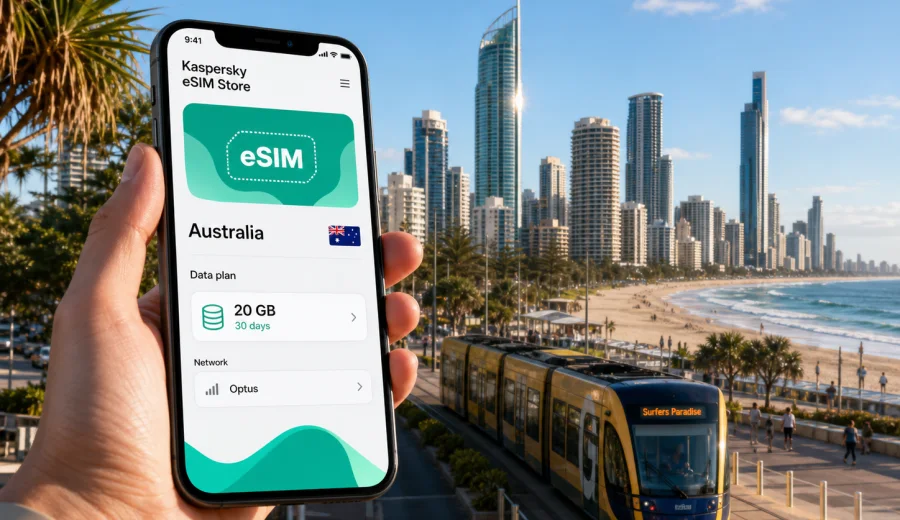
Gold Coast eSIM: mobile connection and internet for your trip
Gold Coast is a city where mobile internet quickly becomes part of the route. You may land at Gold Coast Airport in Coolangatta, head north to Surfers Paradise, check into a hotel in Broadbeach, follow a map to Burleigh Heads, or book a ride after dinner. In each moment, a stable mobile connection is less about entertainment and more about moving through the city calmly.
An eSIM is useful because Gold Coast trips often combine beach districts, shopping areas, theme parks, business stops, and day trips. Public Wi-Fi can help in a lobby or cafe, but it does not cover the practical gaps between the airport, tram stops, car parks, beaches, and suburban accommodation.
This guide explains how to plan eSIM mobile internet for Gold Coast: airport arrival, local movement, navigation, hotels, business travel, stopovers, and trips from the city.
Why mobile internet matters in Gold Coast
Gold Coast looks simple on a map because many key areas sit along the coast, but the city is stretched out. Surfers Paradise, Broadbeach, Main Beach, Southport, Burleigh Heads, Coolangatta, Robina, Helensvale, and the theme park corridor are separate travel situations, not one compact walking zone. A visitor may use light rail, buses, rideshare, taxis, rental cars, and walking routes in the same stay.
Mobile data helps with everyday decisions:
- checking the route from Gold Coast Airport to your hotel;
- comparing tram, bus, taxi, and rideshare options;
- using maps around Surfers Paradise, Broadbeach, Southport, and Burleigh Heads;
- confirming restaurant bookings, tour times, and hotel messages;
- checking weather before beach, hinterland, or theme park plans;
- keeping work chats, email, and documents available during a business trip.
The main risk is a series of small delays: searching for Wi-Fi after landing, registering on a public network, losing the route after leaving a hotel, or needing an email code. Preparing eSIM before travel reduces those moments.
Where an eSIM helps most in the city
Gold Coast has several visitor patterns, and each one uses mobile internet differently.
| Travel moment | Why connection helps |
|---|---|
| Airport arrival | You need directions before you have settled into the city |
| Beach districts | You move between open spaces, cafes, shops, and hotels |
| Public transport | Timetables and route changes are easier to check online |
| Theme park days | Plans can change around queues, weather, and transport |
| Business travel | Work messages and documents may be needed outside the hotel |
| Day trips | Navigation matters outside the central hotel area |
For many visitors, the strongest reason to use an eSIM is continuity. You can leave the airport, enter a tram, walk along the beach, and return to the hotel without rebuilding your connection every time.
Arrival at Gold Coast Airport
Gold Coast Airport is in Coolangatta, near the southern end of the city. If your hotel is in Surfers Paradise or Broadbeach, the first mobile task is usually route planning. Some travellers go by taxi or rideshare. Others combine bus and light rail. If you collect a rental car, mobile internet helps with maps, parking details, and accommodation instructions before you leave the airport area.
An eSIM can be installed before departure, then activated according to the conditions of the selected tariff. Before buying any eSIM tariff, check that your phone supports eSIM and is not locked to a mobile operator. If you are not sure, use the compatibility check before you prepare the trip: check your device.
Save key details offline as a backup:
- hotel name and street address;
- booking reference and check-in instructions;
- the first route from the airport;
- screenshots of your eSIM installation instructions.
Offline backups are still useful because eSIM setup, local network registration, and app access can depend on the device, the selected tariff, and the moment of activation.
Choosing data for a Gold Coast stay
The amount of data you need depends less on the city and more on behaviour. Gold Coast can be light on data if you mostly use maps and messaging, but heavier if you upload videos, run calls, use cloud documents, or keep navigation active during long drives.
Use this simple planning table:
| Trip style | Typical mobile internet use | Data planning note |
|---|---|---|
| Weekend beach stay | Maps, messaging, restaurant search | A smaller package may be enough if hotel Wi-Fi covers streaming |
| Family holiday | Navigation, tickets, photos, attraction apps | Choose more data for theme parks and rideshare |
| Business trip | Email, documents, calls, maps, short hotspot use | Prioritise data and validity for the meeting schedule |
| Road trip from Gold Coast | Navigation, weather, route changes | Allow extra data for maps and stopover planning |
| Longer stay | Daily maps, messaging, work, bookings | A larger package or top-up option may be more practical |
Avoid choosing a tariff only by the number of days. Match the length of the stay, the data volume, and the tasks you expect to do away from Wi-Fi. If you will use hotspot, check whether tethering is available under the selected tariff.
Gold Coast neighbourhoods and connection scenarios
Each Gold Coast district creates a different connection scenario. Surfers Paradise is dense and busy, with hotels, beach access, restaurants, shops, and nightlife close together. Broadbeach is common for conferences, dining, shopping, and tram access. Southport and Main Beach are useful for offices, marinas, medical appointments, and transport links. Burleigh Heads, Miami, Mermaid Beach, Palm Beach, and Coolangatta are more spread out, so maps and ride coordination become more important.
| Area | Typical mobile internet task |
|---|---|
| Surfers Paradise | Walking routes, restaurant search, rideshare pickup points |
| Broadbeach | Conference messages, tram planning, hotel and dining details |
| Southport and Main Beach | Appointments, marina access, office addresses, transport links |
| Burleigh Heads and Palm Beach | Coastal walks, cafes, return routes, photo sharing |
| Coolangatta | Airport movement, southern beaches, pickup points |
| Robina and Helensvale | Shopping, train connections, suburban transfers |
For Gold Coast travel, the practical approach is to prepare mobile internet before you need it. Kaspersky eSIM Store helps you choose, order, and activate an eSIM with a suitable mobile data tariff for an overseas trip. If Australia is your destination, you can prepare an eSIM tariff for your Gold Coast trip before departure and then follow the activation rules shown for the selected option.
Public transport, taxis, and walking routes
Gold Coast public transport can be convenient around the light rail corridor. The G:link connects Broadbeach, Surfers Paradise, Southport, and Helensvale, while buses cover airport and suburban routes. Visitors still need to check the best combination because a hotel, beach, conference venue, or attraction may sit away from the most obvious stop.
Mobile internet helps you make transport decisions in real time:
1. Check the route before leaving the hotel.
2. Confirm the walking distance to the stop.
3. Compare the next tram or bus with rideshare timing.
4. Save the destination address in case the connection becomes weaker indoors.
5. Keep your hotel address ready for the return trip.
For taxis and rideshare, mobile data is useful after dinner, after events, or when travelling with luggage. Pickup points around hotel zones and beachfront streets can be confusing. Walking routes also matter: beach paths, bridges, waterways, and multilane roads can make a short distance less direct than it looks.
Hotels, apartments, and Wi-Fi gaps
Many Gold Coast hotels and serviced apartments offer Wi-Fi, but access rules vary. Some networks require room numbers, email registration, or daily reconnection. Apartment stays may depend on a private router, conference Wi-Fi can be crowded, and cafe Wi-Fi may not be suitable for private work.
An eSIM gives you a separate mobile data option when hotel Wi-Fi is inconvenient or unavailable. This is useful when:
- you arrive before check-in and need to store luggage;
- your room is not ready but you need to work;
- you are moving between the lobby, beach, car park, and meeting point;
- you need a verification code while logging in;
- you prefer not to rely on open public networks for routine tasks.
For work trips, keep the eSIM profile separate from your home SIM if your phone supports dual SIM use. You may keep your usual number available for messages while using the eSIM for mobile data, depending on device settings and tariff conditions. Check roaming, default data line, and messaging settings before the first meeting.
How to install and activate an eSIM for Gold Coast
The exact installation flow depends on your device and the selected tariff, but the general preparation is straightforward.
1. Check that your phone supports eSIM and is not operator-locked.
2. Choose Australia as the destination and select a suitable data volume and validity period.
3. Complete the order in Kaspersky eSIM Store.
4. Install the eSIM profile using the instructions for your device.
5. Activate it according to the tariff conditions, either before travel or after arrival.
6. Set the eSIM as the mobile data line when you are ready to use it.
7. Monitor data use during the trip and top up if the selected option supports it.
Use the official setup guides if you need device-specific steps: Android installation instructions and iOS installation instructions. Keep your phone connected to a reliable network during installation, and do not delete the profile unless you understand the conditions for reinstalling it.
An eSIM tariff is mainly for mobile internet. It may not include a local phone number, voice calls, or SMS unless this is clearly stated in the selected tariff conditions. Check banking, travel, and work requirements before departure.
Business trips, stopovers, and day trips
Gold Coast business travel often mixes formal plans with resort-style geography. A conference may be in Broadbeach, a client meeting in Southport, and dinner near Surfers Paradise. Download key files on Wi-Fi, store calendar locations in your map app, and check whether hotspot use is allowed before relying on a laptop connection.
Short stays can be even more demanding. If you land for one night before continuing to Brisbane or northern New South Wales, you have less time to solve connection problems. Prepare the eSIM before arrival, save the first route offline, and keep check-in details available without searching through email at the airport.
For trips from Gold Coast to the theme park corridor, Tamborine Mountain, Springbrook, Brisbane, or Byron Bay, mobile internet is useful for navigation, weather checks, parking locations, and messages to hosts or colleagues. Coverage and speed can vary by location, device, tariff, and local network conditions, so save essential route details before leaving the main city area.
Use this quick checklist before a busy day:
- charge the phone and carry a power bank;
- download documents, tickets, and map areas on Wi-Fi;
- turn off automatic cloud backup on mobile data;
- limit video streaming and large app updates;
- check data use at the end of each day;
- keep hotel and return-route details saved offline.
Common mistakes include buying a tariff without checking compatibility, installing the eSIM without reliable Wi-Fi, deleting the profile after activation, choosing too little data, assuming voice calls or SMS are included, and forgetting to set the eSIM as the mobile data line. Read the selected tariff details carefully.
FAQ: eSIM and mobile internet in Gold Coast
Is eSIM useful if my hotel has Wi-Fi?
Yes. Hotel Wi-Fi helps in the room, but eSIM mobile data is useful between the airport, beach areas, restaurants, transport, meetings, and day trips.
Can I use eSIM for maps and messaging?
Yes, if the selected tariff is active and your device is configured correctly. Maps, ride apps, email, and travel tools are typical uses.
Does an eSIM include calls and SMS?
Not usually. Many travel eSIM tariffs focus on mobile data. Check the selected tariff if you need voice calls or SMS.
When should I activate it?
Follow the activation rules shown for the selected tariff. Many travellers install the eSIM before departure on reliable Wi-Fi.
Will one Australia tariff cover Brisbane too?
Choose the destination according to the tariff details. If it covers Australia, it is designed for use in the country, subject to local network conditions and selected terms.
How much data do I need for a week?
Light users may need maps, messages, and bookings. Heavier users should allow more for uploads, calls, hotspot use, and long navigation.
Final preparation before you travel
Before you leave for Gold Coast, make mobile internet part of the same checklist as flights, hotel booking, and travel documents. Confirm eSIM support, choose a tariff that matches your stay, install the profile on a reliable connection, and save the hotel address and first route offline.
Kaspersky eSIM Store helps you choose, order, and activate an eSIM with a suitable mobile data tariff for an overseas trip. For Gold Coast, select Australia as your destination and compare data volumes and validity periods before you travel. When you are ready, choose an eSIM tariff for your trip to Gold Coast and keep your mobile internet plan ready for arrival, city movement, hotel check-in, business tasks, and day trips.