Travel connectivity guide
GOMO eSIM in the Philippines: what to check
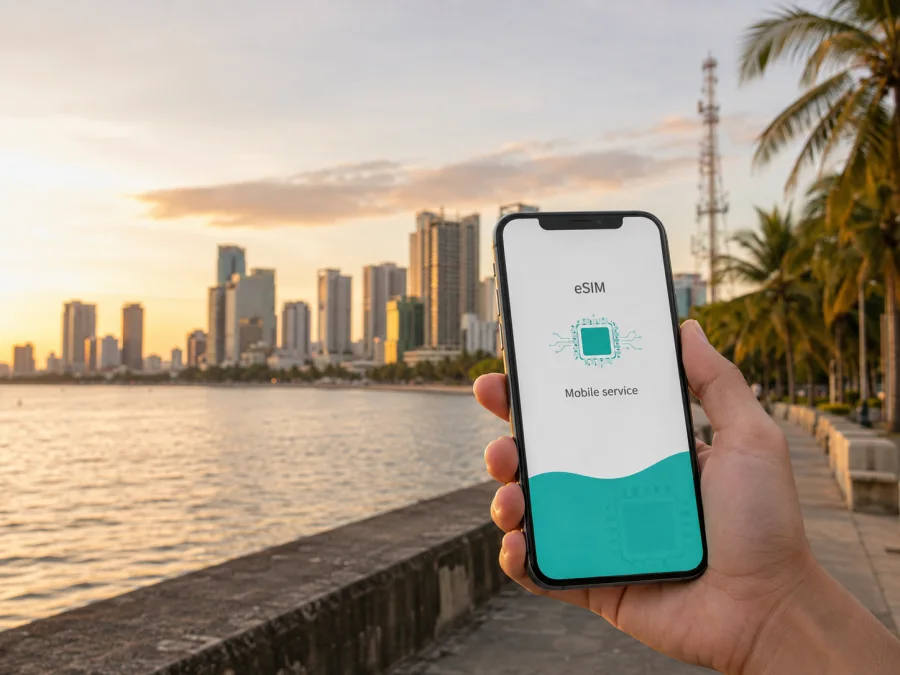
GOMO eSIM in the Philippines: activation, compatibility and travel checklist
If you are looking for GOMO eSIM in the Philippines, check more than the phone’s eSIM menu. Identify the GOMO service, confirm the device is unlocked and review the registration rules for your stay. GOMO pages checked on 6 September 2026 list local and roaming eSIM categories. The exact product and activation route can change, so confirm the order in GOMO’s current support flow.
This guide describes GOMO in the Philippines as a practical mobile-service option and separates it from a travel eSIM prepared for a trip. Kaspersky eSIM Store is not affiliated with GOMO and is not presented as its official partner.
Quick answer: is GOMO eSIM available in the Philippines?
Yes, current official GOMO pages show eSIM availability in general terms. The public “Get GOMO SIM” page has separate categories for Local eSIM and Roaming eSIM alongside physical SIM options. The product page also has an eSIM information area and directs readers to the FAQs for offer-specific details. That is enough to confirm that GOMO currently makes eSIM-related options visible to the public, but it is not a guarantee that every phone, account type, location or product can use the same flow.
GOMO’s roaming page describes a separate route through the GOMO app: open the Shop area, choose the roaming section, complete the in-app purchase flow and look for the confirmation notification. The same page tells users to review their APN settings, use gomo.ph where required, and turn on mobile data and data roaming. These instructions describe the roaming process published by GOMO; they should not be treated as a universal activation recipe for every local eSIM product.
In short, GOMO’s public pages show an app-centred service with Local eSIM and Roaming eSIM categories. Globe’s corporate materials place GOMO in prepaid, while visitor registration rules still apply. LTE/4G and 5G depend on the device, profile and covered area.
What GOMO is in the Philippine market
GOMO is positioned as a digital-first mobile brand in the Philippines. Its About page centres the experience on an app, while its purchase and roaming pages keep important actions online. Globe’s corporate materials place GOMO within the prepaid side of its Philippine mobile business. The result is an app-led local service rather than a promise that every eSIM works in the same way.
The public pages distinguish local and roaming paths. A local eSIM belongs to GOMO’s Philippine service; a roaming option is intended for an existing GOMO user travelling outside the Philippines. Check the destination, account type and current operator instructions before relying on the connection.
Local eSIM and roaming eSIM: do not confuse the use cases
The phrase “GOMO eSIM in the Philippines” can describe two needs. A local GOMO eSIM may suit a resident, returning customer or visitor prepared to follow the local subscriber-registration process. A person who already uses GOMO may instead need roaming outside the Philippines. GOMO’s official roaming page places that route in the GOMO app: sign in, open Shop, select the roaming area, complete the flow and confirm the in-app notification.
The same page tells users to review the APN and data-roaming settings. If the connection fails, check the APN, data line, network selection and roaming setting first. For a short visit, compare these requirements with a separate travel eSIM for mobile data.
What a traveller should prepare before activation
The Philippines has a national SIM-registration framework. The implementing rules explicitly include embedded SIMs and other SIM technologies when they are provisioned for mobile services. Registration is a prerequisite for activation of covered SIMs. In other words, an eSIM is not automatically outside the local rules just because there is no plastic card.
For a foreign national visiting as a tourist, the published rules require a passport, proof of address in the Philippines and a return ticket or another ticket showing the departure date and time. The rules also describe tourist-registered SIMs as temporary and subject to automatic deactivation after the permitted period unless the stay is extended under the applicable process. A traveller using GOMO should check the current operator workflow because the law sets the framework while the operator handles the practical registration and activation journey.
The same rules distinguish tourists from foreign nationals with other visa types. A longer stay, employment, study or another status can involve different documents. Bring the document that matches your status and use the operator’s current registration channel rather than an old screenshot or generic travel checklist.
These rules are separate from the technical question of whether your phone supports eSIM. You need both legal eligibility and technical compatibility. A successful download of an eSIM profile does not by itself prove that registration is complete, that the profile is active, or that data will work at your destination.
Device and network compatibility
Before ordering, confirm that the phone supports eSIM, is not carrier-locked, has a suitable operating system and can use the technology available where you will connect. Dual-SIM behaviour also matters: a phone may store several profiles but use only selected lines at a time.
For an iPhone, look in Cellular or Mobile Service settings for an option to add an eSIM. For Android, the label may be SIM manager, Mobile network or Add eSIM, depending on the manufacturer and software version. A missing menu can indicate an unsupported regional model, a restricted device or a carrier lock. A menu alone is not proof that a particular GOMO profile is supported, so check the current GOMO requirements as well.
Globe’s current public network pages describe LTE/4G and 5G as dependent on a compatible phone, a suitable SIM or profile and a covered area. Its visitor-facing 5G information also tells travellers to check whether their phone’s supported network bands match the local network. GOMO customers should treat this as a compatibility condition, not as a blanket promise of 5G service. The radio technology available to you may change with the profile, device model, local cell site, indoor conditions, terrain, congestion and any current operator restriction.
Globe’s network information identifies 5G availability in Metro Manila and key cities in the Visayas and Mindanao, with later expansion described in corporate updates. This is planning context, not a city-by-city guarantee for GOMO. Check current coverage and the specific service before travelling between islands or to a rural destination; a phone may fall back to LTE when conditions require it.
Compatibility checklist
- Confirm eSIM support in the exact phone model and regional version.
- Check that the phone is unlocked for another operator profile.
- Install system updates before the trip, while you still have reliable Wi-Fi.
- Keep the primary SIM available if you need your usual number for incoming messages.
- Check the current network and roaming instructions for the specific GOMO service.
If you need a second view of device support for a travel eSIM, check device compatibility in Kaspersky eSIM Store. This is a general check, not a replacement for GOMO’s requirements.
Activation and coverage: what can and cannot be promised
Activation has separate stages: ordering, account and registration checks, downloading the profile, selecting the data line and connecting to the local network. For GOMO roaming, use the GOMO app and follow its current flow; the published instructions name gomo.ph for APN settings and require mobile data and data roaming to be enabled. For a local GOMO eSIM, use the current product page, FAQ or in-app flow because one permanent sequence is not established for every account and device.
Install while you have stable internet. On iPhone use Cellular or Mobile Service; on Android use SIM Manager or Mobile network. Label the line, choose the data SIM and check APN, roaming and network mode. Do not delete the profile during troubleshooting unless GOMO support advises it.
GOMO service should be evaluated by location rather than by a nationwide claim. The Philippines includes dense urban areas, islands, mountains and indoor spaces where radio conditions differ. Globe’s public network pages explain that LTE and 5G depend on a compatible phone and covered area, while buildings, terrain, congestion and population density can affect use. Treat 5G as conditional: the device, profile, band and location must line up, and LTE may be expected elsewhere.
GOMO versus a travel eSIM for a trip to the Philippines
GOMO and a travel eSIM solve related but different problems. GOMO is a local digital mobile brand with its own account and support. A local GOMO eSIM can suit someone ready to follow Philippine registration; GOMO roaming can suit an existing GOMO user travelling abroad. A travel eSIM is selected for a destination or route and prepared for data use. It does not automatically provide a local phone number, voice service or SMS.
Kaspersky eSIM Store is an app and website that helps a traveller choose, arrange and activate an eSIM with a mobile-data tariff for an overseas trip. It is not a mobile operator, does not own GOMO’s infrastructure and is not the provider of local radio coverage. Kaspersky’s official announcement and travel guide describe country and regional options, device checking and advance activation through the app or website. Check the destination and current conditions at purchase.
For the Philippines, the practical difference is the relationship and preparation route. GOMO may involve a local account, local registration and GOMO support. Kaspersky eSIM Store offers a separate travel-oriented path where available. Check whether you need a local number, whether your phone supports eSIM, what documents you will have, and whether the service is intended for data only.
Choose an eSIM option for the Philippines after checking your device, travel dates and the current conditions shown in the store. The link is a possible alternative for mobile internet on a trip; it is not a statement that Kaspersky is affiliated with GOMO or that it supplies GOMO coverage.
A simple plan for travellers
Before leaving
- Decide whether you need a local GOMO eSIM, GOMO roaming or a separate travel eSIM.
- Check the exact phone model, eSIM support, unlock status and current GOMO instructions.
- If you are a foreign tourist seeking a local SIM or eSIM, prepare your passport, Philippine address evidence and departure information.
- Install through the official flow, keep confirmation details and save essential travel information offline.
On arrival or when roaming begins
- Confirm the mobile-data line and turn on data roaming only when the service requires it.
- For GOMO roaming, check the APN instruction naming
gomo.ph. - Allow time for network registration, test a simple webpage and check profile status, coverage and network selection before reinstalling anything.
If something fails
Start with airplane mode, the data line, roaming toggle, APN, network selection and account status. Do not repeatedly delete and reinstall an eSIM. If the issue remains, contact GOMO through its current official support channel with the phone model, eSIM status, location, registration state and failed step.
FAQ about GOMO eSIM in the Philippines
Can I use GOMO eSIM as a tourist?
Possibly, subject to the currently available GOMO product and the Philippine registration rules. A tourist should expect document checks for a covered local SIM or eSIM, including passport, proof of address and departure evidence. Confirm the current operator process before relying on the service.
Does every GOMO eSIM use the same activation method?
No. GOMO publicly separates local and roaming eSIM categories. Its roaming page documents an app-based flow and APN settings, while a local product can have different account or registration steps. Follow the instructions for the exact service shown in the official GOMO channel.
Is Kaspersky eSIM Store the same as GOMO?
No. Kaspersky eSIM Store is a separate app and website for choosing, arranging and activating travel eSIM data service. It is not GOMO, not the owner of GOMO’s network and not a substitute for GOMO’s support or registration process.
Conclusion
GOMO eSIM in the Philippines is currently visible as a real eSIM option on GOMO’s public pages, with local and roaming categories presented separately. The right choice depends on whether you need a local Philippine service, roaming on an existing GOMO account or a separate travel eSIM. In every case, check the phone, unlock status, registration route, activation instructions and coverage for the places you will visit.
The public information checked on 6 September 2026 confirms the general eSIM pathways, GOMO’s app-based roaming steps, the relevance of APN and data-roaming settings, Globe’s published LTE/5G compatibility conditions and the Philippine rules for tourist SIM registration. Product availability and operating conditions may change. Confirm the current details with GOMO before purchase, and use the Philippines eSIM page if a separate travel-oriented mobile-data option better matches your preparation plan. Kaspersky eSIM Store is not affiliated with GOMO.


