Travel connectivity guide
Google Pixel 10 Pro 8GB RAM eSIM Guide
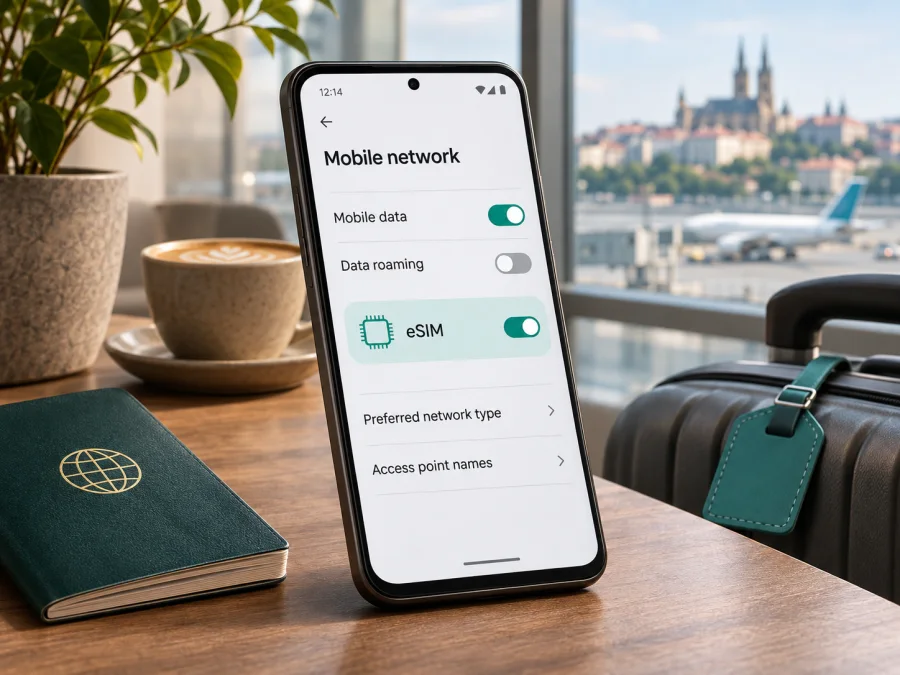
Google Pixel 10 Pro 8GB RAM eSIM: compatibility and setup
Short answer: Google’s current Pixel 10 Pro specifications list eSIM capability, and Google’s Pixel help material says Pixel 4 and later phones support eSIM. However, the exact name Google Pixel 10 Pro 8GB RAM does not match the RAM configurations shown on Google’s current official product page: it lists 16 GB RAM with several storage options. Treat “8GB RAM” as an unverified seller listing or a possible identification error until the seller confirms the exact model and SKU. The memory label alone does not establish whether a handset has an eSIM; check the actual phone’s EID and eSIM settings before choosing a plan.
The supported eSIM answer for a genuine, compatible Pixel 10 Pro is yes, subject to the phone’s market version, software, carrier support, and SIM-lock status. Google’s US material describes Pixel 10 Pro as eSIM-only, while Google’s UK and other international product specifications describe a single nano-SIM plus eSIM. This difference matters when identifying the version in your hand. A carrier may also restrict activation or lock a phone to its network. The phone must be able to install an eSIM profile and connect to a supported network in the destination.
At a glance
| Check | What is confirmed | What you should verify |
|---|---|---|
| eSIM on the Pixel 10 Pro family | Google documents eSIM on Pixel phones from Pixel 4 onward; Pixel 10 Pro appears in current Pixel support information. | Confirm that the particular handset has an EID and offers eSIM setup. |
| “8GB RAM” modifier | Google’s current Pixel 10 Pro page lists 16 GB RAM configurations. | Ask the seller for the exact model number, SKU, and an explanation of the 8 GB listing. |
| SIM format | Google lists US Pixel 10 Pro as eSIM-only; its UK specification lists nano-SIM and eSIM. | Check the sales market and the tray/settings on your own phone. |
| Network activation | A compatible phone still needs an eSIM profile from a provider that supports the device. | Check the destination, provider, device lock, and plan requirements. |
| Data while travelling | A travel eSIM can be selected for mobile data where its plan is valid. | Check coverage area, validity start, data allowance, roaming setting, and APN instructions. |
The article title keeps the supplied variant wording so you can find the answer for that listing. It should not be read as a confirmation that Google sells an official 8 GB RAM version. If the seller cannot reconcile the specification, use the model and identifiers displayed in the handset rather than relying on a shortened marketplace title.
What “Google Pixel 10 Pro 8GB RAM” means for compatibility
RAM is working memory used by apps and the operating system. eSIM support depends on the phone’s cellular hardware, firmware, regional configuration, and whether its mobile provider allows activation. There is no indication in Google’s published material that selecting a specific RAM amount toggles eSIM on or off. The concern here is that “8GB RAM” conflicts with the official Pixel 10 Pro configuration currently published by Google, so the listing may refer to another device, may contain a typo, or may use a nonstandard seller description.
Do not try to infer compatibility from the device name alone. Before buying a plan, confirm that the physical handset is in fact a Pixel 10 Pro, that an EID is present, and that the phone can add an eSIM. If you have not bought it yet, request a photo of Settings → About phone and the box label with sensitive identifiers covered. Ask the seller to confirm the exact model number and whether the phone is carrier-unlocked. The EID itself is useful for compatibility checks, but do not post it publicly.
Google’s official US product information describes Pixel 10 Pro as supporting two active eSIMs and storing multiple profiles. Google’s Pixel support also says two eSIM profiles may be active on Pixel 7 or later if the operator supports that arrangement. These statements do not mean every provider supports two simultaneous lines, or that multiple travel plans will all connect in every country. For a trip, one profile selected for mobile data is often sufficient. Keep the operator’s own activation instructions to hand if you intend to use dual SIM.
Regional versions and operator restrictions
The sales market affects the SIM arrangement. Google says US Pixel 10 Pro models cannot use a physical SIM; Google’s UK specifications list a nano-SIM plus eSIM. A feature list from one country should not automatically be applied to an imported phone. A US-market phone remains eSIM-only while travelling, while an international version may have both a tray and eSIM.
The SIM tray does not prove that the handset is unlocked. A carrier-sold phone can have eSIM hardware and still be locked to its original provider. Activation also depends on the provider’s support for the handset and destination network.
Before paying, verify:
- Market and model number: Compare Settings → About phone with the box or invoice. Treat “global version” as a claim to verify.
- SIM arrangement: Check the exact regional specifications; US Pixel 10 Pro relies on eSIM.
- Carrier support and lock: Ask whether the provider supports the device and whether the phone is SIM-unlocked. The provider may request EID or IMEI.
- Destination network: Confirm that the plan covers each country and that its provider accepts the model.
If you want to keep a regular SIM active alongside a travel eSIM, check the supported SIM combination with your provider. Google says two active eSIM profiles are possible on Pixel 7 and later when the operator allows it, but this does not mean every provider supports dual eSIM. For a typical trip, set the travel profile as the data line and confirm how the home line handles roaming.
How to check eSIM support on the phone
The EID and the Add eSIM setting are the most useful checks. An EID is an identifier associated with the embedded SIM; its presence is strong evidence of eSIM capability, although a provider must still support activation.
Check the EID
- Open Settings.
- Tap About phone → SIM status.
- Look for EID. If it is not shown, check the box or ask Google support or the seller to verify the model.
- Keep the EID private; share it only with a provider that needs it for activation.
Check the eSIM menu
- Open Settings → Network & internet → SIMs.
- Look for Add SIM or Set up an eSIM.
- If it appears, eSIM setup is available. You do not need to install a profile just to check.
Menu wording varies by Android version. If the EID exists but the option is missing, restart, install system updates, and ask the provider whether the device is supported or restricted. If both are absent, pause before purchasing and resolve the model identity with the seller.
Check your device and verify the exact phone before choosing a plan. In this case, ask the seller to explain the “8GB RAM” label because it differs from Google’s current Pixel 10 Pro configurations.
Before you install an eSIM for a trip
Use reliable Wi-Fi and check the following before travelling:
- EID is present and Add eSIM is available.
- The handset is unlocked or the original carrier has confirmed it can use another provider.
- The plan includes every country on your route.
- Data allowance, validity, activation trigger, and any top-up rules suit your trip.
- You have the provider’s QR code or supported in-app installation method on another screen.
- You know which line will carry data and whether the travel eSIM needs data roaming or an APN.
- You understand any roaming charges for your regular SIM.
Kaspersky eSIM Store is an app and website where you can choose, arrange, and activate an eSIM with a suitable mobile-data plan for an international trip. It is not a mobile network operator. Plan terms and activation requirements depend on the selected plan and its service provider.
Install an eSIM on Google Pixel 10 Pro
The Pixel path is generally Settings → Network & internet → SIMs → Add SIM → Set up an eSIM. Keep Wi-Fi connected and use the method provided by your plan. The Android installation guide gives general guidance; its example screens may be for another Android brand. The iOS installation guide is for Apple devices, not the Pixel.
Install with a QR code
- Connect to stable Wi-Fi and display the QR code on another screen or print it.
- Open Settings → Network & internet → SIMs.
- Tap Add SIM → Set up an eSIM (or the equivalent download/add option).
- Choose QR-code setup and scan the code. Use manual details only if the provider offers them.
- Confirm the download and wait for Android to add the profile.
- Give the line a clear label, such as “Travel data.”
- When ready to use it, select the travel eSIM under mobile data. If you are installing before departure, check whether the plan starts its validity at installation or first network connection.
- Follow the provider’s instructions for data roaming or APN. Do not guess an APN.
- Allow a few minutes for network registration.
Some providers offer installation through their app rather than a QR code. Follow only the activation method issued for your plan. A profile may download before it can connect, and a QR code may be single-use. If installation fails, keep the error message and contact the provider before deleting the profile; do not assume it can be installed again.
Use the travel eSIM for mobile data
Open Settings → Network & internet → SIMs → Mobile data and select the travel profile when you want to use it. Keep the home line for calls or texts only if you understand its roaming conditions. Data roaming is plan-specific: some travel eSIMs require it on the eSIM line, while other settings may differ. Check that you apply it to the intended profile so your home SIM does not unexpectedly carry data.
For a multi-country trip, confirm every destination is covered and check the plan’s validity rules. Test a page or messaging app after the phone registers. Keep essential travel details offline as a backup if coverage is temporarily unavailable.
Travel eSIMs are often data-only. Unless the plan states otherwise, do not expect a regular phone number, traditional calls, or SMS. Internet calling apps may work over mobile data, subject to app and local network conditions.
Common problems and what to check
“Set up an eSIM” is missing
Check the model number, EID, and Android updates, then restart and reopen SIM settings. Provider or organization restrictions may apply. Because Google does not list an 8 GB Pixel 10 Pro configuration, ask the seller to verify the phone if that is how it was advertised.
The QR code will not scan
Use a bright, clear display on a second device, clean the camera lens, and check that the code is correct and unused. Keep the Pixel online. Use manual setup only if the provider offers it; do not share the QR code publicly.
The profile is installed but there is no signal
Confirm the plan is active and covers your current country. Turn on the eSIM line, select it for mobile data, and check whether the provider requires data roaming or a specific APN. Restart or briefly toggle airplane mode, then allow time to register. Contact the provider if the expected network is still unavailable.
Data uses the wrong SIM
In SIM settings, confirm the selected mobile-data line and disable automatic switching if it could send data over your home SIM. Review the home provider’s roaming terms.
The provider rejects the device or activation hangs
Check the EID and IMEI, confirm the model and unlock status, and ask the provider whether it supports that market version. Keep Wi-Fi on while an activation is pending. Do not delete the profile as a first step; the provider can confirm whether it is active or needs replacement.
Practical travel scenarios
Before departure: Verify compatibility, unlock status, coverage, validity, and installation rules. Install early only if the plan allows it, and keep the profile labelled. If validity might start on first connection, wait to select it for data until you are ready.
After landing: Use Wi-Fi if needed, enable the travel profile, select it for data, and apply the plan’s roaming instruction. Test a lightweight webpage before relying on maps or bookings.
At a border: Confirm the next country is covered. If the eSIM does not reconnect, check validity and coverage before changing network settings manually.
Keeping your regular number: You may keep the home line for calls or verification messages while using the travel eSIM for data. Check roaming charges and confirm the SIM combination with your operator.
When a seller advertises 8 GB RAM: Ask for the precise model identifier, check About phone and EID, and confirm that Add eSIM appears. Resolve any mismatch before purchasing a plan.
Frequently asked questions
Does Google Pixel 10 Pro 8GB RAM support eSIM?
A genuine Pixel 10 Pro supports eSIM according to Google’s Pixel support information. Google’s current product page lists 16 GB RAM configurations, not 8 GB. Verify the actual handset’s model number, EID, and eSIM menu before choosing a plan.
Is the Pixel 10 Pro eSIM-only?
It depends on the sales market. Google says US Pixel 10 Pro models cannot use a physical SIM; its UK specifications list one nano-SIM plus eSIM. Check the regional version.
Can I use two eSIMs at once?
Google says Pixel 7 and later can use two active eSIM profiles when the operator supports it. Confirm with the providers and select the right data line.
Where is the EID?
Open Settings → About phone → SIM status and look for EID. The box may also show it. Keep the number private.
Does a travel eSIM include calls or SMS?
Not necessarily. Check the plan; many are data-only. Internet calling apps may work over data, but do not provide a standard phone number.
Should I enable data roaming?
Follow the plan provider’s instructions. If roaming is required, enable it for the travel eSIM and check that your home SIM is not selected for mobile data.
Can I transfer the profile to another phone?
Do not assume so. Transfer and reinstallation rules depend on the plan, and some QR codes are single-use. Ask the provider before deleting or moving a profile.
Final check before choosing a plan
For a genuine, unlocked Google Pixel 10 Pro, eSIM is supported, but the listing’s 8GB RAM modifier is not corroborated by Google’s current product specifications. Verify the actual phone’s model number, EID, and Add eSIM option; confirm its regional SIM arrangement and unlock status; then check that the provider supports the device and that the plan covers every destination on your route. Review the data amount, validity, activation trigger, roaming requirement, and any APN details before checkout.
Once those checks are complete, use the Kaspersky eSIM Store site to browse current plans and check the available options for your destination. Kaspersky eSIM Store is the app and website for choosing, arranging, and activating an eSIM plan for mobile data on an international trip; it does not operate the mobile network. Check compatibility first, then choose a plan whose terms fit your journey.


