Travel connectivity guide
Google Pixel 7 Pro 12GB RAM eSIM Guide
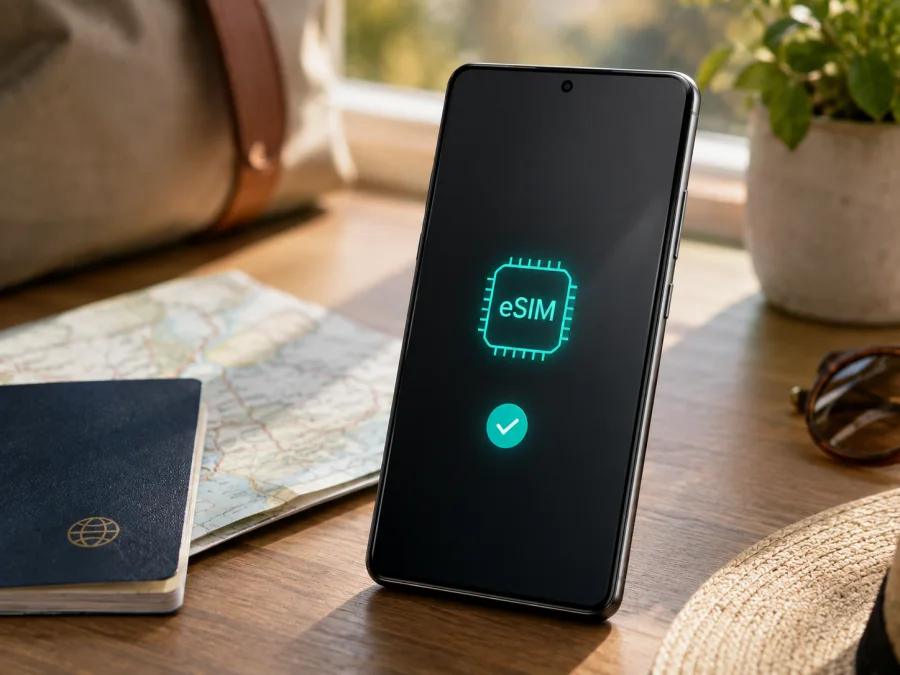
Google Pixel 7 Pro 12GB RAM eSIM: compatibility and travel setup
If you use a Google Pixel 7 Pro 12GB RAM and need mobile internet abroad, eSIM can add a travel data line without removing your physical SIM. The family supports eSIM, but the market, carrier policy, network bands and Android software can affect activation.
The exact Google Pixel 7 Pro 12GB RAM name is retained because the memory detail identifies the requested variant. RAM does not decide eSIM compatibility; the relevant checks are hardware, regional model, carrier status and available settings.
Quick answer: does Google Pixel 7 Pro 12GB RAM support eSIM?
Yes. Google's Pixel Help documentation says Pixel 4 and later phones work with eSIM, and its dual-SIM guidance includes Pixel 7 Pro among phones that may use two eSIM profiles when the operator permits it. Google's hardware specifications list Pixel 7 Pro with one nano-SIM and one eSIM, while noting that mobile service and bands depend on the operator.
This is not a guarantee that every unit accepts every travel plan. A phone may be carrier-locked, configured for another market, missing a destination band or using a different setup flow. Before payment, check that your own phone shows an EID and eSIM setup option.
Key facts at a glance
| Check | What it means for Google Pixel 7 Pro 12GB RAM |
|---|---|
| Exact variant | Google Pixel 7 Pro 12GB RAM; keep the RAM detail when checking a listing. |
| eSIM | Supported by the Pixel 7 Pro family according to Google's current support information. |
| Physical SIM | Regional versions commonly also support a nano-SIM, so both may be possible. |
| Two eSIM profiles | Possible on Pixel 7 and later when the operator supports it; this is not universal. |
| 5G | Available on regional Pixel 7 Pro models, but access depends on the plan, operator, bands and local coverage. |
| Travel use | A suitable prepaid eSIM may provide mobile data in a supported destination. |
| Essential proof | An EID and a working Add SIM or Set up an eSIM path. |
After download, the profile may still need the correct data line, APN information or data-roaming setting.
Regional, carrier and software differences
Pixel 7 Pro was sold with different regional model configurations. Google's hardware information separates sub-6 GHz and mmWave versions and says service and bands are operator-dependent. The same retail name therefore does not guarantee identical 5G behaviour. A travel eSIM may use LTE because the local network, plan or model does not support the available 5G band.
Carrier status is separate from hardware support. A Pixel purchased through an operator may be locked or subject to an activation policy. Google advises checking with the carrier for eSIM support and the identifier needed during setup. A travel profile may not activate until a lock is removed; a physical SIM tray does not prove that every eSIM profile is allowed.
Menu names vary with Android release, language and carrier customisation. On current Pixel software, look under Settings → Network & internet → SIMs or search Settings for “eSIM” or “Add SIM”. An update and Wi-Fi may be needed before download.
The safe conclusion is: the Google Pixel 7 Pro 12GB RAM family supports eSIM, while the eligibility of your particular unit and travel plan must be verified. Check the EID, the eSIM menu, carrier lock, destination and plan conditions before you pay.
How to verify eSIM compatibility on the phone
Perform the following check on the exact handset you will take abroad. Connect to Wi-Fi first, because activation may need an online connection.
- Open Settings.
- Tap About phone.
- Open SIM status and look for EID. Google describes EID as the identifier required for eSIM use; it is not the same as IMEI 1 or IMEI 2.
- Return to Settings.
- Open Network & internet, then SIMs.
- Tap Add SIM and look for Set up an eSIM or equivalent wording.
- Stop at this screen if you are only checking compatibility; you do not need to scan a plan QR code yet.
If the EID and setup path are available, the phone has the core eSIM controls. If the EID is missing or Android says eSIM is unavailable, do not keep rescanning a QR code. Note the model identifier, Android version and purchase market, then ask the seller or carrier about the unit.
The EID may also be printed on the box, but the phone's Settings screen is stronger because it reflects installed software. Keep EID and IMEI details private.
<a id="kesim-device-compatibility"></a>
Compatibility checklist before buying a plan
For this Google Pixel 7 Pro 12GB RAM, confirm each item:
- [ ] An EID appears under Settings → About phone → SIM status.
- [ ] Settings → Network & internet → SIMs → Add SIM offers eSIM setup.
- [ ] The handset is unlocked, or the carrier has confirmed that an additional travel eSIM is allowed.
- [ ] Android is updated and the phone can use Wi-Fi during installation.
- [ ] The plan covers every country, region or border crossing on your route.
- [ ] The plan is intended for mobile data if you need maps, messages, bookings and web access rather than a new voice number.
- [ ] You know when validity begins, when data is consumed, and what happens to unused traffic under the plan terms.
- [ ] You have chosen which line will handle calls and texts and which will handle mobile data.
- [ ] The QR code or activation details are available on another screen or in a safe account.
- [ ] You have a fallback connection in case local registration takes a few minutes.
Check your device again before payment if the phone was imported, bought used, repaired or recently reset. A listing that only says “Pixel 7 Pro” is not a substitute for checking the EID and menu on your individual Google Pixel 7 Pro 12GB RAM.
Choosing an eSIM for a trip
Start with the destination. A country plan may fit one stay, while a regional plan can suit several countries if every stop is listed. Check transit stops instead of assuming they are included.
Estimate data use: navigation and messaging normally use less than video calls, streaming, backups or hotspot use. Compare package size, validity, activation rules, top-up conditions and speed or tethering restrictions. The right package depends on your habits.
Kaspersky eSIM Store is an app and website where you can choose, arrange and activate an eSIM with a suitable plan for mobile internet during an international trip. It helps you review the destination and plan conditions before installation. It is not a mobile operator, does not own the destination network and is not the provider of the mobile connection. Service follows the terms of the selected eSIM plan and the local networks available in the destination.
Travel eSIMs generally provide mobile data, not a replacement number. Unless stated otherwise, calls and SMS remain on your existing line; messaging apps can use data. Review home-line roaming and the plan's rules for validity, transfers and deletion.
Install and activate eSIM on Google Pixel 7 Pro 12GB RAM
Connect to Wi-Fi, install updates and keep the QR code or manual details on another screen; a Pixel cannot scan a code shown on its own screen.
1. Open eSIM setup
Open Settings, tap Network & internet, then SIMs, Add SIM and Set up an eSIM. Depending on Android and the carrier, you may first see a provider list or a choice to use a QR code.
2. Scan or enter the profile details
Scan the QR code supplied with the plan. Keep the full code in view and avoid glare. If manual setup is offered, enter the supplied SM-DP+ address and activation code exactly. Do not invent these values; they belong to the specific eSIM profile.
3. Download the eSIM
Confirm the plan and wait for download to finish over Wi-Fi. Downloading a profile and starting validity can be different events, so follow the stated activation rule.
4. Name and enable the line
Name the profile Travel data or use the destination name. Enable it when appropriate; if installation starts validity, install close to departure while leaving time for a test.
5. Select mobile data
Open Settings → Network & internet → SIMs, tap Mobile data and select the travel eSIM. Android uses one default data SIM at a time. Keep calls and texts on your home line if that suits you, and turn off automatic data switching so the phone does not silently use the wrong line.
6. Test and activate
Turn off Wi-Fi and open a webpage or map. If required, enable Roaming for the travel eSIM only, then wait a few minutes for registration.
For more detail, use the Android eSIM installation instructions. The corresponding iOS eSIM installation instructions are for an iPhone and should not be applied to the Google Pixel 7 Pro 12GB RAM.
Practical travel scenarios
At the airport
Install over Wi-Fi before departure, leaving the line off if validity starts on first destination connection. After landing, enable the travel eSIM, select it for data and wait for registration. If validity starts at installation, install close to the trip.
Keeping the home number
Keep the physical SIM for calls and texts while selecting the eSIM for data if suitable. Check home roaming terms, disable home-line data roaming when appropriate, and avoid automatic data switching. A travel data eSIM does not make calls or SMS free.
Crossing borders
Before entering the next country, confirm that the regional plan includes it. In SIMs, select the travel profile and recheck mobile data after the network changes. Two active eSIMs do not add coverage to an excluded destination.
Remote work and hotspot
Video meetings, backups and tethering consume data quickly. Check hotspot rules, monitor usage and pause automatic backups when needed. A 5G indicator depends on model, band, plan and coverage; it is not a promise of unlimited data.
Troubleshooting
The eSIM menu is missing
Check the EID, restart, install updates and revisit Network & internet → SIMs. No EID points to a hardware or regional question. If an EID exists but setup is missing, ask the seller or carrier about software, lock status and market restrictions; a reset does not necessarily remove a lock.
The QR code will not scan
Raise the other screen's brightness, clean the lens, remove glare and include the complete code. Confirm it is unused and not cancelled. Enter manual details exactly; never guess an activation code.
The profile downloads but there is no service
Ensure the eSIM is enabled and selected for Mobile data. Toggle airplane mode for about 20 seconds. Check coverage, validity, roaming requirements and carrier lock. Use APN values only when supplied by the plan.
There is a signal but no internet
Turn Wi-Fi off. Check data-SIM selection, data limits, Data Saver and allowance, then test another site. If the counter does not change, the wrong profile may be selected or the plan may not be active.
5G is absent
Test LTE first. Roaming, plan terms, local bands or the regional model may explain the missing 5G. Ask support whether the promised feature applies to this model and destination.
Calls, texts or dual-SIM behaviour is unexpected
Review the default SIM for calls and texts; a data eSIM may not include a number or voice service. If Android shows a voice warning, disable the conflicting line temporarily. Imported or repaired phones can differ in bands or software, and a QR code cannot overcome a carrier or regional restriction.
FAQ
Is Google Pixel 7 Pro 12GB RAM compatible with a travel eSIM?
Yes, the Pixel 7 Pro family supports eSIM, and the 12GB RAM configuration does not remove that capability. Confirm the EID, Add SIM menu, unlock status and destination coverage on your unit.
Can physical SIM and eSIM work together?
Regional Pixel 7 Pro versions commonly support one nano-SIM and one eSIM, subject to the operator. Select data, calls and texts separately in SIMs.
Does the eSIM provide a new number?
Not usually for a travel data plan. Calls and SMS are not included unless the selected plan explicitly says so; use the home line or internet messaging apps according to your settings.
Should I enable data roaming?
Sometimes. Enable it on the travel eSIM only when its instructions require it, and make sure the home SIM is not selected for data.
Can I move the eSIM to another phone?
Do not assume so. Some profiles are tied to the first device or cannot be reinstalled after deletion. Check the terms before changing phones or erasing it.
What if it does not work after landing?
Check eSIM status, data selection, roaming, validity, coverage and carrier lock. Retry registration with airplane mode, test with Wi-Fi off, and contact the plan's support team if needed.
Final device check and trip eSIM choice
Google Pixel 7 Pro 12GB RAM supports eSIM, but a dependable trip setup depends on the individual phone and the selected plan. Before payment, find the EID, open Add SIM, confirm that the phone is not carrier-locked, verify the destination and read when validity and data use begin. Install over Wi-Fi, choose the travel eSIM for mobile data and test it before relying on it for navigation, bookings or work.
When ready, use Kaspersky eSIM Store as the app or website for choosing, arranging and activating an eSIM with a mobile-data plan for the trip. Review the country, regional or route option, allowance, validity and usage conditions, then complete the device check and choose an eSIM for your trip. This keeps the exact Google Pixel 7 Pro 12GB RAM, its regional configuration and the selected travel eSIM aligned.


