Travel connectivity guide
Google Pixel 8 Pro 8GB RAM eSIM compatibility
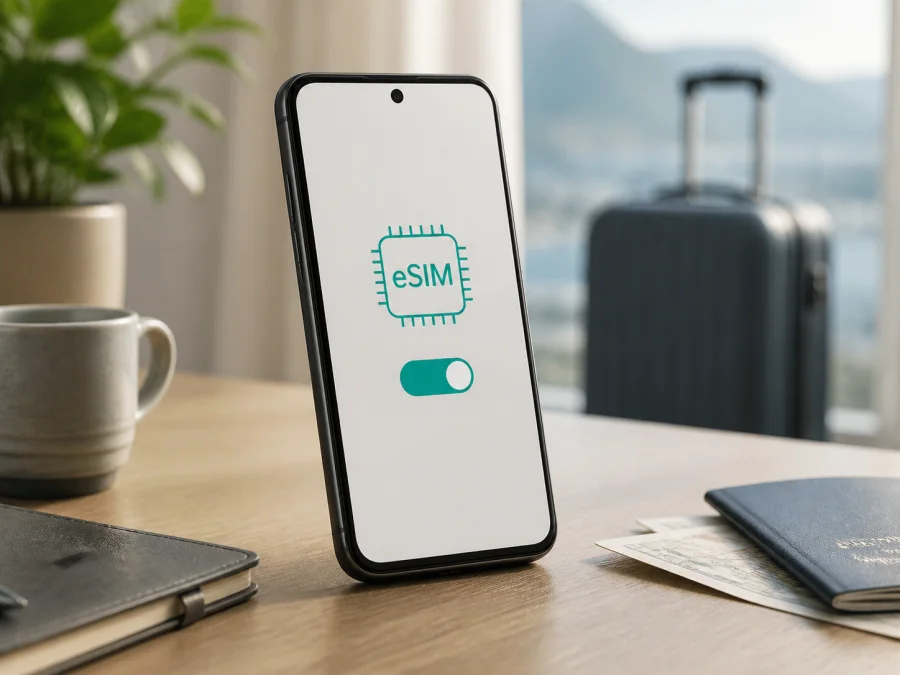
Google Pixel 8 Pro 8GB RAM eSIM: compatibility and setup
Can Google Pixel 8 Pro 8GB RAM use an eSIM for mobile internet abroad? A genuine Pixel 8 Pro supports eSIM, but the exact handset still needs to be checked before you buy a plan. Google’s current Pixel support guidance says that Pixel 4 and later phones support eSIM. It also explains that availability depends on the phone, mobile carrier and service plan, while local network access depends on the model, carrier and destination.
There is an important identification detail. Google’s official Pixel 8 Pro specifications list 12 GB of RAM. “8GB RAM” is not the standard published Pro configuration and may be a marketplace error or a reference to another model. This page preserves the requested device name exactly: Google Pixel 8 Pro 8GB RAM. Use the actual model, EID and eSIM menu as the final authority.
Quick answer: does Google Pixel 8 Pro 8GB RAM support eSIM?
Yes, if the handset is really a Pixel 8 Pro and its regional or carrier configuration permits the eSIM service. Google lists all Pixel 4 and later phones as eSIM-capable. A normal Pixel 8 Pro can use a physical nano-SIM and an eSIM, and eligible Pixel 7 or later phones may use two eSIM profiles at once when the carrier supports that setup.
The RAM label does not itself turn eSIM on or off. It does, however, make it unsafe to identify the phone from the shop title alone. If About phone identifies a Pixel 8 Pro and Settings shows an EID plus Add SIM or Set up an eSIM, the device has the basic signs needed for a travel eSIM. If the EID or menu is missing, or the model does not match, ask the seller or carrier to clarify the device before purchase.
Official facts and the requested variant
| Item | What is known | What to verify yourself |
|---|---|---|
| Requested name | Google Pixel 8 Pro 8GB RAM | Keep this full name when checking the listing and phone |
| Model family | Pixel 8 Pro | Model name and identifier in About phone |
| RAM wording | Google publishes 12 GB RAM for Pixel 8 Pro; 8 GB is not the standard Pro specification | Whether “8GB RAM” is a seller error or a different phone |
| eSIM | Google’s Pixel guidance covers Pixel 4 and later | EID and an Add SIM or Set up an eSIM option |
| Physical SIM | A nano-SIM may be available, depending on the handset and market | SIM tray and the SIMs screen |
| 5G | Google says Pixel 4a (5G) and later phones work with 5G service | Local bands, plan and carrier network |
| Travel data | A suitable eSIM plan can be used for mobile data abroad | Destination, data allowance, validity and activation rules |
These are two separate checks: family-level compatibility and device-level identity. The official eSIM statement is reassuring for a genuine Pixel 8 Pro. It does not validate an “8GB RAM” listing, unlock a carrier phone or guarantee that every plan will work in every country.
Regional, carrier and software differences
eSIM is built into the phone, but activation is provided through a carrier service. The country where the phone was sold, carrier firmware, an operator lock, supported network bands and the Android version can change the setup experience. An imported Pixel may support eSIM hardware but lack access to a particular local network. A carrier-sold phone may need to be unlocked before another provider’s profile can be activated.
Google’s support content says that eSIM use depends on the phone and mobile carrier. The same applies to dual-SIM behavior and 5G: a phone can support the technology while a particular plan, band or carrier does not. Check the selected plan for the destination rather than relying only on the model name.
What to check before buying an eSIM plan
Complete these checks while you have Wi-Fi and can still contact the seller or carrier:
- Confirm that About phone says Google Pixel 8 Pro, not only Pixel or Pixel 8.
- Treat 8GB RAM as an unverified listing modifier; Google publishes 12 GB for Pixel 8 Pro.
- Find the phone’s EID and Add SIM or Set up an eSIM option.
- Confirm that the phone is carrier-unlocked and updated.
- Check every destination, the data allowance, validity, start condition, networks, hotspot and refund terms.
- Keep the QR code or activation details available on another screen and have enough battery.
How to verify eSIM support on Google Pixel 8 Pro 8GB RAM
Find the EID
- Open Settings.
- Tap About phone.
- Open SIM status or the SIM information area.
- Look for EID, the identifier for the embedded SIM.
Google also says the EID may appear on the box, but use the handset as the main check because a box or listing may be wrong. Do not post the full EID publicly.
Find the eSIM menu
- Open Settings.
- Tap Network & internet.
- Tap SIMs.
- Tap Add SIM.
- Look for Set up an eSIM or an option to download a SIM instead.
Android wording can vary after an update. An EID plus a route to add an eSIM are the basic signs, but the device must also be unlocked and the plan must work at the destination. If neither appears, update and restart; if the problem remains, pause the purchase.
The most useful confirmation is the combination of a matching model, an EID and an eSIM menu. Check your device with these tests before you select a plan, especially if the listing uses the unusual 8GB RAM wording.
Choosing a travel eSIM for mobile data
Choose from the itinerary first. A country plan may suit a single destination; a regional plan may suit a route across several countries. Compare:
- destination or regional coverage;
- data allowance and validity period;
- when validity begins: installation, first connection or another event;
- supported networks and hotspot rules;
- installation deadline, top-up and refund conditions.
Kaspersky eSIM Store is an app and website where you can choose, arrange and activate an eSIM with a suitable tariff for mobile internet during an overseas trip. It helps you review the destination and plan conditions and then use the activation details on a compatible device. It is not a mobile operator, does not own a network and does not itself provide mobile internet or coverage. Those services depend on the selected plan and its carrier arrangements.
A travel eSIM is usually a data product. Unless the plan says otherwise, it does not provide a regular phone number, ordinary voice calls or SMS. You can keep your main line for those functions when appropriate, or use internet messengers over the travel eSIM. Review home-line roaming charges before leaving it enabled.
How to install and activate an eSIM
Install over stable Wi-Fi. If the QR code is on the Pixel itself, show it on another screen or use supplied manual details. Do not erase a working main SIM while preparing.
1. Prepare the phone and plan
Connect Google Pixel 8 Pro 8GB RAM to Wi-Fi. Confirm the model, EID, Add SIM and unlocked status. Keep the QR code ready and check when plan validity begins.
2. Open eSIM setup
Open Settings → Network & internet → SIMs → Add SIM → Set up an eSIM. If the phone asks for a network provider, follow the plan instructions. The labels can differ slightly by Android version or carrier.
3. Scan the activation code
Scan the QR code supplied for the selected plan. Keep it private. If it will not scan, display it on another screen, raise its brightness, reduce glare and hold the camera steady. Use manual activation only with details provided for that plan.
4. Download the profile
Allow the profile to download over Wi-Fi; installation can take several minutes. Do not switch off the phone. Give it a clear label such as Travel data.
5. Select the data line
Return to Settings → Network & internet → SIMs. Turn on the new profile and select it under Mobile data. Only one SIM is normally the default for data. You may leave your main SIM on for calls or texts, but review each default separately.
6. Configure roaming and test
Check whether Roaming must be enabled for the travel profile. Many travel plans use a partner network, so follow the plan conditions. Turn off home-line mobile data if needed, then turn Wi-Fi off briefly and test a webpage.
For help, see the Android installation instructions and the iOS installation instructions.
Using the eSIM during a trip
One-country holiday
If the plan starts on first connection, install it at home but leave it disabled until you arrive. At the destination, turn on the travel profile, select it for mobile data and enable data roaming if required. Keep the main line configured only for services you need.
Multi-country route
Check that every country is included in a regional plan. Keep automatic network selection on unless the plan says otherwise. After crossing a border, give the phone time to select a supported network. If data stops, confirm destination coverage, profile status and the selected data SIM.
Work trip and hotspot
Check whether tethering is allowed. Video meetings, cloud backups and large uploads can use data quickly. Set a data warning, enable Data Saver when useful and download maps or large files over Wi-Fi before travel.
Keeping your home number
You can often use the travel eSIM for data and the main SIM for calls or texts, but charges depend on the home operator. In SIMs, check defaults for calls, texts and mobile data. If you want to choose a line for each call, select the option to ask every time.
Troubleshooting common problems
The QR code will not scan
Confirm that it belongs to the intended plan and has not already been used. Display it on another device, increase brightness and remove reflections. Use manual activation only when the provider supplies the required details. Do not keep trying an old code if the plan allows only one installation.
Add SIM or EID is missing
Check Settings → Network & internet → SIMs and Settings → About phone → SIM status. Install updates and restart. Compare the model shown by the phone with the listing. Since Google publishes 12 GB RAM for Pixel 8 Pro, a phone sold as Google Pixel 8 Pro 8GB RAM needs additional identity checking. Ask the seller or carrier to confirm the model before purchase.
The profile downloads but will not activate
Keep Wi-Fi on while setup finishes. Check that the device is unlocked, the plan is not expired, the destination is included and the activation condition has been met. Restart and enable the profile again. If the carrier requests an IMEI or EID, provide the identifier through its support channel.
The eSIM is installed but there is no data
Confirm that the travel profile is on and selected under Mobile data. Enable data roaming when required. Turn off home-line mobile data, briefly toggle Airplane mode and restart. Change APN or network selection only when the plan instructions specifically request it.
Two SIMs show a voice warning
Google notes that some combinations of SIM networks can show “Voice unavailable” or “Voice interruptions.” Turn off the line you do not need, change the default call or text SIM and test again. Contact the relevant carrier if the warning continues. Do not erase a profile as a first response.
FAQ
Does Google Pixel 8 Pro 8GB RAM have eSIM?
A genuine Pixel 8 Pro supports eSIM under Google’s current Pixel guidance for Pixel 4 and later. However, Google’s official Pixel 8 Pro specification lists 12 GB RAM, so “8GB RAM” is not a confirmed standard Pro configuration. Verify the model, EID and Add SIM option on the actual phone.
Do I need an EID?
Yes. The EID is the important identifier for an embedded SIM. Find it in Settings → About phone → SIM status. If it is missing, confirm the model and ask the seller or carrier before purchase.
Can I install before travel?
Often, yes, if the plan permits advance installation. Use Wi-Fi and check when validity begins. Some plans start on installation; others start when the eSIM first connects at the destination.
Will a travel eSIM provide a phone number?
Not normally. Unless the plan expressly includes voice and SMS, it is for mobile internet. Use the main line or internet messengers for calls and messages.
Can I move the profile to another phone?
Do not assume so. Some profiles have transfer restrictions or can be installed only once. Check the plan conditions and contact support before deleting or transferring a working profile.
Is Kaspersky eSIM Store a mobile operator?
No. Kaspersky eSIM Store is an app and website that helps users choose, arrange and activate an eSIM with a suitable plan for mobile internet during an overseas trip. Network service and coverage depend on the plan and its carrier arrangements.
Final device check and your trip eSIM
Before paying for a plan, check the exact phone you intend to use:
- It reports Google Pixel 8 Pro, not another Pixel model.
- You understand that Google publishes 12 GB RAM for Pixel 8 Pro, so 8GB RAM needs confirmation from the seller.
- About phone → SIM status shows an EID.
- Network & internet → SIMs shows Add SIM or Set up an eSIM.
- The handset is unlocked for the intended eSIM service.
- The plan covers every destination and its data, validity and activation rules fit the trip.
- You have Wi-Fi, the activation details and enough battery for installation.
When these checks pass, choose a travel eSIM plan for your route through Kaspersky eSIM Store, review its conditions and activate it on the compatible device. Set the travel profile as the mobile-data SIM when you arrive, monitor usage and keep the main line configured only for services you need. If the model, EID or carrier status remains uncertain, resolve that question before purchasing the eSIM plan.


