Travel connectivity guide
Google Pixel 8a 128GB eSIM: Compatibility & Setup
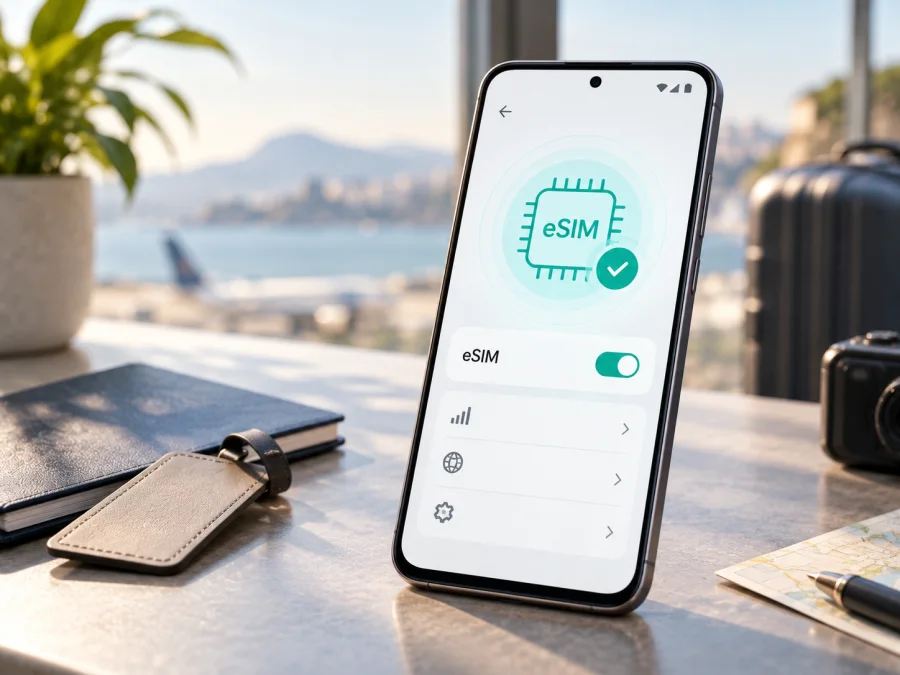
Google Pixel 8a 128GB eSIM: compatibility and setup
If you are checking whether the Google Pixel 8a 128GB can use an eSIM for travel, the short answer is yes: Google lists eSIM support for the Pixel 8a family, including the 128GB storage option. The important qualification is that eSIM capability in the phone does not by itself guarantee that every carrier, plan, or regional version will activate. The phone must also have an eligible hardware variant, current software, an available EID, a compatible eSIM plan, and no carrier lock that prevents another provider from being used.
Quick answer: does Google Pixel 8a 128GB support eSIM?
Yes. The Google Pixel 8a 128GB supports eSIM when it is an eligible Pixel 8a variant and the carrier or travel plan supports eSIM in that market. Google’s hardware specification lists eSIM for the Pixel 8a regional model groups, and Google’s Pixel Help instructions describe using an eSIM with a physical SIM on Pixel 3a and later phones. Pixel 7 and later phones may use two eSIM profiles at once when the carrier allows it. This is device capability, not a promise that every plan will work: a carrier lock, regional bands, or destination rules can still prevent activation.
What Google’s specifications mean for this model
Google’s current Pixel Phone Help specification identifies US, Japan, and rest-of-world Pixel 8a model groups, and lists eSIM for each. It also says 5G service and band availability vary by carrier and market. “eSIM supported” and “5G will work on my chosen network” are different checks.
Keep the exact name Google Pixel 8a 128GB when checking the product listing, model number, and carrier policy. If a seller labels the phone simply as “Pixel 8a,” ask which market version and model identifier you are receiving. Storage capacity does not replace that check.
Google Pixel 8a 128GB compatibility at a glance
| Check | What to expect | Why it matters |
|---|---|---|
| Device | Google Pixel 8a 128GB | Keeps this page tied to the exact storage variant. |
| eSIM hardware | Listed in Google’s Pixel 8a specifications | Allows a digital SIM profile. |
| EID | Visible in SIM status or on the box | Identifies the embedded SIM hardware. |
| Physical SIM | Can be combined with eSIM | Keeps a primary line available. |
| Two eSIM profiles | Possible on Pixel 7+ when the carrier allows it | Use depends on the carrier. |
| Android | Keep the software updated | Menus can vary by build. |
| 5G | Depends on model, plan, network, bands, and location | eSIM does not guarantee 5G. |
| Carrier lock | Must allow the intended provider | A lock can reject a profile. |
| Travel plan | Must cover the itinerary | The plan controls data availability. |
Compatibility checklist before you buy
Run this checklist on the actual Google Pixel 8a 128GB rather than relying only on the seller’s title.
- [ ] The phone identifies itself as Google Pixel 8a 128GB or the matching Pixel 8a model.
- [ ] An EID is visible in Settings > About phone > SIM status.
- [ ] Settings > Network & internet > SIMs > Add SIM shows an option such as Set up an eSIM.
- [ ] The phone can connect to Wi-Fi during installation.
- [ ] The handset is SIM-unlocked, or the seller/carrier has confirmed that the intended eSIM can be used.
- [ ] Android is updated and the phone has restarted after pending updates.
- [ ] The plan covers every country or region on the itinerary.
- [ ] You know whether the plan is data-only and when its validity begins.
- [ ] You have a second screen or saved QR code for scanning.
- [ ] Your primary SIM’s data roaming is understood, so it does not become the unintended data line abroad.
Regional, retailer, and carrier differences
Uncertainty comes from region of sale, carrier policy, and the travel plan. Google lists different Pixel 8a network groups for the US, Japan, and the rest of the world; eSIM appears across them, but bands and certification differ. A lock can limit profiles, while a plan may cover selected destinations and require roaming. Confirm model number, EID, unlocked status, and destination coverage together; a 5G band list is not proof of activation.
How to verify the EID and eSIM menu
The EID is an embedded-SIM identifier, not a plan or phone number. Do not share it unnecessarily; provide it only through a trusted activation flow when requested.
- Open Settings on the Google Pixel 8a 128GB.
- Tap About phone.
- Open SIM status and look for EID. Google also indicates that the EID may be printed on the phone’s box.
- Return to Settings and open Network & internet.
- Tap SIMs, then Add SIM.
- Look for Set up an eSIM or the equivalent download-SIM option.
The wording can vary with Android language, software build, or an installed SIM. If the phone shows an EID but no setup option, update Android, restart, and ask the carrier about Pixel eSIM availability in your country. If there is no EID, pause the purchase and have the hardware and regional version checked.
For a direct in-page check, use Check your device. If the EID and eSIM menu are both present, the hardware check is encouraging. If either one is missing, do not assume that a factory reset or a different QR code will fix it; contact the seller or carrier and verify the regional model first.
Installing an eSIM on Google Pixel 8a 128GB
Install the profile with stable Wi-Fi, enough battery, and the activation details ready. Installing before departure can be convenient, but validity may begin at installation, activation, or first connection depending on the plan.
1. Prepare the phone and the plan
Connect the Google Pixel 8a 128GB to Wi-Fi, finish pending updates, and confirm the EID and Set up an eSIM entry. Keep the QR code or activation details ready. If the code is on the same phone, use a manual option or another screen.
2. Open the eSIM setup flow
Go to Settings > Network & internet > SIMs > Add SIM > Set up an eSIM. If Android asks you to choose a network provider, select the provider associated with the plan you are installing. Do not select a random carrier just because its name appears in a list. The name, QR code, and plan details must correspond.
3. Scan or enter the activation details
Scan the supplied QR code or enter manual activation details if offered. Keep Wi-Fi on while the profile downloads. A QR code installs a profile but does not explain its destination, validity, or balance, so keep the purchase details until the line works.
4. Finish the Android prompts
Wait for the profile to download, name it “Travel data” if offered, and avoid deleting the primary SIM. Reopen Settings > Network & internet > SIMs and confirm the new profile is listed; enable Use SIM when ready.
5. Set the data SIM and roaming behavior
Tap the travel eSIM and choose it for Mobile data. Keep calls and texts on the primary SIM if desired. Enable Roaming for the travel profile only when its instructions require it, and consider disabling roaming on the primary line. Each profile has its own setting.
For detailed platform guidance, see the Android installation instructions or the iOS installation instructions when you are helping someone install a plan on an iPhone. The Google Pixel 8a 128GB uses Android; the iOS page is included as a reference for a different device workflow, not as the setup path for this phone.
6. Test before relying on it
At home, the travel eSIM may remain disconnected until it reaches a covered destination. Confirm that it is present, enabled, and selected for mobile data. After arrival, open a simple page and verify that the travel profile’s data counter changes before using high-volume services.
Using the eSIM for mobile internet during a trip
The predictable setup keeps your normal number available while assigning mobile data to the travel eSIM. Label both SIMs and decide which line handles data, calls, and texts before departure.
Scenario 1: arrival and first connection
At the airport or hotel, finish installation over Wi-Fi if needed. In SIMs, select the travel eSIM, turn on Use SIM, choose it under Mobile data, and enable roaming if required. Wait for registration, then test a lightweight page; a signal bar alone does not prove that travel data is active.
Scenario 2: keeping your home number
Leave the primary SIM enabled for calls or SMS if needed, but disable its data roaming unless included in your home plan. The Google Pixel 8a 128GB can use a physical SIM and eSIM together in supported dual-SIM configurations. Check SIM preferences instead of assuming the last activated profile carries data.
Scenario 3: moving between countries
For a multi-country plan, confirm the next country is covered. For a country-specific plan, check whether the phone and provider allow another profile before installing it. Save plan details before removing anything; a deleted profile may not be reusable.
Use Android’s data usage view to identify the active profile. Video uploads, backups, updates, and hotspot use can consume an allowance quickly, so set a warning and pause background updates if useful. These plans are generally for mobile internet, not a conventional number, calls, or SMS unless the plan says otherwise. Kaspersky eSIM Store is an app and website that helps you choose, arrange, and activate an eSIM with a mobile-internet plan for an overseas trip; it is not the mobile operator or owner of the destination network.
Troubleshooting common problems
The QR code will not scan
Confirm that the code is complete and displayed on another screen or printed page, then retry from Add SIM. If it has already been used, it may not install again; use manual details only when supplied for this plan, and do not share the QR code publicly.
The eSIM profile does not add
Check Wi-Fi, battery, Android updates, and the EID, then retry Settings > Network & internet > SIMs > Add SIM. A carrier lock, unsupported region, exhausted activation attempt, or plan restriction can block installation; save the exact error and contact the provider instead of repeatedly deleting profiles.
The profile is installed but there is no data
Open the travel profile and check Use SIM, Mobile data, airplane mode, destination coverage, and roaming requirements. Restart, wait for registration, and check the plan’s balance and validity before changing advanced settings.
The phone connects only to 4G instead of 5G
That does not prove the eSIM is incompatible. Google says 5G depends on model, carrier, plan, bands, signal, and location; a partner network may offer only 4G for this destination. Confirm the plan and test in an open area before changing network settings.
The primary SIM uses data unexpectedly
Return to SIMs and inspect Mobile data selection. Turn off primary-line data roaming, review automatic switching, and verify the active profile after restarting; call and text preferences are separate.
The phone is locked or the menu is missing
Check the purchase paperwork and ask the original carrier whether the device is SIM-unlocked. If the EID, Set up an eSIM entry, or matching model identifier is missing, stop before buying and ask the seller or carrier to confirm eligibility.
FAQ
Does the 128GB storage version change eSIM compatibility?
Google lists eSIM across the Pixel 8a regional model groups, with no separate 128GB limitation identified. Still verify the model, EID, menu, unlocked status, and coverage because storage capacity does not identify the market version.
Can I use a physical SIM and an eSIM together?
Yes, supported Pixel phones can use a physical SIM and an eSIM together. Carrier support affects dual-SIM behavior, so set the travel eSIM as mobile data and choose calls and texts separately.
Can I keep more than one travel eSIM on the phone?
Pixel 7 and later phones may use two eSIM profiles at once when the carrier allows it. Storage, activation, and simultaneous use can differ by carrier or plan, so do not delete a working profile until you know it can be reinstalled.
Does an eSIM plan include calls and SMS?
Not necessarily. Travel eSIMs described for mobile internet are often data-only. Check the exact plan terms. If there is no regular phone number, you can use messaging or calling apps over the data connection where permitted.
Should I activate the eSIM before flying?
You can install it before departure over Wi-Fi if the plan permits. Validity may start at installation, activation, or first network connection, so read the plan conditions before turning on the line.
Is Kaspersky eSIM Store a mobile operator?
No. Kaspersky eSIM Store is an app and website that helps you choose, arrange, and activate an eSIM with a suitable mobile-internet plan for an overseas trip. It is not the owner of the destination network, a mobile operator, or a supplier of radio coverage.
Final device check and choosing a trip eSIM
Before purchasing a plan for Google Pixel 8a 128GB, find the EID, confirm Add SIM > Set up an eSIM, check that the phone is unlocked, identify the regional model, and match the destination, allowance, validity, and roaming requirement to your trip. Keep primary-line roaming under control and decide which profile will carry data.
If every check passes, Kaspersky eSIM Store can help you choose and activate an eSIM tariff for mobile internet in the destinations available for your journey. Review conditions, install over Wi-Fi, and test the travel line in a covered destination. This preparation makes Google Pixel 8a 128GB easier to use abroad without treating eSIM capability as a guarantee of coverage.


