Travel connectivity guide
Google Pixel 9 256GB eSIM: compatibility guide
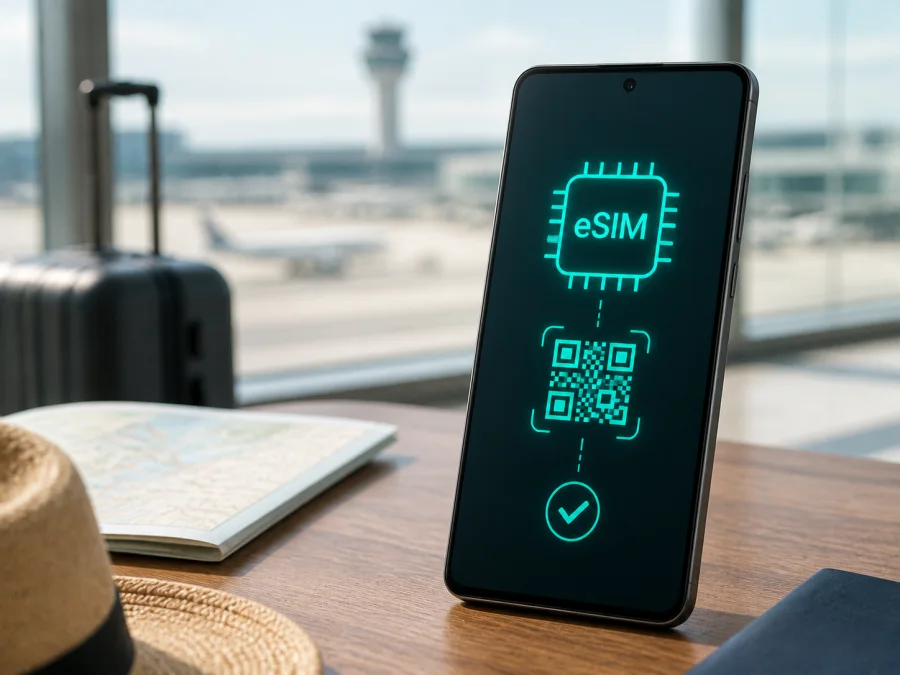
Google Pixel 9 256GB eSIM: compatibility and setup guide
If you are preparing a trip with a Google Pixel 9 256GB, the short answer is yes: this device variant supports eSIM. Google’s current Pixel Phone Help says that Pixel 4 and later phones work with eSIM, so the Pixel 9 generation is included. The 256GB storage option does not remove that capability.
There is an important qualification. Device support does not guarantee that every plan will activate on every handset. The result can depend on the market, configuration, operator lock, carrier and destination. Before buying, check the EID and eSIM option directly on your Google Pixel 9 256GB and confirm that the plan covers your route.
Quick answer: does Google Pixel 9 256GB support eSIM?
Yes, Google Pixel 9 256GB is eSIM-compatible at the device-family level. Google’s official support information identifies Pixel 4 and later as phones that work with eSIM. The phone can use an eSIM for mobile data and can commonly combine one eSIM with a physical SIM. Google also documents two eSIM profiles on Pixel 7 and later when the operator supports that feature. Stored profiles and active profiles are different things, so do not treat 256GB storage as a promise of two active data lines.
The practical answer is: yes for the model family, verify the individual unit before purchase. A carrier-sold phone may be locked or require account-based activation. An imported phone may have different menus, network bands or local restrictions. A plan provider may require the device IMEI or EID and may not support a particular market configuration.
| Check | What it means for Google Pixel 9 256GB |
|---|---|
| Device family | Pixel 9 generation; Google places Pixel 4 and later in the eSIM-compatible range. |
| Storage | 256GB; this identifies user storage and does not determine eSIM support. |
| SIM options | The regional model may offer a physical nano-SIM alongside eSIM. Check your unit. |
| eSIM signs | Look for an EID and Add SIM or Set up an eSIM in Settings. |
| Dual SIM | The combination of eSIM and physical SIM, or two eSIM profiles, depends on device and operator support. |
| 5G | 5G depends on the plan, local network, coverage and supported bands; eSIM alone does not guarantee 5G. |
| Main risk | Carrier lock, missing EID, unsupported plan, or destination outside the tariff’s coverage. |
“The phone supports eSIM” describes a device capability. “This travel tariff will activate and provide data in my destination” is a separate compatibility question. Complete both checks before paying.
What eSIM changes on this phone
An eSIM is a digital SIM profile embedded in the device. Instead of inserting a plastic card, you add a profile supplied through a supported carrier or eSIM service. Travel eSIMs in this context are generally intended for mobile internet. They do not automatically provide a new ordinary phone number, voice calling or SMS. Those services apply only when the selected plan explicitly includes them; messengers can work over the data connection.
Regional, carrier and software differences
“Google Pixel 9 256GB” identifies the storage variant, not every detail of a global retail configuration. The same family can be sold through different channels with different SIM arrangements, firmware, supported networks and operator policies. Google confirms eSIM capability for Pixel 4 and later, while also directing users to check carrier support. A listing that says “unlocked” or “5G” is not a complete eSIM verification.
Pay attention to these cases:
- Carrier-sold phone: it may remain restricted until unlocked, and activation may require an IMEI or account check.
- Imported phone: its eSIM menu may be present even though a particular plan is not eligible for that market configuration.
- Refurbished phone: an old profile may remain installed. Deleting a profile does not necessarily cancel its plan.
- Different Android build: menu wording varies by language and software version; the route normally remains under Network & internet and SIMs.
- Operator restriction: eSIM and 5G are separate permissions; an operator may support one and not the other.
How to verify eSIM compatibility yourself
The most useful check is performed on the phone you will actually use. An EID is a device identifier associated with eSIM. Its presence is a strong sign that the phone has the necessary component, but plan and carrier support must still be confirmed.
EID and settings check
- Open Settings.
- Tap About phone.
- Look for EID. On some versions it may be inside a SIM status or device-identifiers area.
- Open Settings > Network & internet > SIMs.
- Look for Add SIM, Add eSIM or Set up an eSIM.
If an EID and setup option are visible, the handset passes the basic device check. If either is missing or greyed out, install updates, restart the phone and check again. A carrier lock, market configuration or activation policy can still prevent a plan from working, so ask the intended provider before purchasing.
Compatibility checklist
- [ ] The phone is exactly Google Pixel 9 256GB, not another Pixel 9 series or storage variant.
- [ ] An EID or eSIM setup option is visible.
- [ ] Android is updated and the phone can connect to Wi-Fi.
- [ ] The handset is unlocked for the intended carrier or travel service.
- [ ] The tariff covers the destination country, region or complete route.
- [ ] Data allowance and validity fit the trip.
- [ ] You know when validity starts and whether roaming is required.
- [ ] You have the QR code or manual activation details, preferably on another screen.
For a quick reminder of the device checks, use Check your device. Complete the EID, lock and plan checks before choosing a tariff.
What to prepare before installation
Install over stable Wi-Fi and keep the confirmation or QR code available on another screen so the Google Pixel 9 256GB can scan it. Read the plan conditions first: confirm destination, network type, data allowance, validity period, activation window and top-up rules. Check whether validity starts at installation or first connection.
Kaspersky eSIM Store is an app and website that helps you choose, arrange and activate an eSIM with a tariff for mobile internet during an overseas trip. It is not a mobile operator, network owner or mobile-internet provider. The actual connection depends on the selected plan, its network partners, the destination and your compatible device.
How to install and activate an eSIM on Google Pixel 9 256GB
Labels may vary slightly by Android version, language and carrier. The sequence follows the current Google Pixel flow.
For platform guidance, see the Android eSIM installation instructions and the iOS eSIM installation instructions. Google Pixel 9 256GB uses Android, so follow the Android path for its menus. The iOS guide can help when preparing another phone.
1. Confirm the conditions
Connect to Wi-Fi, charge the phone sufficiently and turn off airplane mode. Keep the QR code or activation details ready.
2. Open SIM settings
Open Settings, tap Network & internet, tap SIMs, choose Add SIM, then Set up an eSIM. During first-time setup, the phone may show Download a SIM instead. If the option does not appear, return to the compatibility check.
3. Start setup and scan
Follow the instructions and choose the relevant provider if Android asks for one. Scan the QR code from a second screen. If it is displayed on the Google Pixel 9 256GB itself, use manual entry when available. Keep the full code visible and uncropped.
4. Download the profile
Approve the download and wait for the profile to be added. This requires an internet connection and can take a few minutes. Do not restart during the download. If the code was already used or assigned to another device, contact plan support instead of repeatedly scanning it.
5. Name and select the line
Label the profile Travel data or with the destination name. In SIM preferences, select it for Mobile data. Choose separately which line should handle calls and texts; only one SIM can normally be the default data line.
6. Enable roaming only when required
Open the travel eSIM settings and check Roaming. Enable it if the plan requires data roaming for that profile. Keep roaming off on the primary SIM unless you accept its terms.
7. Test the connection
At the destination, turn off Wi-Fi, enable mobile data and wait for registration. Open a simple web page or map. If validity starts at first connection, this may begin the plan. Check the account or app for balance and expiry.
Using eSIM for mobile internet while travelling
For a short trip, choose a tariff whose destination and validity cover every day you need data. Use the travel eSIM for data, keep the primary SIM for essential calls if appropriate, and check automatic data switching. Download maps, boarding passes and translation packs over Wi-Fi to conserve data. For a multi-country route, confirm that one regional plan covers every stop; a tariff valid in one country does not automatically apply in a neighboring country.
For work, estimate usage by activity. Email and messaging usually require less data than video calls, cloud backups, navigation updates and hotspot use. Google Pixel 9 256GB can share its connection when the plan permits it, but hotspot rules belong to that tariff. Check them before connecting a laptop.
When you return home, select your usual SIM for data and turn off the travel eSIM if it is no longer needed. Read transfer and refund conditions before erasing it; some profiles cannot be moved after activation. A data-only eSIM does not create a normal phone number, so keep the primary SIM active if needed and check roaming implications.
Common problems and practical checks
The eSIM option is missing
Check the EID in About phone, install updates, restart the Google Pixel 9 256GB and open Network & internet > SIMs again. If the EID remains absent, ask the seller or carrier to verify the unit. Do not purchase while it is unverified.
The QR code is not recognized
Increase the brightness of the second screen, remove reflections, show the full code and clean the camera lens. Make sure you are in Set up an eSIM, not the ordinary camera. Use manual details if supplied. If the code was used, ask plan support about the next step.
The profile will not download
Reconnect to Wi-Fi, turn off airplane mode, check date and time, and confirm the purchase is assigned to this device. The plan may have expired, been installed already or require an IMEI/EID check. Supply identifiers only through a trusted support flow.
The eSIM is installed but there is no data
Open Network & internet > SIMs and confirm the travel profile is on and selected for data. Check whether roaming is required. Turn Wi-Fi off, restart the connection and wait for registration. Verify destination, allowance, expiry and any APN instruction.
The phone uses the wrong SIM
Review SIM preferences and automatic data switching. Select the travel eSIM under Mobile data, or temporarily disable the primary SIM’s data. A signal icon does not identify the data line; test with Wi-Fi off and check the active SIM label.
Calls, texts or 5G behave unexpectedly
Data-only plans do not replace ordinary voice or SMS. Select the primary line for calls and texts if needed. 5G depends on coverage, bands, plan and operator support; LTE can be normal. If two networks interfere, temporarily turn one line off and contact support.
FAQ
Can I install an eSIM before travelling?
Usually, yes, if the phone shows an EID and setup option and the plan allows advance installation. Check when validity begins before downloading.
Can I keep my regular SIM active?
Often, yes. Keep it for calls and texts and select the travel eSIM for data. Exact dual-SIM behavior depends on the device configuration and operator.
Does eSIM provide a local number?
Not by default. In this context it is for mobile internet. Voice and SMS apply only when the chosen plan expressly includes them.
Do I need data roaming?
It depends on the plan. Enable roaming on the travel profile only when its instructions require it, and check that the primary SIM is not selected for roaming data.
What is Kaspersky eSIM Store?
Kaspersky eSIM Store is an app and website where you can choose, arrange and activate an eSIM with a tariff for mobile internet during an overseas trip. It is not a mobile operator, network owner or mobile-internet provider. Connection depends on the selected plan, its network partners, the destination and the compatible phone.
Final device check and trip eSIM choice
Before purchasing a tariff for your journey, complete this final check on the exact Google Pixel 9 256GB you will carry:
- Find the EID or Set up an eSIM in Settings.
- Confirm the phone is unlocked and the intended plan accepts its configuration.
- Match the destination list to every country on your route.
- Choose data volume and validity for maps, messages, work and hotspot needs.
- Read when validity starts, whether roaming is required, and how top-ups and support work.
- Install over Wi-Fi, label the profile, select it for data and test with Wi-Fi off.
When these checks pass, Google Pixel 9 256GB is a practical candidate for travel eSIM use. Kaspersky eSIM Store can help you choose and activate a suitable eSIM tariff for mobile internet in the destination you select. Verify the device first, then choose the eSIM that fits the trip.


