Travel connectivity guide
Google Pixel 9 Pro 12GB RAM eSIM: Compatibility and Setup
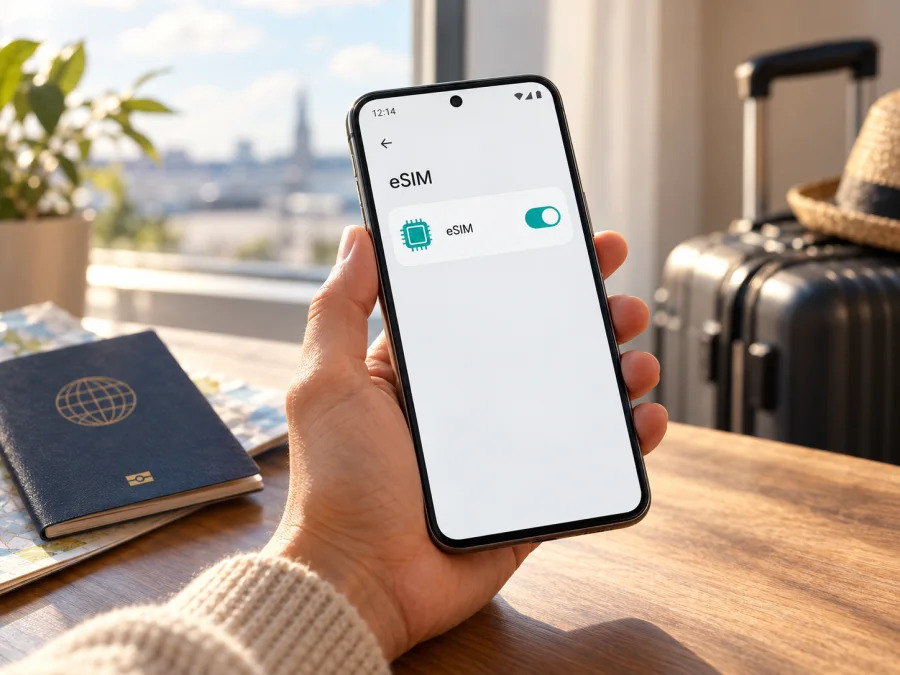
Google Pixel 9 Pro 12GB RAM eSIM: compatibility and setup guide
If you are checking whether Google Pixel 9 Pro 12GB RAM can use an eSIM, the answer needs one qualification. Google confirms eSIM support for Pixel 9 Pro at the model-family level. However, Google’s current specifications list 16GB of RAM for Pixel 9 Pro, while the 12GB figure belongs to Pixel 9. I could not verify an official Pixel 9 Pro configuration with 12GB RAM. Treat that exact retail description as unconfirmed until you check the device’s model number, EID and software settings. The RAM label does not by itself tell you whether an eSIM profile can be installed.
For a genuine Pixel 9 Pro, eSIM is supported, subject to carrier, regional, software and SIM-lock conditions. Before purchasing a travel plan, check the phone itself and the seller or carrier that supplied it. If you already have the phone, the checks below will give you a clearer answer than a listing title.
Quick compatibility summary
| Check | Finding |
|---|---|
| eSIM on Pixel 9 Pro | Google’s Pixel help says Pixel 4 and later phones support eSIM. Carrier and device conditions still apply. |
| Exact 12GB version | Unconfirmed. Google lists 16GB RAM for Pixel 9 Pro and 12GB for Pixel 9. |
| EID and setup | Check Settings → About phone → SIM status for EID and Network & internet → SIMs → Add SIM → Set up an eSIM for setup. |
| Travel use | Confirm the exact phone, unlock status, operator acceptance, destination, plan validity and activation rules before buying. |
A model-family specification cannot validate a device sold under a potentially inaccurate RAM description. EID and setup menus are useful checks, but the issuing provider must also accept the handset.
What the 12GB RAM label means for this check
Google’s specification identifies Pixel 9 as the 12GB model and Pixel 9 Pro as a 16GB model. Google separately confirms eSIM support for Pixel 4 and later. The careful answer is therefore: Pixel 9 Pro supports eSIM, but an official “Google Pixel 9 Pro 12GB RAM” configuration is not confirmed. RAM does not itself determine eSIM support; the discrepancy makes the exact listing identity uncertain.
If you are buying, ask for the model number, storage, market of sale, condition and SIM-lock status. Compare the phone’s About screen, box and invoice. A “global version” label alone does not prove bands, operator acceptance or eSIM availability. Resolve mismatches with the seller before relying on the phone for travel.
Regional versions, carrier sales and SIM lock
The same retail name can cover phones intended for different markets. Radio bands, 5G support and operator approvals can vary. Google says Pixel 9, Pixel 9 Pro and Pixel 9 Pro XL work on most major carrier networks, but this does not mean every local carrier accepts every regional device for eSIM. Ask the provider that will issue the profile about the exact model number and market.
Also confirm that the handset is SIM-unlocked. Google says phones bought through Google Store are unlocked; devices sold by mobile operators may be locked until the seller removes the restriction or a contract ends. An eSIM menu can appear even when a different provider’s profile cannot activate. The 12GB mismatch does not prove a device is defective; it means you should verify the model instead of relying on the listing title.
Check EID and the eSIM option yourself
Settings labels may differ by Android version or language. Search Settings for “EID” or “SIM” if a path differs.
- Find EID: open Settings → About phone → SIM status and look for EID. Google also says it may appear on the box. Share it only through a provider’s private support channel.
- Find setup: go to Settings → Network & internet → SIMs → Add SIM → Set up an eSIM. Do not continue until you have the correct provider’s instructions.
- Check the SIM list: look for existing eSIM profiles and whether the intended line is enabled.
- Confirm identity: in Settings → About phone, note the model name, model number and Android version; compare them with the packaging and invoice. Keep IMEI and EID private.
- Ask the provider: confirm it accepts your exact model and market. It may request IMEI 2 or EID.
If EID or the setup option is missing, update Android and Google Play system components, restart and check again. If it remains absent, contact Google or the seller with the model number; a factory reset should not be an early step and will not establish missing hardware capability.
If you are checking a refurbished or imported phone, repeat these checks after confirming which software version and market configuration it uses. A device menu can establish that the phone offers eSIM setup, but it cannot confirm that a specific plan covers your destination or that a carrier will accept that IMEI. Keep those as separate checks: handset capability first, plan and network acceptance next. This is especially useful when the product page lists a RAM amount that differs from Google’s model specification.
Check whether your device is compatible before selecting or paying for a travel plan. For this listing, include the RAM discrepancy in that check.
Prepare before installing a travel eSIM
An eSIM is a digital SIM profile stored on the phone. A travel eSIM can provide mobile data abroad while a separate home line remains available, if your device and providers support that arrangement. A data plan does not automatically include a normal phone number, voice calls or SMS; check its terms. Internet calls and messages through apps use data.
Before choosing a plan, check:
- EID or eSIM setup is present, the handset is unlocked, and the provider accepts the exact device and market.
- Every country on your itinerary is covered; do not infer coverage from a plan’s name.
- Data allowance, validity, price, activation deadline and any speed limits fit your trip.
- When validity begins: purchase, installation, first connection or another event may trigger it.
- You have Wi‑Fi, battery and access to the QR code or activation instructions.
- Whether the code is single-use and whether the profile can be transferred or reinstalled.
Kaspersky eSIM Store is an app and website where you can choose, arrange and activate an eSIM with a data plan for an overseas trip. Check current destination and plan terms before checkout. Do not treat a data eSIM as a replacement for your home line unless the selected plan explicitly includes voice, SMS or a number.
Install an eSIM on Google Pixel 9 Pro
Google’s usual Pixel path is Settings → Network & internet → SIMs → Add SIM → Set up an eSIM. Depending on the provider, installation may use a detected plan, QR code or manual details. Follow the instructions for the profile you selected.
- Connect to Wi‑Fi and keep the phone charged. Install before departure only if the plan’s validity rules allow it.
- Open eSIM setup using the Settings path above. Select or confirm the provider if prompted.
- Add the profile using the provider’s method. Scan only the QR code issued for this purchase or enter its activation details accurately.
- Wait for download. Keep Wi‑Fi connected. Do not delete a partially installed profile without asking the provider.
- Label the SIM (for example, “Travel data”) and choose which line handles mobile data.
- Follow activation directions. Installation and start of data use may be separate events. Enable data roaming for the travel line only if its instructions require it.
- Test after activation. Turn Wi‑Fi off briefly, select the travel eSIM for data and open a webpage. If it fails, troubleshoot before removing the profile.
See the Android eSIM installation instructions. The iPhone eSIM instructions apply to iOS devices, not the Pixel’s Settings menus.
Choose the right installation time
If a plan starts on first connection in its destination, installing before departure may be convenient. If validity begins at purchase or installation, consider the timing and plan terms. Do not assume all plans use the same activation rule. Save instructions and confirmation details offline, and do not remove a profile just because it has not connected yet.
Use the eSIM while travelling
Before departure, confirm that the eSIM appears in SIM settings and is ready under its provider’s instructions. Google says Pixel 7 and later may use two eSIM profiles at once if the operator allows it; other supported setups use one physical SIM and one eSIM. The combination depends on the device and provider.
After arrival, go to Settings → Network & internet → SIMs and select the travel eSIM for mobile data. Turn the line on. Enable data roaming for that eSIM only if instructed; keep roaming off for your home line if you want to avoid charges and do not need its mobile data. Confirm home-operator fees before relying on calls or texts.
If data does not work, verify the plan’s start condition, destination, data balance, signal and selected data SIM. Follow the provider’s network-selection advice. 5G depends on the local operator, phone bands, plan and location; LTE/4G can be a useful fallback or test. For a regional plan, check that each country on your route is included.
| Setting | Typical choice | Check |
|---|---|---|
| Mobile data | Travel eSIM | Confirm it is the selected data line. |
| Travel profile | On | Enable the profile before use. |
| Data roaming | As directed for travel eSIM | Some plans require this switch. |
| Home-line roaming | Off unless deliberately needed | Check your home operator’s charges. |
| Network mode | Automatic or provider-recommended | 5G and coverage vary by market. |
Kaspersky eSIM Store lets users choose and manage travel data plans through its website or app. Review the current destination, data and validity terms. Voice, SMS and a standard phone number are not included unless the selected plan explicitly says so.
Troubleshooting: profile installed, but no data
Keep the eSIM installed while troubleshooting unless the provider tells you to remove it. Some QR codes are single-use, and deletion can make reinstallation difficult.
- No “Set up an eSIM” option: search Settings for EID, update Android and Google Play system components, restart, then check again. Verify the model number with the seller. If EID remains absent, ask Google or the seller before buying a plan.
- Profile will not download: confirm Wi‑Fi works, use the QR code for this purchase only, and check whether it was already used. Note the error and contact the provider rather than repeatedly deleting or rescanning.
- Profile is present but inactive: select it in SIM settings, turn on “Use SIM” if shown, and check whether a separate activation step or scheduled start applies.
- Signal but no data: select the travel eSIM for mobile data, enable mobile data, follow instructions on roaming, verify the destination and check the plan’s status or balance.
- No signal: switch off airplane mode, restart, move to a location with reception and allow registration. Confirm the destination and local network are supported. Try LTE/4G if 5G fails.
- Calls or texts do not work: a travel data eSIM may not include a phone number, conventional calls or SMS. Keep your home line for those only if you understand roaming charges.
- A different provider is refused: ask the original seller or carrier whether the phone is SIM-locked. EID presence does not remove a network restriction.
When contacting support, include model number, Android version, destination and exact error through a private channel. Send IMEI or EID only when requested; do not post them publicly.
Common questions
Does Google Pixel 9 Pro 12GB RAM support eSIM?
Google confirms eSIM on Pixel 9 Pro at the model-family level. Its current specs list 16GB RAM for Pixel 9 Pro and 12GB for Pixel 9, so the exact requested configuration is unverified. Check model number, EID, setup option and provider acceptance.
Does 12GB RAM prevent eSIM?
No. RAM is not the eSIM capability check. The mismatch matters because it makes the exact listing uncertain; confirm the actual model, regional configuration, unlock status and provider support.
Can I use a physical SIM and eSIM together?
Pixel 3a and later can use one physical SIM and one eSIM according to Google, subject to device and carrier support. Pixel 7 and later may use two eSIMs simultaneously when the operator allows it.
Should I install the eSIM before the trip?
You can install over Wi‑Fi beforehand if plan rules allow it. Check when validity starts and whether activation requires arrival in a supported country.
Is 5G guaranteed abroad?
No. It depends on provider, plan, destination, radio bands and local coverage. LTE/4G may be available and is a useful troubleshooting test.
Does a travel eSIM replace my number, and can I move it later?
A data plan usually does not include a regular number, calls or SMS. Transfer and reinstallation rules vary; some codes are one-use. Check plan terms before installing or deleting a profile.
Final checklist: verify first, then choose a travel plan
For Google Pixel 9 Pro 12GB RAM, the reliable takeaway is two-part: Google’s documentation supports eSIM on Pixel 9 Pro, but its official specification lists 16GB RAM for that model, not 12GB. The exact requested configuration therefore needs device-level verification. Do not silently substitute Pixel 9 or another Pixel model for the name on the listing.
Before a trip, find the EID and “Set up an eSIM” option, check the model number and SIM-lock status, and confirm that your chosen provider accepts that device in its market. Then compare the destination, plan data, validity and activation conditions. Install over Wi‑Fi, select the travel profile for mobile data when appropriate and test it after the plan should be active. If a critical identity check fails, resolve it with the seller or support before purchase.
Kaspersky eSIM Store is a website and app for choosing, arranging and activating an eSIM with a mobile-data plan for an overseas trip. Review the current options for your actual destination and read the selected plan’s details before checkout. Browse Kaspersky eSIM Store to check what is currently available, then complete the device compatibility check before choosing a plan.


