Travel connectivity guide
Gorey eSIM: Mobile Internet and Travel Guide
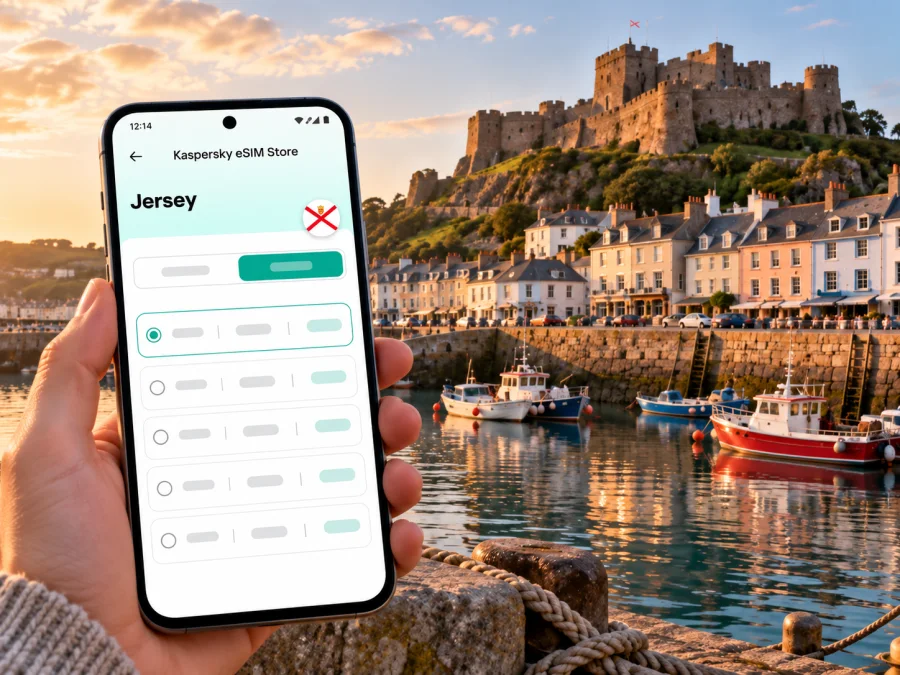
Gorey eSIM: Mobile Connection and Internet for Your Jersey Visit
Gorey is a small harbour village on Jersey’s east coast, known for its waterfront, fishing boats and Mont Orgueil Castle above the bay. It is a compact destination rather than a large city, but a reliable mobile data plan can still make arrival, bus journeys, walks and everyday trip details easier to manage. An eSIM lets you prepare mobile internet without swapping out your physical SIM, provided your phone supports eSIM and is not carrier-locked.
This guide focuses on Gorey itself: getting there from St Helier, finding your way between the harbour and village, planning a day around the castle and coast, and choosing an eSIM carefully. Jersey is a Crown Dependency and is not part of the United Kingdom. That distinction matters when you check a plan: never assume that a United Kingdom data package includes Jersey. Confirm the exact destination and terms shown for the plan before buying.
What to know about Gorey before you travel
Gorey has two closely connected parts: the harbour and the village. The harbour sits beneath Mont Orgueil Castle in the Royal Bay of Grouville; the village lies a short distance away. The setting is coastal and comparatively quiet, so your practical priorities may be different from those in a major city. You may want directions from the bus stop to your accommodation, current transport information, a booking confirmation, a walking map, or a way to message your host after arrival.
The castle is also called Gorey Castle. Its position above the harbour makes it a useful landmark when orienting yourself, but it does not replace an address or route pin: properties, cafés and bus stops can be spread between the pier, village streets and nearby bayside roads. Save the exact destination in your map app before setting out, and check whether your accommodation is closer to Gorey Pier or Gorey Village.
| Trip detail | Why mobile data can help |
|---|---|
| Reaching Gorey from St Helier | Check a current bus timetable, route changes and the right stop |
| Finding your stay | Follow an address or map pin beyond the harbour front |
| Visiting Mont Orgueil | Check directions, opening information and booking details on the day |
| Walking along the coast | Keep a route map available and message someone if plans change |
| A short visit | Coordinate transfers and reservations without relying on hotel Wi-Fi |
A phone connection is a practical tool, not a guarantee of continuous service. Signal and data performance depend on the local network, location, building, device and chosen plan. Download essential maps and save important confirmations offline as a backup, especially before a longer coastal walk.
When an eSIM is useful in Gorey
An eSIM can be convenient when you want mobile data soon after landing or when you prefer to keep your home SIM in the phone. It is a digital SIM profile installed on a compatible device. A travel data plan can support navigation, web searches, messaging apps, online check-in, ride coordination and work tools. Whether it is suitable for your trip depends on the plan’s destination, data allowance, validity period and terms.
Gorey is not Jersey’s airport or main transport hub. Many visitors first arrive at Jersey Airport or reach the island by ferry, then continue to St Helier before travelling east. Keeping maps and messages available helps you manage the whole journey rather than only the time spent in the village. If your itinerary starts elsewhere on Jersey, check that the same plan covers each place you intend to visit; coverage should never be inferred from a place name that sounds geographically close.
An eSIM data plan may not include a conventional phone number, voice calls or SMS. Check the plan details rather than assuming those services are included. You can use internet-based messaging or calling apps when you have a data connection, while keeping your usual number active on a second SIM if your device and mobile provider allow it. Your home provider may charge separately for roaming, calls or messages on that line.
Arrival and the first hour
After arriving, you may need to confirm a transfer, look up the route into St Helier, message your accommodation or check the location of a bus stop. If your eSIM is already installed, you can select it for mobile data once the plan is ready to use. If you plan to install after landing, make sure you have a dependable internet connection and access to any installation details first; airport Wi-Fi can be a helpful backup, but it should not be your only plan.
Before leaving the terminal or ferry area:
- Check that the eSIM profile appears in your phone settings.
- Confirm which SIM is selected for mobile data.
- Keep your home SIM’s roaming setting as intended by your provider.
- Open your route or address once while you have a connection, then save it for offline reference if the app supports that option.
- Keep a screenshot of your booking and accommodation details available offline.
Getting between St Helier and Gorey
Visit Jersey lists Routes 1 and 1A between Liberation Station in St Helier and Gorey Pier. Route 2 continues between Liberation Station and St Catherine. Routes and timetables may change, so confirm the service for your travel date before boarding. If arriving at Jersey Airport, the current island bus information lists airport services separately; check the onward connection and allow time to change in St Helier rather than assuming a direct airport-to-Gorey bus.
Mobile data is useful for checking the latest timetable, identifying the correct stop and comparing your arrival time with check-in arrangements. It can also help if you decide to stop in St Helier before going east. Keep the destination written down as well as saved in your map app: Gorey Pier, Gorey Village and a specific accommodation address are not interchangeable endpoints.
For local navigation, zoom in on the final part of the route before you set off. A bus may bring you to the harbour area while your lodging is uphill or in the village. Check walking distance, slope, luggage and the exact entrance. If you are carrying bags, arriving after dark or travelling with someone who needs step-free access, contact the accommodation or transport provider directly for the most appropriate stop and approach.
Choosing a travel data plan for Gorey
Choose a plan by matching its stated destination to Jersey, not by assuming that a United Kingdom plan applies. Jersey has its own constitutional and telecommunications arrangements. The product catalogue may use country or region names that do not map neatly to every territory, so read the coverage list and conditions displayed for the specific offer. If Jersey is not explicitly included, contact support or choose another verified option before paying.
You can browse current eSIM options and check destination availability on the English Kaspersky eSIM Store site. This is the Store homepage, not a Jersey-specific tariff page; use it to look up the destination and review the live plan details. Kaspersky eSIM Store is an app and website that helps travellers choose, purchase and activate an eSIM with a suitable data plan. The plan itself is subject to the provider and terms shown at checkout.
Estimate your data needs around what you will actually do in Gorey and elsewhere on Jersey. Map directions, messages and web pages usually use less data than frequent video streaming, large uploads or video calls. If you will work remotely, check the plan’s allowance and validity carefully and have a backup connection in mind. If you will mostly use Wi-Fi at your accommodation and only need maps and messages outside, a smaller allowance may be enough, but individual usage varies.
| Your likely use | What to compare |
|---|---|
| Maps, messages and occasional searches | A modest allowance and a validity period that covers all travel days |
| Photos, social apps and frequent browsing | A larger allowance; check whether uploads and background syncing use data |
| Remote work or video calls | Expected data use, fair-use terms if stated, and a separate backup connection |
| Several destinations on one trip | The plan’s complete country or territory list, not just its regional label |
| Uncertain schedule | The activation rules and when the validity period begins |
Before paying, review these details on the selected offer:
- Destination: Jersey must be named or explicitly included in the coverage terms. The United Kingdom label alone is not confirmation.
- Allowance: Check the included data and whether the package is fixed, recurring or subject to a stated usage policy.
- Validity: Confirm the number of days and when counting starts. It may begin at purchase, installation or first connection, depending on the plan.
- Network access: Read the listed network and service conditions where provided. Availability can vary by location and device.
- Device requirements: Verify eSIM support and that the phone is not locked to a carrier.
- Calls and SMS: Treat a data-only plan as data-only unless the offer explicitly says otherwise.
- Top-ups and refunds: Check whether top-ups are available and the refund rules for an unactivated or used plan.
Do not choose solely by the displayed price or a regional label. A plan that is valid for another destination, expires before your return, or lacks enough data for your use is not a good match even if its headline looks appealing. Product availability and terms can change, so use the live details at the time you make your decision.
Prepare your phone before departure
First, confirm that your exact phone variant supports eSIM. Device features can differ by model, country of sale and carrier configuration. Check the manufacturer’s support information and your phone’s settings; do not rely on a model family name alone. You can check whether your device supports eSIM before choosing a plan. Also confirm that your device is unlocked for use with another provider’s eSIM.
Next, update your operating system if appropriate, connect to Wi-Fi and make sure you can access the account or email containing the installation instructions. Keep your home SIM in place if you want to receive calls or texts on it, and understand any roaming charges that may apply. If your phone supports two active lines, label them clearly—for example, “Home” and “Travel data”—so you can identify the correct line while travelling.
Install and activate the eSIM
Follow the instructions associated with your purchase because installation steps and activation timing can vary. In general, you will add the eSIM profile through your phone’s mobile network settings, using the method provided with the plan. Avoid deleting a profile as a troubleshooting shortcut unless support or the plan instructions tell you to do so; an eSIM may not be reusable after removal.
For device-specific steps, use the Android eSIM installation guide or the iPhone eSIM installation guide. The labels in your settings may differ slightly by operating-system version and manufacturer.
A sensible sequence is:
- Check compatibility and carrier-lock status before purchase.
- Select a plan only after confirming Jersey is covered in its terms.
- Install the profile while you have stable Wi-Fi, unless the instructions specify another method.
- Keep the eSIM profile installed and label it clearly.
- Follow the plan’s activation instructions; do not assume installation automatically starts validity.
- When you are ready to use it, select the travel eSIM for mobile data.
- Enable data roaming for that eSIM only if the provider’s instructions require it, and verify the selected line before allowing data use.
- Test a simple webpage or message, then check the plan balance or usage information if available.
If the phone does not connect, confirm that the eSIM is enabled, the correct line is selected for mobile data, and the plan is active for Jersey. Review the provider’s setup instructions and restart the phone if advised. If the issue continues, contact the plan’s support channel and use Wi-Fi for essential tasks while you troubleshoot. Avoid making broad changes to your home SIM settings if you are unsure what they control.
Using data around the harbour, castle and village
For a day around the pier, Mont Orgueil Castle and the coast, use a map for the approach, check opening or reservation details before setting out, and keep messages available if your party splits up. Download essentials in advance so each step does not depend on a live connection.
The harbour and village are close but distinct places. If someone tells you to meet “in Gorey,” confirm whether they mean the pier, a business by the waterfront, the village streets or another nearby point. Send a precise map pin rather than a general place name. This is especially helpful when coordinating a taxi, meeting a host or arranging a pickup after an evening meal.
For a castle visit, check current opening information and any ticket requirements on the day. Opening times and access details can change seasonally or for operational reasons. Save your booking confirmation and route details before walking away from the harbour. If the weather turns, having your accommodation address and a route back stored on your phone makes it easier to adjust without retracing the whole walk.
For a coastal walk, check the route and conditions before departure, tell someone where you are going if appropriate, and carry a charged phone. A mobile connection can help with navigation and communication, but it is not a substitute for local safety guidance or offline preparation. Do not assume that data will be available on every stretch of shoreline or inside every building.
A few realistic trip scenarios
Quick checklist before you leave
- [ ] Your exact device variant supports eSIM and is carrier-unlocked.
- [ ] Jersey is explicitly included in the selected plan’s destination terms.
- [ ] The allowance and validity match your full itinerary.
- [ ] You know when the plan starts and whether data roaming must be enabled for the eSIM.
- [ ] The eSIM is installed or you have a reliable way to install it.
- [ ] You know which line handles mobile data and which line handles calls or texts.
- [ ] Gorey Pier, your accommodation and the return route are saved.
- [ ] Important tickets, addresses and confirmations are available offline.
- [ ] You have checked the latest bus timetable for the date you travel.
Frequently asked questions
Is Gorey a city?
Gorey is commonly described as a harbour village on Jersey’s east coast, rather than a city. It is still a useful destination to search by name when planning mobile data for a stay, because your route, accommodation and daily activities may centre on the harbour and village.
Does a United Kingdom eSIM plan work in Gorey?
Do not assume that it does. Jersey is not part of the United Kingdom, and the plan must explicitly list Jersey or otherwise confirm coverage for the island. Review the offer’s current destination and network terms before purchase.
Is there a bus from St Helier to Gorey?
Visit Jersey currently lists Routes 1 and 1A between Liberation Station and Gorey Pier, and Route 2 between Liberation Station and St Catherine. Timetables can change, so check the current schedule for your travel date. From the airport, verify the onward journey and any transfer in St Helier.
Will an eSIM give me a local phone number?
Not necessarily. A travel eSIM may be data-only and may not include conventional calls or SMS. Check the selected plan terms. Internet messaging and calling apps can work over mobile data, subject to the apps and your connection.
What if the eSIM does not connect in Gorey?
Check that the destination is included, the plan is active, the eSIM line is enabled and selected for data, and the settings match the provider’s instructions. If the plan requires data roaming on that eSIM, enable it for that line. Use Wi-Fi for troubleshooting and contact the provider if the issue remains.
How much data should I choose?
There is no single amount that fits everyone. Estimate your maps, messages, browsing, photo uploads and work use across the whole trip, then compare the allowance and validity. Video calls and cloud syncing can use substantially more than occasional directions and text messages.
Choose an eSIM for your Gorey visit
Before you travel, confirm that your device is compatible, check that Jersey is explicitly included in the current plan terms, and compare the allowance and validity with your itinerary. Then browse available travel eSIM options in Kaspersky eSIM Store and follow the instructions for installing and activating the plan you choose. Save your Gorey address and transport details offline as a practical backup for the journey.


