Travel connectivity guide
Gothenburg eSIM: Mobile Internet Guide
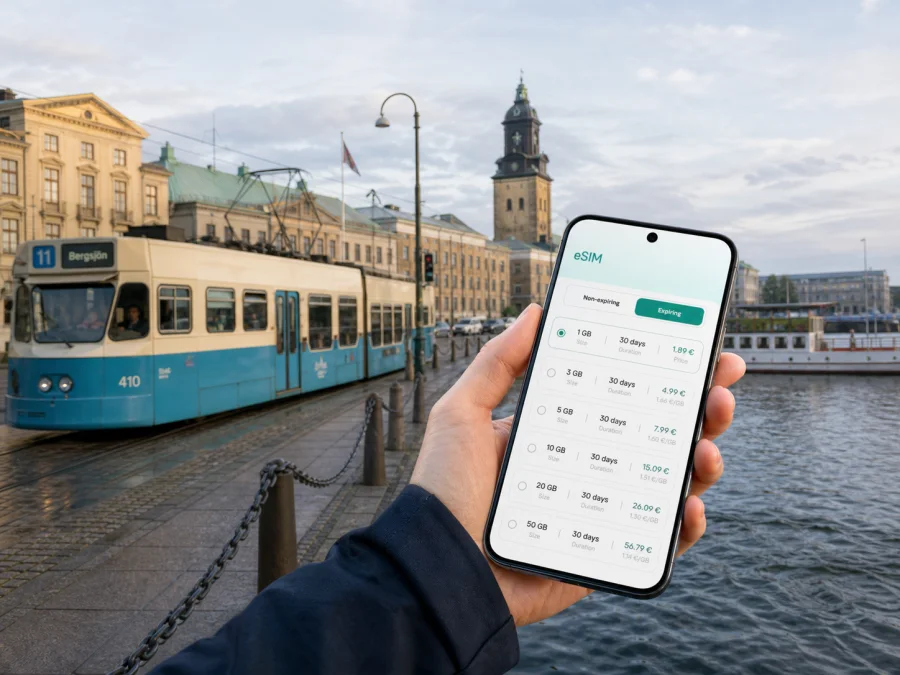
Gothenburg eSIM: A Practical Guide to Mobile Connection and Internet
Gothenburg is a city where a reliable mobile connection makes the whole trip easier to manage. You may arrive through Gothenburg Landvetter Airport, continue to Gothenburg Central Station, cross the river by ferry, follow a tram to a hotel, and then change your plans when the weather shifts. A working internet connection helps with each small decision: checking a departure board, finding a street entrance, confirming a reservation, translating a message, or letting someone know that you have arrived.
For a short visit, the most convenient setup is often to keep your regular SIM active for calls and messages while using a separate eSIM for mobile data in Sweden. Kaspersky eSIM Store is an app and website where you can choose, arrange, and activate an eSIM with a suitable data plan for an overseas trip. The practical advantage is that the preparation can happen before you leave, so your first navigation request in Gothenburg does not depend on finding a shop or public Wi‑Fi.
What mobile internet is useful for in Gothenburg
Gothenburg is compact in its central areas, but a visitor’s route can quickly include the airport, railway station, waterfront, university districts, event venues, and islands in the archipelago. Mobile data is useful for more than browsing attractions. It supports the parts of a trip that are easy to underestimate:
- following a walking route through Centrum, Haga, or Linné;
- checking tram, bus, and ferry connections when a plan changes;
- contacting a hotel, colleague, or family member after a late arrival;
- translating a Swedish sign or menu when you need a quick answer;
- checking the route, weather, or return connection before a waterfront or island trip.
Public Wi‑Fi can be helpful in a hotel, café, station, or terminal, but it should not be the only plan for the first hours of a journey. A dedicated data eSIM gives you a more predictable way to get online while you are moving between places. It is still sensible to download essential reservations, keep a written hotel address, and save an offline map as a backup.
Think of an eSIM for Gothenburg as a travel data arrangement, not automatically as a replacement for your ordinary mobile number. Unless the selected plan says otherwise, it is intended for mobile internet rather than a separate number, standard voice calls, or SMS. Messaging and calls through internet-based apps can work when your settings are correct.
Plan the connection before you leave
The smoothest arrival begins with a short preparation routine. You only need to make the important choices before the airport transfer or first tram ride.
A pre-trip checklist
- Confirm that your phone supports eSIM and is not locked to another operator. Check your device compatibility before selecting a plan; models can differ by generation and region of sale.
- Decide whether your regular SIM should remain active for your existing number. If it does, review which line is selected for mobile data so that the phone does not unexpectedly use roaming on the wrong line.
- Note the length of the trip, the number of navigation-heavy days, and whether you will use video, hotspot, or large file transfers. These details matter more than the city name alone.
- Keep your booking confirmation, hotel address, and first route available offline. A data plan is useful, but a backup removes pressure if a battery is low or a connection needs a moment to register.
- Choose the Sweden direction in Kaspersky eSIM Store and read the displayed traffic allowance, validity period, and conditions before arranging the eSIM.
How much data might you use?
There is no single correct amount for every Gothenburg visit. A person who walks with a map and uses messaging apps will have a different pattern from a consultant who joins video calls or uploads work files. Use your itinerary as the starting point.
| Travel pattern in Gothenburg | Typical online tasks | What to consider when choosing |
|---|---|---|
| Short stopover | Route checks, messages, a booking, occasional translation | A smaller allowance can be sufficient if large downloads are avoided |
| Weekend city break | Maps, public transport updates, restaurant searches, photos, messaging | Allow room for repeated navigation and image uploads |
| Business trip | Email, calendar, video meetings, document access, taxi or transfer apps | Plan for meeting days and a backup connection at the venue |
| City plus archipelago | Maps, ferry information, weather checks, messages away from the centre | Leave a margin for route changes and periods when Wi‑Fi is unavailable |
| Longer stay | Regular navigation, social apps, cloud services, calls through data | Compare the validity period with the full itinerary and expected usage |
Treat the table as a planning framework, not a promise about consumption. Video, photo backups, app updates, and hotspot use can increase data use quickly, so switch large updates to Wi‑Fi before departure.
Choosing a plan for a Gothenburg itinerary
The right plan depends on where you will use data, how long you will stay, and what you need the phone to do. Your route may include Landvetter, a conference venue outside the historic core, or a ferry towards the archipelago. If you travel beyond Gothenburg, check that the direction and validity suit the whole route.
When your dates and data needs are clear, you can review the available options for a trip to Sweden. Check the displayed allowance, validity, and activation conditions. Choose around your itinerary: a map-led stopover may need less than a work trip with video and uploads.
Three practical planning scenarios
A first evening in the city. You land at Landvetter, need to reach a hotel near the centre, and want to message a host or colleague. Before boarding, install the eSIM if the plan instructions allow it, keep your regular number available for important calls, and confirm which line is assigned to data. At the airport, use the connection for the transfer details and map route, then save the return route before you start walking.
A city-and-islands day. You combine a morning in Majorna with an afternoon towards the southern archipelago. The route has more moving parts than a central walking day, so check the next departure before leaving each stop and keep the weather in view. Download tickets or booking details when you have a stable connection, and remember that ferry schedules and conditions can change. Mobile data helps you adapt, but it does not remove the need to follow the latest local travel information.
Where your phone matters most
Different parts of Gothenburg create different connectivity habits. Thinking in districts makes it easier to prepare than imagining the city as one uniform route.
Centrum and Gothenburg Central Station
The central area is the usual starting point for a visitor arriving by train or airport transfer. This is where you may need several things at once: the hotel entrance, a platform or stop, a restaurant reservation, and a walking route that avoids carrying luggage over unnecessary distances. Keep your first address in your notes, then use mobile data to confirm the final turns as you leave the station.
Haga and Linné
Haga is known for its older wooden buildings and pedestrian-friendly atmosphere, while Linné connects cafés, restaurants, and routes towards green spaces. These areas are well suited to walking, but visitors still use data to check opening information, coordinate a meeting, and find the next street after an unplanned turn. Downloading a map view in advance is worthwhile if your phone battery is already low after a long travel day.
Majorna, Lindholmen, and the waterfront
Majorna, Lindholmen, and Eriksberg each create a different route from the formal centre. A short-looking journey may require a tram, bus, ferry, or longer walk. For a meeting, save the exact building entrance and calendar details; for a waterfront or archipelago day, check the return connection and weather before leaving. An eSIM can help with route checks and messages while you are moving, subject to the selected plan and local network conditions.
Arrival at Landvetter: a low-stress sequence
The airport is outside the city centre, so prepare the first connection before take-off:
- Save your Gothenburg accommodation address and booking confirmation offline.
- Install the eSIM on stable Wi‑Fi, following the device instructions and plan conditions.
- After landing, select the eSIM for mobile data and keep roaming off on your regular line if you do not intend to use it abroad.
- Confirm the expected data line, then check the current airport transfer and walking route to your hotel.
For detailed installation steps, use the Android installation instructions or the iOS installation instructions. Menu names differ by phone version, and plan conditions determine when validity begins.
Using trams, buses, and ferries without losing the plan
Gothenburg’s tram system connects the centre with neighbourhoods on both sides of the river, while buses and ferries extend the route. A few habits reduce mistakes:
- check the direction and final stop, not only the route number;
- confirm the departure from the correct platform or stop;
- save a ticket, reservation, and next destination when available;
- allow extra time when changing between walking, tram, bus, and ferry;
- recheck the route after an event, late dinner, or change in weather;
- preserve battery by closing navigation when you reach the destination.
Mobile data keeps the decisions connected, but it does not replace a ticket, valid fare, or the latest transport notice. On a tight schedule, confirm each leg before leaving the current stop.
A simple route card
Save the start, exact destination, next action, and one backup address or meeting point. This helps business travellers and families dividing attention between luggage and directions.
Hotel, business, and short-stopover routines
At the hotel
Use hotel Wi‑Fi for updates, large photo backups, and long video calls when appropriate. Use mobile data outside for the hotel entrance, reception, a late check-in message, or a nearby stop. Save the return route before leaving.
On a business trip
Separate essential data use—sign-in, calendar, email, meeting details, and messages—from convenient use such as streaming, backups, and high-resolution uploads. If you need a hotspot, review the plan conditions first; a phone connection is a backup, not an unlimited office connection.
Before the first meeting, check:
- the exact venue, entrance, and calendar time zone;
- whether presentation files are stored on the device;
- which line is used for data and whether your regular number remains available;
- where you can recharge the phone.
On a short stopover
Keep a stopover simple: save the airport transfer, a central walking route, and one address. Avoid large downloads at the terminal. If the stay grows, review your allowance and validity in the app or website.
Troubleshooting when data does not work as expected
If the phone does not connect after arrival, work through the basics in order.
- Confirm that the eSIM line is switched on and selected for mobile data.
- Check airplane mode, then briefly turn it on and off to refresh the connection.
- Enable data roaming for the travel eSIM when the plan requires it; keep it disabled on your regular line if needed.
- Restart the phone, then check the plan’s destination, validity, and allowance in the app or account.
- Move away from a thick-walled building, underground area, or crowded venue. If the issue continues, contact Kaspersky eSIM Store support with your order details.
Do not delete an eSIM profile in frustration: depending on the plan conditions, removal can make recovery harder. Record the error, confirm the line settings, and check the device instructions first.
Frequently asked questions
Is an eSIM useful for a weekend in Gothenburg?
Yes. It can support maps, transport checks, messaging, and reservations without relying on public Wi‑Fi. Match the allowance and validity to the weekend, and remember that it is primarily a data option unless the terms state otherwise.
Can I keep my ordinary number active?
Usually, a dual-line phone can keep the regular SIM active while the travel eSIM is assigned to data. Check the data line and roaming settings before departure.
Will an eSIM cover a trip beyond Gothenburg?
It depends on the selected destination and conditions. If you continue from Gothenburg to other parts of Sweden, check that the direction, validity, and allowance fit the full route.
Can I use the eSIM for ordinary calls and SMS?
Not necessarily. Travel eSIM plans are intended for mobile internet, and a separate number, voice calling, or SMS is not included unless the terms say so. Internet-based apps can use the data connection.
A calm way to stay connected in Gothenburg
Good preparation is simple: match the plan to the trip, check the phone, install the eSIM carefully, and keep essential details offline. In Gothenburg, this supports the transitions from Landvetter to the centre, station to hotel, tram to waterfront, and city streets to the archipelago.
Kaspersky eSIM Store helps you choose, arrange, and activate an eSIM for mobile internet during an overseas trip. Read the conditions, confirm device compatibility, and select the option that fits your route and usage. When you are ready, choose an eSIM plan for your trip to Sweden and prepare the travel line before you leave.


