Travel connectivity guide
Gqeberha eSIM for Mobile Internet
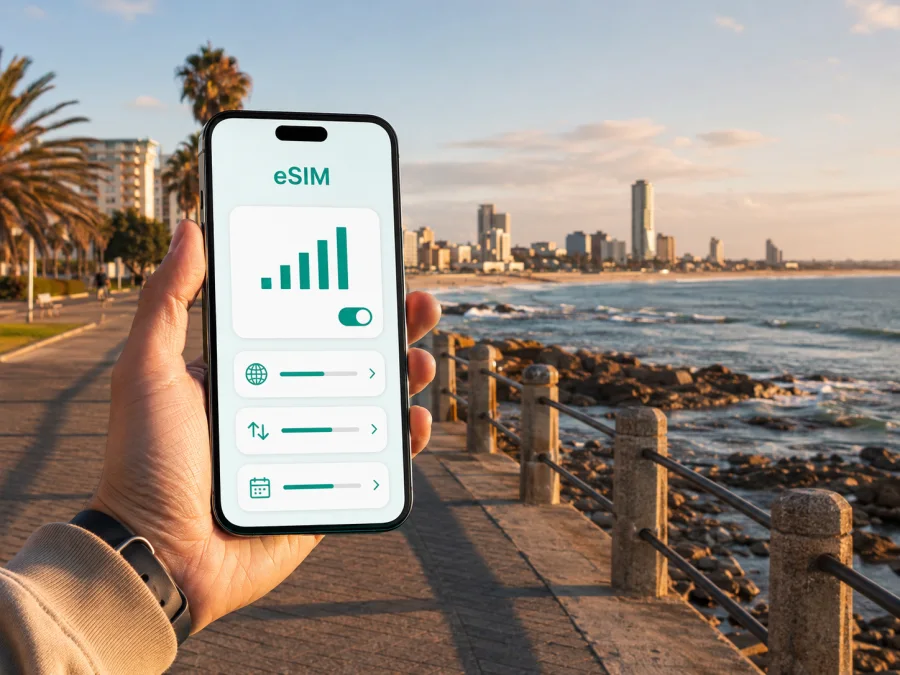
Gqeberha eSIM: mobile connection and internet for your trip
Arriving in Gqeberha is easier when your first practical task is already planned: how you will use maps, message your host, order a ride, check a booking or find the next stop. Gqeberha, formerly known as Port Elizabeth, is a coastal city in South Africa’s Eastern Cape. The urban area runs from the airport and Walmer towards the central business district, the beachfront and Summerstrand, with the wider Nelson Mandela Bay area close at hand. Mobile internet helps you move between these places without making every decision depend on public Wi-Fi.
For a holiday, business visit, stopover or longer coastal stay, an eSIM can be a practical alternative to changing a physical SIM card. Kaspersky eSIM Store is an app and website where you can choose, arrange and activate an eSIM with a suitable data plan for an international trip. The selected plan is provided under the conditions displayed for that destination and tariff, so check the traffic allowance, validity period and other terms before confirming your choice.
Why mobile internet matters in Gqeberha
Gqeberha is not one compact sightseeing zone. Your day may begin at Chief Dawid Stuurman International Airport in Walmer, continue to a hotel in Summerstrand, move into the central area for a meeting and end beside Algoa Bay. On another day, you may leave the city for a reserve or coastal route. Maps and messages are useful when plans change, a driver needs a landmark or a reservation is online.
With mobile data available, you can:
- open directions while changing neighbourhoods;
- check an address, check-in message or meeting location;
- coordinate an airport transfer after landing;
- translate a sign, menu or short message;
- share arrival details with family, colleagues or a guide;
- check conditions before a beach walk or boat excursion;
- keep a route open while travelling beyond the city.
Plan the connection around your arrival
The airport is commonly shown under its official name, Chief Dawid Stuurman International Airport. Older documents and booking interfaces may still use Port Elizabeth Airport or PLZ. Knowing these names prevents confusion when a booking confirmation and transfer message use different wording. The airport is in Walmer, within the urban area, so your first leg is usually a move towards a hotel or meeting point.
Before departure, save the accommodation address and airport name in plain text as well as on a map. If you have a pre-booked transfer, save its instructions and contact details. Having the core details available offline gives you a fallback while the eSIM is being activated.
A simple arrival sequence
- Keep booking and transfer details accessible during the flight.
- Confirm that your primary SIM is not using expensive roaming data by accident.
- Turn on the eSIM line for mobile data when ready to use the plan.
- Check the hotel pin against the transfer instructions.
- Send a short arrival message before leaving the airport area.
- Keep the airport name and PLZ code available for the return journey.
This sequence works for holidays and work trips. It separates prepared details from tasks that need a live connection and gives you a clear point at which to switch data to the travel eSIM.
Choosing an eSIM plan for a city stay
The right plan depends on your Gqeberha routine. A visitor near the beachfront uses data differently from a consultant moving between offices, a family sharing one connection or a driver following an Eastern Cape route.
| Trip pattern | Main data tasks | What to consider |
|---|---|---|
| One-day stopover | Directions, messages and searches | A small allowance may be enough if details are saved. |
| Weekend in the city | Maps, rides, bookings and photos | Leave room for repeated navigation and sharing. |
| Business visit | Email, calendars, documents and internet calls | Estimate laptop tethering separately. |
| Beach and city break | Maps, weather, bookings and uploads | Allow more if you upload during the day. |
| Road trip from Gqeberha | Navigation, bookings and route changes | Check geographic scope for every destination. |
Look at data allowance, validity period and destination or region first. Then check when the plan starts to apply: installation, first connection or another condition shown at purchase. Do not assume that longer validity means more data, or that a city name changes the tariff’s scope.
Gqeberha areas and the data you may use there
Walmer and the airport area
Walmer is a useful first reference point because the airport is located there. For a rental-car collection, transfer or nearby hotel, maps and messages are likely to be the main data needs. Save the first route before leaving the terminal, then use live navigation for the parts where the meeting point may change.
Summerstrand and the beachfront
Summerstrand suits visitors combining accommodation, the coast, restaurants and leisure facilities. A day can involve several short journeys, so mobile internet helps with current information, location sharing and changes of plan. Carry a power bank and check photo-backup settings so background activity does not consume the plan unexpectedly.
Humewood and the coastal strip
Humewood may form part of an itinerary involving beaches, the promenade or family attractions. Use an exact map pin when meeting someone: a district name alone may not identify the right entrance. Share the destination and agree on a visible landmark before moving.
Central Gqeberha and the historic core
The central area suits visitors interested in history, public art, older buildings and viewpoints. Keep the next stop and the return route open in your map. For a heritage walk, store the sequence of stops before setting out.
Richmond Hill, Newton Park and business visits
For work trips, save separate pins for the airport, hotel, office, restaurant and return meeting point. Richmond Hill and Newton Park may appear in accommodation, dining or business plans. If you need a laptop online, check whether tethering is permitted and estimate the traffic your workday may use. Download large items on Wi-Fi where possible.
After deciding how you will use data in the city, choose an eSIM plan for a trip to South Africa. Review the displayed terms and select an option that fits the length and style of your visit. Kaspersky eSIM Store helps with selection, purchase and activation; it is not a mobile network operator and does not own the network used by the selected eSIM.
Moving around without losing your route
Transport choices in Gqeberha depend on distance, time, luggage and itinerary. Visitors may combine a rental car, transfer, taxi or ride service, and walking. Check current availability before relying on a service and keep a backup plan for the airport-to-hotel leg.
Airport transfers
Have the accommodation name, full address and a landmark ready. Follow designated pickup instructions. If the connection is busy, send a short message with your exact position; a named pickup zone is more useful than a long explanation.
Short trips and rental cars
Walking may suit a compact beachfront section or planned historic route. For a cross-city trip, compare time, luggage and weather. With a taxi or ride service, check the destination pin before confirming. Before collecting a rental car, save key addresses, use one navigation app and check multi-stop routes while parked. An eSIM can help with changing directions, but it does not replace local driving rules or attention to the road.
For an early or late departure, confirm the airport name, flight details and transfer plan before leaving the hotel. Review the eSIM’s validity condition before departure day.
Installation and activation: prepare before you need it
Install the eSIM with a stable internet connection and enough time to read each instruction. Use the Android installation instructions or the iOS installation instructions for your device. Menus differ by phone.
Before installation, check whether your device supports eSIM and confirm that it is not locked to an operator. Regional versions of one phone family can differ, and support for physical SIMs does not automatically guarantee eSIM support. Keep the QR code or activation details accessible and do not delete a profile merely because you are temporarily using another line.
A careful setup checklist
- Charge the phone and connect to reliable Wi-Fi.
- Check compatibility and operator-lock status.
- Read activation and validity conditions.
- Keep the QR code or profile details accessible.
- Add and label the eSIM through mobile-network settings.
- Set it as the line for mobile data when ready.
- Decide whether to keep the primary SIM enabled and turn off data switching.
- Test a map search or short message before starting the journey.
The sequence can vary. Activation may take several minutes, and some devices may require data roaming to be enabled for the eSIM. Turn it on only when the plan’s instructions call for it, and review which line is selected for data. In this travel-data context, the eSIM does not automatically give you a local number, ordinary voice calling or SMS. Supported messaging and calling apps can work over mobile data.
Managing data during a Gqeberha itinerary
Match settings to the day’s activity. Navigation and messages use data differently from video meetings, photo uploads and streaming. Turn off unneeded background refresh, choose lower-quality media where appropriate and use Wi-Fi for large updates.
At the start of each morning, check:
- How much data remains.
- How many days remain in the validity period.
- Whether the day includes a meeting, long drive or excursion.
- Whether maps, hotel details and return directions are saved.
- Whether the phone is using the travel eSIM for data.
If one phone will share a hotspot, check the plan’s conditions first because tethering can use data quickly. For a stopover, prioritize arrival and transport. For a road trip, review the entire route rather than choosing only for time spent in Gqeberha.
Gqeberha as a base for nearby trips
The city is a starting point for coastal activities, marine excursions and wildlife destinations in the Eastern Cape. Addo Elephant National Park is a well-known regional option, while Algoa Bay and the farther coast create different data needs from a city weekend.
Before activating a plan for an excursion, check the exact destination. A country tariff may suit a route within South Africa, but the selected plan’s terms decide its scope. Save the meeting point, booking confirmation and return time with the map pin.
One-night stopover: save airport, hotel and next-departure details before landing. Use data for the transfer, a few searches and messages.
City-and-coast weekend: divide time between Summerstrand or the beachfront, the central area and an activity. Save the return route before leaving each area.
City-to-wildlife extension: confirm regional conditions, save bookings and allow for data when navigation changes. Do not assume a route is covered simply because the first city is.
What to check before you buy
- Is Gqeberha part of the South Africa itinerary covered by the selected destination?
- Does the validity period fit the time you expect to use the eSIM?
- Is the allowance realistic for maps, messages, work and media?
- Does your device support eSIM and have no operator lock?
- Do you know which line will handle mobile data after activation?
- Have you saved airport, accommodation and meeting-point details?
- Are calls and SMS excluded unless listed in the tariff?
- Have you read the conditions for activation, top-ups, transfer and refunds?
The common planning error is to compare only the amount of data. Duration, activation rule, destination scope and device requirements matter just as much.
Frequently asked questions
Is Gqeberha the same city as Port Elizabeth?
Yes. Gqeberha is the official name adopted in 2021, while Port Elizabeth remains widely used in older travel information and booking systems. The airport is also recognized by its official name and by PLZ.
Can I use an eSIM only for a short stay?
Yes, if the tariff’s validity and destination conditions fit the stay. Choose for the tasks you expect to perform.
Will an eSIM give me a South African phone number?
Not necessarily. In this travel-data context, it is intended for mobile internet and does not include a regular number, voice calls or SMS unless the tariff says otherwise. Supported apps can use mobile data.
Should I install the eSIM before flying to Gqeberha?
You can install it before departure with a stable internet connection and enough time to follow the instructions. Check when the plan begins to apply, because conditions vary. If you install after arrival, keep the QR code ready.
A calm connection plan for your city visit
Gqeberha rewards flexible planning: the airport is close to the urban network, the coast sits alongside the city and a short stay can expand into a longer Eastern Cape route. Prepare the first transfer, save key addresses, choose a plan by real data use, and check device and activation conditions before travelling.
When you are ready, choose an eSIM plan for your Gqeberha trip, review the displayed terms and complete installation on your compatible device. Kaspersky eSIM Store helps you choose, arrange and activate the eSIM; the network service and tariff conditions remain those shown for the selected plan.


