Travel connectivity guide
Grace Bay eSIM: Mobile Internet in Turks and Caicos
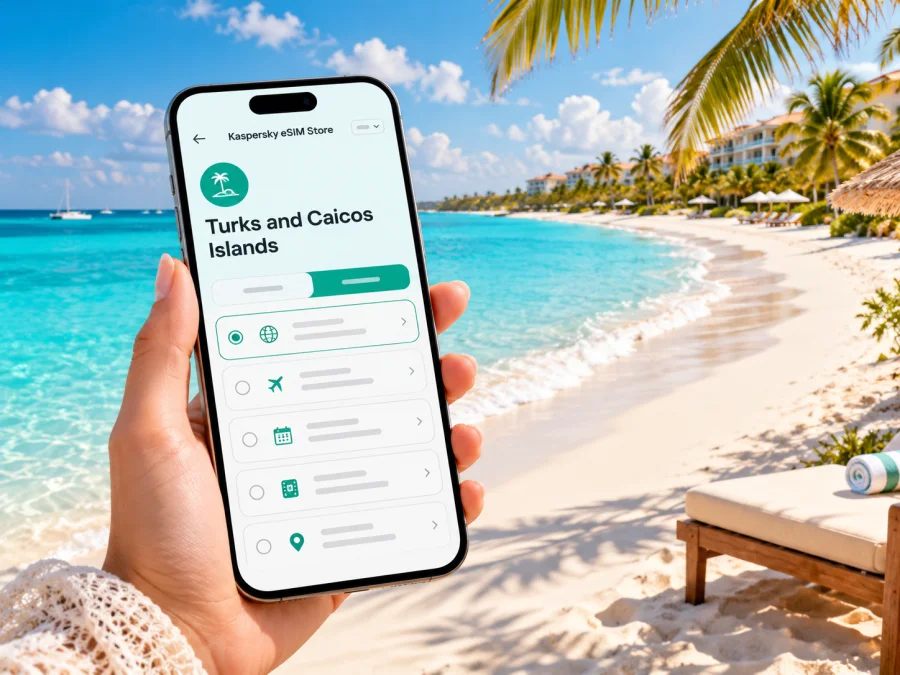
Grace Bay eSIM for a reliable mobile connection and internet on Providenciales
Grace Bay is a resort district and beach area on the northeast coast of Providenciales in the Turks and Caicos Islands. It is a compact base for beach days, restaurants, hotel stays and excursions, but the island’s sights are spread out enough that a phone can be useful from the moment you land: to confirm a transfer, find your accommodation, check a reservation, message a boat operator or navigate between neighborhoods. An eSIM can make mobile data easier to prepare before the trip, provided your device, chosen plan and its terms all match your itinerary.
This guide focuses on the Grace Bay area rather than treating the islands as one urban destination. It covers arrival at Providenciales airport, getting around the district and wider island, choosing a data plan, and what to check before installing an eSIM. Reception, speeds and availability depend on the network and exact location; a beach or hotel name alone cannot guarantee a particular signal.
First, place Grace Bay on the map
Grace Bay is not a separate island or an administrative city. It is a visitor district on Providenciales, the most visited island in the Turks and Caicos Islands. The Turks and Caicos Islands are a British Overseas Territory in the Atlantic region; they are not part of the United Kingdom itself and are not a sovereign country. For a traveler, that distinction matters when checking entry rules, a home carrier’s roaming zone, and the exact destination shown in a mobile plan.
The Grace Bay area runs along the island’s northeastern coast. The beach is the best-known landmark, while hotels, restaurants, shops and services extend inland and along the coastal road. The adjacent Bight community lies to the west, Leeward to the east, and Long Bay is southeast of the main resort district. “Grace Bay” can therefore mean the beach, the broader neighborhood or a hotel address nearby. When arranging a pickup, share the specific hotel or meeting point rather than only the district name.
Grace Bay Beach itself is a little over three miles long. Its neighboring shores continue toward Leeward Beach and the Bight Beach, but the walkable town center and the beach are not identical destinations. Some vacation rentals sit inland or beyond the central dining and shopping streets. A saved pin and an offline copy of your hotel details can be more useful than assuming every listing described as “Grace Bay” is steps from the same access point.
Landing at Providenciales and reaching Grace Bay
Most international visitors bound for Grace Bay arrive at Providenciales’ international airport, commonly identified by the code PLS. It is on Providenciales, not in the Grace Bay resort district. You will still need a taxi, hotel transfer or rental car to cover the journey to your lodging. Confirm the pickup method and meeting place with your accommodation before departure; after a flight, a working data connection can help you message the driver if the agreed plan changes.
Before you travel, save the essentials somewhere available without internet:
- hotel name, full address and telephone number;
- transfer company details, pickup instructions and reservation reference;
- a map pin for the accommodation and any first-day appointment;
- a screenshot of your booking confirmation and flight details;
- a small area map covering the airport, Grace Bay and your lodging.
An eSIM is useful if you want mobile data as soon as the plan connects, but installation and service are not the same step. The profile may be installed before departure while data use begins under the selected plan’s activation rules. Read the plan description to understand when validity starts. If activation is tied to first connection in the destination, do not assume that simply installing the profile starts or delays the validity period; follow the provider’s stated instructions.
At the airport, use Wi-Fi if available for messages or downloads, but do not make your arrival plan depend on it. Airport networks, hotel Wi-Fi and cellular service are separate options and can each be unavailable at a particular moment. Keep the transfer details offline, and have a fallback such as calling the accommodation from your primary line if the eSIM has not connected yet. Check your home carrier’s roaming terms before departure so a phone set to use the wrong data line does not create an unexpected charge.
Choosing mobile data for days based in Grace Bay
The right amount of data depends less on the beach itself than on how you use your phone. A traveler who mostly sends messages, checks maps and books a ride may need far less than someone who uploads video, joins work calls or streams entertainment away from Wi-Fi. A resort connection can reduce mobile use, but its quality, access rules and availability are property-specific. Plan for the time spent moving around, not just the hours in your room.
| Your routine | What to consider when choosing a plan |
|---|---|
| A short beach break with messaging and occasional maps | Estimate light use, keep photo backups and app updates on Wi-Fi, and check that the validity covers the travel dates. |
| Several excursions around Providenciales | Allow for navigation, pickup messages and schedule changes away from the hotel; download maps and tickets in advance as a backup. |
| Remote work or frequent video calls | Review any speed, hotspot or fair-use terms carefully. A data allowance alone does not guarantee that a call will be stable in every location. |
| A family or group trip | Check whether each traveler needs a separate eSIM or whether a permitted hotspot can serve other devices; hotspot support and performance depend on the plan and handset. |
| A brief stopover | Compare the plan’s validity and start conditions with the actual time on the island. Avoid buying more days or data than your itinerary requires. |
If you want to compare the destination currently available in the Kaspersky eSIM Store, review the Turks and Caicos Islands options for your trip. This is a country-level destination page, not a separate Grace Bay tariff. Check the specific plan’s supported territory, data allowance, validity, price, activation conditions and restrictions at the time of purchase. Plan availability and terms can change.
Match the plan to the map, not only the hotel
For a stay centered on the resort strip, the practical questions are whether the plan covers the Turks and Caicos Islands, how much data you are likely to use away from Wi-Fi, and how long you need it. If your itinerary also includes other islands, do not infer coverage there from the words “Turks and Caicos” alone. Check the exact destination and eligible locations in the plan terms. A country-level listing may not mean every island, cay, shoreline or indoor space has identical service.
The local mobile market is distinct from an international travel eSIM. Digicel publishes a tourist eSIM for Turks and Caicos, while Apple’s current carrier information lists Digicel and Flow among providers offering eSIM support in the territory. These statements describe local operator offerings and general carrier eSIM support; they do not establish which local network a third-party travel plan uses, whether a specific roaming profile can access it, or the reception you will get inside a particular resort. If network identity or a local number matters, ask the plan provider directly and compare its terms with the local operator’s requirements.
A data-only travel eSIM should not be assumed to include a local phone number, ordinary calls or SMS. If the plan terms do not say these are included, treat them as unavailable. Keep your usual line active for calls or account verification only if your carrier’s roaming charges are acceptable, and use internet-based calling or messaging where appropriate. For emergency needs, know how to reach local services independently of data access.
Can your phone use this eSIM?
Device compatibility has two separate parts. First, the handset must support eSIM and be unlocked for use with another provider. Second, the particular travel plan must be valid for the destination and compatible with the phone’s configuration. A phone model sold under different regional variants can have different SIM capabilities; the product family name alone is not enough to confirm support. Check the exact model number and the manufacturer’s current specifications, then use the device compatibility checker before buying.
A practical pre-purchase check:
- Open your phone’s cellular or mobile network settings and look for an option to add an eSIM or mobile plan. The menu label differs by manufacturer and operating system.
- Confirm that the device is carrier-unlocked. A handset locked to your home provider may reject another eSIM even when its hardware supports eSIM.
- Check the exact model or regional version in the manufacturer’s documentation. Do not rely solely on a retailer listing for a similar model.
- Confirm the plan covers the Turks and Caicos Islands and read its data, validity, activation and hotspot conditions.
- Keep access to the internet during installation, and do not delete an installed profile while troubleshooting unless the provider instructs you to do so.
Older phones, some regional editions and carrier-locked devices may not support the same features as a similar handset sold elsewhere. Tablets and smartwatches also have different requirements and should not be treated as interchangeable with a phone. If support is uncertain, verify the precise model with the manufacturer or your carrier before purchasing. A compatibility tool is a helpful check, not a promise of network availability in a specific part of Grace Bay.
Install ahead, activate with care
Installing before departure can make the first connection simpler, especially when you have stable Wi-Fi and time to read the prompts. The actual steps differ by provider and phone. Use the installation instructions for your platform: Android eSIM installation guide and iPhone eSIM installation guide. Follow the instructions included with your chosen plan as the authoritative steps for that profile.
A careful sequence is:
- Confirm the destination, plan validity, data allowance, activation trigger and any hotspot restrictions.
- Connect to Wi-Fi and add the eSIM using the method supplied with the plan, such as a QR code or supported in-app flow.
- Label the lines clearly, for example “Home” and “Travel”, so you can identify the data line later.
- Keep your home line selected for calls and texts if needed, and choose the travel eSIM for mobile data when you are ready to use it.
- If the plan’s instructions require data roaming on that eSIM, enable it for the travel line only. Roaming settings vary; follow the plan’s guidance and avoid changing settings on your home line without understanding its charges.
- Once in Turks and Caicos, allow the phone to register. If it does not, check that the eSIM is enabled, the correct data line is selected, airplane mode is off, and the plan’s activation conditions are met.
Do not scan or install the same QR code repeatedly unless the provider confirms it can be reused. Some eSIM installation codes are single-use, and deleting a profile can make recovery difficult. Save the provider’s support details and order information before you leave home. If troubleshooting is needed, contact support over Wi-Fi and describe the phone model, current location, selected data line and any error message.
Getting around: navigation, pickups and day trips
Grace Bay is pleasant to explore on foot within the central resort area, but Providenciales is not a dense city with a single transit grid. Restaurants, beaches, accommodations and excursion meeting points are spread along the coast and island roads. Taxis, hotel transfers and rental cars are common ways to move between areas; confirm price, pickup location and return arrangements directly with the provider. Do not assume a map app’s walking estimate accounts for heat, sidewalks, private property boundaries or beach access points.
Use your connection for tasks where up-to-date information matters: checking a pickup message, sharing a location, confirming a boat departure, or adjusting a route. Downloaded maps and saved directions help when data is unavailable. If driving, review local road rules before setting out, use navigation before the vehicle moves, and keep your phone mounted or handled by a passenger. Follow posted signs and do not rely on a map shortcut that crosses an unfamiliar private road or beach access.
Grace Bay Beach belongs to the Princess Alexandra National Park. Visitors also use nearby access points toward the Bight and Leeward, and boat trips may depart from a marina or a designated point rather than directly in front of a hotel. Put the precise meeting place in your calendar, take a screenshot of the operator’s instructions, and confirm whether transport back is included. A mobile signal should not be treated as a substitute for checking the operator’s timing or safety briefing.
Three common connection scenarios
Airport pickup: Save the driver’s name, number and meeting point before flying. Once data is active, message if plans change. If it is not, use airport Wi-Fi if available or call only after checking home-carrier roaming terms.
Dinner in the district: Save the restaurant pin and reservation details before leaving. Use live navigation if useful, but keep the address offline and confirm the return pickup rather than assuming a ride app will be available.
Boat excursion: Confirm the departure dock, check-in time, weather update process and return transport with the operator. Save the meeting-point map; do not count on continuous service on the water.
Keep data use predictable
Photo backups, video and laptop synchronization can consume data faster than maps or messages. Set updates and automatic uploads to Wi-Fi, download entertainment and maps in advance, and check data use after the first day. If you share a hotspot, remember that another device may download large files in the background.
Before leaving the hotel, save the day’s route, bookings and contact details. During the day, use mobile data for live coordination; after returning, review the allowance and confirm tomorrow’s pickup. Signal can vary indoors, along the coast and on remote routes, so keep critical information offline.
Choose for the kind of trip
For a short stop, compare a brief-validity eSIM with your existing carrier’s roaming terms. For several days based in Grace Bay, estimate how much data you will use away from Wi-Fi and make sure validity covers the full stay. For a longer visit or a need for local voice service, check local operator requirements before arrival.
Business travelers should verify hotspot rules and test work apps before relying on them. Arrange Wi-Fi and a dial-in alternative for important calls; a mobile-data allowance cannot guarantee speed or indoor reception. Families can use separate eSIMs or a permitted hotspot, but a shared connection depends on one phone’s battery, signal and data allowance. Keep lodging and emergency contacts on more than one device.
Troubleshooting without guesswork
If there is no service, check that the travel eSIM is enabled and selected for data, airplane mode is off, the plan is active and the destination is included. Confirm whether the plan requires data roaming on that eSIM, then try automatic network selection and move outdoors. If the phone shows signal but data does not load, check remaining allowance and the selected data line. Contact the provider over Wi-Fi with your exact phone model and error message. Avoid deleting the profile or resetting network settings as a first step.
Frequently asked questions
Is Grace Bay a city?
No. It is a resort district and beach area on Providenciales. The airport and neighboring parts of the island are separate points on your itinerary.
Does a Turks and Caicos eSIM guarantee service at every hotel?
No. Coverage and performance depend on the plan’s network arrangements, location, handset and local conditions. A country-level listing does not guarantee reception in every building or beach access.
Will a travel eSIM include a local number?
Not necessarily. Many travel eSIMs are intended for data. Check the plan terms for calls, SMS and number inclusion; if absent, use your usual line or internet-based calling and account for roaming charges.
Can I install before flying or move it to another phone?
Follow the provider’s installation steps and check when validity begins. Do not assume a profile can be transferred after installation; read its transfer terms and contact support before changing devices.
Before you leave
- [ ] Confirm that Turks and Caicos Islands appears in the plan details.
- [ ] Check exact handset eSIM support and carrier-unlock status.
- [ ] Compare validity, data, activation, hotspot rules and price.
- [ ] Save provider support, hotel, transfer and excursion details offline.
- [ ] Review home-line roaming settings and download maps over Wi-Fi.
- [ ] Remember that network access and reception vary by location and plan.
Prepare your connection for the trip
Before traveling, confirm eSIM support, plan start conditions and an offline airport transfer backup. Kaspersky eSIM Store is an app and website where you can choose, arrange and activate an eSIM for mobile internet abroad. Choose an option for the Turks and Caicos Islands and review its current coverage, validity, data and activation terms.


