Travel connectivity guide
Gracias eSIM: Mobile Internet Guide for Honduras
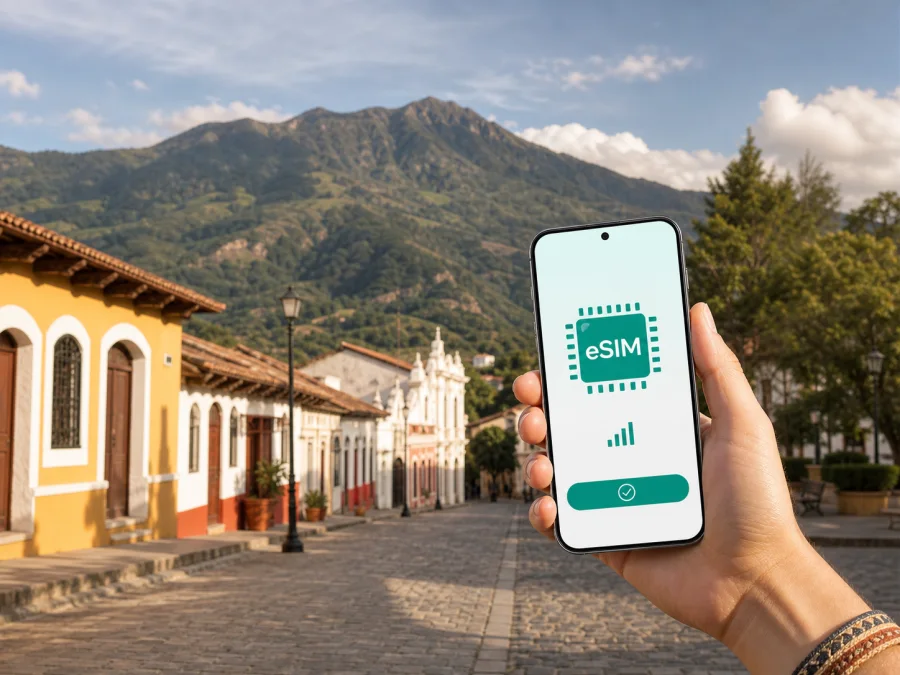
Gracias eSIM: a practical guide to mobile connection and internet in Honduras
Gracias is the kind of Honduran city where a reliable mobile connection supports a slower, more observant style of travel. You may arrive with a hotel address in a message, walk between the historic center and a viewpoint, check a trail meeting point, and then continue toward the mountain landscape around Celaque. Each small task depends on having the right information at the right moment: a map, a translation, a booking confirmation, a message from a guide, or a way to contact your accommodation.
An eSIM can make that preparation easier for a trip to Gracias. It is a digital SIM profile that is installed on a compatible phone, so you can use a selected mobile data tariff without changing the physical SIM card you normally use. Kaspersky eSIM Store is an app and website that helps you choose, arrange, and activate an eSIM tariff for mobile internet during an international trip. The service is especially useful when you want to prepare before departure and keep your everyday number available for calls or messages through your usual SIM, subject to your home operator’s settings.
This guide is about using mobile internet in Gracias itself: getting oriented after arrival, moving between the center and nearby attractions, staying connected at a hotel, handling a short business visit, and planning a route onward through western Honduras.
Why mobile internet matters in Gracias
Gracias is the capital of Lempira Department in western Honduras. Its historic streets, churches, squares, and the San Cristóbal fortress give the city a strong sense of place, while the nearby Celaque landscape adds a different kind of excursion.
Mobile data is useful in each transition, but the need is usually practical rather than constant. You may need to:
- open an online map while walking through unfamiliar streets;
- send your accommodation an arrival update;
- confirm a hike or local tour meeting point;
- translate a sign or short conversation;
- check an itinerary, contact a driver, or send a work file.
Public Wi‑Fi can help with a quick message, but a pre-arranged eSIM gives you another data option away from a reception desk or familiar Wi‑Fi location. Conditions still depend on the selected tariff, device settings, and local conditions.
Plan the connection around your itinerary
The best tariff is not determined by the city name alone. It depends on how you will use Gracias and how much of your trip will take place outside the center. A short city break built around walking and messaging has a different data profile from a working visit with video meetings or a multi-stop route through Lempira.
| Travel situation in Gracias | Likely data activity | Planning focus |
|---|---|---|
| Short stop in the historic center | Maps, messages, searches, translation | A modest allowance may be enough if photos and video are limited |
| Weekend with a Celaque outing | Navigation, weather checks, messages, photos | Leave room for route changes and map use away from the hotel |
| Business visit | Email, cloud documents, calls in work apps | Estimate data for meetings and keep a backup Wi‑Fi option |
| Road trip with Gracias as a base | Maps, accommodation messages, bookings | Consider the full route, not only time inside the city |
| Shared travel with family | Messaging, location sharing, occasional hotspot use | Check whether tethering is supported and plan for several users |
Before purchase, write down the number of days, activities away from Wi‑Fi, and apps that may use the most data. Video calls, photo backup, social video, and map downloads can consume much more than text messages.
The eSIM tariff is for mobile data. It does not automatically replace an ordinary phone number, voice calls, or SMS unless the specific conditions say otherwise. For calls and messages, you can use internet-based messengers or keep your regular SIM active for the functions you need. Check how your home operator charges for roaming before you leave, and decide which line will handle calls, which line will handle data, and which settings should remain disabled.
Arrival in Gracias: prepare before you leave the airport or bus
Many visitors reach Gracias after traveling through another Honduran city, so the final part of the journey may involve a road transfer rather than a direct international arrival. That is a good reason to prepare the phone before the last leg instead of waiting until you reach the hotel.
Use this arrival sequence:
- Save the accommodation address, booking confirmation, and host or driver messages.
- Check whether the eSIM is installed and whether activation begins according to the tariff conditions.
- When ready, select the eSIM for mobile data and review data roaming settings for your device.
- Test a simple web page or message before starting the transfer to the center.
If you are arriving late, prepare the digital profile while you have stable Wi‑Fi and keep the activation information available offline. A screenshot of the installation instructions can also be useful, but do not share QR codes or activation details publicly.
Check your phone before choosing a tariff
An eSIM only helps if the device supports eSIM and is not restricted by an operator lock. Compatibility varies by phone model, regional version, and software configuration. A phone that looks like the right model may still have different capabilities in a particular market.
Before paying, check:
- whether the exact phone model supports eSIM;
- whether the device is unlocked for use with another mobile service;
- whether the operating system is up to date enough for the installation flow;
- whether you can access the email address or account where setup details will arrive;
- whether there is enough battery and storage for the trip’s essential apps;
- whether your home SIM should remain active for calls, messages, or verification codes.
You can check your device compatibility before selecting a tariff. If you are traveling with a tablet, spare phone, or work handset, check that device separately; compatibility on one device does not confirm compatibility on another.
Walking, maps, and everyday movement
The historic center of Gracias is well suited to a walking-based visit, but a map remains valuable when you are looking for a particular entrance, accommodation, café, church, viewpoint, or meeting point. Streets can look similar when you are focused on architecture rather than signs, and a phone makes it easier to confirm the next turn without interrupting the walk.
For a comfortable day on foot, prepare a simple digital route with three layers:
- Orientation: the accommodation, a central landmark, and a safe return point.
- Activities: historic sites, San Cristóbal fortress, food stops, and the guide meeting point.
- Practical stops: a place to rest, refill water, and contact your accommodation.
Use maps actively rather than leaving every app open in the background. Save the hotel address, turn off automatic video playback, and review photo backup settings if your tariff is limited. Downloading maps before a walk can reduce data use.
Gracias has a compact-town feel, while trips toward Celaque and other nearby places change the transport and navigation picture. Ask your accommodation or local guide about the current road conditions, departure point, and return plan. A rural access road or trailhead may be better explained locally than by a generic map pin.
Local transport and day trips from the city
For short urban journeys, walking may be the simplest option. For luggage, steep approaches, or a destination outside the central streets, ask your hotel or host which local transport is currently practical. Taxi and mototaxi availability, pickup points, and prices can vary, so confirm the fare and destination before setting off. When a driver is taking you beyond the city, share the destination name in writing to avoid confusion between similarly named places.
Mobile internet helps with coordination, but it does not replace local judgment. Before a day trip, save the following in a note:
- the destination and local contact;
- your accommodation name;
- the departure and return window;
- a backup meeting point and essential confirmations.
If you plan to visit Celaque, treat the outing as a mountain excursion rather than an ordinary city walk. Weather, trail conditions, daylight, fitness, footwear, and local guidance matter more than the map pin on your screen. Downloading route information helps, but keep someone informed of your plan and allow extra time for the return. The phone should support the trip, not encourage you to take an unfamiliar route simply because an app displays a line on a map.
Gracias can also work as a base for exploring nearby communities and attractions in Lempira. Data performance may vary outside the built-up area, so send key messages before departure and carry offline details. For a multi-city itinerary, review the full sequence of destinations when choosing the country tariff.
When your plan includes several Honduran stops, you can prepare an eSIM tariff for Honduras after comparing the duration and data allowance with your actual itinerary. The aim is to have a clear data plan before moving between cities, not to make a purchase without checking the terms.
Hotels, guesthouses, and working in Gracias
Hotels and guesthouses may have Wi‑Fi, but mobile data is still useful while checking in, walking back after dinner, messaging a host, or coordinating a pickup. Save the property entrance and contact details before leaving a stable connection.
For a business trip, test your routine early, open the documents you need, and decide whether the hotel network is suitable for confidential work. Check your data allowance before long meetings or large uploads.
A practical work setup includes:
- a charged phone and power bank;
- the eSIM selected as the data line;
- the regular SIM configured only for needed calls or messages;
- limited automatic updates and photo backup;
- accessible two-factor authentication and offline meeting details.
Installation and activation checklist
Install the eSIM over reliable Wi‑Fi with enough battery. Labels differ between Android and iOS, so follow the Android installation instructions or iOS installation instructions.
The general sequence is:
- Confirm compatibility and review allowance, validity, and activation conditions.
- Complete the arrangement in Kaspersky eSIM Store and keep setup details private.
- Add the eSIM from mobile-network settings using the provided method.
- Label it clearly, such as “Honduras travel”.
- Select the data line and review roaming settings according to the instructions.
- Test data and monitor the tariff and balance in the app or account.
Do not delete the eSIM profile while troubleshooting unless the instructions or support team specifically tell you to do so. Reinstallation may not always be possible under the same conditions. If activation does not proceed, check the selected data line, airplane mode, roaming setting, and the exact instructions for your operating system before changing several settings at once.
What to do if data does not work
Most connection problems are configuration or timing issues. Confirm that the eSIM is enabled and selected for data, check the required roaming setting, briefly toggle airplane mode, and review the tariff status and balance. If the issue continues, use trusted Wi‑Fi to review the setup instructions and contact support.
FAQ for a Gracias trip
Is an eSIM useful if I am staying mostly in the city center?
It can be. Even a short stay may include arrival coordination, maps, translation, accommodation messages, and a change of plan. Choose according to your data needs and the tariff conditions.
Can I keep my normal number active?
Usually, you can keep the physical SIM available for calls or messages while selecting the eSIM for mobile data, but the exact behavior depends on your phone and home operator. Review roaming settings and charges before travel.
Should I install it in Gracias or before departure?
Installing over stable Wi‑Fi before departure is usually more convenient. Arrive with the profile ready and activate or select it according to the tariff instructions.
Is the city enough for choosing a data allowance?
Not always. Include transfers, excursions toward Celaque, onward travel, photo uploads, hotspot use, and work calls in your estimate.
Final checklist
Before leaving for Gracias, check your exact device, choose a Honduras tariff for the whole itinerary, save the hotel address and key contacts offline, install the eSIM with the correct Android or iOS instructions, and decide which line will provide data.
Gracias rewards a flexible plan: walk the historic streets, leave time for the landscape around Celaque, and confirm local details before heading farther from the center. A prepared eSIM can make the digital part of that plan easier to manage, while the final choices about tariffs, routes, transport, and device settings remain yours.
Prepare your trip to Gracias
If your phone is compatible, choose a tariff that matches your dates, data habits, and route through Honduras. Then install the eSIM before departure, keep the setup instructions close at hand, and review the settings after you arrive. Choose a Honduras eSIM tariff for your trip and start your visit to Gracias with a practical mobile-data plan.


