Travel connectivity guide
Grameenphone eSIM in Bangladesh: what to check
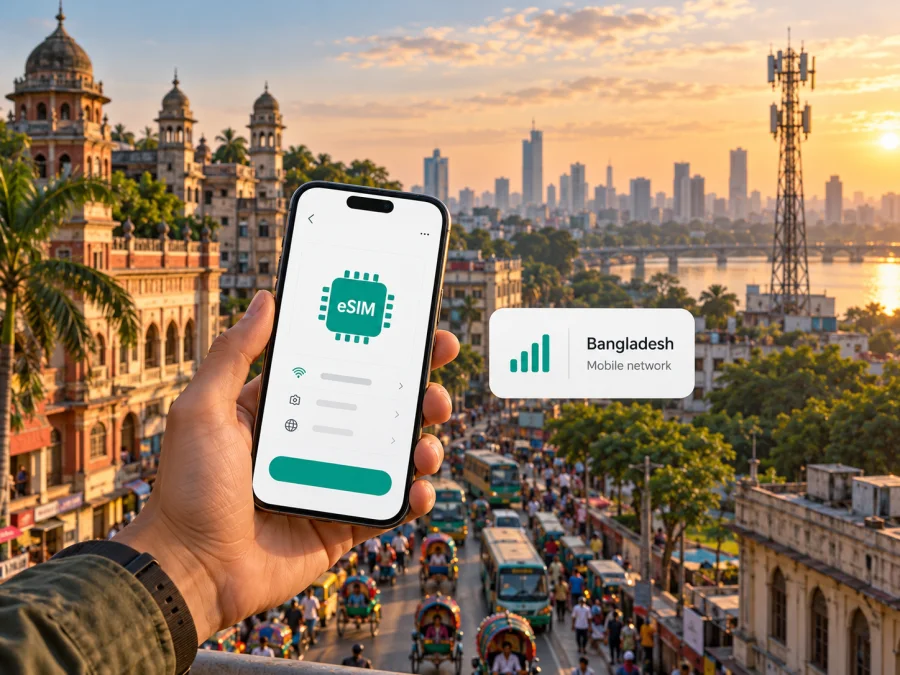
Grameenphone eSIM in Bangladesh: availability, setup and travel checks
If you are travelling to Bangladesh and considering a Grameenphone eSIM, first decide whether you need a local phone number or mainly mobile data. Grameenphone offers eSIM service in Bangladesh, but a local line involves the operator’s eligibility, identity-verification and purchase process. A travel eSIM is a separate option for mobile data abroad. The right choice depends on your device, documents, route and whether calls to a Bangladesh number matter.
This guide reflects Grameenphone’s public “Company Profile,” “Grameenphone eSIM,” “eSIM FAQ,” “Useful Information” and “GP Tourist SIM” pages, checked on 17 October 2026. Requirements, service points, network availability and purchase processes can change, so confirm them with Grameenphone before applying. This article is independent: Kaspersky eSIM Store is not affiliated with, endorsed by or an official representative of Grameenphone.
Quick answer
Grameenphone confirms eSIM availability in Bangladesh. Its FAQ describes compatible-device eligibility, new connections, migration, QR installation and identity checks. Separate visitor information says the Tourist SIM is available as a regular SIM or eSIM at selected centers in tourist hubs, subject to a valid passport and visa.
Not every visitor or phone necessarily qualifies. The steps differ by channel and application type, so confirm your process before visiting a service point.
| Your need | What to check |
|---|---|
| A Bangladesh number and local services | Visitor eligibility, required documents, eSIM service points and the current registration process. |
| Mobile data for a short trip | Compare a local visitor option with a travel eSIM; confirm what each includes and where it works. |
| Keeping your home number active | Check whether your phone can manage both lines as needed and select the correct line for data, calls and messages. |
| eSIM on a specific phone | Verify the exact model and regional variant, software version and carrier-lock status. |
Grameenphone and its network in Bangladesh
Grameenphone is a mobile operator serving Bangladesh. On its “Company Profile” page, it describes itself as the country’s largest operator by revenue, coverage and subscriber base; this is the company’s own market description, not an independent ranking. The page describes a GSM-based network and lists 900 MHz, 1800 MHz and 2100 MHz bands. Its 2024 “Unified Licenses” release refers to existing 2G, 3G and 4G services. These facts do not promise reception at a particular address or support for every phone.
Reception depends on location, building, handset and local conditions. Check current coverage along your route, especially for rural or coastal visits. A map cannot guarantee indoor reception or a particular speed.
Is Grameenphone eSIM available?
Yes. Grameenphone’s “Grameenphone eSIM” page states that the operator offers eSIM service in Bangladesh. Its “eSIM FAQ” says eligible prepaid and postpaid consumer customers with an eSIM-compatible device can use it.
The operator describes new connections and migration from a physical SIM. Visitors can ask about the separate Tourist SIM process: Grameenphone’s “Useful Information” page says it is available as a regular SIM or eSIM at selected centers in tourist hubs, with a valid passport and visa. Confirm locations, documents and eligibility with the operator.
Online requests may have a service-area limit; in-person applications can involve center verification; visitor registration has separate requirements. Ask Grameenphone which current process applies rather than assuming a standard request is a visitor application.
What travellers should confirm before applying
Eligibility, documents and service points
Grameenphone’s eSIM instructions describe biometric verification. Its FAQ says new connections require identity and address proof under the rules for a physical SIM; its Tourist SIM page names a valid passport and visa. Confirm accepted documents and whether you must apply in person.
Do not assume every step can be completed remotely. The visitor page names selected centers in tourist hubs, not every retailer or airport counter. Confirm the service point and opening hours before planning around an in-person application.
Online delivery coverage is location-dependent and differs from in-person visitor service or SIM migration. Ask whether your chosen point can issue a new eSIM, serve a tourist application or migrate your number. Bring the phone you will use and have internet access ready for setup.
Check the exact phone variant
Support for a phone family does not guarantee support in every regional variant. Check the exact model number against Grameenphone’s device information and the manufacturer’s local specifications. Confirm that the handset is unlocked and its operating system is current.
If your variant is not listed, ask before paying or migrating a number. Understand the recovery process before resetting the phone or deleting a profile, which can affect access to the line.
How to install and activate an eSIM
Grameenphone describes QR-code installation after purchase and identity checks; internet access is required to download the profile. Menu names vary, so follow the current instructions for your handset and service.
- Confirm compatibility. Check the exact model and regional variant, eSIM support and carrier-lock status.
- Complete registration. Finish the identity, biometric or other steps required for your application route.
- Connect to the internet. Use reliable Wi-Fi or another working data connection while installing the profile.
- Keep the QR code private. Display it on a second screen or use the method provided by the operator. Do not forward it to anyone who does not need it.
- Open mobile settings. On iPhone, look under Cellular or Mobile Data for the option to add an eSIM or mobile plan. On supported Android phones, look under SIM or Connections settings. Exact labels vary.
- Scan and follow the prompts. Wait for the profile to download, then give the line a recognizable label.
- Choose line settings. Select which SIM handles mobile data, calls and messages. If your home SIM remains active, check these selections before using data.
For a travel eSIM selected through Kaspersky eSIM Store, follow the order or profile instructions; its setup is separate from Grameenphone registration. Use the device compatibility check and confirm the handset is not restricted from activation.
Before installing a travel eSIM, read when to enable it and when validity begins; downloading a profile and starting a plan can be separate events. If installing after arrival, arrange Wi-Fi or another connection.
Local Grameenphone service or a travel eSIM?
A Grameenphone eSIM is a local operator line and may suit travellers who need a Bangladesh number or local services. Eligibility and registration apply; visitors should check the separate Tourist SIM process and service locations.
A travel eSIM is designed for mobile data without replacing a physical SIM. It can suit visitors who mainly need maps, messaging and other internet services, but may not provide a Bangladesh number, ordinary calls or SMS. Read the terms and keep another line for services that need your usual number.
Choose based on your route, need for local calls, documents and time for registration. Check compatibility and full terms; coverage and activation rules differ.
Kaspersky eSIM Store is an app and website that helps travellers select, purchase and activate an eSIM with a data plan for an overseas trip. It is not a mobile operator, network owner or provider of mobile internet. Use the Bangladesh destination page to check current travel eSIM options. This page is for browsing the store’s current destination options; it is not a Grameenphone tariff page or a claim about a specific local operator plan. Before choosing an option, review its coverage area, data allowance, validity, supported device, activation rules and limitations.
Coverage and mobile technology in practice
Those published technology details do not establish service availability at every location or on every phone. Check current coverage along your route; buildings, terrain and device support can affect reception.
Accommodation, journeys and indoor workplaces may have different conditions. If continuous access matters, save offline essentials and consider a backup. A travel eSIM may use a local partner network; check its current terms instead of assuming it behaves like a direct Grameenphone line.
Coverage maps and delivery areas describe different things; check both for your needs.
Keeping two SIMs organized
If your phone supports two lines, you may be able to keep your home SIM for calls and use another eSIM for data. Combinations depend on the handset. Label each line, choose the mobile-data line and check roaming settings and possible charges with your home operator.
Grameenphone’s FAQ says a physical SIM is deactivated when replaced by an eSIM with the same number. That differs from adding a second travel line. Follow the operator’s migration instructions and understand how service can be restored before deleting a profile or resetting your phone.
After arrival, recheck the data selector. Menu names and controls vary by phone and software version.
If the eSIM does not connect
If a profile installs but service does not appear, do not delete it immediately. Check settings and note any error message; repeated scans or removal can complicate recovery.
- Confirm the eSIM line is enabled and selected for the service you need.
- Turn off airplane mode and restart the phone once.
- Check that the relevant local service or travel plan is active under its terms.
- Review mobile-data and data-roaming settings for the correct line. Some travel eSIMs require data roaming; follow their instructions.
- Try a different location to check whether the issue is limited to the current signal area.
- Confirm the phone is unlocked, its software is current and the exact variant supports eSIM.
- Contact Grameenphone before deleting a local profile or scanning a replacement QR code.
- For a travel eSIM, use the support contact shown in the relevant Kaspersky eSIM Store order or profile.
Grameenphone’s guidance requires internet access for installation and describes support or center steps for some problems. Keep order details available and do not send QR codes, one-time passwords or identity documents through unofficial channels.
Frequently asked questions
Can a visitor get a Grameenphone eSIM in Bangladesh?
Yes. Grameenphone’s “Useful Information” page describes eSIM availability for Tourist SIM at selected centers in tourist hubs, with a valid passport and visa. Confirm current locations and requirements before visiting.
Does Grameenphone eSIM work on every eSIM phone?
No. Regional variants can differ, and carrier restrictions can prevent activation. Check the exact model number against Grameenphone’s current device list and confirm that the phone is unlocked.
Can I convert my physical Grameenphone SIM to eSIM?
Yes, subject to Grameenphone’s migration and verification process. Online and in-person routes may vary by location; confirm before changing the line.
Does an eSIM automatically include a tourist service?
No. The eSIM profile and the service attached to it are separate parts of the process. Grameenphone publishes visitor guidance for its Tourist SIM, but you should confirm its current terms and eligibility with the operator. Do not assume a standard eSIM request is the same as a visitor application.
Can a travel eSIM replace my phone number?
Usually it is a mobile-data option unless its terms say otherwise. Keep another line for calls or verification messages you need, and check roaming settings.
Should I install an eSIM before leaving home?
That can be convenient with a compatible device and stable internet. Read when to enable the profile and when validity starts. If installing in Bangladesh, arrange an internet connection for setup.
Checklist before departure
- Decide whether you need a Bangladesh phone number, data only, or both.
- Ask Grameenphone which visitor or eSIM process applies to your documents and arrival location.
- Confirm the service point, opening hours and any in-person verification requirement.
- Check the phone variant, eSIM support, software version and carrier-lock status.
- Review where the local service or travel eSIM works and how activation begins.
- Keep the QR code and account details private; follow the instructions for the exact service.
- Select the correct line for mobile data and check roaming settings before use.
- Save offline essentials and a support contact in case you cannot connect immediately.
Final guidance
Grameenphone eSIM is confirmed in Bangladesh, and visitor information describes a Tourist SIM eSIM route at selected centers. Before relying on it, check your eligibility, service location, phone variant and need for a local number. Verify details with Grameenphone close to your trip.
If you mainly need mobile data, Kaspersky eSIM Store can help you review current travel options for Bangladesh. Check the destination options and read the specific terms. This is distinct from Grameenphone’s local service.
Information checked: 17 October 2026. Grameenphone’s eSIM availability, visitor requirements, service locations, device support, activation steps and network information may change. Confirm current details with Grameenphone before applying. Kaspersky eSIM Store is not affiliated with Grameenphone; operator and product names belong to their respective owners.


