Travel connectivity guide
Granada eSIM: Mobile Internet in Nicaragua
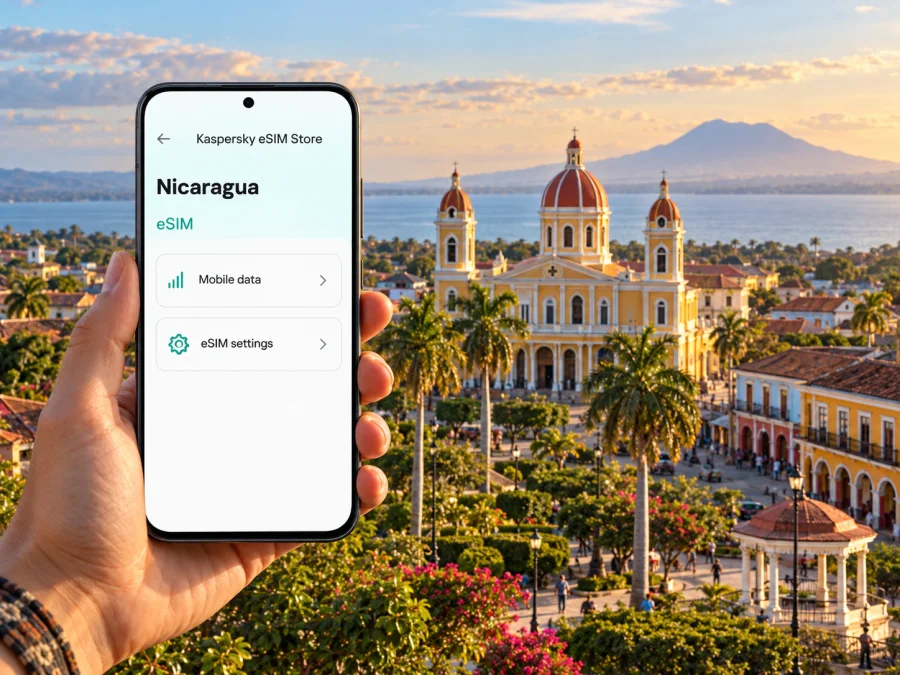
Granada eSIM for mobile connection and internet
Granada rewards slow exploration: a morning around Parque Central and the cathedral can turn into lunch in a shaded courtyard, then an afternoon beside Lake Cocibolca or a boat trip among the Isletas. A working mobile connection helps you find your accommodation, coordinate a pickup, check a route and message people at home as your plans change. An eSIM can make mobile internet easier to arrange before you leave, provided your phone supports it and the selected plan covers Nicaragua.
This guide focuses on the city: how to get online after arriving through Managua, where data is useful around Granada, what to check before choosing an eSIM, and how to keep essential details available when a signal is weak. Mobile coverage and plan conditions can vary by network, device, location and weather. Treat maps and directions as tools, not a substitute for confirming a meeting point or saving an offline copy.
What to know about connectivity in Granada
Granada is a city in western Nicaragua, on the shore of Lake Cocibolca, also called Lake Nicaragua. Its historic center is compact enough that many visitors explore on foot, while trips to the lakefront, Isletas, Mombacho and nearby towns add distance and may involve a driver, boat operator or guide. Those changes matter for data: navigation and quick messages use little, while video calls, photo backups and streaming can consume a plan much faster.
Nicaragua has local mobile operators, and local eSIM service is offered by at least one operator. That fact does not confirm which network a particular international travel eSIM will use. Before purchase, check the plan’s Nicaragua listing, the named network if shown, included data, validity, activation rules and any hotspot restrictions. Do not assume a plan that works in Managua will perform identically on the lakeshore, on an islet or on a mountain trail.
| Travel moment | How mobile internet can help | Useful backup |
|---|---|---|
| Airport arrival in Managua | Check messages, confirm a driver and open a saved itinerary | Keep the driver’s name, meeting point and accommodation address in a screenshot |
| Transfer to Granada | Share your estimated arrival and follow the route if the driver agrees | Download the route and map area before leaving Wi-Fi |
| Historic center | Navigate between Parque Central, your lodging and restaurants | Save the lodging pin and address in Spanish |
| Lakefront or Isletas | Coordinate a boat trip and tell your contact when plans change | Confirm pickup time and return arrangements before leaving the shore |
| Day trip toward Mombacho or another town | Check meeting details and contact your guide | Ask whether the route or activity has areas without reception |
Arriving in Nicaragua and reaching Granada
Most international visitors enter Nicaragua through Augusto C. Sandino International Airport in Managua. Granada is not the airport city, so there is a transfer between arrival and your stay. Arrange that leg as a separate step: agree on the pickup point, destination, approximate departure time and payment method with your accommodation or transport provider. If you plan to use public transport, first confirm the current departure terminal and service schedule; terminals and operating details can change.
Having data soon after landing is useful for confirming a pickup or checking an updated message, but it is not a reason to rely entirely on live maps. Save the accommodation name, full address and a map pin before your flight. If you are meeting a driver, take a screenshot of the instructions and keep the contact number available in a format you can access offline. A mobile data connection also does not replace a confirmed transfer booking.
Choosing an eSIM for a Granada trip
Start with the route, not the largest data allowance. A short city stay with map checks, messaging and online bookings is different from a longer Nicaragua itinerary with regular video calls or photo uploads. Estimate your daily use, then leave a margin for unexpected route changes. If your trip continues beyond Granada, confirm that the plan covers every destination on the itinerary rather than relying on a city name in a search result.
Before you choose, review these details together:
- Destination: the plan should explicitly include Nicaragua. A regional plan may include it, but verify the country list rather than inferring coverage from a regional label.
- Data amount: navigation, text messaging and email usually need less data than video, social media clips or cloud photo backups. Disable automatic media downloads if you want to conserve a limited allowance.
- Validity: check the number of days and the event that starts the clock. Installation, first network connection and purchase are not interchangeable.
- Network and coverage: check whether the plan names a local network and whether its published coverage information is relevant to your route. Actual service can vary indoors, along the lake and outside built-up areas.
- Tethering: if you expect to connect a laptop or another phone, confirm that personal hotspot use is permitted and included.
- Calls and texts: travel eSIM plans often focus on data. Do not assume they include a local phone number, ordinary voice calls or SMS unless the plan explicitly says so. Internet calling apps need data and the other person’s availability.
- Top-ups and support: confirm whether extra data can be added, how to contact support and what account information you may need.
How much data might you need?
There is no single allowance that suits every traveler. Use the table as a planning framework, not as a promised usage estimate. Your apps’ settings and habits make a substantial difference.
| Your typical day | Data pattern | A practical step |
|---|---|---|
| Walking in central Granada, messaging and occasional maps | Light | Download maps and disable background refresh for nonessential apps |
| Several bookings, regular navigation and photo sharing | Moderate | Check remaining data daily and avoid automatic cloud uploads on mobile data |
| Remote work, video calls or frequent hotspot use | High and variable | Confirm hotspot rules and consider a larger allowance or a separate work connection |
| Boat outing or day trip beyond the center | Uncertain by location | Download directions, tickets and contact details before departure |
If the plan has a data cap, the phone’s own usage meter can help you spot a surprise increase. Reset the meter when you activate the travel line, or note its starting value. Video playback, app updates and photo backup are common reasons for faster-than-expected consumption. Set large downloads to Wi-Fi and choose lower video quality when using mobile data.
Check your phone before you buy
An eSIM profile can only be installed on a device that supports eSIM and is not restricted by a carrier lock. Support depends on the exact model, regional hardware variant and market of sale; a family name alone is not enough to confirm compatibility. A phone purchased in one country can differ from a similarly named version sold elsewhere. Check the manufacturer’s specifications for your exact variant and look in the device settings for an option to add an eSIM. If you are uncertain, ask the phone maker or your carrier before purchasing. Check whether your device is compatible.
Also confirm that the phone can keep your regular SIM and the travel eSIM available in the way you need. Dual-SIM behavior differs by model and operating system. You may be able to use one line for calls and the other for data, but settings vary. Keep your home number selected for calls or verification only if that is your preference, and select the travel profile for mobile data. Review your home operator’s roaming terms before travel.
Kaspersky eSIM Store is an app and website where you can choose, complete and activate an eSIM with a suitable plan for mobile internet during an international trip. Plan conditions are shown for the selected destination and may change. You can review available options for Nicaragua and check the current terms for your dates before deciding.
Where data is useful around the city
Parque Central and the cathedral. This is a natural orientation point in the historic center. Save the pin for your lodging and choose a clear meeting point nearby before splitting up. If your map app loses service, street names and offline maps still help you retrace a walk.
The colonial streets and museums. Use a map to keep track of turns between courtyards, churches, cafés and museums, but download the area first. Narrow streets and indoor spaces can affect reception. Store opening times and ticket details locally because a webpage may not load when you need it.
The lakefront and Isletas. Boat excursions take you away from the central streets and can change the shape of your day. Confirm the boat’s departure point, operator contact, expected return and what happens if the weather changes. Keep a screenshot of any reservation and agree on a way to reunite if someone’s phone runs out of battery. Do not assume mobile service will continue across every island or stretch of water.
Mombacho and other excursions. A trip outside the urban center may include a road transfer, a guide meeting point and a walk. Download your route and booking details before departure, carry a power bank if you rely on the phone, and ask your guide about connectivity on the planned trail. Mobile internet is not an emergency communications guarantee.
Restaurants and accommodation. Data helps with reservations, directions and translating a short request. Save your accommodation’s address in Spanish and, if possible, a nearby landmark. Ask staff to write down a pickup point or local place name when a driver needs precise directions.
Staying online without draining your plan
Public Wi-Fi at your accommodation can help with software updates, large downloads and photo backups. It may be shared or unreliable, so avoid entering sensitive account details on a network you do not trust. Use mobile data for tasks that need a more dependable personal connection when your plan permits, and keep important bookings and addresses saved offline.
Installing and activating the eSIM
Follow the instructions supplied for your plan and device. Menus can differ between operating-system versions, and a QR code may need to be displayed on another screen while the phone scans it. Connect to Wi-Fi, make sure you have enough battery, and avoid deleting an active profile unless support tells you to do so.
- Confirm the device is compatible and unlocked.
- Purchase the plan only after checking destination, data, validity, activation timing and hotspot terms.
- Open the eSIM installation instructions and follow the steps for your operating system: Android setup guide or iOS setup guide.
- Label the profile something recognizable, such as “Nicaragua travel”, if your phone allows it.
- Keep your regular line configured for the calls and messages you need, then select the travel eSIM for mobile data when you are ready.
- Follow the plan’s instructions for data roaming or network selection. Do not change network settings at random if the plan gives specific directions.
- Check that mobile data works and confirm the phone is not using your home line for data.
If activation does not work, check that the profile is installed, the plan’s start conditions have been met, the correct line is selected for data and airplane mode is off. Restarting the phone can help with a temporary registration issue. If service still does not start, contact the plan provider with the order details and a description of the steps already taken. Keep Wi-Fi available for support messages.
Practical situations to plan for
You land late and go directly to your hotel
Have the address, booking reference and transfer instructions saved before boarding. A working data connection can help you update your driver, but the trip can still proceed if the airport signal is weak: use the agreed meeting point and contact method. If you have not arranged transport, ask your accommodation about current options rather than relying on a search result or an unverified fare.
You spend most of the day on foot
Download an offline map, save the hotel pin and carry the phone securely. Use mobile data for route changes, opening hours or a quick message, then switch back to offline navigation when possible. Set a shared meeting point with companions in case one person’s battery or connection fails.
You take a boat trip to the Isletas
Before leaving the dock, confirm how and when you return, exchange a contact method with the operator and keep a screenshot of the reservation. A mobile signal on the shore is not a guarantee of coverage on the water. Tell someone your plan if you are traveling independently.
You work remotely from Granada
Test video calls and hotspot use before depending on them for a meeting. Ask your accommodation about its Wi-Fi and have a backup time or communication channel. A travel eSIM can be useful for routine data, but signal quality, network load and local power conditions are outside the plan’s control.
Your itinerary continues beyond Granada
Check the plan against every stop, including rural areas, islands and transport legs. A country-level plan can still have coverage limitations, and neighboring-country inclusion should never be assumed. Save tickets, addresses and transfer details before each leg, especially if you are changing transport or crossing a border.
Frequently asked questions
Is there eSIM service in Nicaragua?
A local Nicaraguan operator documents eSIM service for its customers. International travel eSIMs are a separate product category, and availability, network partner and conditions depend on the specific plan. Check its Nicaragua listing and terms before purchase.
Will an eSIM work everywhere in Granada?
No plan should be treated as a guarantee of reception in every building, on every island or along every route. Coverage depends on the network used by the plan and local conditions. Download maps and reservations for offline access.
Can I use the eSIM for ordinary calls?
Check the plan details. Many travel eSIMs are designed for data and may not include a regular phone number, voice calls or SMS. Internet calling apps can work over data, subject to the app and connection.
Should I install the eSIM before I travel?
Often it is convenient to install while you have stable Wi-Fi, but first read the plan’s activation instructions. If validity begins at installation, wait until the instructed time. If it begins on first connection in Nicaragua, follow the provider’s guidance and keep the profile ready.
Can I keep my home number active?
Many phones support more than one SIM profile, but the exact combination depends on the model and settings. Check your device instructions and your home carrier’s roaming terms. Select the intended line for data and watch for roaming charges on your regular SIM.
What should I do if mobile data stops?
Check the selected data line, the plan’s remaining allowance, activation status and the setup instructions. Move to an open area and reconnect if appropriate. Use saved offline maps and booking details while you contact the provider over Wi-Fi or another available connection.
Is the Isletas area covered by the same plan?
A Nicaragua plan may be valid nationally, but that does not guarantee signal at every island or on the route by boat. Check the plan’s network information and ask the excursion operator about communication arrangements.
A short preparation checklist
Before flying, confirm your device’s exact eSIM compatibility and carrier-unlocked status. Review Nicaragua coverage, network details, allowance, validity start, top-up rules and hotspot terms. Install the profile according to its instructions, but do not delete it if a connection problem occurs. Save your transfer plan, hotel address, bookings and Granada map offline. At arrival, check which SIM is carrying data and test the connection before depending on it.
Granada is easiest to enjoy when your logistics are simple: know where you are going, keep excursion details close and plan for moments without a signal. Choose an eSIM plan only after checking that its current conditions match your route and phone. When you are ready, explore the available Nicaragua options in Kaspersky eSIM Store, then review the plan details before completing setup.


