Travel connectivity guide
Grand Anse Mahe eSIM: Mobile Internet Guide
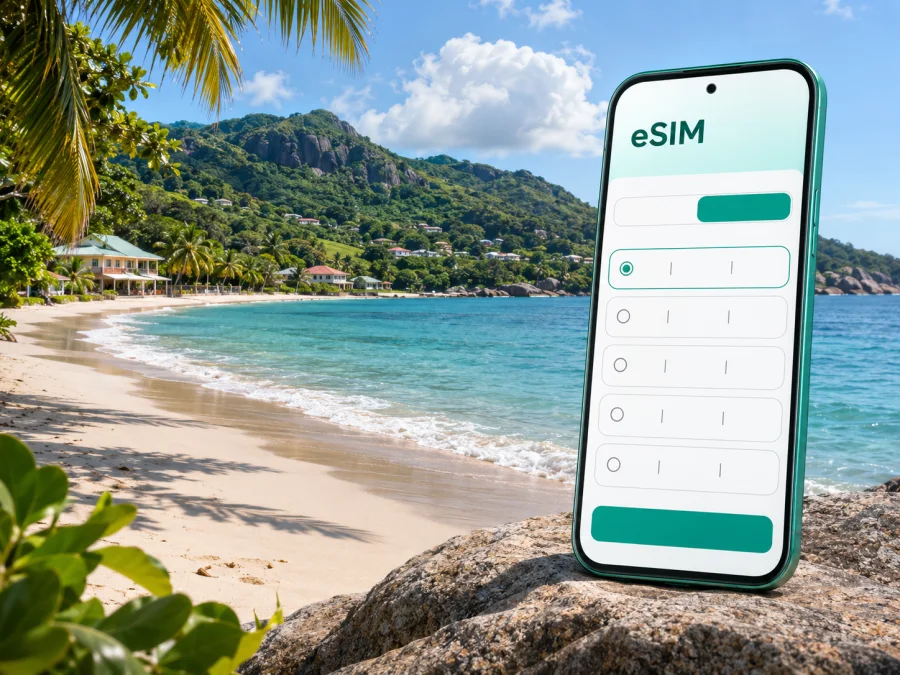
Grand Anse Mahe eSIM: Mobile Connection and Internet for Your Trip
Grand Anse Mahe is a coastal district on the western side of Mahé, the largest island in Seychelles. It is a place to slow down by the ocean, explore the green interior, and make day trips along the island’s winding roads. For a visitor, reliable mobile internet is useful for checking directions, contacting accommodation, arranging transport, and keeping plans flexible when the weather changes.
The name can be confusing in search results: Grand Anse Mahe is not the same place as Grand Anse on Praslin or Grand Anse on La Digue. This guide focuses on the district and beach area on Mahé. It explains how to plan your arrival and local travel, where a data connection helps, and what to check before choosing an eSIM for Seychelles.
What to expect in Grand Anse Mahe
Grand Anse Mahe is on Mahé’s west coast. The district is bounded by Port Glaud to the north and Barbarons to the south; La Misere links it across a mountain pass to Plaisance on the east side. This is a coastal and hillside district, not a compact city centre.
Grand Anse Beach is a long, open coast. The sea can be powerful and local safety guidance warns about currents. Treat the beach as a place for a walk and views unless current signs and local advice confirm swimming is safe. Conditions can change, so do not rely on an old review or photograph.
Accommodation and services are spread out. Save your exact lodging address and confirm the entrance or pickup point with your host. A coastal property and a hillside guesthouse may require different transport plans.
| Place | Visitor orientation |
|---|---|
| Grand Anse Beach | Main coastal landmark; check current sea conditions. |
| La Misere | Pass linking the west with Plaisance and eastern Mahé. |
| Victoria | Capital and important destination for services and onward travel. |
| Pointe Larue | Airport area on Mahé’s eastern side, across the island. |
| Port Glaud / Barbarons | Neighbouring districts to the north and south. |
These are geographic cues, not journey-time estimates. Weather, road traffic and your lodging location affect travel.
Arriving on Mahé and reaching the west coast
International arrivals use Seychelles International Airport at Pointe Larue on eastern Mahé. Grand Anse Mahe is across the island, so plan a transfer rather than expecting a short walk from the terminal. If your accommodation offers pickup, confirm the meeting point, driver details and delay policy. For a taxi or rental car, check the current arrangements with the provider before travelling.
Mobile data helps you message your host, confirm a pickup or check directions. Airport or hotel Wi-Fi may be available, but do not make it the only part of your plan. Save booking details, your map and essential contacts offline before departure.
Before leaving home:
- Save the accommodation address, host contact and transfer details.
- Download an offline Mahé map and mark the airport and lodging.
- Keep booking confirmations accessible without a connection.
- Review roaming settings if you need your home SIM for verification codes.
- Remember that a data eSIM does not automatically provide a local number, voice calls or SMS.
Seychelles drives on the left. Roads can be narrow, steep and winding away from the main corridor. Set navigation while parked, keep the phone mounted and follow road signs.
Getting around: bus, car and planned rides
Public buses connect districts on Mahé. The current Seychelles Public Transport Corporation timetable lists Route 13A between STC Grand Anse and Victoria via La Misere. Check the latest timetable close to travel; schedules and departures vary by direction and day. Confirm your stop and leave time for delays if you have a flight, ferry or reservation.
Use data to check your position or share progress, but screenshot the timetable and stop details before boarding. Map pins can be imprecise on hillside roads, so confirm the stop with your host or a local person instead of walking while focused on your screen.
A pre-arranged taxi or transfer may suit luggage, late arrivals or accommodation away from the main road. Confirm the booking terms with the provider. If renting a car, check the route before leaving and keep an offline map in case reception fluctuates.
| Situation | Practical choice |
|---|---|
| Airport to lodging | Arrange pickup or confirm a taxi; save the address offline. |
| Grand Anse Mahe to Victoria | Check Route 13A via La Misere or arrange a ride. |
| West-coast stops | Confirm the return option before setting out. |
| Inland drive | Download directions and check current weather and road advice. |
Treat connectivity as a planning aid. Know your destination, return route and backup if a ride is delayed.
Where mobile internet helps in Grand Anse Mahe
A connection is useful for finding a hillside guesthouse, confirming a pickup, checking current bus information and messaging a host when plans change. Before leaving, save the accommodation pin, transport details and an offline map. For remote work, test the connection where you are staying before scheduling a call; performance depends on the local network, terrain, device and selected tariff. An eSIM for data does not automatically include a phone number, ordinary calls or SMS.
If your route includes the airport, Victoria, Praslin or La Digue as well as Grand Anse Mahe, verify that the chosen destination tariff covers every stop. Review its current data allowance, validity and activation conditions for your travel dates. You can review eSIM options for Seychelles and compare the terms shown for the route.
Choosing an eSIM for a stay on Mahé
An eSIM is a digital SIM profile for a compatible device. It can help you prepare mobile data before travel without replacing a physical SIM. Kaspersky eSIM Store is an app and website where you can select, order and activate an eSIM with a suitable tariff for mobile internet abroad. Review the selected tariff’s destination, data allowance, validity, activation rules and any stated limitations.
Estimate usage from your itinerary: maps and messaging use less data than frequent photo uploads, streaming or remote work. Consider the length of the stay, Wi-Fi access and whether the tariff permits top-ups. If your route includes the airport, Victoria, Praslin or La Digue, check that every stop is covered instead of assuming a listing for one destination applies throughout.
| Likely use | Check before selecting |
|---|---|
| Maps and messaging | Trip length and offline-map options. |
| Photo sharing | Data use from uploads and backups. |
| Remote work | Allowance, validity and a test connection at your lodging. |
| Several islands | Destination coverage and any usage limits. |
| Backup beside your home SIM | Dual-SIM behavior and which line handles data. |
The Seychelles plan page currently displays AIRTEL among the local telecommunications providers for its listed plans. Check the provider and destination details for the exact tariff you select, since availability and terms can change. Reception is not guaranteed at every location: terrain, buildings, device and local network conditions affect performance. Check when validity begins; it may depend on installation or first connection. Keep purchase and activation details offline.
Check your phone before purchase
Device compatibility is essential. A phone must support eSIM, be eligible for eSIM activation in its specific regional version, and be free of a carrier lock that prevents another profile from being added. Two devices with the same retail name may differ by the market where they were sold, and support can also vary by model generation or carrier configuration. No exact device model was supplied for this trip, so confirm the make, model and regional variant in the manufacturer’s settings or documentation before choosing a tariff. Check whether your device supports eSIM.
Also check that you can complete installation. You may need internet access to download the profile, enough battery, and access to the confirmation or QR code on a second screen or another device. If the phone is locked, managed by an employer, or already has several active SIM profiles, resolve that before travel rather than discovering it at the airport.
Install and activate with a little preparation
Follow the current guide for your device and the selected tariff’s activation terms: eSIM setup for Android and eSIM setup for iOS. Menu names vary by operating-system version.
- Check the phone. Confirm eSIM support for the regional model and make sure it is not carrier-locked.
- Choose the tariff. Verify destination, allowance, validity and activation conditions.
- Install on a stable connection. Keep the phone charged and follow the on-screen steps. Do not delete the profile unless instructed.
- Set up the line. Label it clearly, choose which SIM handles data and keep the home line enabled only as needed.
- Activate at the right time. Follow the tariff’s start rules. After arrival, select the eSIM for data and check whether its instructions require data roaming.
Installation and connection are separate. If data does not start, make sure the eSIM is enabled, selected for data, and airplane mode is off. Allow time to register and follow the tariff’s troubleshooting steps. Repeated deletion and reinstallation may not be possible under the profile terms.
Practical backups for a coastal stay
Download the Mahé map area, save pins for the airport and accommodation, and keep essential bookings and transport screenshots offline. Restrict automatic photo backups and app updates to Wi-Fi if you need to manage data. Navigation, photos and messaging can drain a battery, so carry a charger and protect the phone from sand, heat and salt spray.
Grand Anse Beach is scenic, but the sea can have a strong undertow. Follow warning signs and current local advice; swim only in designated areas when conditions are confirmed safe. For walks or drives inland, tell someone your plan, save the return route and check weather or road guidance before setting out. Do not depend on uninterrupted reception for safety.
If an eSIM does not connect, confirm the profile is installed and enabled, select it for mobile data, check airplane mode and follow the tariff’s network or data-roaming instructions. Give the phone time to register and restart once if needed. Avoid deleting the profile as a first step, since reinstallation may depend on its terms. Keep travel-critical details offline and contact support over a trusted available connection if the issue continues.
Frequently asked questions
Is Grand Anse Mahe a city?
It is an administrative district on Mahé’s west coast, not a dense urban centre. It is distinct from similarly named places on Praslin and La Digue.
Is there a bus from Grand Anse Mahe to Victoria?
SPTC lists Route 13A between STC Grand Anse and Victoria via La Misere. Check the current timetable and save your departure and stop details offline.
Will an eSIM work everywhere in the district?
No plan can guarantee reception at every point. Terrain, buildings, the local network, device and current conditions affect coverage. Review the tariff details and keep offline directions.
Does a travel eSIM include calls and SMS?
Not automatically. Check the tariff. A data plan does not necessarily include a conventional number, voice calls or texts; messaging apps use data, while your home SIM may be useful subject to roaming terms.
When should I install it, and can I move it later?
Install over a stable connection and activate according to the plan’s rules, especially if validity begins at first connection. Transfer or reinstallation depends on the profile terms; check before removing it.
Prepare your connection before you go
A smooth stay in Grand Anse Mahe starts with a few practical checks: save your accommodation address, review the route from Pointe Larue, check current bus information if you plan to use Route 13A, and confirm that your exact phone variant supports eSIM. Choose a tariff by its current destination, data allowance, validity and activation rules, then keep maps and essential travel details available offline.
Kaspersky eSIM Store is an app and website that helps you choose, order and activate an eSIM with a suitable tariff for mobile internet during an overseas trip. Review the current terms for Seychelles and select an option that fits your dates and route: choose an eSIM tariff for your Seychelles trip. Install it by following the instructions for your device, and keep your home SIM settings and a backup plan in mind for the journey.


