Travel connectivity guide
Grand Baie eSIM: Mobile Internet in Mauritius
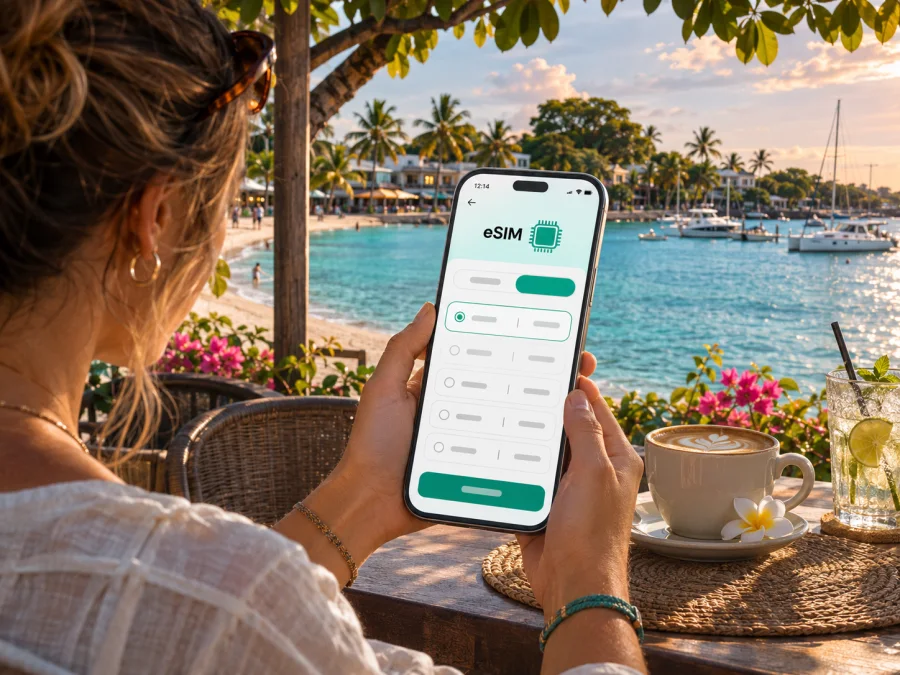
Grand Baie eSIM: mobile connection and internet for your Mauritius trip
Grand Baie is a coastal village on the northwest coast of Mauritius, known for its sheltered bay, marina, restaurants and easy access to nearby beaches and northern island excursions. A reliable mobile connection helps with the practical parts of a visit: finding your accommodation after landing, checking a route, messaging a boat operator or looking up a change in plans. Preparing mobile internet before you arrive can make those first decisions easier, especially if you do not want to rely on airport Wi-Fi or search for a SIM shop while carrying luggage.
An eSIM is a digital SIM profile installed on a compatible phone. It can provide mobile data under the terms of the selected plan, without inserting another physical SIM. Before choosing one for Grand Baie, check that the plan explicitly covers Mauritius, how much data it includes, when its validity starts and whether tethering is allowed. City names are useful for planning, but mobile coverage is determined by the local network and conditions where you are, not by a hotel or neighbourhood label.
What to expect from a stay in Grand Baie
Grand Baie, sometimes written as Grand Bay, is a village rather than a separate island or a district-level city. It sits in the Rivière du Rempart District and serves as a busy base for exploring the north. The bay curves around a lagoon; hotels, guesthouses, restaurants and shops are spread along the shoreline and nearby roads. Pereybère is just to the north, while Mont Choisy and Trou aux Biches are to the southwest. Cap Malheureux and its red-roofed Notre-Dame Auxiliatrice church are further north.
That geography matters when you plan data use. A day spent walking around the bay may involve short map checks and messages. A day with transfers, beach stops and an organised boat trip can mean more frequent navigation and coordination. A resort outside the central village may also make a car or taxi journey part of even a simple dinner plan. Choose a data allowance based on the way you will use your phone, and download information you may need offline before leaving a stable connection.
| Situation | Why mobile data helps | Useful preparation |
|---|---|---|
| Arrival and check-in | Confirm a pickup, contact your host or locate the entrance | Save the address and booking details offline |
| Moving between beaches | Check directions and meeting points | Pin the destination and agree on a landmark |
| Dining in the village | Read opening details or message a venue | Keep a note of the address in case plans change |
| Boat or catamaran outing | Coordinate the departure point and return | Confirm the operator’s meeting instructions in advance |
| A day trip inland | Check the route and share an itinerary | Keep a backup route and do not rely on live maps alone |
Mobile data is useful, but it is not a substitute for a confirmed reservation, a printed or saved address, or an agreed meeting time. Coastal conditions, traffic and service availability can change. Keep essential confirmations accessible offline and ask your accommodation or tour provider for current local advice.
Getting from Mauritius airport to the north
Sir Seewoosagur Ramgoolam International Airport is in the southeast of Mauritius, while Grand Baie is in the north. That makes the airport transfer a cross-island journey rather than a quick hop from the terminal. An airport taxi can take you directly to your accommodation; official airport information lists a taxi service counter in the arrivals area. Confirm the destination and fare with the driver before setting off, and allow extra time for traffic, weather or a late arrival.
Public buses also serve the airport, but the airport’s listed routes do not go directly to Grand Baie. The National Land Transport Authority publishes a Route 215 timetable between Port Louis Transportation Centre and Grand Baie. If you are considering public transport from the airport, check the latest airport and bus information on the day, plan the connection between services, and confirm where you need to change. Timetables and operating hours can vary, and a bus may be inconvenient after a long flight or with bulky bags.
For the arrival leg, keep your phone charged and make sure you can reach your driver or accommodation. Save the property name and street address as text, not only as a map pin. If your data plan is not active yet, use airport Wi-Fi where available to send a short message, then switch to mobile data once your eSIM has connected. A map downloaded for Mauritius or the north coast can help if you temporarily lose a data connection.
A simple arrival checklist
- Save your accommodation address and host’s contact details.
- Confirm the pickup point and check which line handles mobile data.
- Keep your primary number available if you need it, and carry a power bank.
Getting around Grand Baie and nearby places
The village centre is walkable in sections, but attractions and accommodation are not all on one compact pedestrian street. The coastal road and local roads connect the bay with Pereybère, Cap Malheureux, Mont Choisy and Trou aux Biches. Walking may suit a short trip to nearby shops or a meal, while a taxi, rental car or bus can be more practical for longer distances, rain, heat or beach equipment. Check the route and return plan before you set out, especially in the evening.
The official timetable lists Route 215 between Grand Baie and Port Louis. Check its current schedule and stop before setting out; a map may not show the right bus or boarding point. The Metro Express does not serve Grand Baie directly, so using it involves a separate connection.
For a taxi, state the destination clearly. For a tour, follow the organiser’s meeting instructions rather than relying on a general marina pin. If your group separates, share a written landmark and agree on a fallback meeting place.
Choosing where to stay
The right base depends on your plans more than on a label such as “central.” Accommodation near the bay can put restaurants, shops and the marina within easier reach, but some properties sit along busier roads. A stay around Pereybère may suit travellers planning beach time to the north. Mont Choisy and Trou aux Biches offer different beach settings to the southwest, but you may travel farther for evening meals or boat departures in Grand Baie. Confirm walking distances and transport options with the property, particularly if you will arrive late or have mobility needs.
Save the exact accommodation address and compare it with the host’s directions; similar property names can appear in different parts of Mauritius. Share the property’s directions with your taxi driver rather than relying on an imprecise map marker.
Plan eSIM data around your itinerary
There is no single data allowance that suits every visitor. A light user who mainly checks messages and directions may need less than someone who uploads videos, joins calls or uses a hotspot for work. Hotel Wi-Fi may reduce mobile usage, but its availability, quality and login process differ by property. Boat trips and full-day excursions can also change your usage pattern, so leave a margin for unexpected route checks and messages.
Kaspersky eSIM Store is an app and website where you can select, arrange and activate an eSIM with a suitable plan for mobile internet on an international trip. The actual network, coverage, price, validity and plan terms depend on the selected offer and local arrangements. Check the plan details for Mauritius before payment; a page or search result for another destination, a regional package or a global package does not automatically mean the same conditions apply in Grand Baie.
Before you choose, compare these details:
- Destination. Confirm that Mauritius is included. If the plan covers several destinations, check the included-country list rather than inferring coverage from the region name.
- Data volume. Estimate maps, messaging, browsing, photo uploads and any laptop hotspot use. Video calls and streaming can consume data quickly.
- Validity. Check how many days the plan lasts and when that period begins. Some plans start on installation; others start at first connection or another event described in their terms.
- Network conditions. Coverage and speed can vary with the local network, location, device and congestion. No plan guarantees a signal at every beach, indoors or offshore.
- Tethering and restrictions. Read whether personal hotspot use is supported and whether any fair-use limits or other conditions apply.
- Voice and SMS. A data-only travel eSIM may not include a local phone number, ordinary calls or SMS. Keep your usual number active if you need it, and use internet messaging only when the relevant app and contacts are available online.
If you want to review the current Mauritius options, browse eSIM plans for a trip to Mauritius. This is a country-level destination page; check the displayed plan details and terms for your own dates and itinerary rather than assuming a specific Grand Baie tariff or network.
Check your device before arranging an eSIM
An eSIM plan is useful only if your phone supports eSIM and is not restricted by a carrier lock. Support can differ between model families and regional variants, even when the device names look almost identical. Do not rely only on a product family name or an online list for a different market. Check the exact model number and the settings on your own phone, and check whether your device is compatible before you pay.
On many phones, an EID in the device information is a useful indicator that an eSIM component is present, but it does not by itself confirm that a particular travel plan will install successfully. The device must also be unlocked for use with another provider, and its software and region-specific configuration may matter. If anything is unclear, ask the device seller or your mobile provider to confirm the exact variant and lock status.
Keep your home SIM or eSIM available if you need your regular number for banking codes or calls. Decide which line should handle mobile data, and review whether data roaming should be enabled for the travel eSIM according to its installation instructions. Avoid deleting an eSIM profile just to troubleshoot unless the plan’s instructions or support team tells you to do so; some profiles cannot simply be installed again after removal.
Install and activate before you need directions
If the plan permits pre-installation, it is often easier to add the eSIM while you have stable Wi-Fi and time to read each prompt. Follow the instructions supplied with the plan. The wording in phone settings varies by operating system version, but the general sequence is similar:
- Confirm that the phone is compatible and unlocked, and connect to Wi-Fi.
- Open mobile or cellular settings and choose the option to add an eSIM.
- Install the profile using the method provided for your purchase, such as a QR code or in-app installation.
- Label the new line clearly, for example “Mauritius data,” so that you can identify it later.
- Select the travel eSIM for mobile data when you want to use it. Keep your regular line configured for calls or messages if needed.
- Follow the plan’s activation timing. If it should start on arrival, do not enable it early unless the terms say that doing so will not use validity.
- After landing, check that the correct line is enabled and allow time for network registration. Follow plan instructions about data roaming if required.
For device-specific steps, use the Android eSIM installation guide or the iOS eSIM installation guide. Keep the QR code or activation details private and accessible only to the person setting up the profile.
If the eSIM does not connect
Start with the basic checks before changing several settings at once:
- Confirm that the eSIM line is switched on and selected for mobile data.
- Check that airplane mode is off, then briefly toggle it or restart the phone.
- Verify the plan destination, validity dates and any activation instructions.
- Check whether data roaming needs to be enabled for that eSIM under its terms.
- Move to a different location and retry; buildings, terrain and local network conditions can affect reception.
- If it still does not work, contact the plan provider or Kaspersky eSIM Store support with the order details, device model and a brief description of the steps already tried.
Do not assume that a weak signal means the eSIM is defective. The beach, a hotel room, a road outside the village and a boat offshore are different radio environments. Service can also be affected by local network availability or temporary congestion. Keep the accommodation address and transport arrangements available offline so you can continue your trip while troubleshooting.
Practical scenarios in and around Grand Baie
A late airport arrival. A direct taxi may be simpler than coordinating bus connections with luggage. Save the accommodation address, message your host before boarding and keep the phone available for contact. If your eSIM activates only at the destination, use airport Wi-Fi if available and follow its timing instructions.
A beach day with several stops. Save the return point and download a map before leaving. Use data for route changes and messages, agree on a meeting landmark, and carry a power bank if you expect to navigate and take photos throughout the day.
A boat trip or day in Port Louis. Confirm the operator’s meeting point and return details in advance. Offshore reception is not guaranteed. For Port Louis, check the current Route 215 timetable and plan the return before setting out; do not rely on a live map alone.
Short stay, longer visit or island-wide itinerary?
For a short visit centred on the bay, plan data for maps, messages and itinerary changes. Hotel Wi-Fi may reduce mobile usage, but availability varies. For a longer stay or remote work, estimate how often you will need data away from your accommodation, whether hotspot use is allowed, and how you can top up if the plan supports it.
An island-wide itinerary calls for a Mauritius plan whose terms match all your destinations. If you are also visiting another country or territory, verify it separately; tariff boundaries do not follow sightseeing routes. Travelling companions should agree on meeting points and have a backup if the phone holding the map loses charge or signal. Hotspot sharing depends on plan terms and drains the sharing phone’s battery faster.
Frequently asked questions
Is Grand Baie a city in Mauritius?
Grand Baie is officially described as a village in Mauritius and is commonly treated as a northern coastal destination. It is in Rivière du Rempart District. The page for a travel eSIM should therefore be selected for Mauritius, not from an assumed city-specific tariff.
Will an eSIM work everywhere in Grand Baie?
No mobile service can be guaranteed in every building, beach or offshore location. Reception depends on the local network, signal conditions, device and plan. Check the specific offer and treat coverage maps as guidance rather than a promise of service at every point.
Can I get from the airport to Grand Baie by bus?
The airport lists bus services, but its published airport routes do not run directly to Grand Baie. The NLTA lists Route 215 between Grand Baie and Port Louis. If you use buses from the airport, plan and verify the connections and current schedule before travelling.
Does an eSIM replace my normal phone number?
Usually not when the selected offer is data-only. Check the plan terms for voice, SMS and number details. You can often keep a primary SIM active for your usual number while assigning mobile data to the travel eSIM, but device settings and roaming charges from your primary operator should be reviewed first.
Should I install the eSIM before travelling?
If the instructions allow it, installing over reliable Wi-Fi before departure gives you time to complete setup without rushing. Activation can follow a different schedule, so check when validity begins and wait to enable mobile data until the plan says it is appropriate.
What if my phone is a regional variant?
Check the exact model number, EID availability and carrier-lock status with the manufacturer or seller. Support can differ between regional variants carrying similar retail names. If the device is not compatible, use another unlocked eSIM-capable phone or consider a physical local SIM option, subject to current registration and purchase requirements.
A calmer connection plan for your Grand Baie trip
Before departure, confirm that your eSIM plan covers Mauritius, that your exact phone variant is compatible, and that the data amount, validity and hotspot rules fit your itinerary. Save your accommodation and transport details offline. Once you arrive, select the correct data line and check the service before you depend on it for a pickup or meeting point. Keep a practical backup: a charged phone, an offline map and a written address.
When you are ready, choose an eSIM plan for Mauritius through Kaspersky eSIM Store, the app and website for selecting, arranging and activating an eSIM with a suitable plan for mobile internet while travelling abroad. Review the current plan terms carefully, install the eSIM using the relevant phone instructions and enjoy your time in Grand Baie with a clear, well-prepared connection plan.


