Travel connectivity guide
Grand-Bassam eSIM for Mobile Internet
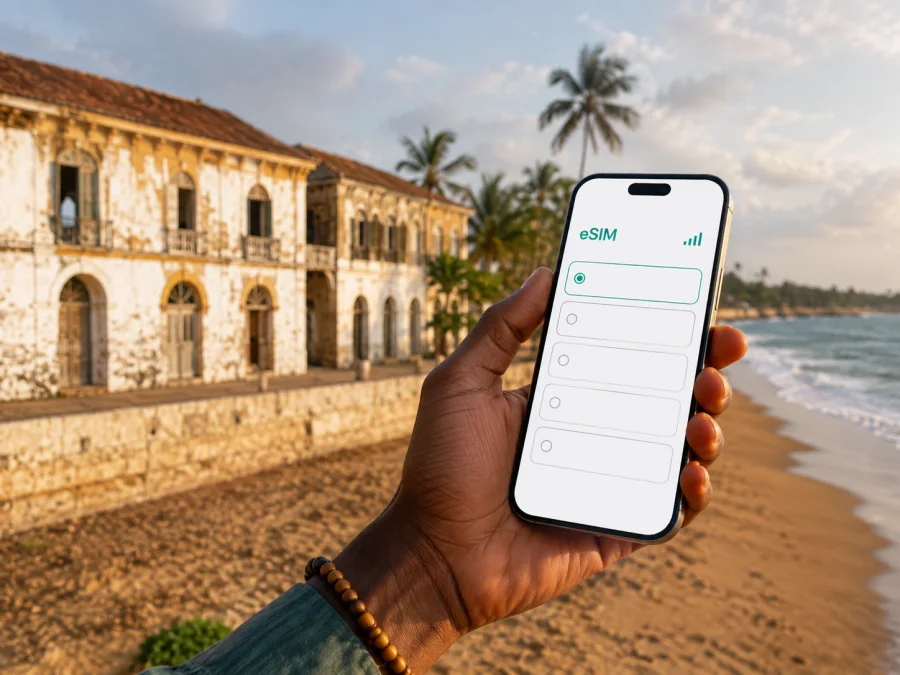
Grand-Bassam eSIM: mobile connection and internet for your trip
Grand-Bassam is a coastal city in southeastern Ivory Coast where a compact historic town, a lagoon landscape and Atlantic beaches meet. It is close enough to Abidjan for a day visit, yet distinctive enough to reward a longer stay. That combination creates a very practical need for mobile internet: you may be checking an airport transfer, finding a hotel entrance, sending a work file from a café, translating a message, or coordinating a return trip while moving between areas with different rhythms.
An eSIM, or digital SIM, can help you prepare that connection without removing your usual physical SIM card. Kaspersky eSIM Store is an app and website where you can choose, arrange and activate an eSIM with a suitable tariff for mobile internet during an international trip. For Grand-Bassam, the useful question is not simply how much data to buy. It is how you will use your phone between the airport road, the historic quarter, the beach, your accommodation and any onward journey.
Why mobile internet matters in Grand-Bassam
Grand-Bassam is easy to imagine as a place for unhurried walks, but a trip still depends on a series of small digital tasks. A map can help you orient yourself between the old town and the coast. A message can confirm a late check-in. A translation app can make a short conversation easier. A digital ticket, reservation or payment notification may need to be retrieved when you are away from hotel Wi-Fi.
The city’s geography makes planning useful: the historic area, lagoon side and oceanfront form different parts of the visit, while the approach from Abidjan is by road. If you continue along the coast, your phone remains a route planner and communication tool.
An eSIM is most useful when it is prepared as part of the trip rather than treated as an emergency purchase. You can keep your regular number available for incoming messages, use the travel eSIM for data if the tariff and device settings allow it, and avoid handling a tiny physical SIM while changing vehicles or checking in. It is still important to verify the tariff’s destination, data allowance, validity period and activation conditions before purchase.
What an eSIM does — and what it does not do
An eSIM tariff for travel is generally intended for mobile data. Unless the conditions of a particular tariff say otherwise, it does not provide a regular phone number, ordinary voice calls or SMS. You can use messaging and calling apps over data, while keeping your main SIM available for the functions you still need from it.
Kaspersky eSIM Store helps you choose the destination and a suitable option, see the available conditions, complete the order, and follow the activation process. The service is not a mobile network operator. The actual mobile service depends on the selected tariff, the local partner network, your device and the conditions shown at the time of purchase.
Grand-Bassam areas and the data you are likely to use
The city is easier to plan when you divide it into travel situations rather than assume that every stop will require the same amount of data.
| Area or situation | Typical phone tasks | Practical preparation |
|---|---|---|
| Historic town and Quartier France | Looking up heritage buildings, translating short text, sharing photos, arranging a guide or meeting point | Save your accommodation address and important pins before leaving |
| N’zima area and lagoon side | Coordinating a walk, checking messages, using a map when streets feel unfamiliar | Keep the phone charged; avoid relying on a single screenshot for every detail |
| Beach and oceanfront | Messaging, checking weather information, taking photos and arranging a ride back | Carry a small power bank and protect the phone from sand and water |
| Hotel or guesthouse | Check-in messages, work calls through apps, reservations and cloud files | Download essential documents and set the correct data SIM before arrival |
| Road to or from Abidjan | Live route checks, messages to a driver, booking changes and navigation | Confirm the pickup point in writing and allow extra time for traffic |
The historic town is a UNESCO World Heritage property, inscribed in 2012. Its value comes from the planned colonial-era urban fabric, older commercial and administrative quarters, and the presence of the N’zima fishing village alongside historic architecture. That heritage is not just a backdrop for photos: it affects how you explore. Walking slowly, checking a map at a junction and respecting buildings under conservation are often more useful than trying to cover the whole area quickly.
Navigation that works for a short stay
Before leaving your hotel, look at the day as a sequence of points rather than a list of names. Note the accommodation, the historic quarter, the beach or lagoon-side destination, a place for lunch, and the planned return route. Save the written address as well as the map pin. A local name, nearby landmark or phone contact can be valuable if a driver needs more than a dropped pin.
For a first walk, keep the map open only when needed and use the surrounding streets as landmarks. Grand-Bassam’s historic buildings, vegetation, waterfront and road edges can make a route feel different from the simplified line on a screen. If the route includes a quiet stretch or an area where you are unsure about transport back, arrange the return before setting out.
Arriving from Abidjan and staying online from the start
Most international visitors will approach Grand-Bassam via the Abidjan area and Félix-Houphouët-Boigny International Airport. The onward trip is by road. A prearranged driver, hotel transfer or other confirmed ride reduces uncertainty at the point when you are carrying luggage and may not yet know the local pickup layout. Ask for the exact meeting point, vehicle description and contact number before leaving the terminal.
This is where a working data connection is useful. You can message the driver, share your location when appropriate, check the accommodation’s directions and tell your host if the arrival time changes. Do not assume that the first public Wi-Fi network will be convenient or suitable for every task. If you need to use Wi-Fi for the eSIM setup, complete the installation before departure or while connected to a trusted network.
When the road is busy, the time shown by a map may change. Treat it as an estimate, not a promise. Keep an offline copy of your booking details, the accommodation address and the driver’s contact information. Mobile internet complements that preparation; it should not replace it.
Once you have planned the arrival and the first few days, you can choose an eSIM tariff for a trip to Grand-Bassam. Select an option whose destination and validity fit the whole itinerary, including any time spent in the Abidjan area or further along the coast if those places are covered by the same conditions.
Choosing the right amount of data
There is no single correct allowance for every visitor. Someone who mainly uses messages and maps will have different needs from a business traveller joining video meetings or a photographer uploading large files. Start with your own routine and compare the displayed data amount, validity period and price.
A simple decision method
- Count the days from your first planned use until the end of the trip. Check whether validity begins at installation, activation or first connection.
- List essential tasks away from Wi-Fi: navigation, messaging, translation, ride coordination, email, work platforms and photo backup.
- Separate light use from video, automatic cloud backups and high-resolution uploads, which can consume data faster.
- Add room for an unexpected transfer, a hotel change or a day trip from Grand-Bassam, then confirm that the destination scope covers the entire route.
These are planning categories, not promised consumption figures. Review automatic updates, photo synchronization and video autoplay before travel. A larger allowance can give you more flexibility, but the decision should follow the tariff conditions and your budget.
Preparing your phone before departure
Compatibility is the first technical check. Before purchase, confirm that your smartphone supports eSIM and is not locked to another operator. You can check your device compatibility before choosing a tariff. A model name alone may not be enough: regional versions, carrier restrictions and software configuration can differ.
Use this preparation list one or two days before travel:
- Charge the phone, pack a power bank, and keep your regular SIM if you need its number.
- Save accommodation details, transfer instructions and important contacts for offline access.
- Decide which line will be used for mobile data and turn off automatic data switching if available.
- Check the eSIM tariff’s destination, data amount, validity and activation conditions.
- Make sure you can access the email or profile where the eSIM details will appear.
Installing an eSIM normally requires internet for setup. Add it at home or on trusted Wi-Fi, then select it for data when appropriate. For the device flow, use the Android installation instructions or iOS installation instructions.
Installation and activation sequence
The names of menus vary by manufacturer, but the logic is usually similar:
- Open mobile-network or cellular settings and choose add eSIM or mobile plan.
- Follow the screen, scan the QR code if supplied, or enter the activation details.
- Label the line “Grand-Bassam trip” so it is easy to distinguish from your primary SIM.
- Select the travel eSIM for data when ready; keep the primary line for voice and SMS if needed.
- If required by the tariff instructions, enable data roaming for the eSIM only, then test a simple webpage.
Installation and first data use may be different events. Read the validity rule before adding the profile. If it does not connect, check the selected data line, airplane mode, enabled profile and signal; then review the instructions or contact support.
What to do if the connection is not working
Pause and check the simplest causes first:
- Confirm that the travel eSIM is enabled and selected for mobile data.
- Check airplane mode, data roaming if required, and whether the phone switched back to the primary SIM.
- Move outdoors or to a clearer location, then restart the phone if needed.
- Check the remaining allowance and validity in the app or profile.
- If the issue remains, contact support with the device, location, selected data line and on-screen message.
Do not delete the eSIM profile as a first reaction: reinstallation or transfer may be restricted. Keep screenshots of the settings and order details for support.
Three practical Grand-Bassam scenarios
- Short stopover: prepare the airport transfer and one compact route through the historic town. Use data for messages, navigation and the return-time check, then keep a buffer for the road back.
- Relaxed weekend: combine the historic town with the beach or lagoon side, keep one flexible block for changes, and control automatic backups so maps and messages remain available.
- Business or coastal itinerary: install and test the eSIM before travel, save presentations and contacts offline, and confirm that the selected destination scope covers every place beyond Grand-Bassam.
Frequently asked questions
Does the travel eSIM include calls and SMS?
Not usually unless the individual tariff says so. Travel options are generally designed for data; messaging and calling apps can work over that connection but do not create a regular local number.
When should I install it?
Install it with a reliable internet connection and enough time to check the settings. Whether validity begins at installation, activation or first connection depends on the tariff.
What if I travel from Grand-Bassam to another place in Ivory Coast?
Check the destination scope before leaving the city. If the same country option covers the rest of the route, one eSIM may fit; if not, reconsider the option before departure. Do not assume coverage from the city name alone.
How can I avoid using all my data on the first day?
Disable automatic updates and unrestricted photo backup over mobile data, limit video quality, and monitor usage in your phone settings or profile. Use data for navigation and coordination, while moving large downloads to trusted Wi-Fi when practical.
Final preparation checklist
Before leaving for Grand-Bassam, make sure you can answer “yes” to these questions:
- Does my phone support eSIM, and is it free from an operator lock?
- Does the selected tariff cover Ivory Coast and the full dates of my trip?
- Do I understand the data allowance, validity and activation conditions?
- Is the eSIM installed or are its setup details ready in my profile?
- Have I saved my hotel, transfer and return-route details offline?
Grand-Bassam is best enjoyed when the phone supports the experience rather than dictates it. Prepare the eSIM, save the essential details, and then use mobile internet selectively: to reach the historic town, move between the lagoon and the coast, coordinate a hotel or meeting, and stay in touch when your route changes.
Choose your eSIM for Grand-Bassam
When the destination, duration and data needs are clear, you can prepare an eSIM tariff for your Ivory Coast trip. Kaspersky eSIM Store helps you choose, arrange and activate an eSIM for mobile internet abroad. Check device compatibility and the tariff conditions first, then install it in time to arrive in Grand-Bassam with a practical connection plan.


