Travel connectivity guide
Grand Cul-de-Sac eSIM: Mobile Data on Saint Barthelemy
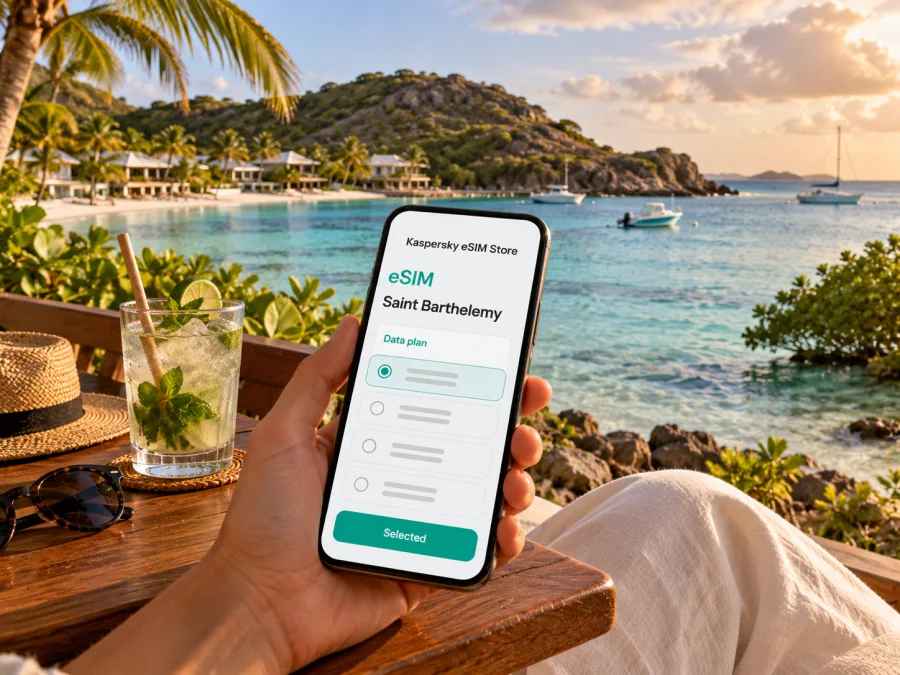
Grand Cul-de-Sac eSIM: mobile connection and internet for your stay
Grand Cul-de-Sac is a quiet lagoon on the north-eastern coast of Saint Barthelemy. It is often called a place or area rather than a town: the shore, hotels and villas sit beside a protected cove, while Gustavia remains the island’s principal town. That distinction matters when planning a trip. Your accommodation may be in Grand Cul-de-Sac, but you will arrive through the island’s airport or harbor and travel across the island to reach it.
A reliable mobile connection is useful for coordinating a transfer, checking a reservation, opening a map, messaging your host and keeping an eye on plans for the day. An eSIM can provide mobile data without swapping out your physical SIM, if your device supports eSIM and is unlocked. The exact network, available service and package conditions depend on the selected plan and local partner; a destination label alone does not guarantee reception at every beach, hotel or road.
This guide focuses on the practical connection needs of a stay in Grand Cul-de-Sac: arrival, the last stretch to your accommodation, lagoon days, trips to Gustavia and Saint-Jean, and what to check before choosing or activating an eSIM for Saint Barthelemy.
Understand the destination before choosing a plan
Grand Cul-de-Sac is a coastal area on Saint Barthelemy, not a separate country or city with its own telecom market. Saint Barthelemy is a French overseas collectivity in the Caribbean. For connectivity, check the plan for Saint Barthelemy itself; do not assume that a France, Caribbean or neighboring-island package includes it. The regulator’s published frequency authorizations identify Dauphin Telecom, Digicel AFG, Free Caraïbe and Orange as mobile operators authorized in Saint Barthelemy. This does not identify the roaming partner for a particular travel eSIM: check the selected plan’s network and destination terms rather than assuming which local operator it will use.
| What to check | Why it matters |
|---|---|
| Destination list | Confirm Saint Barthelemy is explicitly included. |
| Data and validity | Match the allowance and start date to your stay. |
| Network and roaming | Follow the provider’s current terms and setup instructions. |
| Device and hotspot | Confirm eSIM eligibility, unlocked status and tethering rules. |
Coverage depends on local network conditions, terrain, buildings, weather, device capability and the partner used by a plan. Keep your accommodation address, booking details and an offline route available as a backup.
Arriving and getting to the lagoon
Visitors usually reach Saint Barthelemy through a regional connection, then continue by a short flight or ferry. The island’s airport is at Saint-Jean; the ferry port is in Gustavia. Check the arrival point on your ticket before coordinating a pickup. Grand Cul-de-Sac is across the island from both, so arrange the final transfer with your accommodation or rental provider.
Before leaving the airport or harbor:
- Save the full accommodation address, host contact and transfer instructions offline.
- Confirm the pickup point and expected route with your driver or host.
- Download an offline map and keep your phone charged.
- If renting a car, save the handover location and rental contact details.
Preparing the eSIM before travel can make setup easier, but installation and activation may be separate events. Check when validity begins and follow the instructions shown with the selected plan.
Choosing mobile data for the way you travel
Choose data by how you use your phone, not by an assumed standard. Messaging, maps and booking details use less data than video calls, cloud uploads or frequent video streaming. Download maps and entertainment over Wi-Fi, check automatic photo backups, and leave room in the validity period for delays or extra nights.
| Travel pattern | Useful preparation |
|---|---|
| Short stop | Save directions and booking details offline. |
| Lagoon-focused holiday | Use mobile data while out; check whether your accommodation Wi-Fi meets other needs. |
| Island-hopping | Verify each island separately; nearby destinations are not automatically included. |
| Remote work | Check hotspot terms and test accommodation Wi-Fi before a call. |
| Frequent uploads | Pause automatic backups on mobile data and upload large files over Wi-Fi. |
Package prices, allowances and validity can change. Compare the current package terms against your itinerary, data habits and device before you choose.
What to expect around Grand Cul-de-Sac
Grand Cul-de-Sac is organized around the lagoon and its accommodation rather than a dense town center. Many visitors spend much of the day close to their hotel, villa, beach or water activities, then travel elsewhere for a meal or an outing. A map pin for the property is more useful than a broad search for “Grand Cul-de-Sac,” particularly when a transfer driver is unfamiliar with the exact entrance.
The cove is protected and shallow in parts, and the area is associated with the island’s marine reserve. Conditions and permitted activities can change, so follow local signs and current instructions from your accommodation or activity provider. Treat mobile connectivity as a practical aid, not a substitute for checking conditions in person. Near the water, protect your phone from splashes, sand and heat; store it securely when swimming or kayaking.
For a day based at the lagoon, prepare a compact set of offline and online information:
- Save your accommodation pin and the route back from the main road.
- Keep a note with the name of your hotel or villa and a local contact number.
- Check restaurant or activity reservations before leaving Wi-Fi.
- Take a screenshot of confirmation details in case you have to switch between apps.
- Keep a small amount of battery for directions and pickup coordination later in the day.
The shoreline is not a place where every traveler needs constant high-speed data. The most valuable moments for a live connection may be before and after an activity: confirming a pickup, sending a change of plan or checking the route to the next stop. If you are spending time on the water, tell your travel companion where you are going and when you expect to return, and follow the activity operator’s safety guidance.
Moving between the lagoon, Gustavia and Saint-Jean
Trips from Grand Cul-de-Sac to Gustavia or Saint-Jean are cross-island drives, not short walks. Confirm journey time, parking and pickup arrangements locally. Save the exact destination pin and check that it points to the right entrance, particularly for a villa or small property.
For a taxi or prearranged driver, agree on a time and recognizable meeting point. At a beach or restaurant, specify which side of the road or parking area you mean. Offline directions and a saved host message are useful if a map app cannot reconnect. If driving yourself, set the route while parked and let a passenger handle navigation; roads can be steep or narrow.
Kaspersky eSIM Store is the app and website where you can select, purchase and activate an eSIM with a suitable plan for travel; it does not operate the local mobile network. To review current options for the correct destination, browse eSIM plans for Saint Barthelemy, then confirm coverage, allowance and validity in the plan details.
eSIM compatibility and preparation
Before purchasing, confirm that your exact phone model and regional variant support eSIM. The same product family can have different hardware or eSIM availability by market. Also check that the device is unlocked for use with another carrier. A phone may have an eSIM menu yet still be restricted by its original operator, and a carrier-locked phone may not accept a travel profile.
Use the manufacturer’s specifications or your device settings to verify support, then check whether your device is compatible with eSIM. If the phone is not eligible, practical alternatives include asking your home carrier about roaming, using a compatible second device, or arranging a local SIM after checking current availability and requirements. Do not buy based on a model name alone when a regional variant could differ.
Before travel, also check:
- Your operating system is current enough for the installation method described by the provider.
- You can access the email address or account used for purchase while abroad.
- You have a stable Wi-Fi connection for downloading the eSIM profile if required.
- You know which SIM should handle calls and SMS and which line should use mobile data.
- You understand whether data roaming must be enabled for the travel eSIM, as specified by its instructions.
- Your home SIM’s roaming settings and charges are clear, especially if it remains active for calls or verification messages.
Installing a travel eSIM does not necessarily cancel or replace your existing mobile plan. Many dual-SIM phones can keep a home line available while using the eSIM for data, but the steps and capabilities differ by device. Label each line in settings, select the intended data line and review any prompts carefully. If your home line can incur roaming charges, disable data roaming for that line unless your carrier’s terms say otherwise.
Install and activate without rushing
If you have never used an eSIM, install it while you still have dependable Wi-Fi and time to read the prompts. Keep the QR code or activation details accessible on another screen if scanning is required. Avoid deleting an eSIM profile as a troubleshooting shortcut: some plans cannot be installed again after removal without assistance or a replacement profile.
A careful sequence is:
- Confirm your device is eSIM-compatible and unlocked.
- Review the destination, data allowance, validity and activation conditions for the plan.
- Purchase the selected plan and follow the provider’s setup instructions.
- Add the eSIM profile using the method shown on your device.
- Label the line clearly, for example “Travel data,” so you can distinguish it from your home SIM.
- Set the eSIM as the mobile-data line when you are ready to use it.
- Enable data roaming for that eSIM only if the plan’s instructions require it.
- After arrival, check that the phone has selected a supported network and that mobile data works before relying on it for navigation.
For device-specific steps, use the Android eSIM installation instructions or the iPhone eSIM installation instructions. Menu names and options can vary with operating-system version and phone manufacturer, so follow the prompts on your own device and the plan’s instructions together.
If the data connection does not start, move to a place with an open view, toggle airplane mode once, then check the selected data line and the plan’s roaming instructions. Restarting the phone may help in some cases. Do not repeatedly remove and reinstall the profile. If service is still unavailable, connect to trusted Wi-Fi and contact the support channel shown with your plan. Keep your accommodation address and essential contact details offline in the meantime.
Work, calls and short stays
For remote work, ask your accommodation about Wi-Fi and test it before a meeting. If you plan to tether a laptop, check hotspot availability and data limits. A travel eSIM may provide mobile internet rather than a local number; calls and SMS are included only if the plan says so. Messaging or calling apps may work over data, depending on the app, account and connection. Keep your regular number available for verification codes and check your home carrier’s roaming charges.
On a short stopover, prepare the eSIM and offline information before transit. If you connect through another island, verify whether the plan covers that transit location. Track use in your phone settings as a guide, and check plan terms before buying any top-up.
Quick checklist for your trip
Before booking:
- [ ] Confirm the plan explicitly includes Saint Barthelemy.
- [ ] Compare allowance, validity, speed conditions and hotspot terms with your travel pattern.
- [ ] Verify eSIM support for your exact regional device variant and check that the phone is unlocked.
- [ ] Confirm your arrival airport or ferry port and arrange the final transfer to Grand Cul-de-Sac.
Before departure:
- [ ] Install the profile over dependable Wi-Fi if the instructions allow pre-installation.
- [ ] Save the accommodation address, map area, pickup plan and important confirmations offline.
- [ ] Decide which line will handle mobile data and check your home carrier’s roaming terms.
- [ ] Carry a charger or power bank and protect the phone from sand, salt water and heat.
After landing:
- [ ] Select the travel eSIM for mobile data and follow its specific roaming instructions.
- [ ] Test a simple webpage or message before leaving the airport or harbor area.
- [ ] Keep offline directions ready in case the signal changes during the drive.
- [ ] Contact your host or driver if the pickup point or route has changed.
Frequently asked questions
Is Grand Cul-de-Sac a city?
Grand Cul-de-Sac is a lagoon and coastal area on Saint Barthelemy, not an independent city or country. For an eSIM, check the package against Saint Barthelemy as the destination, then use your accommodation’s exact address for navigation.
Does an eSIM guarantee a signal at my hotel or on the beach?
No. Reception depends on the local network, the plan’s partner arrangements, device capability and conditions at the exact location. Review the plan’s destination terms and keep essential directions and contacts available offline.
Can I use a plan for France or the Caribbean in Grand Cul-de-Sac?
Only if the plan’s current destination list explicitly includes Saint Barthelemy. Do not infer coverage from a broad label or from a nearby island. Check every destination on a multi-island itinerary.
Will my travel eSIM include a local phone number?
A travel data eSIM may provide internet only. Voice calls and SMS are included only when stated in the plan terms. You can often use messaging or calling apps over data, but keep access to your regular number if you need it for verification or incoming calls.
Should I install the eSIM before I arrive?
If the provider permits it, installing over Wi-Fi before departure can make setup easier. Check when the validity period begins, since installation and activation are not always the same event. Follow the selected plan’s instructions and do not delete a profile unless support tells you to.
What if I lose mobile data after leaving the airport?
Check that the travel eSIM is selected for data, review the plan’s roaming requirements and restart the connection once. Network availability can vary along roads and inside buildings. Use saved offline maps while you troubleshoot over Wi-Fi or contact support.
Get ready for Grand Cul-de-Sac
A little preparation makes arrival and island travel simpler: verify that your phone is compatible and unlocked, choose a plan that explicitly includes Saint Barthelemy, save your route and accommodation details, and read the activation conditions before travel. Kaspersky eSIM Store is available as an app and website for selecting, purchasing and activating a suitable eSIM plan for a trip abroad. Review eSIM options for Saint Barthelemy and check the current package details before you go.


