Travel connectivity guide
Grand Turk eSIM: Mobile Internet for Travelers
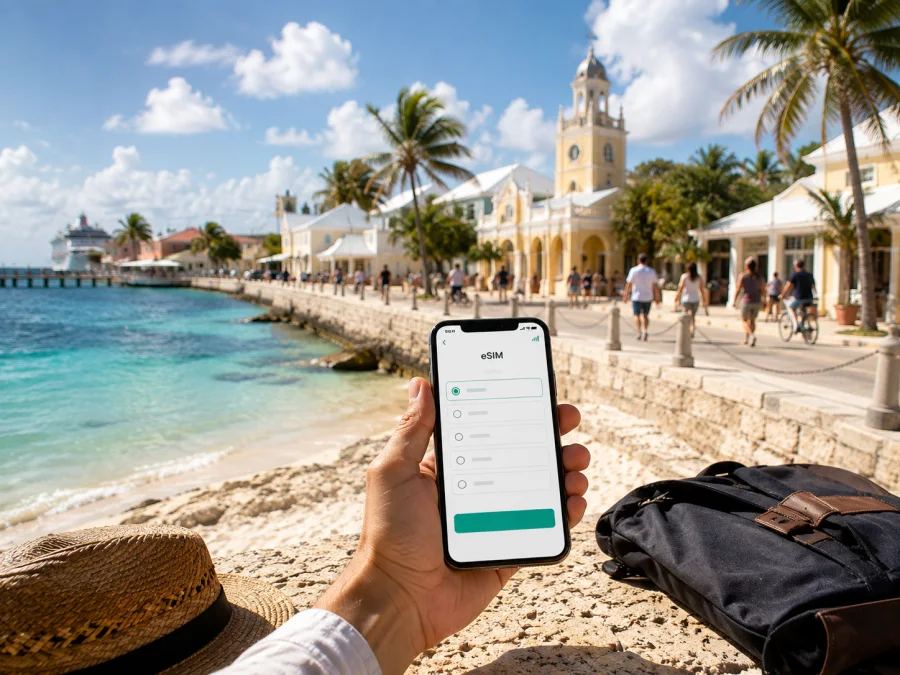
Grand Turk eSIM: mobile connection and internet for your trip
Grand Turk is a compact island destination, yet a reliable mobile connection can make the first hours and every transfer much easier. After landing, you may need directions to your accommodation, a message to a driver, a map pin for a meeting point or a booking confirmation. During the day, mobile internet helps with navigation, local transport, reservations and communication while you move between Cockburn Town, the coast and the cruise-port area.
For a trip to Grand Turk in the Turks and Caicos Islands, an eSIM can provide a separate mobile-data line without removing your physical SIM card. You choose a prepaid tariff for the destination, traffic allowance and validity period, then install it on a compatible, unlocked device.
When mobile internet can help in Grand Turk
An eSIM is a digital SIM profile installed on the phone instead of a removable card. On a compatible device, it can work alongside your regular SIM. You can keep the home line available for the services you need from your operator and use the travel eSIM for mobile data, with the two lines clearly labelled in the settings.
The most useful Grand Turk situations are practical:
- opening a map after leaving the airport or while walking in Cockburn Town;
- contacting accommodation, a taxi provider, tour company or travel companion;
- sharing a meeting point or checking an updated booking;
- using navigation during a transfer to the coast or a self-drive;
- sending messages and selected photos away from hotel Wi‑Fi;
- joining a work call or opening documents when the chosen data allowance permits it;
- keeping a cruise-day route and return details accessible when time ashore is limited.
The value is preparation and control: review the destination, traffic volume, validity and price before paying, then decide when to install and use the profile. You still need to check device support, operator lock, activation rules and local conditions.
Arrival and the first transfer
Grand Turk’s JAGS McCartney International Airport is the usual reference point for air arrivals. From there, you may need a taxi, rental vehicle, arranged transfer or directions to your accommodation. An address, contact or map pin is often more useful than a large amount of data, but having the travel line ready means you do not have to wait for a hotspot.
Prepare before departure:
- Save the accommodation name, address and check-in instructions offline.
- Keep the eSIM confirmation accessible in your email or account.
- Install the profile over a stable internet connection if the tariff allows it.
- Leave your regular line available for the calls or messages you still need.
- Select the travel eSIM for mobile data only when you are ready to use it.
Do not assume that the phone will select the new line automatically. After landing, confirm the data setting and that the home SIM is not being used for roaming data unintentionally. If required, enable data roaming for the eSIM only. For a cruise arrival, save the meeting point, return details and tariff validity rule before going ashore.
Getting around: maps, taxis and local routes
Visitors commonly combine walking with taxis, a rental vehicle or an organised transfer. The choice depends on luggage, accommodation, weather, available time and whether Grand Turk is a short cruise stop. Even on a small island, a precise map pin helps when an entrance or excursion meeting point is described in different ways.
| Situation | What the phone may need to do | Practical preparation |
|---|---|---|
| Airport arrival | Open the address and contact a driver | Save the address and keep the data line ready |
| Walk around Cockburn Town | Show a route and a meeting point | Save important places and use live data for changes |
| Transfer to the coast | Share the correct pick-up location | Send a map pin and keep the contact visible |
| Cruise-day visit | Track time, route and return details | Charge the phone before going ashore |
| Business appointment | Confirm an address and join a call | Reserve data for work traffic |
| Excursion or onward travel | Check a schedule or update | Confirm times with the provider because they can change |
Save a screenshot of the hotel address, write down key contacts and keep the return route in your notes. Take a charger or power bank, close unnecessary background apps and delay large photo uploads until Wi‑Fi is available. Tethering can consume data quickly.
Choosing a tariff for your Grand Turk itinerary
Choose around the way you will spend each day, not only the number of nights. A visitor staying near Cockburn Town may mainly need maps, messages and booking updates. Someone based closer to the coast may use navigation and communication between transfers. A cruise passenger may need only short, focused data use, while a remote worker needs to plan for calls, documents and possibly tethering.
Useful planning patterns are simple: a cruise passenger needs directions, messaging and return planning; a weekend visitor adds maps, reservations and photos; a longer stay may include video calls; a business trip needs data for documents and meetings. If you will continue to another island or country, confirm that the tariff covers that leg and check tethering conditions before relying on a hotspot.
Kaspersky eSIM Store is an app and website that helps you choose, arrange and activate an eSIM with a suitable tariff for mobile internet during an international trip. You review the destination and the tariff conditions, install the profile on a compatible device and manage the travel setup according to those terms. Tariffs may be based on local operators’ services; Kaspersky eSIM Store is not the mobile network.
Once your route is clear, you can choose an eSIM tariff for a trip to Grand Turk and review the current options for the Turks and Caicos Islands. Compare traffic volume, validity, activation rules and price with the way you expect to use data. A larger allowance is not automatically more suitable if its validity period does not match your dates.
A simple data-planning method
List daily tasks such as maps, messaging, email, video, bookings and work tools. Separate essential mobile-data use from tasks you can prepare over Wi‑Fi, add room for an arrival delay or route change, and compare the result with the tariff’s allowance and validity. Check top-up conditions before depending on that option. Pause automatic updates and cloud photo backup while travelling.
Check device compatibility before purchase
An eSIM works only when the phone or tablet supports eSIM and is not restricted by the original operator. Model variants and sales regions can differ. Before choosing a tariff, check whether your device is compatible and confirm that you can open the mobile-network settings.
Use this checklist:
- the model supports eSIM;
- the device is unlocked for another mobile profile;
- you have Wi‑Fi or another working internet source for setup;
- the phone has enough battery and storage;
- you know which line will be used for mobile data;
- you have read the tariff’s start, validity, top-up and refund conditions.
Do not delete a working physical SIM before installing and testing the travel profile. If you use dual-SIM mode, label both lines clearly, keep home-line data roaming disabled unless you intentionally need it and confirm that the eSIM is selected for mobile data. Some devices may require data roaming to be enabled for the travel eSIM; follow the tariff instructions and watch which line is active.
How to install and activate an eSIM
Installation is simplest when you have a stable connection and access to the QR code or profile information. You can install before travelling or after reaching Grand Turk, depending on the tariff’s rules. Keep the QR code private, do not scan it repeatedly without a reason and do not remove a working profile unless you know that the conditions allow reinstallation.
For model-specific guidance, use the Android installation instructions or the iOS installation instructions. The general sequence is:
1. Check the conditions
Confirm compatibility, operator unlock status, access to the QR code or profile and a working internet connection.
2. Open mobile-network settings
Choose the option for adding a mobile plan or eSIM.
3. Scan the QR code
Use the code supplied in your Kaspersky eSIM Store profile or purchase message and follow the on-screen prompts.
4. Name the travel line
Use a clear label such as “Grand Turk travel data” so the profile is not confused with your home SIM.
5. Select mobile data
Choose the travel eSIM for data and confirm that the home line is not selected by mistake.
6. Allow time for registration
Connection may take several minutes. If required, enable data roaming for the travel line only.
7. Test a light task
Open a small web page or send an internet message. If the profile is intended for later use, keep it installed but disabled until the tariff says to activate it.
If the profile does not connect, check the eSIM is enabled, review the tariff’s network instructions and restart the device. Moving to a clearer-signal location may help. Do not delete the profile as a first response; record the device model and error message and contact support if the issue remains.
Accommodation, work and communication
Where you stay changes how often you need mobile data. A base in or near Cockburn Town can suit walking, local errands and town appointments. A property nearer the coast may make a car, taxi or arranged transfer more relevant. In both cases, data is useful between the accommodation and the next destination, not only inside the room.
Save the property address and check-in instructions offline as well as online. For remote work, separate email and documents from video meetings and large transfers, test the travel line before an important meeting and check whether hotspot use is permitted.
For calls and messages, remember the limits of a data-focused travel eSIM. It normally provides mobile data under the selected tariff; it does not automatically create a regular telephone number. Ordinary voice calls and SMS are not included unless the tariff says so. Internet messengers can be used over data, subject to their own requirements.
Mistakes that are easy to prevent
- Wrong data line: the eSIM is installed, but the phone still uses the home SIM for data. Check the setting after landing.
- Unclear start rule: installation may affect validity under some tariffs. Read the conditions first.
- Operator lock: a compatible model can still be restricted by its original carrier.
- No offline backup or unplanned hotspot: save key contacts and check tethering before relying on it.
FAQ about eSIM for Grand Turk
Can I keep my home SIM installed?
Yes, if your device supports dual-SIM use. Keep the regular line installed, select the travel eSIM for mobile data and configure home-line roaming intentionally.
Does a travel eSIM include a local phone number?
Usually no. It is intended for mobile internet, and a regular number, voice calls and SMS are not included unless the selected tariff explicitly states otherwise. Internet messengers can handle communication over data.
Should I install the profile before flying?
That is often convenient because setup can use a stable internet connection, but timing depends on the tariff’s activation rules. Check when validity begins.
What should I do if it does not connect?
Confirm that the travel eSIM is enabled and selected for data, then review the tariff’s network and roaming instructions. Restarting the phone or moving to a clearer-signal location may help. If the issue continues, contact support with the model and error message.
Can I move the eSIM to another device?
Do not assume that you can. After activation, a profile may not be transferable when the tariff or profile conditions do not allow it. Check this before changing or resetting the phone.
Are refunds available if my plans change?
Refund eligibility depends on the purchase and usage conditions. Review them before payment and contact support promptly if your itinerary changes. Installation, activation or data use can affect the available options.
What does Kaspersky eSIM Store do?
Kaspersky eSIM Store is an app and website that helps you choose, arrange and activate an eSIM with a suitable tariff for mobile internet during an international trip. You select the destination and conditions, install the profile on a compatible device and manage the travel setup according to the tariff terms.
Final checklist before leaving
- [ ] The device supports eSIM and is not operator-locked.
- [ ] The tariff destination is the Turks and Caicos Islands and matches the route.
- [ ] Traffic volume and validity fit the length and style of the visit.
- [ ] The activation and first-use conditions are clear, and the QR code or profile is accessible.
- [ ] Accommodation, transfer details and key contacts are saved offline.
- [ ] The travel line is labelled and selected for data when needed.
- [ ] Home-line data roaming is configured intentionally.
- [ ] A charger or power bank is ready, and you know how to contact support.
Prepare your mobile internet for Grand Turk
Grand Turk is easier to navigate when the practical details are ready before the first transfer: a saved address, a charged phone, a compatible device and a tariff that matches the way you expect to use data. Compare the destination, traffic volume, validity and activation conditions, then install the profile at the stage that suits your itinerary.
When you are ready, choose an eSIM tariff for the Turks and Caicos Islands through Kaspersky eSIM Store. Review the terms, complete the setup on your compatible device and select the travel profile for mobile data when you need it in Grand Turk.


