
Travel connectivity guide
eSIM for Grenada: Mobile Internet Guide
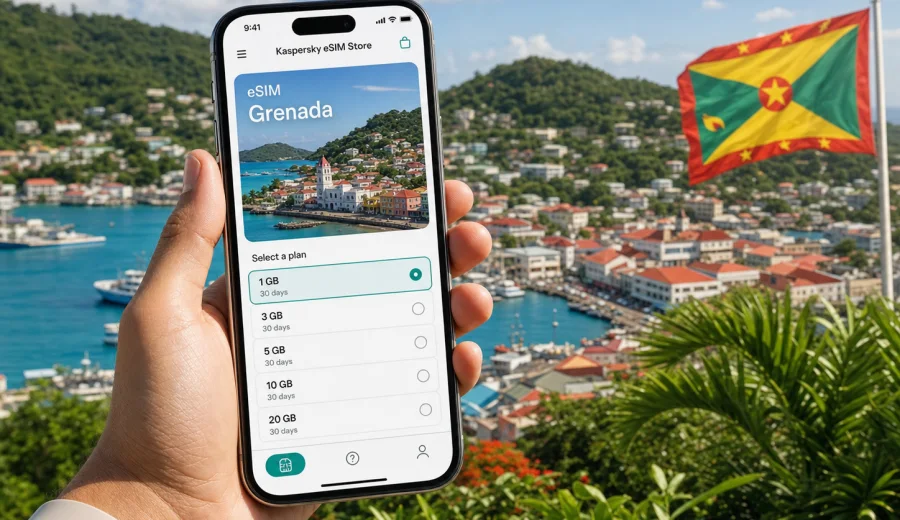
eSIM for Grenada: mobile connection and internet for your trip
Grenada is a compact Caribbean destination, but a trip there can involve more movement than it first appears: arrival at Maurice Bishop International Airport, hotel transfers around St. George's or Grand Anse, day trips to beaches, ferry plans for Carriacou and Petite Martinique, restaurant bookings, map searches, and messages to people waiting for updates at home. For many travelers, mobile internet is the practical layer that keeps the trip organized.
An eSIM can help you prepare that layer before you travel. Instead of looking for a physical SIM card after arrival, you can choose a prepaid data plan for your destination, install the eSIM on a compatible phone, and use mobile data when you need maps, rides, check-in details, payments, messaging, or work apps. Kaspersky eSIM Store helps you choose, arrange, and activate an eSIM with a suitable plan for mobile internet in an overseas trip.
This guide explains how to think about eSIM for Grenada, what to check before buying a plan, how much data you may need, and how to install the eSIM safely.
Why mobile internet matters in Grenada
Grenada is easy to enjoy when you can move around with confidence. Mobile data helps with the small decisions that happen all day: checking the route from the airport, confirming a pickup time, finding a beach access point, sending a location pin, looking up restaurant opening hours, or translating a short message. Public Wi-Fi can be useful in hotels and cafes, but it is not always available exactly when you need it.
For a country trip, an eSIM is especially useful in these situations:
- you want internet access soon after landing, before you reach the hotel;
- you plan to use maps around St. George's, Grand Anse, Morne Rouge, Gouyave, Grenville, or inland routes;
- you need messaging apps for drivers, hosts, family, colleagues, or tour operators;
- you want to reduce dependence on public Wi-Fi in airports, cafes, and shared spaces;
- you do not want to spend travel time looking for a shop that sells physical SIM cards;
- you are combining Grenada with another Caribbean destination and want to compare country or regional data options before departure.
An eSIM is not a separate travel assistant and it does not replace common sense about coverage, battery, or device settings. It simply gives your compatible device a digital mobile data profile that can be used for internet access under the conditions of the selected plan.
What an eSIM for Grenada is
An eSIM is a digital SIM profile built into many modern smartphones and tablets. With a physical SIM card, you insert a small plastic card into the device. With eSIM, you add a mobile data profile through the phone settings, often by scanning a QR code or following on-screen instructions.
For travel to Grenada, the most important point is simple: an eSIM can help you use mobile internet without buying a physical local SIM card after arrival. The plan conditions matter, so you should check the destination, data allowance, validity period, price, activation rules, and any usage notes before you pay.
Kaspersky eSIM Store is an app and website where you can quickly choose, arrange, and activate an eSIM with a suitable plan for mobile internet in an overseas trip. The service should not be understood as a mobile network operator. Your connection depends on the selected plan, local network conditions, your device, and the settings you use after installation.
When eSIM is useful during a Grenada trip
Different travelers use mobile data differently. A beach holiday, a sailing itinerary, a business visit, and a family trip do not have the same internet pattern. Use the examples below to estimate whether an eSIM plan fits your trip.
| Travel scenario | Why mobile data helps | What to check |
|---|---|---|
| Arrival day | Maps, pickup messages, hotel address, flight updates | Install the eSIM before travel or while connected to Wi-Fi after arrival |
| Beach and resort stay | Messaging, restaurant searches, light browsing, ride coordination | Choose a data allowance that matches daily use, not only trip length |
| Island exploring | Navigation, location sharing, weather checks, tour communication | Keep offline maps as a backup for remote areas |
| Work or remote check-ins | Email, documents, calendar, video calls when needed | Estimate higher data use and avoid relying only on hotel Wi-Fi |
| Multi-island travel | Ferry details, accommodation updates, family communication | Check whether a country, Caribbean, or regional plan better matches the route |
If you only send occasional messages and use hotel Wi-Fi for heavier tasks, a modest data allowance may be enough. If you stream video, upload large photo sets, use cloud backups, or join video calls, you will need more data and should control background app activity.
What to check before choosing an eSIM plan
Before you buy an eSIM plan for Grenada, check the parts that affect whether the setup will work for your trip. This is where many travel connectivity problems can be prevented.
First, confirm that your phone supports eSIM. Not every model does, and some regional versions of the same model can differ. Your device also needs to be unlocked by the carrier, otherwise it may refuse a new cellular profile. Before purchase, use the compatibility check: check your device.
Second, review the plan conditions. Look at the destination, amount of mobile data, validity period, price, and when the validity starts. Some plans begin counting from installation, while others start after the eSIM first connects to a supported network. The exact rule depends on the selected plan, so read the details before installing.
Third, think about your route. If Grenada is the only country on the trip, a Grenada plan may be the clearest choice. If your route includes other Caribbean destinations, compare whether a regional option is more practical. Do not choose only by headline data size; choose by where the plan works and how long you need it.
Finally, make sure you will have internet access during setup. Installing an eSIM usually requires Wi-Fi or another working internet connection. Many travelers install the eSIM before departure, keep their regular SIM active for calls and messages if needed, and switch mobile data to the eSIM profile when the trip begins.
How much data do you need in Grenada?
There is no single correct data allowance. The right choice depends on trip length, habits, and how much you rely on mobile data away from Wi-Fi. A good estimate is better than guessing at the airport.
| Data use pattern | Typical activities | Practical note |
|---|---|---|
| Light | Messaging, maps, email previews, booking confirmations | Suitable when hotel Wi-Fi covers most browsing |
| Medium | Maps, social apps, web searches, photo messages, occasional calls in messengers | A common pattern for leisure trips |
| Heavy | Video calls, streaming, hotspot use, cloud uploads, frequent work apps | Choose more data and monitor background usage |
To keep data use predictable, download offline maps before the trip, disable automatic app updates on mobile data, pause cloud photo backup, and use Wi-Fi for large downloads.
By the time you have estimated your route, device compatibility, and data needs, you can choose an eSIM plan for your trip to Grenada and review the available options for that destination. This link is best used after you understand your likely data use, because the most suitable plan is the one that fits your travel pattern, not the one with the biggest number on the screen.
A practical setup plan before departure
Preparing eSIM before you fly can make arrival calmer. You do not need to solve every detail in advance, but the essentials should be ready while you still have stable Wi-Fi and time to check settings.
Use this checklist:
- confirm that your phone supports eSIM and is not carrier-locked;
- update the operating system if your device has a pending cellular settings update;
- choose a plan that includes Grenada and matches your travel dates;
- read when the plan validity starts and whether any activation rule matters;
- install the eSIM while connected to reliable Wi-Fi;
- label the eSIM profile clearly, for example "Grenada data";
- keep your primary SIM available if you need regular calls or SMS;
- turn off mobile data switching if you want to control which profile uses data;
- save booking details and hotel addresses offline;
- keep the QR code or account access available until setup is complete.
This checklist is especially useful if you arrive late, travel with children, have a tight transfer, or need to message a driver immediately after leaving the airport.
How to install and activate eSIM
The exact steps depend on your device, but the general flow is similar: choose a plan, install the eSIM profile, select it for mobile data, and check that data roaming settings match the plan instructions. If you need detailed device steps, use the Android installation guide or the iOS installation guide.
Basic installation flow
1. Check that the device supports eSIM and is not locked to one carrier.
2. Choose a plan for Grenada or for the region that matches your route.
3. Arrange the plan through Kaspersky eSIM Store and open the installation details.
4. Add the eSIM profile through device settings or by using the QR code.
5. Give the profile a clear name so you can identify it later.
6. Select the eSIM profile for mobile data when you are ready to use it.
7. Enable data roaming for the eSIM if the plan instructions require it.
8. Wait for the device to connect; this can take a few minutes depending on local network conditions.
Do not delete the eSIM profile unless you are sure you no longer need it. In many cases, an activated eSIM profile cannot simply be moved to another device. If you change phones before the trip, check the plan conditions and support options before removing anything.
eSIM, roaming, local SIM, and Wi-Fi: what is the difference?
Travelers often compare eSIM with three alternatives: standard roaming from a home carrier, a physical local SIM card, and public Wi-Fi. Each option can be useful, but they solve the problem differently.
| Option | Strength | Limitation |
|---|---|---|
| Travel eSIM | Can be prepared before arrival and used without a physical SIM card | Requires a compatible unlocked device and correct setup |
| Home carrier roaming | Keeps your usual SIM and number active | Pricing and data rules depend on your home carrier |
| Local physical SIM | Can be useful for longer stays or local calling needs | Requires finding a shop, checking documents and conditions, and changing SIM cards |
| Public Wi-Fi | Useful for large downloads at hotels or cafes | Not always available while moving and may be less convenient for private tasks |
An eSIM is often the most convenient choice when your main need is mobile data. It may not include a regular phone number, voice calls, or SMS unless those features are explicitly included in the selected plan. For calls and messages, many travelers use internet-based apps over mobile data.
Mobile internet scenarios around Grenada
A Grenada trip often has several connectivity moments where mobile data is useful. Thinking through them in advance helps you avoid buying too much or too little data.
On arrival, mobile data helps with the basics: messaging a driver, checking a hotel address, opening a map, and confirming arrival details. Around St. George's and Grand Anse, it helps with restaurant searches, beach plans, ride coordination, and last-minute changes. For inland trips to waterfalls, gardens, or viewpoints, mobile data helps with navigation and communication, but offline maps are still sensible because coverage and signal strength can vary by location.
If you visit Carriacou or Petite Martinique, check your route and plan conditions carefully. A plan that covers Grenada should be reviewed for the exact destination and usage notes before the trip. If you combine Grenada with nearby countries, compare country-specific and regional options before purchase.
For business travelers, the main question is usually reliability of workflow rather than sightseeing. Use mobile data for email, messaging, authentication apps, maps, and urgent document access. Use hotel or office Wi-Fi for large downloads and long video calls when possible. If you need to tether a laptop, check the selected plan conditions and keep a larger data reserve.
Common mistakes to avoid
Most eSIM problems are not caused by the idea of eSIM itself. They come from rushed setup, unsupported devices, unclear plan conditions, or data settings.
Avoid these common mistakes:
- buying before checking whether your device supports eSIM;
- assuming every version of a phone model has the same eSIM support;
- installing the profile without reading when validity begins;
- deleting the eSIM profile after activation because it "looks unused";
- leaving mobile data assigned to the wrong SIM profile;
- forgetting to enable data roaming for the eSIM when the instructions require it;
- using video streaming or cloud backup on mobile data without checking remaining allowance;
- relying on public Wi-Fi for every trip task.
If mobile data does not work immediately, wait a few minutes, restart the device, check that the eSIM is selected for mobile data, confirm that data roaming is set as instructed, and make sure your plan is active for Grenada. If the issue continues, contact support with your device model, destination, and the steps you have already tried.
Quick decision guide
Use this short guide if you want a fast answer before choosing a plan.
Choose a smaller data allowance if: you stay mostly at one hotel, use Wi-Fi for video and backups, and need mobile data mainly for messages, maps, and booking details.
Choose a medium allowance if: you will move around the island, use maps daily, send photos, browse regularly, and make occasional voice calls through messenger apps.
Choose a larger allowance if: you work while traveling, use hotspot, stream video, upload many photos, or travel with another device that will depend on your phone.
Consider a regional option if: Grenada is one stop in a wider Caribbean route and you want one setup for multiple destinations. Always check the destinations and validity rules before buying.
FAQ about eSIM for Grenada
Can I use eSIM for mobile internet in Grenada?
Yes, if you choose a plan that includes Grenada and use a compatible, unlocked device. The experience depends on the selected plan, local network conditions, your phone settings, and device support.
Does an eSIM include calls and SMS?
Usually, travel eSIM plans for this use case focus on mobile data. A regular phone number, traditional voice calls, and SMS are not included unless the selected plan says so. You can use messenger apps for calls and messages over mobile internet.
Should I install the eSIM before I arrive?
In many cases, yes. Installing before departure lets you use reliable Wi-Fi and check settings calmly. Read the plan conditions first, because validity may start at a specific point depending on the plan.
Do I need to remove my regular SIM?
No. With many devices, you can keep your regular SIM active and use the eSIM for mobile data. Check your phone settings so calls, messages, and mobile data use the profiles you intend.
What if my phone is locked by a carrier?
A locked phone may not accept another cellular profile. Check with your carrier or device seller before buying an eSIM plan.
Can I share eSIM data by hotspot?
It depends on the selected plan and device settings. If you plan to use hotspot for a laptop or another traveler, check the plan conditions and choose enough data for that use.
Is eSIM a replacement for travel Wi-Fi?
It can reduce your dependence on public Wi-Fi, especially while moving, but Wi-Fi can still be useful for large downloads, streaming, and backups. The best setup often combines mobile data for mobility with trusted Wi-Fi for heavy tasks.
Final preparation checklist
Before you leave for Grenada, make sure the practical details are in place:
- your device supports eSIM;
- your phone is not carrier-locked;
- your selected plan includes Grenada and matches your dates;
- you understand when the plan validity starts;
- the eSIM is installed or you know how you will install it;
- the correct SIM profile is selected for mobile data;
- data roaming settings follow the plan instructions;
- offline maps, booking details, and important addresses are saved;
- cloud backup and app updates are controlled on mobile data.
When these items are ready, mobile internet becomes one less thing to solve after landing. Kaspersky eSIM Store helps you choose, arrange, and activate an eSIM with a suitable plan for an overseas trip, while you stay in control of device compatibility, data allowance, and activation timing.
Choose an eSIM plan for your Grenada trip
If Grenada is your next destination, prepare your mobile internet before the trip instead of solving it in the arrivals hall. Check your device, estimate your data use, review the plan conditions, and choose an eSIM plan for Grenada when you are ready to set up mobile data for the journey.