Travel connectivity guide
Grenville eSIM: Mobile Internet in Grenada
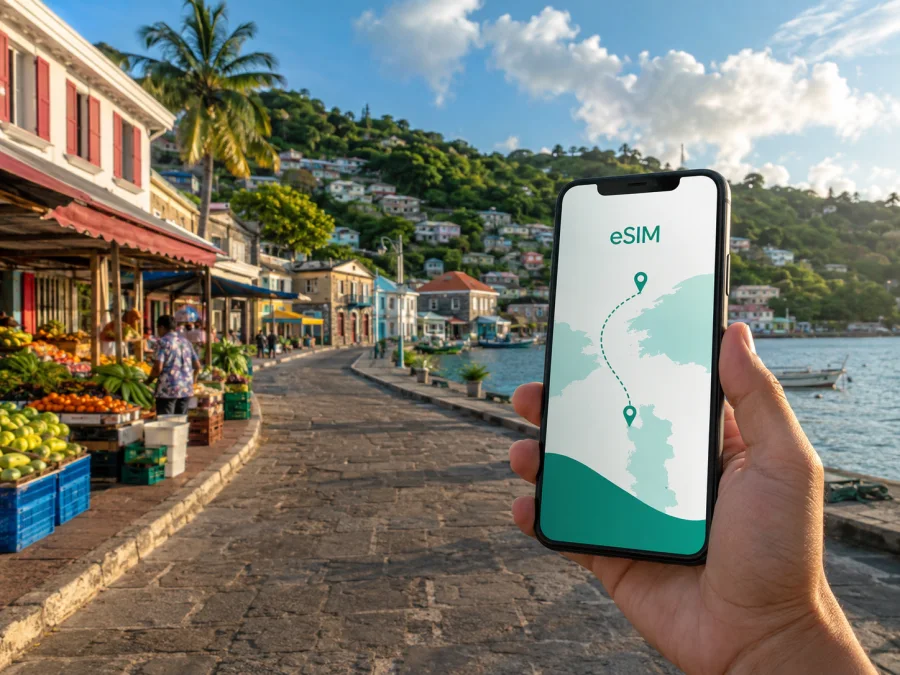
Grenville eSIM: mobile connection and internet for your trip to Grenada
Grenville is a practical base for exploring the eastern side of Grenada. It is a town in St Andrew parish, with a working waterfront, a local market atmosphere and historic civic and church buildings. If you are staying in Grenville, passing through on the way to nearby villages, or arriving for work, a dependable mobile connection can make the first hours and later transfers easier.
An eSIM, or digital SIM, lets you use a compatible phone for mobile internet without removing your everyday physical SIM card. Kaspersky eSIM Store is an app and website where you can choose, arrange and activate an eSIM with a suitable plan for a foreign trip. Check the destination, data allowance, validity period and activation terms before you proceed.
Why mobile internet matters in Grenville
Grenville is smaller and less familiar to many visitors than St George’s, so a little preparation helps. You may need to coordinate a road transfer, find a guesthouse entrance, message a host, check a meeting time or confirm the next leg of a day trip. Mobile data gives you a working option when you are away from hotel or café Wi-Fi.
The most useful tasks are often simple:
- checking a map between the market area, waterfront and accommodation;
- messaging a driver, host, colleague or travel companion;
- viewing a reservation or saving a digital boarding pass;
- checking directions before leaving Grenville for another part of Grenada;
- sharing your arrival status or looking up practical information.
These are small data requests, but they matter when carrying luggage, changing transport or working to a timetable. A suitable eSIM plan can help keep them separate from your home plan and reduce reliance on roaming or public Wi-Fi.
For a Grenville trip, the right eSIM plan is the one whose destination, validity period and data allowance match your route and usage. The city name helps you plan the journey; the plan conditions determine how the eSIM can be used.
Arriving in Grenville: prepare before the road transfer
Grenville does not have Grenada’s main international airport. If your international itinerary uses Maurice Bishop International Airport (GND) at Point Salines near St George’s, the final part of the journey to Grenville will be by road. Having mobile data ready can help with directions, messages, booking details and contact with the person meeting you.
There are two practical preparation patterns.
Install before departure
Complete the purchase and installation while you have a stable connection and time to read the plan conditions. If allowed, leave the travel line turned off until you reach Grenada. Keep the QR code or activation details available, and do not delete your home line.
Install after landing
This can work when you prefer to wait, but you will need Wi-Fi or another working connection during installation. Availability can vary, so avoid leaving the process until the last moment before an onward transfer.
Before leaving the airport area, check which line is selected for mobile data. Your home SIM can remain available for calls or texts if required, while the travel eSIM is selected for data. Menu names vary by phone.
Getting around town and planning local routes
Grenville is a town where short distances, road junctions and transfer timing can matter more than a complex transport network. Use your phone as a planning aid rather than assuming every route or place will be obvious on arrival.
Walking in the centre
Load the map before setting off and note the name of your destination. This is useful when a guesthouse, office or shop is identified by a landmark rather than a large sign. Save the accommodation address and the host’s contact details before leaving.
Local road journeys
Road travel connects Grenville with nearby communities and other parts of Grenada. A driver may use a landmark, junction or parish name that is more useful locally than a formal address. Send the destination in a message, open the map before the journey begins and allow time for stops, weather and changing road conditions.
Day trips from Grenville
St Andrew parish includes routes towards Grand Étang, Mount Carmel Falls, the Atlantic coast and other communities. If your excursion leaves town, open the route while connected, keep the phone charged and save the return meeting point.
Plan outward and return legs separately. A route that is easy in the morning may be less convenient after rain, darkness or a change in meeting point. Keep messages, booking references and your accommodation address available offline where possible.
Choosing an eSIM plan for a Grenville itinerary
Plan for the whole Grenada itinerary, not only the number of nights in town. If you fly into Point Salines, stay in Grenville and continue through another part of the island, a country plan for Grenada may be more relevant than a city-only assumption. Kaspersky eSIM Store helps you review the destination and plan conditions so you can select an option that fits the route.
| Situation in Grenville | Estimate your use | Check in the plan |
|---|---|---|
| Short stopover | Maps, messages and a few bookings | When validity begins |
| Weekend visit | Navigation, messaging and browsing | Data allowance and destination |
| Longer island itinerary | Daily maps and reservations | Validity, balance and top-up terms |
| Business trip | Email, documents and occasional calls | Allowance and tethering conditions |
This is a planning framework, not a promise about a particular package. Consumption depends on screen time, uploads, video, updates and app settings. If you expect to stream or use a hotspot, check the plan terms.
Keep data use predictable
Light use usually means navigation, messages, email and occasional browsing. Moderate use adds photo sharing and social feeds. Heavy use can include video calls, cloud backups, large downloads or streaming. Those categories are more useful than a generic daily number because travellers use their phones differently.
To avoid unexpected use:
- Turn off automatic app updates over mobile data.
- Pause photo and video backup until suitable Wi-Fi is available.
- Save key addresses and routes while the connection is reliable.
- Use lower-quality video for a necessary call when appropriate.
- Check balance and validity information in the profile or app.
- Add a top-up only if the selected plan supports it.
Prepare your Grenada eSIM
Once you have checked the route, choose an eSIM plan for your trip to Grenada. Review data volume, validity, destination and activation conditions before payment. For an itinerary that includes Grenville and other parts of the island, make sure the destination description matches the route.
Kaspersky eSIM Store helps you complete selection and activation through its app or website. It does not replace the local mobile operator or promise a particular signal in every building, road section or landscape. The experience depends on the selected plan, partner network, device, local conditions and the terms shown at purchase.
How to install and activate eSIM for Grenville
Begin with three conditions: your phone must support eSIM, it must not be locked to an operator, and you need a working internet connection for installation. Keep the QR code or profile details ready. For detailed guidance, use the Android installation instructions or the iOS installation instructions.
1. Check device compatibility
Confirm that your phone supports eSIM and is not operator-locked. Models can differ by region of sale, so do not rely only on a product family name. Before choosing a plan, check your device compatibility.
2. Open mobile network settings
Open the phone’s mobile network or cellular settings. Choose the option for adding a mobile plan, eSIM or cellular plan. Wording varies by operating system and manufacturer.
3. Add the eSIM profile
Scan the QR code or follow the profile instructions supplied after purchase. Use a stable connection and keep the phone screen active during the process.
4. Name the travel line
Give the profile a clear label such as “Grenada travel”. A visible label reduces the chance of selecting the wrong line when your home SIM remains active.
5. Select mobile data
Choose the travel eSIM as the line for mobile data when you are ready to use it. Keep your primary number for calls or messages if needed, and review any data-switching option.
6. Configure data roaming
Some travel eSIMs require data roaming to be enabled for the eSIM profile. Follow the selected plan’s instructions and enable it only for the intended travel line. Review your home line’s settings to avoid unintended charges.
7. Wait for registration
Connection can take several minutes and depends on the device and local network. If the eSIM does not register, check the selected data line, airplane mode, signal conditions and activation requirements.
If you installed the profile before flying, follow the plan’s rules about when validity or data use begins. If you want to use mobile data later, turn off the travel line when it is not needed and turn it on again according to those rules.
A Grenville travel setup that avoids confusion
Dual-SIM phones can keep your regular number and travel data line available together, but check the settings before leaving your accommodation:
- [ ] The travel eSIM is installed and labelled clearly.
- [ ] Mobile data is assigned to the travel eSIM when needed.
- [ ] Data roaming is configured for the correct line if required.
- [ ] Automatic data switching is disabled unless deliberately enabled.
- [ ] Your home line’s roaming settings fit your needs.
- [ ] The Grenville accommodation address is saved.
- [ ] Booking details and driver messages are easy to find.
- [ ] Maps, contacts and the phone battery are ready for the next road leg.
Accommodation, work and stopovers in Grenville
Whether you choose a small hotel, guesthouse, apartment or local host, save the property name, address, arrival instructions and contact method before leaving for Grenville. Mobile data is useful on the way to the property when Wi-Fi is not available. Once settled, use Wi-Fi for large files if it suits your plan.
For a business visit, download essential documents, save the meeting address and send your arrival window in advance. A charger or power bank is sensible because navigation and data use battery. Use stable Wi-Fi for large uploads, switch to the travel eSIM when leaving the building, and check whether tethering is permitted before using a hotspot.
Grenville can also be a one-night stop or one point on an island loop. Prioritise an installation process that fits your time, data for transfer messages and navigation, a validity period that begins when you expect to use the line, and saved addresses for arrival, accommodation and departure. If the route later includes another country, check whether a separate destination plan is required.
When an eSIM may not be the right fit
An eSIM may be unsuitable if your phone does not support it, is locked to your current operator, or if the plan’s destination and validity do not match the trip. A data-focused travel eSIM normally does not provide a regular number, voice calls or SMS unless the selected conditions say otherwise. Regular calls, unsupported devices, high-volume work or a changed country route may require another arrangement.
Troubleshooting in Grenville
If the eSIM is installed but data does not work, go through the basics in order:
- Check that the travel eSIM is turned on.
- Check that it is selected for mobile data.
- Check the plan’s data-roaming requirement.
- Turn airplane mode on briefly, then turn it off.
- Restart the phone if registration has not completed.
- Move to a place with a clearer signal if you are indoors or obstructed.
- Review destination, validity and remaining balance.
- Contact support if the problem remains, including the device model and the steps already checked.
Do not delete the eSIM profile as a first response. Some profiles may not be transferable or reinstallable after activation under the applicable terms. Keep the purchase details and QR code available, and ask support before making an irreversible change.
Frequently asked questions
Will an eSIM give me a Grenadian phone number?
Not normally. A travel eSIM is generally intended for mobile internet and does not include a regular number, voice calls or SMS unless stated in the selected plan. Messaging apps can work over data.
Can I keep my home SIM active?
Usually, a compatible dual-SIM phone can keep both profiles available. Select the travel eSIM for data and review the home line’s roaming settings. Your home operator may apply its own charges.
Why is the eSIM not connecting?
Check that the correct profile is enabled, selected for data and configured for data roaming if required. Registration can take several minutes. Then check the plan conditions, restart the phone and contact support if needed.
A short plan for your next trip
For Grenville, match mobile preparation to the journey: check the phone, choose a Grenada plan by destination and validity, install with a stable connection, then assign data to the travel line. Save your accommodation address and transfer details before setting out.
Kaspersky eSIM Store helps you choose, arrange and activate an eSIM for mobile internet during a foreign trip. Review the conditions, confirm compatibility and use the Grenada eSIM options to prepare for your stay in Grenville and the rest of your route.


